

Product Introduction

Laser Marking Capabilities
| Material | 20W | 30W | 50W | 60W | 70W | 100W |
|---|---|---|---|---|---|---|
| Stainless Steel (304/316) | Surface Mark; Black/Anneal | Surface Mark; Black/Anneal | Surface Mark; Black/Anneal; Shallow Engrave | Surface Mark; Black/Anneal; Shallow Engrave | Surface Mark; Black/Anneal; Shallow Engrave | Surface Mark; Black/Anneal; Shallow Engrave; deep relief |
| Carbon Steel (Mild) | Surface Mark | Surface Mark; Shallow Engrave | Surface Mark; Shallow Engrave | Surface Mark; Shallow Engrave | Surface Mark; Shallow Engrave | Surface Mark; Shallow Engrave; deep relief |
| Tool Steel (HRC ≤55) | Surface Mark | Surface Mark; Shallow Engrave | Surface Mark; Shallow Engrave | Surface Mark; Shallow Engrave | Surface Mark; Shallow Engrave | Surface Mark; Shallow Engrave; deep relief |
| Tool Steel (HRC 55–60) | Surface Mark | Surface Mark | Surface Mark; Shallow Engrave | Surface Mark; Shallow Engrave | Surface Mark; Shallow Engrave | Surface Mark; Shallow Engrave (slow) |
| Titanium & Ti Alloys | Surface Mark; Black/Anneal (color) | Surface Mark; Black/Anneal | Surface Mark; Black/Anneal | Surface Mark; Black/Anneal | Surface Mark; Black/Anneal | Surface Mark; Black/Anneal |
| Nickel Alloys / Inconel | Surface Mark | Surface Mark; Shallow Engrave | Surface Mark; Shallow Engrave | Surface Mark; Shallow Engrave | Surface Mark; Shallow Engrave | Surface Mark; Shallow Engrave; deep relief |
| Aluminum (Anodized) | fast Coating Removal (Surface Mark) | Coating Removal | Coating Removal | Coating Removal | Coating Removal | Coating Removal |
| Aluminum (Bare) | Surface Mark (MOPA Recommended) | Surface Mark; Shallow Engrave (MOPA Recommended) | Surface Mark; Shallow Engrave | Surface Mark; Shallow Engrave | Surface Mark; Shallow Engrave | Surface Mark; Shallow Engrave; deep relief |
| Brass | Surface Mark | Surface Mark; Shallow Engrave | Surface Mark; Shallow Engrave | Surface Mark; Shallow Engrave | Surface Mark; Shallow Engrave | Surface Mark; Shallow Engrave; deep relief |
| Copper | Surface Mark (MOPA Recommended) | Surface Mark; Shallow Engrave (MOPA Recommended) | Surface Mark; Shallow Engrave | Surface Mark; Shallow Engrave | Surface Mark; Shallow Engrave | Surface Mark; Shallow Engrave; deep relief |
| Galvanized Steel | Surface Mark (Manage Zinc Fumes) | Surface Mark | Surface Mark | Surface Mark | Surface Mark | Surface Mark |
| Zinc-/Chrome-Plated Steel | Coating Ablation (Surface Mark) | Coating Ablation | Coating Ablation | Coating Ablation | Coating Ablation | Coating Ablation |
| Black Oxide/Phosphate Coat | Surface Mark; Black/Anneal | Surface Mark; Black/Anneal | Surface Mark; Black/Anneal | Surface Mark; Black/Anneal | Surface Mark; Black/Anneal | Surface Mark; Black/Anneal |
| Painted/Powder-Coated Metals | Coating Ablation (Surface Mark) | Coating Ablation | Coating Ablation | Coating Ablation | Coating Ablation | Coating Ablation |
| Hard Plastics (ABS/PC/PA)* | Surface Mark (MOPA; Laser-Markable Grades) | Surface Mark (MOPA; Laser-Markable Grades) | Surface Mark (MOPA; Laser-Markable Grades) | Surface Mark (MOPA; Laser-Markable Grades) | Surface Mark (MOPA; Laser-Markable Grades) | Surface Mark (MOPA; Laser-Markable Grades) |
| POM/PE/PP (Additive-Filled)* | Surface Mark (Additive-Filled; MOPA Recommended) | Surface Mark (Additive-Filled; MOPA Recommended) | Surface Mark (Additive-Filled) | Surface Mark (Additive-Filled) | Surface Mark (Additive-Filled) | Surface Mark (Additive-Filled) |
| CFRP/GFRP Composites | resin Surface Mark | resin Surface Mark | resin Surface Mark | resin Surface Mark | resin Surface Mark | resin Surface Mark |
| Ceramics (With Marking Paste) | Shallow Engrave (With Paste) | Shallow Engrave (With Paste) | Shallow Engrave; Surface Mark (With Paste) | Shallow Engrave; Surface Mark (With Paste) | Shallow Engrave; Surface Mark (With Paste) | Shallow Engrave; Surface Mark (With Paste) |
| Glass (With Marking Paste) | Shallow Engrave (With Paste) | Shallow Engrave (With Paste) | Shallow Engrave; Surface Mark (With Paste) | Shallow Engrave; Surface Mark (With Paste) | Shallow Engrave; Surface Mark (With Paste) | Shallow Engrave; Surface Mark (With Paste) |
| Wood/Leather (Organics) | Mot Recommended (use CO₂ laser) | Mot Recommended | Mot Recommended | Mot Recommended | Mot Recommended | Mot Recommended |
| PVC | Mot Recommended (toxic fumes) | Mot Recommended | Mot Recommended | Mot Recommended | Mot Recommended | Mot Recommended |
Compatible Materials
- Stainless Steel
- Carbon Steel
- Mild Steel
- Alloy Steel
- Aluminum
- Anodized Aluminum
- Brass
- Copper
- Bronze
- Titanium
- Tungsten
- Nickel
- Nickel Alloys
- Zinc
- Chrome
- Gold
- Silver
- Platinum
- Palladium
- Iron
- Magnesium
- Carbide
- Cobalt
- Inconel
- Lead
- Tin
- Galvanized Metals
- Powder-Coated Metals
- Painted Metals
- Stainless Steel with Mirror Finish
- Hard Plastics
- PEEK
- Nylon
- Polycarbonate
- Acrylic
- Epoxy Resin
- Ceramic
- Silicone
- Leather
- Some Stone Surfaces
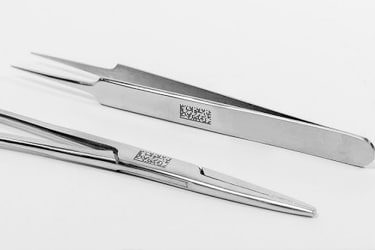
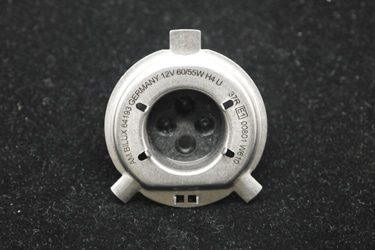
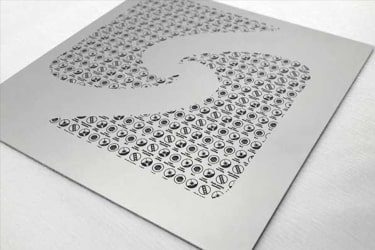
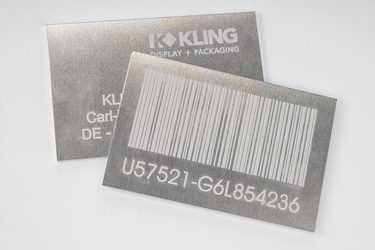
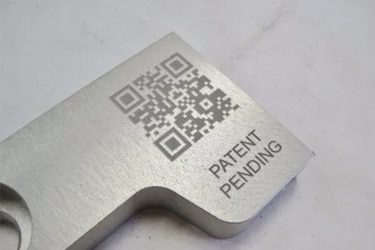
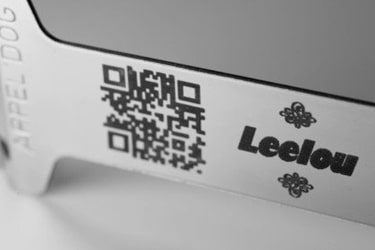
Application of 30W Fiber Laser Marking Machines
Customer Testimonials
Comparison VS Other Marking Technologies
| Comparison Item | Fiber Laser Marking | Dot Peen Marking | Inkjet Printing | Chemical Etching |
|---|---|---|---|---|
| Marking Speed | Very fast; high throughput suitable for automation | Moderate; mechanical movement limits speed | Fast, but limited by drying time | Slow; multi-step chemical process |
| Marking Quality | Extremely precise, clean, and high contrast | Medium; mechanical impact causes rough marks | Good, but can smear or fade | Good, but depends on chemical consistency |
| Material Compatibility | Works on most metals, plastics, ceramics | Mainly metals | Works on metals, plastics, paper | Mostly metals and coated surfaces |
| Permanence | Permanent and wear-resistant | Permanent but can be affected by corrosion | Temporary; can fade over time | Permanent if surface is properly treated |
| Surface Damage | Non-contact; no physical damage | Causes indentation and vibration | None | Can affect surface coating or finish |
| Precision on Small Parts | Excellent for micro-marking | Limited precision | Moderate; depends on nozzle resolution | Good, but less controllable |
| Maintenance Requirements | Very low; no consumables | Regular pin and stylus replacement | Frequent ink and nozzle maintenance | Chemical disposal and tank cleaning needed |
| Operating Cost | Low after purchase; no consumables | Low to moderate; mechanical wear parts | High; ink and solvent costs | Moderate; chemicals and waste handling |
| Environmental Impact | Clean and eco-friendly | Minimal | Uses solvents and produces emissions | Generates chemical waste |
| Noise Level | Silent operation | Noisy (mechanical impact) | Quiet | Silent |
| Integration in Production Lines | Easily automated with software and robotics | Possible, but slower cycle time | Easy to integrate | Difficult; manual process |
| Marking Depth Control | Fully adjustable via software | Fixed by stylus pressure | Not applicable | Limited by etching duration |
| Suitable for 2D/QR Codes | Excellent; sharp, high-resolution marks | Poor readability | Limited durability | Not suitable for fine codes |
| Lifespan of Equipment | 100,000+ hours of laser life | Moderate; mechanical wear parts | Moderate; ink system replacements | Limited by corrosion of tanks and tools |
| Overall Marking Consistency | Excellent; repeatable, distortion-free | Inconsistent on uneven surfaces | Affected by ink flow and surface texture | Variable; depends on chemical balance |
Why Choose Us
High Precision
Our machines deliver sharp, detailed markings with excellent contrast, suitable for complex patterns and small components across metal, plastic, and other materials.
Fast Processing
Designed for speed and efficiency, our systems complete marking tasks quickly without compromising quality, making them ideal for high-volume production environments.
Low Maintenance
With durable components and minimal consumables, our machines offer stable long-term performance, reducing downtime and keeping operating costs low.
Flexible Solutions
We provide a variety of models and customization options to suit different materials, marking needs, and production setups, ensuring the right fit for your business.
Related Resources
How Do Laser Parameters Affect The Marking Effect?
This article explores how laser power, speed, frequency, pulse width, focus, wavelength, hatch spacing, and material properties influence marking quality, depth, contrast, and precision.
How Does Laser Beam Quality Affect Marking Results?
This article explores how laser beam quality affects marking clarity, contrast, line width, edge sharpness, depth control, heat input, material response, and marking repeatability.
Can Laser Marking Be Removed
This article explores whether laser marking can be removed, the techniques used on different materials, common challenges, removal risks, and industrial use cases.
Can Lasers Be Used For Color Marking
This article explores how laser color marking works, the materials and colors it supports, its industrial applications, advantages, limitations, quality control, and safety factors.
Frequently Asked Questions
What Models Are Available For 30W Fiber Laser Marking Machines?
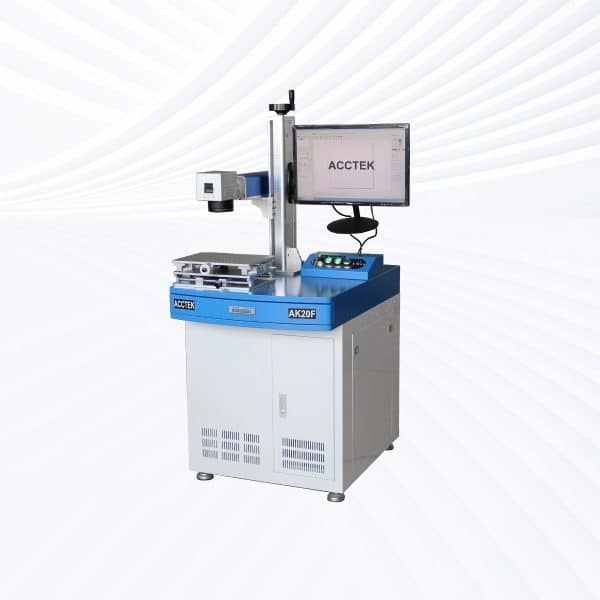
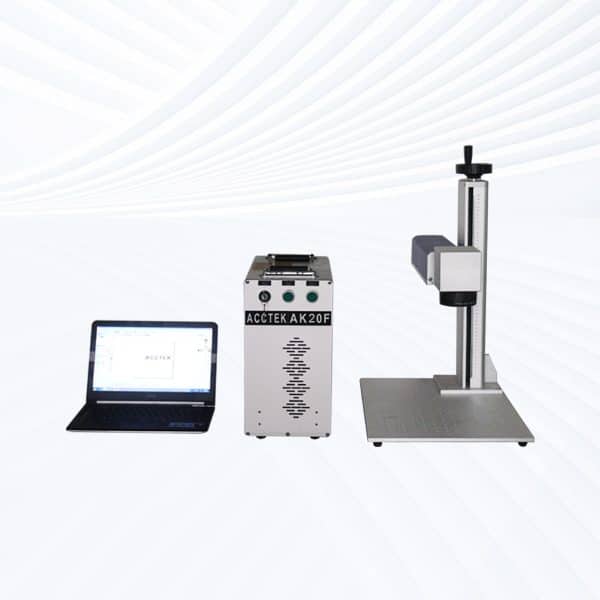
- Desktop Models: Compact and rigid, desktop units are suited for small-scale precision marking on metals, plastics, and electronic components. The stable structure ensures high repeatability and fine detail, making them ideal for tool, jewelry, and nameplate marking.
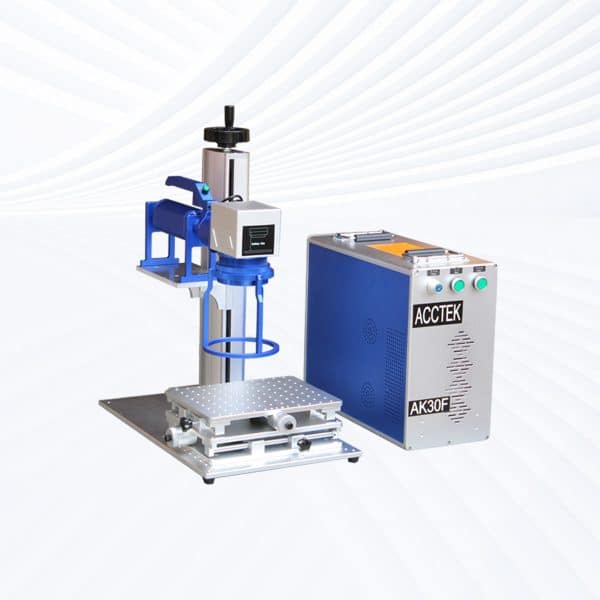
- Portable Models: Offering easy movement and quick setup, portable designs enable marking on large parts or across multiple production stations. They combine moderate power with flexibility, perfect for workshops with variable workloads.
- Handheld Models: Built for direct marking on oversized, assembled, or heavy workpieces, handheld fiber lasers allow operators to mark surfaces without repositioning the product. Common uses include industrial machinery, pipes, and automotive parts.
- Fully Enclosed Systems: These feature protective housings, laser safety glass, and fume extraction systems, creating a clean and secure work environment. They are widely used in medical device manufacturing, electronic labeling, and precision industries.
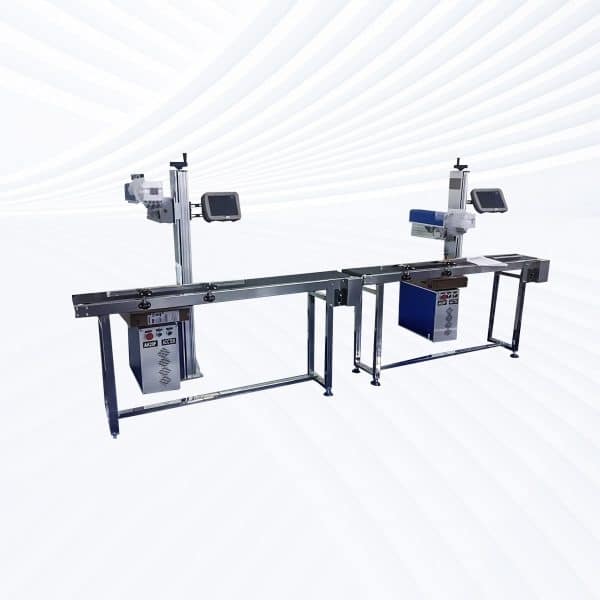
- Flying Fiber Lasers: Designed for inline production, these continuous-marking systems operate on conveyor lines, marking products like wires, packaging, and electronic chips while moving—ideal for mass production environments.
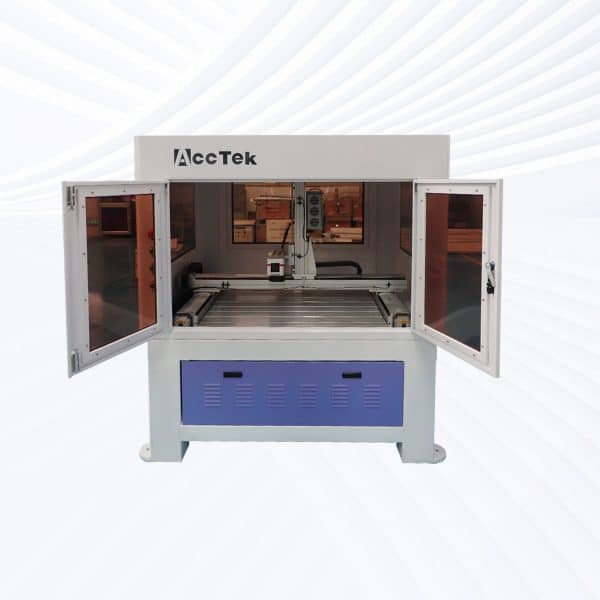
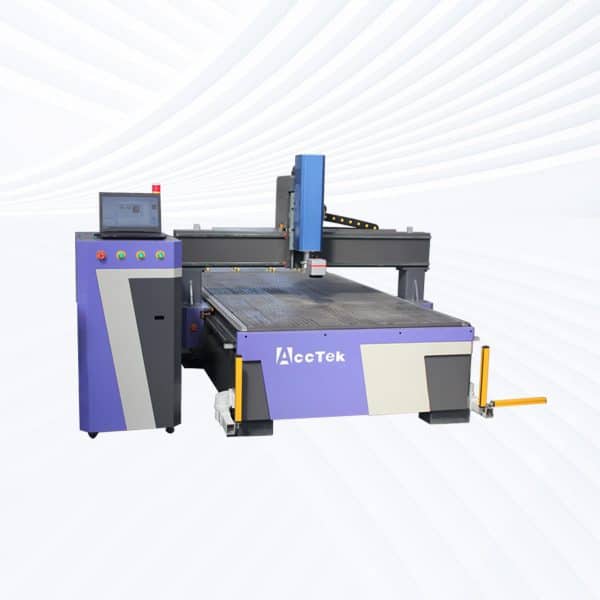
- Large-Area Screw-Drive Systems: Utilizing precision ball-screw motion control, these systems ensure smooth operation and high accuracy across expanded marking fields. They are often used for molds, panels, and engraved templates requiring tight tolerances.
- Large-Area Open Rack-Drive Systems: Featuring open-frame accessibility and high-speed rack-and-pinion movement, these models are excellent for large-format marking or bulk engraving tasks, where speed and access take priority over micron-level precision.
How Much Do 30W Fiber Laser Marking Machines Cost?
- Desktop Models ($1800–2200): Stable and compact, these are perfect for precision marking on metal, plastic, and coated materials. They’re widely used for small tools, nameplates, and electronics where consistent quality is key.
- Portable Models ($1800–2200): Similar in cost to desktop types but designed for easy relocation between workstations. They allow flexible marking on components or assemblies that are inconvenient to move.
- Handheld Units ($2000–2400): Engineered for marking large or irregular items, handheld fiber lasers combine portability with 30 W of power—ideal for industrial parts, pipes, and mechanical housings.
- Fully Enclosed Systems ($2500–2900): Equipped with protective housing, safety sensors, and exhaust filtration, these provide a clean, enclosed marking environment suitable for offices, labs, and high-precision production.
- Flying Fiber Lasers ($3100–3500): Designed for conveyor integration, these continuously mark moving products such as cables, bottles, and circuit boards, ensuring high-speed inline performance for automated factories.
- Large-Area Screw-Drive Systems ($7100–8700): Featuring precision ball-screw motion control, these machines deliver stable accuracy and fine detail over large marking areas—excellent for molds, plates, and large panels.
- Large-Area Open Rack-Drive Systems ($7200–7700): Focused on speed and accessibility, these rack-driven models handle bigger or bulkier parts, balancing high throughput with open-frame operation for easy loading.
What Are The Disadvantages Of 30W Fiber Laser Marking Machines?
- Limited Cutting Capability: While 30W fiber lasers excel at engraving and marking, they cannot cut through thick metal materials. The laser power is sufficient for surface etching or deep marking, but users requiring precise cutting or metal sheet separation must use higher-powered fiber lasers or alternative laser types.
- Restricted Material Range: 30W fiber lasers are not suitable for non-metal materials like wood, glass, transparent plastics, or ceramics. The 1064 nm wavelength of fiber lasers passes through clear or reflective surfaces without absorption, making them ineffective for those materials. For organic or non-metallic materials, CO2 or UV lasers are more appropriate.
- Potential Reflective Surface Risks: Highly reflective metals such as copper, gold, and aluminum can reflect part of the laser energy into the system. Without proper safety design, this reflection can damage the fiber source or lens over time. Anti-reflective optics and protective isolators can minimize but not eliminate this risk.
- Smaller Marking Area on Standard Configuration: The typical marking area for 30W fiber lasers ranges from 110 × 110 mm to 200 × 200 mm. Larger areas require additional field lenses or mechanical motion systems, which increase cost and reduce marking speed uniformity.
- Higher Initial Cost Compared to Other Technologies: Although economical in the long term, fiber lasers have a higher upfront investment than traditional inkjet or mechanical engraving systems. For small workshops or low-volume marking, this may extend the payback period.
What Is The Marking Speed Of 30W Fiber Laser Marking Machines?
- Maximum Marking Speed: 30W fiber laser marking machines can reach up to 7000 mm/s under optimal conditions. This high speed is achieved through fast-response digital galvo scanning heads that direct the laser beam precisely over the surface. Such performance makes them suitable for batch marking, serial numbering, and mass production of parts.
- Effective Working Speed: In real-world applications, the effective marking speed typically ranges between 3000–5000 mm/s, depending on the complexity of the pattern, font size, and marking depth. Simple vector logos or barcodes can be processed faster, while deep engraving or dense text requires slower speeds to maintain clarity.
- Influencing Factors: The final marking speed varies with several factors:
- Material Type: Harder metals like stainless steel or titanium require slower marking than plastics or anodized aluminum.
- Power Settings: Increasing laser power can speed up marking, but may cause excess heat or surface deformation.
- Focus and Beam Quality: Proper focal distance and stable beam mode (M² < 1.5) ensure sharp, uniform lines at high speeds.
- Software Optimization: Advanced marking software can streamline vector paths, reducing travel time and improving output efficiency.
How Quiet Are 30W Fiber Laser Marking Machines?
- Laser Operation Noise: 30W fiber laser marking systems produce minimal operational noise, typically below 65 dB, comparable to normal office conversation. The laser beam itself is silent, as the marking process occurs through non-contact photothermal interaction, vaporizing or oxidizing surface layers without mechanical impact or cutting noise.
- Primary Noise Sources: The limited noise generated by these machines mainly comes from cooling fans or air extraction systems. These components maintain proper airflow and temperature control for the galvo head, laser source, and electronic modules. High-quality models use low-noise cooling fans and sound-dampened enclosures to further minimize audible output.
What Training Is Required To Operate 30W Fiber Laser Marking Machines?
- Operator Familiarization: Before operation, users should understand the machine’s components, including the fiber laser source, galvanometer scanner, focusing lens, and control interface. Training should cover how to power the system, adjust the focus, and safely align workpieces.
- Software Operation: Operators must learn to use the laser marking software—commonly EZCAD or similar platforms. This includes importing vector files (DXF, PLT), setting marking parameters (power, frequency, speed), and optimizing layout for batch marking. Basic computer literacy is sufficient for this step, but understanding vector graphics and laser-material interaction helps achieve better results.
- Safety and Handling: Training should emphasize laser safety protocols, especially the use of protective eyewear rated for 1064 nm wavelength and compliance with Class 4 laser safety standards. Operators must also know how to manage ventilation systems, grounding, and emergency stops. Fully enclosed systems typically require less strict training due to built-in shielding.
- Maintenance Awareness: Routine maintenance tasks, such as cleaning lenses, checking power cables, and monitoring cooling systems, should be part of operator training. Understanding these procedures helps extend the laser’s lifespan and prevents downtime.
What PPE Is Required When Operating 30W Fiber Laser Marking Machines?
- Laser Safety Glasses: The most critical PPE is laser safety eyewear rated for the 1064 nm wavelength used by fiber lasers. These glasses protect against accidental exposure to the invisible near-infrared laser beam, which can cause permanent eye damage even at low power levels. Safety glasses must meet ANSI Z136.1 or EN 207 standards, and their optical density (OD) should match the laser’s power output.
- Protective Clothing: Operators should wear non-reflective, flame-resistant clothing to avoid beam reflections and material ignition. Loose or shiny accessories, such as watches or jewelry, should be removed to prevent laser reflection hazards.
- Gloves: While gloves are not required for normal operation, heat-resistant or cut-resistant gloves should be used when handling recently marked parts, as they may retain residual heat or burrs.
- Respiratory Protection: If the laser is marking materials that emit fumes (e.g., plastics or painted metals), proper fume extraction must be installed. In cases where ventilation is insufficient, operators should wear an N95 or equivalent respirator to protect against particulate matter and vaporized compounds.
- Hearing Protection: 30W fiber laser marking machines operate quietly (typically below 65 dB), so hearing protection is not normally required unless used near other loud industrial equipment.
What Are The Environmental Requirements For 30W Fiber Laser Marking Machines?
- Temperature Requirements: The ideal operating temperature for 30W fiber laser marking machines ranges from 15℃ to 30℃ (59℉ to 86℉). Environments that are too hot can cause thermal drift in the optics and reduce laser efficiency, while cold temperatures may affect the stability of electronic components. Machines should be allowed to reach ambient temperature before use if stored in colder conditions.
- Humidity Conditions: Relative humidity should be maintained between 30% and 70%, with no condensation. Excess moisture can lead to electrical short circuits, corrosion of optical components, and reduced laser stability. In humid environments, it’s advisable to use a dehumidifier or air conditioning to stabilize conditions.
- Dust and Air Quality: Fiber laser marking systems perform best in clean, dust-free environments. Airborne dust can settle on the lens or galvanometer mirrors, reducing marking precision and potentially burning optical coatings. An air filtration or dust extraction system is strongly recommended, especially in workshops where other machining processes occur nearby.
- Vibration and Stability: The machine should be installed on a solid, level surface away from sources of vibration (e.g., heavy machinery or compressors). Vibrations can disturb the optical path, causing marking distortions or alignment errors.
- Ventilation and Fume Extraction: Proper ventilation is essential, especially when marking coated metals, plastics, or polymers that emit vapors. A dedicated fume extractor with activated carbon filtration prevents the accumulation of harmful gases and maintains a clean work environment.