
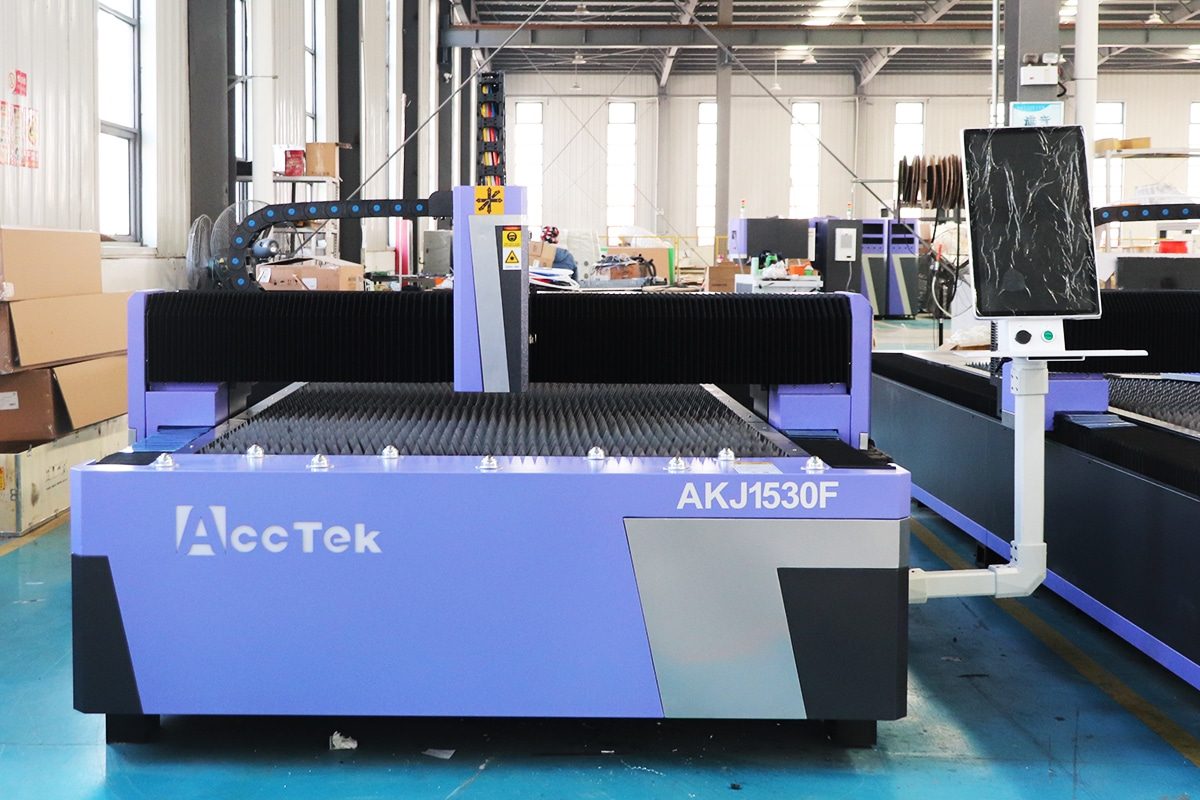
Comprehensive Guide to Selecting Laser Power for Laser Cutting Machines

This comprehensive guide explains how to select the right laser power for cutting machines based on material type, thickness, cut quality, and production requirements.
Home » Blog » Comprehensive Guide to Selecting Laser Power for Laser Cutting Machines
Comprehensive Guide to Selecting Laser Power for Laser Cutting Machines
Choosing the right laser power is one of the most critical decisions when investing in or operating laser cutting machines. It’s not just a matter of watts—it directly impacts cutting speed, precision, material compatibility, edge quality, and operational costs. Select too little power, and the machine struggles with thick or dense materials. Go too high, and you might waste energy, increase maintenance needs, or even damage delicate materials.
Laser cutting technology has evolved rapidly, offering options ranging from low-powered CO2 lasers ideal for thin plastics and wood to high-powered fiber lasers capable of slicing through thick metals with remarkable speed and accuracy. But with this range of choices comes complexity. Factors like material type, thickness, production volume, desired cut quality, and budget must all be weighed carefully to avoid costly mistakes.
This guide breaks down everything you need to know to match laser power to your specific cutting needs. Whether you’re a first-time buyer, a workshop manager scaling production, or a manufacturer upgrading your equipment, understanding how to select the correct laser power will save time, money, and frustration. Let’s clear the fog and make sure your next move is an informed one.
Table of Contents

What “Laser Power” Really Means

When people talk about “laser power” in the context of laser cutting machines, they’re usually referring to the amount of energy the laser delivers to the material—but that’s only part of the story. Laser power is not just a single number you match to a material thickness. It’s a combination of factors that collectively determine how effectively and efficiently a laser can cut, and it goes far beyond just wattage. To make a smart choice, you need to understand what’s behind the spec sheet.

Average Power VS. Peak Power

Average power refers to the continuous output of the laser over time, typically measured in watts. It determines how much heat the laser delivers during cutting and is especially important for cutting thick or thermally conductive materials.
Peak power, on the other hand, is the maximum output the laser can produce in a very short pulse. This is critical for pulsed lasers and is particularly relevant for precision cutting of thin materials, brittle substrates, or materials that require rapid vaporization without excessive heat transfer.
For example, a laser with 200W average power and 5kW peak power may cut delicate materials more effectively than a 1kW continuous wave laser, depending on the application.

Beam Quality and Brightness

Beam quality—often measured as an M² value—describes how well the laser beam can be focused. A beam with M² = 1 is ideal (perfect Gaussian beam), meaning it can be tightly focused into a small spot. This directly affects cutting precision, kerf width, and edge quality.
Brightness is a combination of power and beam quality. A higher-brightness laser delivers more power into a smaller spot, increasing cutting efficiency. Brightness is especially important when cutting thick metals or when high-speed, high-precision cuts are required.

Wavelength and Absorptivity

Different laser types operate at different wavelengths, which affect how well energy is absorbed by various materials. CO2 lasers typically operate around 10.6 µm, making them suitable for non-metals like wood, acrylic, and plastics. Fiber lasers, on the other hand, operate at 1.06 µm, which is much better absorbed by metals such as stainless steel, carbon steel, aluminum, and copper.
Understanding material absorptivity at specific wavelengths is key. For instance, copper reflects most CO2 laser energy but absorbs fiber laser energy more efficiently, making fiber lasers a better choice for cutting conductive metals.

Spot Size, Power Density, and Focusing Optics

The spot size of a laser is determined by the beam quality and the focusing optics. A smaller spot size means higher power density (watts per square millimeter), which enables cleaner, faster cuts and the ability to process harder materials.
Focusing optics play a critical role in matching the laser beam to the application. A tighter focus may be perfect for fine, high-detail work, but could lead to issues like overheating or a narrow kerf when working with thick materials. Adjustable focus systems and auto-focus heads allow operators to optimize the beam for each job.

Stability and Beam Delivery

Power stability—how consistently the laser maintains its output—is crucial for maintaining quality over long runs. Fluctuations can result in uneven cuts, burning, or material wastage. High-end laser systems include power feedback and control mechanisms to ensure output remains steady.
Beam delivery refers to how the laser energy is transferred from the source to the cutting head. In CO2 lasers, this often involves mirrors and beam tubes, which require regular maintenance. In contrast, fiber lasers use flexible fiber-optic cables, allowing for simpler integration, lower losses, and more consistent beam quality over long distances.
Laser power isn’t just a number—it’s a multifaceted set of characteristics that determine cutting performance. Average vs. peak power defines the energy profile. Beam quality and brightness impact focus and efficiency. Wavelength affects material compatibility. Spot size and focusing optics determine precision and cut quality. Power stability and beam delivery ensure consistent operation.
To select the right laser power, you need to look beyond the wattage on the label and understand how these elements interact with your specific materials, tolerances, and production demands. Only then can you choose a laser cutting system that delivers optimal performance with minimal compromise.

How Power Affects Cutting Physics

Laser cutting is fundamentally a thermal process—converting light into heat to remove material. The laser’s power level doesn’t just determine how thick a material it can cut; it shapes the entire physical interaction between the laser beam and the workpiece. From the way material melts or burns, to how fast and precisely it can be pierced, laser power plays a defining role in every phase of the cutting process.
Different materials and cutting methods respond uniquely to laser energy. Understanding these physical mechanisms—melt cutting, reactive cutting, piercing, and cutting non-metals—is key to selecting the right power level and achieving consistent, high-quality results.

Melt Cutting (Inert Gas Cutting)

In melt cutting, also known as fusion cutting, the laser heats the material to its melting point, and a jet of inert gas—typically nitrogen or argon—blows the molten metal out of the kerf. This method is widely used for stainless steel and aluminum, where oxidation is undesirable.

Power plays a central role here. Higher laser power:

  • Increases melting rate, enabling faster cutting speeds.
  • Improves edge smoothness and precision.
  • Allows cutting of thicker materials without dross or incomplete penetration.
However, excess power without precise control can overheat the material, widen the kerf, or lead to heat-affected zones (HAZ). Balancing power with assist gas pressure is critical for optimal results.

Reactive Cutting (Oxygen Cutting)

Reactive cutting uses oxygen as the assist gas. Instead of just blowing away molten metal, the oxygen reacts exothermically with the heated metal—primarily carbon steel—to generate additional heat. This allows thicker cuts with lower laser power compared to inert gas cutting.

Here, laser power acts as the initiator. Once the reaction begins, the oxygen sustains the process. However:

  • Too little power leads to slow or incomplete ignition.
  • Too much power can cause excess oxidation, rough edges, or burn marks.
With oxygen cutting, the cut quality depends on power stability and timing—especially during transitions like piercing and acceleration.

Thermal Penetration (Piercing) and the Process Window

Before a cut begins, the laser must pierce the material—creating an entry hole by rapidly heating a localized area. This is called thermal penetration, and it demands a high, focused energy burst.

Key power-related factors in piercing:

  • Pulse power or high peak power enables fast, controlled piercing without excessive burr.
  • Controlled ramp-up prevents spatter or back reflections, which can damage optics.
Every material has a process window—a range of power and speed settings where cutting is stable. Too little power leads to incomplete cuts. Too much can cause overheating, warping, or poor edge quality. Finding and staying within this window is essential for consistent results, especially in automated or high-volume environments.

Cutting Non-Metals with CO2 Lasers

CO2 lasers are typically used for non-metal materials, such as wood, acrylic, paper, leather, and plastics. These materials efficiently absorb the 10.6 µm wavelength of CO2 lasers, making lower power levels (typically 60W–600W) highly effective.

Power directly affects:

  • Cut depth and speed: More power allows deeper cuts or faster passes.
  • Edge finish: Excessive power may char or burn the material.
  • Detail and resolution: Lower power with finer focus yields clean, intricate cuts.
Unlike metals, non-metals often degrade with too much heat. Matching power to material sensitivity is critical to avoid melting, discoloration, or deformation.
Laser power doesn’t just determine how thick a material can be cut—it defines how the cutting process works at a physical level. In melt cutting, power drives the melt rate and precision. In reactive cutting, it initiates a chemical reaction that sustains the cut. In piercing, it governs speed and safety. And for non-metals, power must be delicately balanced to avoid thermal damage.
Understanding the physical effects of power on different materials and cutting methods gives you control—not just over whether a cut succeeds, but how clean, fast, and efficient it is. Selecting the right power isn’t just about capability—it’s about mastering the physics behind the process.

Machine-Side Factors That Influence Power Effectiveness (or Ineffectiveness)

Laser power alone doesn’t guarantee good cutting results. Even the most advanced high-wattage laser can underperform if the machine components around it aren’t optimized. The actual effectiveness of laser power is heavily influenced by the machine’s hardware and support systems. From the precision of the motion system to the reliability of the assist gas and cooling setup, every subsystem contributes to—or limits—the performance you get from your laser power. Here’s a breakdown of the key machine-side factors that directly affect how well laser power translates into cutting quality, speed, and reliability.

Cutting Head and Optics

The cutting head is the final delivery point of the laser beam and plays a critical role in focusing power effectively onto the workpiece. Poor optics or misaligned lenses can scatter or distort the beam, reducing power density and compromising cut quality.

Key considerations:

  • Focusing lens quality and condition: Scratches or contaminants degrade the beam focus.
  • Collimation and beam alignment: Impacts how tightly the beam can be focused.
  • Auto-focus capabilities: Essential for maintaining consistent focus over variable material thicknesses or warped surfaces.
  • Protective windows: Must be clean and properly sealed to prevent beam degradation.
Even with high laser power, poor optics lead to incomplete cuts, dross formation, or excessive kerf width.

Assist Gas Supply

The assist gas system (nitrogen, oxygen, or air) directly interacts with the cutting process. Without the right gas flow, pressure, and purity, laser power won’t be effectively used.

Key factors:

  • Pressure control: Inert cutting needs high-pressure nitrogen (10–20 bar) to blow away molten metal cleanly. Reactive cutting needs a stable oxygen flow to maintain the exothermic reaction.
  • Flow rate and nozzle design: Impacts kerf clearing and cooling.
  • Contaminants in gas lines can alter cut chemistry, especially with oxygen.
A weak or unstable gas supply results in rough edges, incomplete penetration, and wasted power.

Motion System

The motion system controls the laser head’s speed and precision across the workpiece. No matter how much power is available, inconsistent or imprecise motion will ruin a cut.

Key factors:

  • Acceleration and deceleration performance: Important for tight curves or sharp corners.
  • Positional accuracy and repeatability: Affects fine detail and edge straightness.
  • Vibration dampening: Minimizes wobble or inconsistent cuts at high speeds.
A sluggish or sloppy motion system forces slower cutting speeds and limits how much power can be applied effectively.

CNC System Characteristics

The CNC (computer numerical control) unit acts as the brain of the machine, coordinating the laser, motion, and assist gas systems in real time.

Key elements:

  • Processing speed: A fast CNC can handle complex geometries without slowing down or introducing lag.
  • Look-ahead algorithms: Anticipate changes in direction and speed to adjust laser power dynamically.
  • Power modulation control: Allows the machine to adjust laser output on the fly, critical for thin parts, variable contours, or intricate patterns.
A slow or outdated CNC system can waste energy, delay responses, and undermine high-speed cutting.

Cooling and Electrical Systems

Laser sources—especially high-powered fiber or CO2 lasers—generate significant heat. If the cooling system can’t keep up, the laser will throttle down or shut off to prevent damage.

Key points:

  • Chiller capacity must match laser output.
  • Flow stability and temperature regulation affect beam consistency.
  • Electrical stability: Voltage spikes or drops can impact laser output, CNC control, or drive systems.
Underperforming cooling or unstable power infrastructure limits the laser’s ability to sustain high output.
Laser power doesn’t operate in isolation. Its true effectiveness depends on how well the entire machine system supports it. High power is only valuable if the optics focus it cleanly, the assist gas clears the kerf, the motion system keeps up, the CNC controller makes smart decisions, and the cooling and electrical systems keep everything stable.
Ignoring these factors leads to a mismatch, where high wattage produces mediocre results. For optimal cutting performance, laser power must be matched with machine-side systems that can handle and apply that power with precision.

Factors Affecting Laser Power

Selecting the right laser power for a laser cutting machine isn’t just about choosing the highest wattage you can afford. It’s about aligning the power output with the actual demands of your applications. That means understanding how different factors—ranging from material properties to machine setup—affect how much power you truly need. Getting this balance right determines not just whether a cut is possible, but how fast, clean, and efficient it will be. Here’s a deeper look at the key variables that directly influence the required laser power.

Material Type

Different materials absorb and react to laser energy in different ways, depending on their thermal conductivity, reflectivity, and melting/vaporization points.

  • Metals (like stainless steel, carbon steel, and aluminum) typically require higher power levels, especially reflective ones like copper or brass, which absorb less energy and reflect more.
  • Non-metals (like acrylic, wood, or leather) absorb CO2laser wavelengths well and can often be processed with lower power.
  • Highly reflective materials need either extremely high power density or the use of fiber lasers to cut effectively.
Choosing the right laser source and power level based on material type is fundamental for both performance and safety.

Material Thickness

As thickness increases, so does the energy required to make a full-depth cut.

  • Thin materials (under 2 mm) can often be cut with lower-power lasers (100–500W for metals).
  • Medium thicknesses (2–10 mm) typically require 1–3 kW.
  • Thicker metals (10 mm and above) demand 4 kW or more for clean, efficient cuts.
Thicker materials not only need more power to penetrate but also more sustained power to maintain cut speed and quality.

Cutting Speed

There’s a direct trade-off between cutting speed and required power.

  • Faster cutting requires more power to maintain the energy density at the cutting front.
  • Slower speeds may allow for lower power, but at the cost of productivity and possibly edge quality.
In high-volume operations, even small power increases can translate to major time savings when running at optimized speeds.

Lens Focal Length

The focal length of the lens in the cutting head determines the size and shape of the laser’s focal spot.

  • Shorter focal lengths (e.g., 100 mm) create smaller, more concentrated spots—great for thin materials and fine detail.
  • Longer focal lengths (e.g., 200 mm) result in deeper focal zones, which are better for cutting thicker materials but require more power to achieve the same power density.
Using the wrong focal length for your material thickness or cut type can lead to poor penetration, excessive kerf width, or poor edge finish.

Beam Quality

Beam quality, often expressed as the M² factor, indicates how well a laser beam can be focused. A lower M² value means better focusability and higher power density at the cutting spot.

  • High-quality beams (M² close to 1) can deliver excellent results at lower power by focusing the energy more effectively.
  • Poor beam quality requires more power to achieve similar cutting performance.
Choosing a laser with good beam quality can reduce power requirements while improving cut accuracy.

Desired Cut Quality

Higher cut quality—especially with metals—requires more energy, precision, and thermal control.

  • Smooth, oxide-free edges often require higher power combined with inert assist gases like nitrogen.
  • Rough cuts or basic separation cuts might be acceptable at lower power or faster speeds.
If appearance, tight tolerances, or reduced post-processing are priorities, more laser power—and better control over it—is usually required.

Machine Specifications

The machine itself plays a role in how effectively it can use the available power.

  • Assist gas pressure and flow must be adequate to match higher power levels.
  • Motion system speed and acceleration must keep up with faster cutting enabled by more power.
  • Cooling systems must be capable of dissipating the additional heat.
A machine designed for 2 kW may not handle 6 kW efficiently, even if the laser source is upgraded.
Laser power isn’t a one-size-fits-all specification. The right level depends on what you’re cutting, how thick it is, how fast you want to go, and the cut quality you expect. Material type and thickness dictate the base requirements. Cutting speed, beam quality, and optics influence how efficiently that power is used. And the machine’s hardware sets the ceiling on what’s possible.
A strategic approach to laser power selection means matching it to the real-world variables of your operation—not just chasing high wattage, but understanding where it adds value and where it doesn’t.

A Step-by-Step Framework for Selecting Laser Power

Selecting the right laser power isn’t guesswork—it’s a strategic decision rooted in real-world data, operational requirements, and future goals. The most common mistake is to buy based on wattage alone, without aligning it with actual production needs. To avoid underpowered systems or overpaying for unused capacity, use a methodical approach. This section provides a structured, step-by-step framework to guide you through the laser power selection process, from defining your needs to validating performance.

Define Scope, Constraints, and Success Metrics

Start by clearly outlining the purpose of the laser cutting system:

  • Scope: What materials will be processed? In what formats (sheets, tubes, custom shapes)? Are cuts primarily structural or cosmetic?
  • Constraints: Consider floor space, power availability, budget, operator skill level, and integration with other systems.
  • Success metrics: These could be cut quality, throughput (parts/hour), uptime, material flexibility, or ROI. Know what you’re optimizing for.
This step ensures all decisions align with your actual goals—not just specs on paper.

Construct Thickness Histograms by Material

Don’t just list the materials you plan to cut—quantify them.

  • For each material (e.g., carbon steel, stainless steel, aluminum), build a thickness histogram showing how much of your workload falls into each thickness range.
  • Include frequency and volume: What’s daily, weekly, or monthly?
  • Highlight edge cases: occasional thick sheets or unusual alloys.
This gives a clear picture of what thicknesses matter most—and therefore what power levels will be used most often.

Define Edge Quality and Downstream Requirements

Not all cuts are equal. Some parts go straight to welding or forming; others require cosmetic finishes or tight tolerances.

  • Cosmetic parts may require oxide-free edges and minimal burrs, which demand high power and inert gas.
  • Structural parts might tolerate rougher edges if it boosts speed.
  • Downstream processes like bending or coating may impose additional quality demands.
Matching laser power to cut quality requirements avoids bottlenecks or extra finishing work downstream.

Determine Yield Targets

Define what production looks like in real numbers.

  • What is the minimum acceptable throughput (e.g., sheets/hour, parts/day)?
  • What level of scrap or rework is tolerable?
  • Are you optimizing for peak volume or consistent output over time?
Laser power affects both cut speed and first-pass yield. Select power levels that support your production rhythm without sacrificing quality.

Select Primary Process Strategies

Different cutting methods favor different power levels.

  • Will you prioritize melt cutting with nitrogen for clean stainless steel edges?
  • Or lean on reactive cutting with oxygen for thicker carbon steel?
  • Will piercing cycles be critical for part nesting?
Define your main cutting strategy and match the power to it. Each strategy has its sweet spot in terms of power efficiency and performance.

Map Candidate Power Bands

Map Candidate Power Bands

Example:

  • 1–2 kW: Ideal for thin stainless steel and aluminum, fine detail.
  • 3–4 kW: Balanced performance across medium-thickness metals.
  • 6–12 kW: High-speed, thick plate cutting, production scale.
Map these against your material histogram to see where each power band aligns or falls short.

Validate Equipment and Operating Costs

Laser power affects more than cut speed—it drives total cost of ownership.

  • Higher power systems cost more up front and consume more electricity.
  • They may require larger chillers, reinforced electrical infrastructure, or more expensive consumables.
  • Assist gas usage (especially nitrogen) scales with speed and power.
Run realistic cost-per-part and cost-per-hour estimates to see how each power option affects profitability.

Future-Proof and Consider Upgrade Paths

Today’s needs aren’t tomorrow’s limits.

  • Will you expand into thicker materials or higher volumes?
  • Is modular power scaling (e.g., fiber modules) possible?
  • Can the CNC, motion, and optics support a future upgrade?
Don’t buy for your bottlenecks—buy with scalability in mind. Choose a system that grows with you.

Perform Acceptance Testing on Actual Parts

Before finalizing your selection, request or arrange cut tests on your real-world parts, not just generic demos.

  • Evaluate edge quality, speed, piercing time, and dimensional accuracy.
  • Test multiple thicknesses and materials.
  • Inspect heat-affected zones, dross, and consistency.
This is the ultimate validation step—ensuring the laser power you choose delivers where it matters most: your shop floor.
Choosing laser power is not about picking a number—it’s about building a decision on hard data and real-world needs. By working through this framework—from defining scope and building material histograms, to testing actual cuts—you avoid waste, overengineering, or poor fit.
This step-by-step approach ensures your laser cutting machine delivers not just power, but the right power, optimized for quality, speed, cost, and future growth.

Practical Heuristics by Material and Thickness

Once you understand the theory behind laser power selection, the next step is applying it in practice. While no two cutting operations are identical, certain patterns hold across materials and thicknesses. These heuristics—based on real-world experience—can help narrow down the right power range for different materials and job types.
This section offers practical guidelines for common materials, showing what laser power levels are typically effective for various thicknesses and quality expectations. These aren’t hard limits, but they provide a solid starting point for matching machine capabilities to your workload.

Mild Steel (Carbon Steel)

Mild steel is one of the most commonly cut materials in industrial settings, with good laser absorptivity—especially for fiber lasers—and wide tolerance for reactive cutting with oxygen.

Recommended Power Ranges:

  • Up to 3 mm: 1–2 kW works well with oxygen assist; fine detail possible with lower power and nitrogen.
  • 3–10 mm: 3–6 kW supports faster cutting, cleaner edges with nitrogen.
  • 10–20 mm: 6–12 kW required for high speed or nitrogen cutting.
  • 20 mm+: 12+ kW needed, often with oxygen to support deep penetration.
Heuristic Tip: If speed is a priority, favor higher power (6–12 kW); for lower volume or budget-sensitive shops, 3–4 kW is often sufficient for most thicknesses under 10 mm.

Stainless Steel

Stainless steel requires high-quality, oxide-free edges, especially for food-grade or cosmetic applications. Nitrogen is typically used to prevent oxidation, which increases the power demand.

Recommended Power Ranges:

  • Up to 2 mm: 1–2 kW provides clean, burr-free cuts.
  • 2–6 mm: 3–4 kW recommended for faster, high-quality results.
  • 6–12 mm: 6–12 kW required for consistent, slag-free cutting with nitrogen.
  • 12 mm+: 12+ kW improves productivity, especially for thick plates.
Heuristic Tip: Nitrogen cutting needs roughly 30–50% more power than oxygen cutting at the same thickness. Quality demands may justify higher power even at low thicknesses.

Aluminum Alloys

Aluminum reflects laser light more than steel and has high thermal conductivity, making it harder to cut, especially with CO2 lasers. Fiber lasers are preferred.

Recommended Power Ranges:

  • Up to 2 mm: 1–2 kW works well; good beam quality is critical.
  • 2–6 mm: 3–6 kW needed to maintain speed and avoid burrs.
  • 6–12 mm: 6–12 kW ensures full penetration and clean edges.
Heuristic Tip: For polished or high-reflectivity surfaces, pre-treatment or specialized nozzles may be necessary to avoid back reflection damage at high power.

Copper and Brass

Both materials are highly reflective and thermally conductive, which makes them traditionally challenging for lasers. Fiber lasers have improved the ability to cut these metals, especially when paired with the right wavelength and high beam brightness.

Recommended Power Ranges:

  • Up to 1 mm: 1.5–2 kW can cut copper/brass if the beam quality is excellent.
  • 1–3 mm: 3–6 kW is necessary for stable cuts.
  • 3–6 mm: 6–12 kW for production-quality results, especially with nitrogen assist.
Heuristic Tip: Use high peak power and short pulses for thin copper; monitor reflectivity and ensure equipment includes back-reflection protection.

Titanium and Nickel Alloys

Used in aerospace, medical, and energy applications, these titanium alloys require precise, high-quality cuts. They have low thermal conductivity but can be reactive, so nitrogen or argon assist is preferred.

Recommended Power Ranges:

  • Up to 3 mm: 2–3 kW suitable for detailed cutting.
  • 3–6 mm: 4–6 kW offers better speed and edge quality.
  • 6–10 mm: 6–12 kW needed for reliable full-depth cuts.
Heuristic Tip: Keep cutting speed moderate to avoid oxidation; assist gas purity is just as important as laser power for these reactive metals.

Non-Metals (CO2 Lasers)

For wood, acrylic, paper, rubber, textiles, and plastics, CO2 lasers are preferred due to better absorption at 10.6 µm. These materials don’t require high power but need fine control to avoid burning or charring.

Recommended Power Ranges:

  • Paper, films: 40–100W
  • Acrylic, plastics: 100–300W
  • Wood, rubber, leather: 150–400W
  • Thick plastics or composite boards: 300–600W
Heuristic Tip: Lower power with slower speed gives cleaner edges; too much power often leads to discoloration or melting. For acrylic, 10.6 µm lasers produce a polished edge; fiber lasers do not.
Each material behaves differently under a laser beam—and so does each thickness range. These practical heuristics give a reality-based benchmark for aligning laser power with your most common jobs.
Choosing the right power isn’t about buying the biggest laser you can. It’s about selecting the most effective wattage for your materials, your tolerances, and your speed goals. Use these ranges to guide your decisions, then fine-tune based on actual part requirements and shop conditions.

Converting Power to Parameters: Adjustment Points

Once you’ve selected the right laser power for your application, the next critical step is translating that power into cutting performance. Raw wattage alone doesn’t cut material—how that power is delivered, modulated, and supported by machine settings determines the final result. Every material, thickness, and geometry requires a unique configuration of laser parameters to optimize cut quality, speed, and stability.
This section outlines the key adjustment points that bridge the gap between available laser power and effective laser cutting performance. Fine-tuning these parameters is essential to unlock the full potential of your machine.

Focal Position

The focal point is where the laser beam is concentrated into its smallest, most intense spot. Its position relative to the material surface significantly impacts power density and cut quality.

  • Above the surface (positive offset): Helps with faster cutting of thin materials.
  • At the surface (zero offset): Good starting point for general-purpose cuts.
  • Below the surface (negative offset): Often used for thicker materials to ensure deep penetration.
Adjustment Tip: A slight change in focal position (±0.5 mm) can drastically affect kerf width, dross levels, and edge finish. Use test cuts to dial it in for each material/thickness combination.

Nozzle Diameter and Spacing

The nozzle size controls gas flow dynamics, which in turn affect cooling, slag removal, and oxidation prevention.

  • Smaller nozzles (e.g., 1.0–1.5 mm) deliver high-pressure gas in a narrow stream—ideal for thin or precise cuts.
  • Larger nozzles (e.g., 2.0–3.0 mm) allow better gas flow for thicker materials but may sacrifice edge sharpness.
  • Nozzle stand-off distance (spacing between nozzle and material) also matters:
  • Too close can trap molten material or cause backflow.
  • Too far reduces gas efficiency and weakens the cutting effect.
Adjustment Tip: Use a gap of 0.5–1.5 mm for most applications, and monitor for signs of slag buildup or inconsistent edges to optimize spacing.

Gas Type and Pressure

The assist gas works with the laser beam to remove molten material and control oxidation. The choice of gas—and how it’s delivered—affects both cutting quality and cost.

  • Oxygen: Reacts exothermically with mild steel, enhancing penetration at lower laser power. Typically used at 0.5–6 bar.
  • Nitrogen: Inert; used for clean, oxide-free edges in stainless and aluminum. Requires high pressures (10–20 bar).
  • Compressed air: Low-cost alternative for light-gauge metals and non-metals. Less clean than nitrogen but often good enough.
Adjustment Tip: Higher gas pressure improves edge smoothness and speed—but increases consumption and cost. Monitor edge oxidation and adjust accordingly.

Speed, Power Percentage, and Duty Cycle

These three parameters govern how the laser applies energy during motion:

  • Speed (mm/min): Faster speeds require more power to maintain cut integrity. Too slow and material overheats or warps.
  • Power percentage: Adjusts the output relative to the laser’s max rating (e.g., 80% of 6 kW = 4.8 kW actual output).
  • Duty cycle: In pulsed cutting modes, controls the “on” time of the laser within each pulse (e.g., 50% duty cycle means half the time on, half off).
Adjustment Tip: Don’t always run at full power. Lowering power percentage can improve edge quality and reduce HAZ in thin materials. Use duty cycle tuning for piercing or sensitive contours.

Piercing Strategy

Piercing—how the laser initiates a hole before cutting—requires different parameters than continuous cutting.

  • Slow pierce: Uses lower power and longer time to minimize spatter. Good for thin or sensitive materials.
  • Fast pierce: High peak power in short bursts for thick plates.
  • Multi-stage pierce: Starts with low power, then ramps up to full power gradually.
Adjustment Tip: Use delayed motion to allow full piercing before movement begins. Improper piercing causes burrs, spatter, and damage to nearby edges.

Contour Features

The geometry of the part being cut influences how power should be managed:

  • Tight curves and corners: Require dynamic power and speed adjustment to avoid overburning or heat accumulation.
  • Small holes and slots: May need reduced power or slower speed for precision.
  • Sharp corners: Can benefit from laser deceleration and reduced assist gas pressure to prevent rounding or slag buildup.
Adjustment Tip: Use your machine’s look-ahead and corner compensation features to adjust power and speed in real time based on toolpath geometry.
Laser power is only as effective as your ability to control it. By adjusting key parameters—focal point, nozzle setup, gas settings, speed, modulation, piercing, and path control—you shape how energy interacts with material. This is where cutting performance is made or lost.
The most productive shops don’t just rely on high wattage—they master how to convert power into precision through smart parameter tuning. Understanding and adjusting these settings is what separates average cuts from optimized production.

Troubleshooting Laser Power Issues

Even with the right laser power on paper, real-world cutting problems can and do arise. Whether it’s incomplete cuts, burnt edges, or inconsistent performance, these issues often trace back to how power is being delivered—or misused—in the system. Diagnosing and resolving power-related problems requires understanding both the symptoms and the contributing factors, from hardware settings to material conditions.
This section offers a focused breakdown of common laser power issues, what causes them, and how to correct them. The goal is to help operators and engineers identify root causes quickly and restore optimal cutting performance.

Insufficient Cutting Depth

Symptoms:

  • The laser fails to penetrate the material fully
  • Incomplete or shallow cuts
  • Excessive dross or burr on the underside
  • Poor edge finish, especially on thicker materials

Possible Causes & Fixes:

  • Power too low: Confirm that the power percentage is set appropriately for material thickness. Consider increasing to 90–100% if not already.
  • Speed too fast: Slow down the feed rate to allow more time for energy absorption.
  • Focus too high: Adjust focal position slightly below the surface for thicker materials.
  • Dirty or damaged optics: Inspect and clean lenses or replace if degraded—dirty optics reduce effective power.
  • Incorrect assist gas type or pressure: Ensure correct gas is used (e.g., oxygen for mild steel, nitrogen for stainless) and pressure is within optimal range.
  • Beam misalignment: Have a technician check alignment from the source through the optics to the nozzle.

Excessive Burning or Melting

Symptoms:

  • Burn marks or discoloration on the edges
  • Excessive heat-affected zone (HAZ)
  • Melted edges or overly wide kerf
  • Distorted or warped parts, especially in thin materials

Possible Causes & Fixes:

  • Power too high: Reduce output percentage, especially when cutting thin or heat-sensitive materials.
  • Speed too slow: Increase cutting speed to reduce dwell time and avoid overheating.
  • Poor focus: If the laser is too tightly focused, it can concentrate too much heat. Raise the focal point slightly to widen the energy distribution.
  • Improper gas usage: Using oxygen when nitrogen is needed can lead to oxidation and burning. Switch to an inert gas when needed.
  • Nozzle too close: Increase nozzle stand-off distance to reduce thermal buildup near the surface.

Inconsistent Cutting Results

Symptoms:

  • Cuts vary in depth or edge quality across the sheet
  • Quality degrades over time during the job
  • Piercing issues—some start clean, others fail
  • Random burn marks or dross accumulation

Possible Causes & Fixes:

  • Fluctuating laser power: Check for power stability in the laser source. This could signal a hardware issue or require recalibration.
  • Dirty optics or protective windows: Contamination builds up over time, reducing output. Clean or replace as part of routine maintenance.
  • Assist with gas inconsistencies: Inspect regulators, filters, and hoses for leaks or pressure drops.
  • Thermal distortion: Long cutting cycles without breaks can heat up the sheet, changing cutting behavior. Use better nesting and sequencing strategies.
  • Improper or worn nozzle: Replace nozzles that are damaged or worn out to ensure consistent gas flow and beam quality.
  • Motion system or table instability: If parts are vibrating or shifting during cuts, the beam interaction will vary. Check clamping systems and table flatness.
Troubleshooting laser power issues means looking beyond the wattage rating and into how that power is delivered, focused, and controlled. Problems like insufficient depth, burning, or inconsistency usually result from a mismatch between power settings and cutting conditions.
By understanding the most common failure modes—and how to fix them—you can quickly restore cutting performance and reduce downtime. Fine-tuning power-related parameters isn’t just reactive; it’s a critical part of maintaining quality and efficiency in any laser cutting operation.

Summary

Selecting the right laser power for a laser cutting machine is not about chasing the highest wattage—it’s about matching the tool to the job. The optimal laser power depends on a mix of factors: material type and thickness, cut quality expectations, production speed, and even future growth plans. Power alone doesn’t ensure performance; how that power interacts with beam quality, focusing optics, assist gas, and motion control defines real-world results.
This guide outlined the physics behind laser cutting, the impact of machine-side systems, practical power guidelines for different materials, and a step-by-step framework for making informed decisions. It also addressed parameter tuning and troubleshooting, showing how to get the most from the power you have.
In practice, smart laser power selection starts with data: your materials, your parts, your production goals. It continues with hands-on validation—testing cuts, dialing in parameters, and adjusting to evolving needs. A well-matched laser system isn’t just a purchase—it’s a long-term investment in precision, efficiency, and scalability.
Whether you’re buying your first machine or upgrading an existing line, use laser power as a tool—not a headline spec. When chosen wisely, it becomes the backbone of reliable, high-quality production.

Get Laser Cutting Solutions

Choosing the right laser power is only one part of building a successful laser cutting operation—the other is partnering with a manufacturer who understands your needs and can deliver solutions that work. At AccTek Group, we specialize in providing intelligent laser cutting systems designed for performance, precision, and adaptability. Whether you’re cutting metal, non-metal, or complex composite materials, our expert team can help you match the right laser power to your specific production demands.
We don’t just sell machines—we work with you to analyze your materials, part geometries, thickness ranges, and throughput goals. From there, we recommend optimized power levels, beam sources, and assist gas configurations to ensure you get the most out of your investment. Our solutions cover everything from compact laser cutters for small workshops to high-power, high-speed fiber laser cutting systems for industrial-scale production.
With years of experience, global support, and a commitment to innovation, AccTek Group delivers more than hardware—we deliver reliable, end-to-end laser cutting solutions. If you’re ready to move forward with confidence, let our experts help you evaluate your requirements and build a system tailored to your future.
Contact AccTek Group today to explore smart, scalable laser cutting solutions that grow with your business.
AccTek Logo
Privacy Overview

This website uses cookies so that we can provide you with the best user experience possible. Cookie information is stored in your browser and performs functions such as recognising you when you return to our website and helping our team to understand which sections of the website you find most interesting and useful.