

Product Introduction

Laser Marking Capabilities
| Material | 30W | 60W | 100W | 150W |
|---|---|---|---|---|
| Wood (Birch, MDF, Pine) | Surface Mark; Deep Engrave | Deep Engrave; Cut (≤5mm) | Deep Engrave; Cut (≤10mm) | Deep Engrave; Cut (≤20mm) |
| Bamboo | Surface Mark; Deep Engrave | Deep Engrave; Cut (≤5mm) | Deep Engrave; Cut (≤10mm) | Deep Engrave; Cut (≤20mm) |
| Leather (Genuine & PU) | Surface Mark; Color Change | Deep Engrave; Burn Mark | Deep Engrave; Burn Mark | Deep Engrave; Burn Mark |
| Acrylic (PMMA) | Surface Mark; Edge Polished Cut (≤3mm) | Deep Engrave; Cut (≤6mm) | Deep Engrave; Cut (≤10mm) | Deep Engrave; Cut (≤20mm) |
| ABS / Plastics (Non-Metallic) | Surface Mark; Color Change | Surface Mark; Light Engrave | Deep Engrave; Surface Burn | Deep Engrave; Surface Burn |
| Glass (With or Without Paste) | Frosted Surface Mark | Frosted Surface Mark; Light Engrave | Deep Frosted Engrave | Deep Frosted Engrave |
| Paper / Cardboard | Fast Mark; Cut (≤2mm) | Fast Mark; Cut (≤3mm) | Fast Mark; Cut (≤5mm) | Fast Mark; Cut (≤10mm) |
| Fabric / Textiles (Cotton, Felt, Denim) | Surface Mark; Pattern Cutting | Surface Mark; Pattern Cutting | Deep Engrave; Cut | Deep Engrave; Cut |
| Rubber (Natural & Silicone) | Surface Mark; Deep Engrave | Deep Engrave | Deep Engrave | Deep Engrave |
| Anodized Aluminum | Surface Mark (Coating Removal) | Surface Mark (Coating Removal) | Surface Mark (Coating Removal) | Surface Mark (Coating Removal) |
| Painted/Coated Metals | Coating Ablation Only (No Metal Removal) | Coating Ablation | Coating Ablation | Coating Ablation |
| Ceramics (With Marking Paste) | Surface Mark (With Paste) | Surface Mark (With Paste) | Deep Engrave (With Paste) | Deep Engrave (With Paste) |
| Stone / Marble / Granite | Surface Mark; Shallow Engrave | Deep Engrave (≤2mm) | Deep Engrave (≤4mm) | Deep Engrave (≤6mm) |
| Glass Fiber / Epoxy Boards | Surface Mark; Shallow Engrave | Deep Engrave | Deep Engrave | Deep Engrave |
| Foam / EVA | Surface Mark; Cut (≤3mm) | Deep Engrave; Cut (≤6mm) | Deep Engrave; Cut (≤10mm) | Deep Engrave; Cut (≤15mm) |
| PVC | Not Recommended (toxic fumes) | Not Recommended | Not Recommended | Not Recommended |
| Metals (Stainless, Carbon, Brass, Copper) | Not Recommended (use Fiber Laser) | Not Recommended | Not Recommended | Not Recommended |
Compatible Materials
- Acrylic
- Plexiglass
- Polycarbonate
- Polyethylene
- Polypropylene
- ABS Plastic
- Polystyrene
- Polyvinyl Chloride
- Rubber
- Silicone
- Felt
- Polyester
- Cardstock
- Anodized Aluminum
- Laminates
- Organic Composites
- Coated Metals
- Eggshell
- Natural Fibers
- Synthetic Fibers
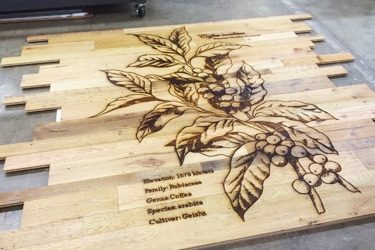
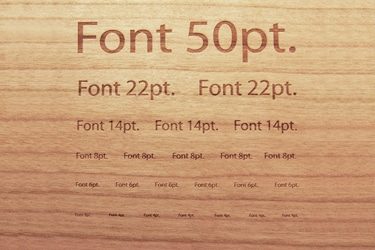
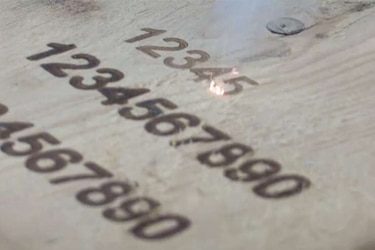
Application of 60W CO2 Laser Marking Machines





Customer Testimonials
Comparison VS Other Marking Technologies
| Comparison Item | CO2 Laser Marking | Dot Peen Marking | Inkjet Printing | Chemical Etching |
|---|---|---|---|---|
| Marking Method | Non-contact laser beam vaporizes surface | Mechanical impact using stylus | Ink-based printing | Acid or chemical corrosion |
| Suitable Materials | Non-metals (wood, leather, plastics, glass, paper, ceramics) | Mostly metals | Paper, plastic, metal, glass | Metals, coated materials |
| Marking Speed | Very fast; suitable for continuous production | Moderate; depends on hardness | High-speed | Slow, multi-step process |
| Marking Precision | Extremely high; fine and detailed marks | Moderate; limited by stylus tip | Medium; dependent on droplet control | High, but requires masking |
| Heat Effect on Material | Minimal; clean and smooth | Generates frictional heat | None | Can cause surface damage |
| Marking Quality | Clean, sharp, and permanent | Rough, indented marks | Good but prone to fading | Smooth but may leave residue |
| Permanence of Marking | Permanent and wear-resistant | Permanent but may deform surface | Non-permanent; ink can fade | Permanent but prone to corrosion |
| Surface Damage | Non-contact, no damage | Causes indentation | None | May etch or weaken surface |
| Maintenance Requirements | Very low; no consumables | Frequent stylus replacement | High; needs ink and nozzle cleaning | Requires chemical handling |
| Consumables Needed | None | Stylus tips | Ink cartridges, solvents | Acids and masks |
| Environmental Impact | Eco-friendly; no waste | Minimal | Generates ink waste | Produces hazardous chemical waste |
| Noise Level | Silent operation | Noisy due to mechanical impact | Quiet | Silent |
| Automation Compatibility | Easily integrated into automated lines | Limited | Easy to automate | Difficult; mostly manual |
| Operating Cost | Low long-term cost | Medium | High due to ink use | Medium to high |
| Ideal Applications | Organic materials, packaging, plastics, wood, glass | Metal tags, nameplates, industrial parts | Labels, barcodes, dates | Metal parts, decorative engraving |
Why Choose Us
High Precision
Our machines deliver sharp, detailed markings with excellent contrast, suitable for complex patterns and small components across metal, plastic, and other materials.
Fast Processing
Designed for speed and efficiency, our systems complete marking tasks quickly without compromising quality, making them ideal for high-volume production environments.
Low Maintenance
With durable components and minimal consumables, our machines offer stable long-term performance, reducing downtime and keeping operating costs low.
Flexible Solutions
We provide a variety of models and customization options to suit different materials, marking needs, and production setups, ensuring the right fit for your business.
Related Resources
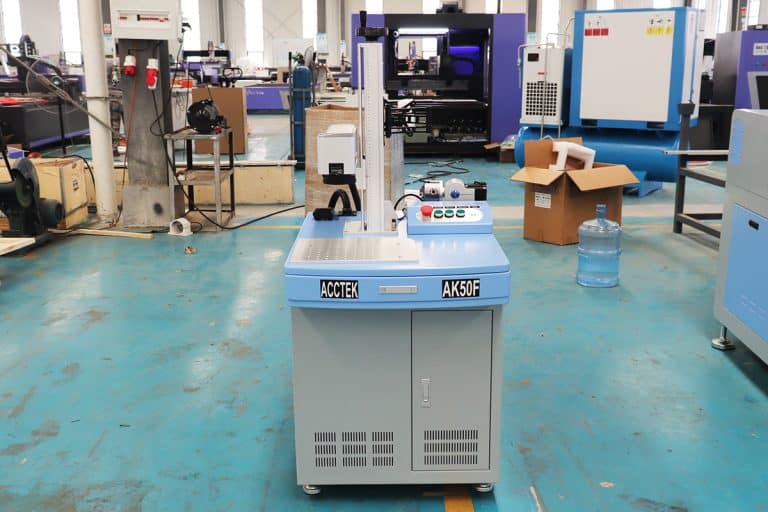
How Do Laser Parameters Affect The Marking Effect?
This article explores how laser power, speed, frequency, pulse width, focus, wavelength, hatch spacing, and material properties influence marking quality, depth, contrast, and precision.
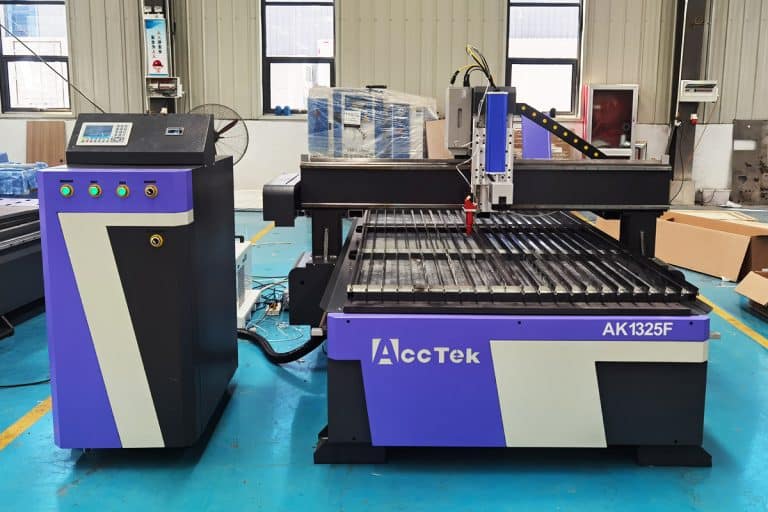
How Does Laser Beam Quality Affect Marking Results?
This article explores how laser beam quality affects marking clarity, contrast, line width, edge sharpness, depth control, heat input, material response, and marking repeatability.
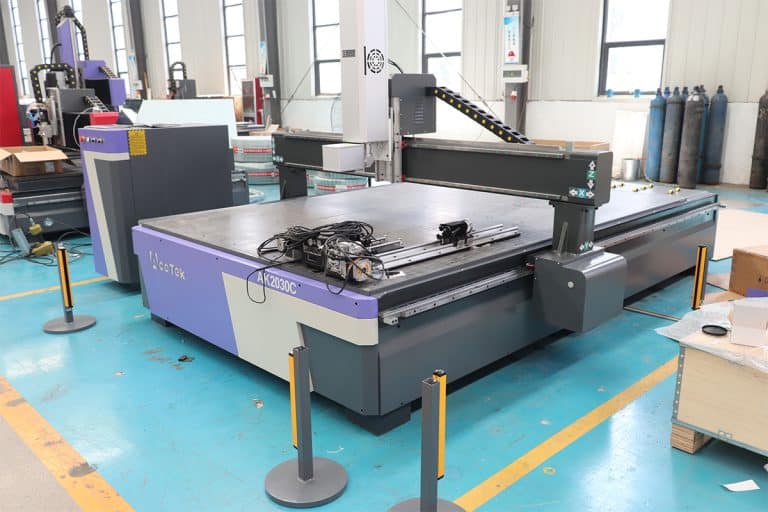
Can Laser Marking Be Removed
This article explores whether laser marking can be removed, the techniques used on different materials, common challenges, removal risks, and industrial use cases.
Can Lasers Be Used For Color Marking
This article explores how laser color marking works, the materials and colors it supports, its industrial applications, advantages, limitations, quality control, and safety factors.
Frequently Asked Questions
What Models Are Available For 60W CO2 Laser Marking Machines?
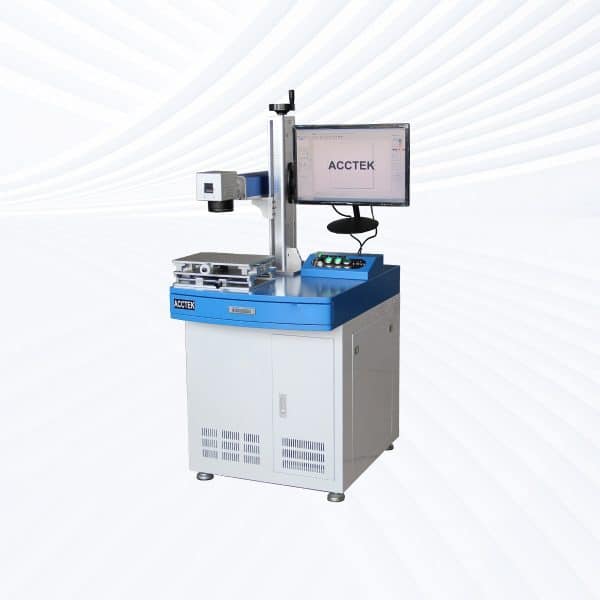
- Desktop Models: Desktop 60W CO2 laser marking machines are compact yet powerful, offering precise engraving on wood, leather, paper, and acrylic. They are ideal for workshops and small-scale manufacturing that require consistent performance without a large footprint.
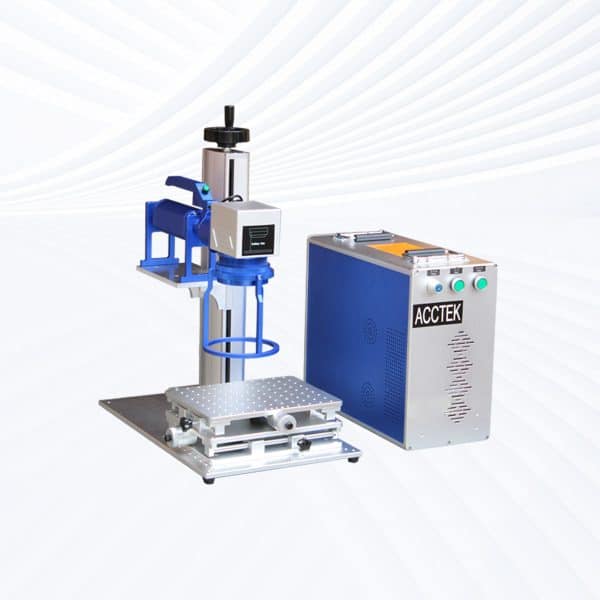
- Portable Models: Portable 60W CO2 laser marking systems combine mobility with industrial-grade performance. They are suitable for medium production lines, allowing easy relocation for multi-station marking tasks or packaging customization across different departments.
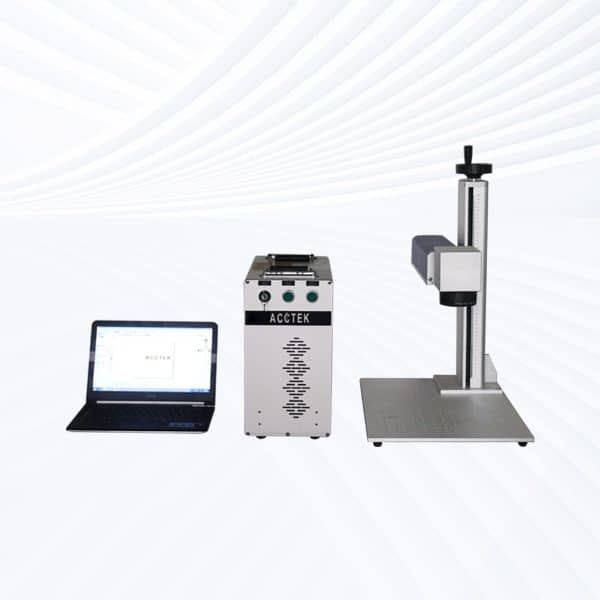
- Handheld Models: Handheld 60W CO2 laser marking machines are optimized for large, irregular, or stationary materials. They are perfect for directly engraving logos or serial numbers on assembled furniture, leather sheets, or wooden panels without repositioning heavy workpieces.
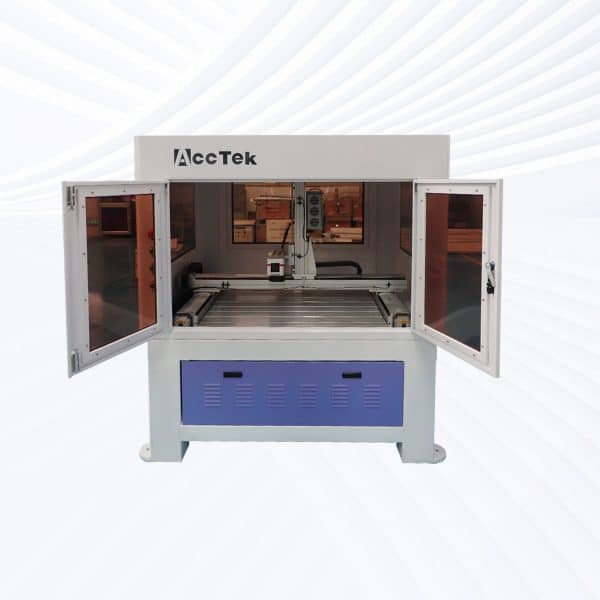
- Fully Enclosed Models: Fully enclosed CO2 laser marking machines provide maximum operator safety with sealed laser compartments, fume extraction, and dust-proof design. They are widely used in electronics, food labeling, and medical packaging industries where precision and cleanliness are essential.
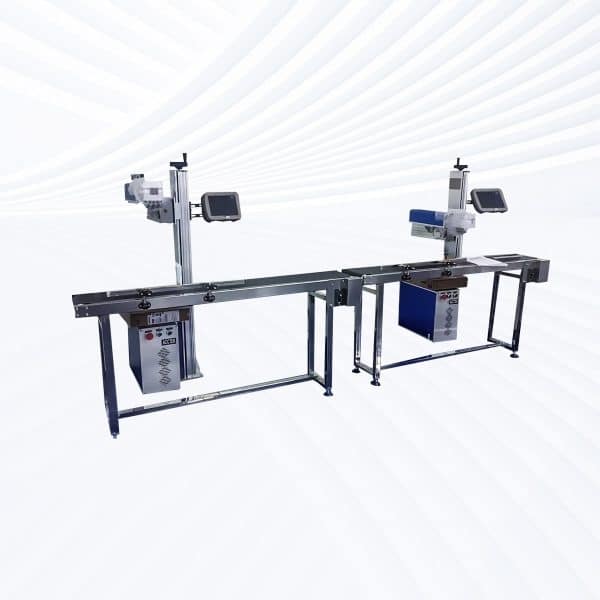
- Flying CO2 Lasers: Flying 60W CO2 laser marking systems are engineered for inline, continuous production. They can mark at high speeds on moving items such as cables, beverage bottles, and cardboard boxes, making them ideal for packaging, printing, and date-code applications.
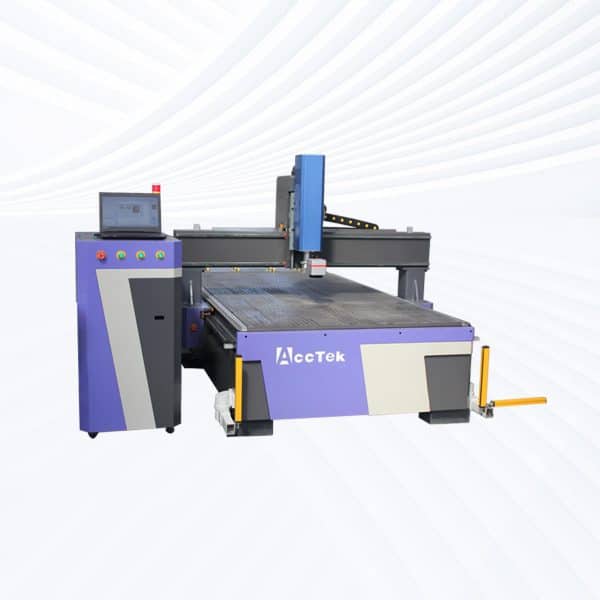
- Large-Area Screw-Drive Systems: Featuring precision ball-screw motion, these systems deliver excellent stability and fine engraving over extended work areas. They are suited for industrial signage, decorative panels, and large-scale batch engraving requiring consistent beam focus and minimal vibration.
- Large-Area Open Rack-Drive Systems: Open rack-drive CO2 laser marking machines employ a high-speed rack-and-pinion mechanism for faster marking and enhanced productivity. The open design supports oversized materials and bulk operations, favored for furniture decoration, promotional products, and industrial nameplates.
How Much Do 60W CO2 Laser Marking Machines Cost?
- Desktop Models ($5400–5800): Compact yet powerful, desktop 60W CO2 laser marking machines provide excellent engraving depth and precision. They are ideal for workshops, studios, and light manufacturing environments focused on wood, leather, or acrylic engraving with stable performance and low maintenance.
- Portable Models ($5400–5800): Portable 60W CO2 units deliver flexibility for on-site marking and batch customization tasks. Their mobility and moderate cost make them a popular choice for packaging, signage, and product-branding operations.
- Handheld Models ($5600–6000): Handheld CO2 laser marking systems are designed for large, immovable, or irregularly shaped materials. They offer the same beam strength as fixed units while allowing the operator to engrave directly onto furniture, boxes, or large wooden panels with ease.
- Fully Enclosed Models ($6100–6500): These machines feature protective housings and efficient fume-extraction systems, ensuring safe and clean operation. Fully enclosed CO2 laser marking systems are often used for medical, electronics, and packaging industries where dust control and operator safety are critical.
- Flying CO2 Lasers ($6700–7100): Flying 60W CO2 models integrate into conveyor-based production lines, providing continuous, high-speed marking. They’re perfect for marking on bottles, cables, cartons, and flexible packaging during motion—making them indispensable for automated manufacturing.
- Large-Area Screw-Drive Systems ($10800–11200): Equipped with precision ball-screw mechanisms, these systems deliver smooth, stable, and highly accurate engraving over extended working areas. They are suited for architectural materials, signage production, and high-end decorative applications.
- Large-Area Open Rack-Drive Systems ($10900–11300): Rack-and-pinion motion systems enable faster travel speeds and greater durability for large-format work. Open rack-drive CO2 lasers are ideal for bulk engraving, large signage, and furniture industries, where high throughput and accessibility are important.
What Is The Marking Area Of 60W CO2 Laser Marking Machines?
- 110mm x 110mm (Small Area)
- This is typically used for more precise, detailed marking on smaller items or sample pieces. The smaller marking area is ideal for small batch production, highly detailed engravings, or items with limited space for marking.
- Materials: Small pieces of metal, plastics, wood, glass, or leather can be engraved with high precision.
- 300mm x 300mm (Large Area)
- The larger 300mm x 300mm marking area allows for larger projects or multiple items to be marked at once. This is ideal for mass production or marking larger materials such as signage, larger panels, or wooden sheets.
- Materials: This larger area is suitable for bigger industrial applications, such as engraving logos or barcodes on larger products like mats, cutting boards, and signage.
- Benefits of a Larger Marking Area
- Increased Efficiency: Larger marking areas allow you to work on multiple pieces simultaneously, improving overall efficiency.
- Versatility: You can work with a variety of material sizes without needing to adjust or reposition the pieces too often.
What Are The Environmental Requirements For 60W CO2 Laser Marking Machines?
- Temperature and Humidity Control
- Ideal Temperature Range: CO2 lasers, including the 60W model, should be used in an environment with a temperature range of 18℃ to 28℃ (64℉ to 82℉). Operating outside of this range can lead to overheating or excessive cooling, negatively impacting the laser’s efficiency and lifespan.
- Humidity: Humidity levels should be maintained between 30% and 70%. Excessive humidity can lead to corrosion, while low humidity can cause static buildup and material issues.
- Ventilation
- Fume Extraction: As CO2 lasers cut materials like plastics, foam, and rubber, harmful fumes and smoke are produced. These must be extracted using a fume extraction system equipped with a carbon filter or HEPA filter to remove toxic gases and particulates from the workspace.
- Proper Airflow: The workspace must be well-ventilated, especially if materials like PVC, rubber, or foam are being cut, as these can emit harmful fumes when heated. Air assist systems should be used to help remove smoke and cool the cutting surface.
- Clean and Dust-Free Environment
- Dust Control: The machine should be placed in a clean, dust-free area to avoid interference with the laser optics. Dust or debris can damage the mirrors and lenses, affecting cutting precision and overall system performance.
- Maintenance: The working environment should also be dust-controlled to prevent buildup on the rails, motors, and optical components, which can lead to mechanical failure or suboptimal marking results.
- Stable Power Supply
- Surge Protection: The laser machine should be connected to a stable power source with surge protection to prevent damage to the sensitive electrical components. Voltage fluctuations or power surges can lead to malfunctions or shorten the lifespan of the machine.
- Grounding: Ensure that the machine is properly grounded to prevent electrical hazards and ensure safe operation.
- Machine Placement
- Flat, Stable Surface: The laser should be placed on a flat, stable surface to ensure precise operation. Misalignment can affect the quality of cuts or engravings.
- Clearance: Ensure there is enough space around the machine for ventilation, ease of maintenance, and to avoid any obstructions that could interfere with the movement of the machine’s parts.
- Electrical and Safety Considerations
- No Obstructions: Ensure that the machine has sufficient space around it to allow for adequate airflow and to prevent accidental interference with the system.
- Safety Equipment: Always ensure that proper PPE (personal protective equipment), such as safety glasses, is used, especially when working with high-power lasers.
Is It Safe To Use 60W CO2 Laser Marking Machines?
- Laser Safety
- Laser Radiation: CO2 lasers emit invisible infrared radiation, which can be harmful to the eyes and skin. The machine should always be used with a protective enclosure or safety glass to shield operators from direct exposure.
- Safety Glasses: Operators should wear laser safety goggles specifically designed for the wavelength of the laser to protect their eyes from potential damage.
- Machine Housing: The machine should have a fully enclosed design with interlocked covers to prevent exposure to laser beams during operation.
- Ventilation and Fume Extraction
- Fume Generation: When marking materials such as plastics, rubber, foam, and metals, harmful fumes and gases (e.g., toxic fumes from PVC) may be released. Therefore, the machine must be placed in a well-ventilated area, and a fume extraction system should be used to safely remove harmful gases.
- Air Assist: A good air assist system helps in pushing the fumes away from the marking surface and improves the engraving quality. It also helps cool the area being cut to prevent fire hazards.
- Fire Safety
- Flammable Materials: CO2 lasers can ignite flammable materials like paper, wood, and certain plastics. Operators should always supervise the process and ensure adequate fire safety measures are in place.
- Fire Extinguisher: Keep a fire extinguisher nearby, especially when working with materials known to catch fire quickly.
- Electrical Safety
- Proper Grounding: The laser machine should be properly grounded to prevent electrical hazards. It should be connected to a stable power supply with surge protection.
- Power Supply: Ensure the machine is powered by a dedicated circuit to avoid overloading, and check for any frayed cables or loose connections regularly.
- Personal Protective Equipment (PPE)
- Gloves and Clothing: Operators should wear flame-resistant gloves and clothing to protect against accidental burns or debris.
- Face Shield: In addition to safety goggles, a face shield may be used for extra protection when working with highly reflective materials.
What Problems May Occur When Using 60W CO2 Laser Marking Machines?
- Laser Power and Efficiency
- Inconsistent Marking: Over time, the laser tube may lose power, leading to weaker marks or cuts. This can result in uneven engraving quality, especially when working with materials requiring higher power levels for cutting.
- Power Fluctuations: Improper calibration or power supply issues can cause fluctuations in marking depth and intensity. Regular calibration and maintenance of the power supply are necessary to avoid this.
- Fume and Smoke Generation
- Poor Ventilation: CO2 lasers produce fumes, especially when working with materials like acrylic, PVC, or rubber. Without proper fume extraction, these fumes can linger in the air and affect both the machine’s performance and the operator’s health. Toxic fumes can also degrade the quality of the cut or mark.
- Fire Hazard: Materials like paper, wood, and foam are highly flammable, which can lead to fire hazards if not properly monitored. A fire suppression system and supervision are necessary during the operation of these materials.
- Material Compatibility Issues
- Warping or Melting: Some materials, particularly plastics, can warp or melt under the heat of the laser. For example, cutting PVC generates toxic chlorine gas and should never be attempted. Improper material settings or incompatible materials can result in damage to both the material and the machine.
- Incomplete Cuts: When working with thick materials or those with reflective surfaces (like metals), the laser may not fully cut through. Suboptimal settings or incorrect laser focus can cause the machine to fail in making clean cuts, leading to rework or wasted materials.
- Lens and Mirror Contamination
- Build-up of Debris: Over time, dust, smoke, and residue can accumulate on the lenses and mirrors, reducing laser efficiency and precision. This can lead to poor engraving results and machine overheating. Regular cleaning and maintenance are required to ensure optimal performance.
- Focus Problems: If the lens or mirror becomes misaligned or dirty, the laser beam may not focus properly, leading to blurred or uneven marks.
- Overheating
- Excessive Use Without Cooling: A cooling system (like a water-cooled chiller) is critical for preventing overheating of the laser tube. Without proper cooling, the tube can burn out prematurely, leading to expensive repairs and downtime.
What PPE Is Required When Operating 60W CO2 Laser Marking Machines?
- Laser Safety Goggles
- Purpose: CO2 lasers emit a powerful beam of infrared (IR) light, which is invisible to the naked eye. Direct exposure to this beam can cause serious eye damage. Laser safety goggles are essential to protect the eyes from accidental exposure to both direct and reflected laser radiation.
- Specification: The goggles should be rated for the wavelength of the laser (typically around 10.6 microns for CO2 lasers), ensuring they provide adequate protection from the beam.
- Protective Gloves
- Purpose: While the laser beam does not directly affect the skin, handling materials such as heated metal, plastic, or other substrates can result in burns or cuts. Heat-resistant gloves or protective gloves are recommended to prevent injuries from hot surfaces and materials.
- Specification: Gloves should also be flexible enough to handle small components and tools effectively.
- Respiratory Protection
- Purpose: CO2 laser marking often produces harmful fumes, particularly when cutting plastics, rubber, or other synthetic materials. Exposure to these fumes can lead to respiratory issues, so it’s critical to have proper respiratory protection.
- Specification: Fume extractors or air purification systems should be used in conjunction with P100 or N95 masks to filter out hazardous airborne particles.
- Protective Clothing
- Purpose: Laser operations may involve the handling of materials that could release harmful gases or produce fire hazards. Flame-resistant clothing is advisable to minimize the risk of injury from any accidental ignition.
- Specification: Lab coats or long-sleeve shirts made of flame-resistant materials can provide added protection against sparks or airborne debris from the cutting process.
- Hearing Protection
- Purpose: While CO2 lasers are relatively quiet, the equipment may produce loud sounds, especially when cutting thicker materials. Prolonged exposure to high noise levels can result in hearing damage.
- Specification: Earplugs or earmuffs may be required if noise levels exceed safe thresholds.
- Foot Protection
- Purpose: Footwear that can protect against potential drops of heavy materials or other accidental spills is essential. Steel-toe boots can be a good choice, particularly in environments where heavier objects are handled.
- Fire Safety Equipment
- Purpose: Some materials, such as paper, wood, and certain plastics, can catch fire under the heat of the laser. It’s important to have fire extinguishers or fire blankets nearby.
- Specification: A Class ABC fire extinguisher is recommended for most materials that may be cut or engraved by a CO2 laser.
How Should 60W CO2 Laser Marking Machines Be Maintained?
- Cleaning the Lenses and Mirrors
- Purpose: Dust, smoke residue, and material particles can accumulate on the lenses and mirrors, affecting the laser’s focus and cutting efficiency.
- How to Clean: Use a soft, lint-free cloth or cotton swabs with a lens cleaning solution to gently wipe the lenses and mirrors. Never apply excessive pressure. Clean these components after every use to maintain optimal laser performance.
- Frequency: Clean the lenses and mirrors weekly, or more frequently if working with materials that produce excessive fumes or residue.
- Checking and Replacing the Cooling System
- Purpose: CO2 lasers generate a lot of heat, and a water cooling system is essential for preventing overheating.
- How to Maintain: Regularly check the cooling system, ensuring that the coolant level is adequate and that the system is running efficiently. Clean the water tank to remove any debris or algae buildup. If the coolant appears discolored, replace it.
- Frequency: Inspect and replace the coolant every 6-12 months, or more often if needed.
- Inspecting the Power Supply
- Purpose: The power supply is critical for the laser’s operation. A malfunctioning power supply can lead to inconsistent laser output or failure.
- How to Maintain: Inspect cables for damage, ensure all connections are secure, and check for signs of overheating. If the laser’s power output is inconsistent or the machine displays error messages, the power supply may need to be serviced or replaced.
- Frequency: Inspect the power supply every 6 months.
- Aligning the Laser
- Purpose: Over time, the laser’s alignment can drift, leading to reduced accuracy and cutting quality.
- How to Maintain: Regularly check the alignment of the laser beam and make adjustments as needed. Most machines have alignment tools or test patterns that help you identify if the laser needs realignment.
- Frequency: Perform alignment checks monthly, or whenever you notice a drop in performance.
- Lubricating Moving Parts
- Purpose: Moving components like the gantry, rails, and motors can become worn or stiff, leading to mechanical failure.
- How to Maintain: Apply a small amount of lubricant to the machine’s moving parts, such as the rails and motor shafts, to ensure smooth operation. Use the lubricant recommended by the manufacturer to avoid damage.
- Frequency: Lubricate the moving parts every 3-6 months.
- Checking the Exhaust System
- Purpose: The exhaust system removes harmful fumes and smoke produced during cutting. A clogged or poorly functioning exhaust system can negatively affect both performance and safety.
- How to Maintain: Clean or replace the exhaust filter and ensure that the fan and ducts are clear of debris.
- Frequency: Inspect and clean the exhaust system every month.