

Product Introduction

Laser Marking Capabilities
| Material | 20W | 30W | 60W | 100W | 200W | 300W |
|---|---|---|---|---|---|---|
| Stainless Steel (304/316) | Surface Mark; Black/Anneal; Color Marking | Surface Mark; Black/Anneal; Color Marking | Surface Mark; Black/Anneal; Shallow Engrave | Surface Mark; Black/Anneal; Shallow Engrave; Deep Color | Surface Mark; Black/Anneal; Shallow Engrave; Deep Relief | Surface Mark; Black/Anneal; Shallow Engrave; Deep Relief |
| Carbon Steel (Mild) | Surface Mark; Shallow Engrave | Surface Mark; Shallow Engrave | Surface Mark; Shallow Engrave; Deep Engrave | Surface Mark; Shallow Engrave; Deep Engrave | Deep Engrave; High-Contrast Mark | Deep Engrave; High-Contrast Mark |
| Tool Steel (HRC ≤55) | Surface Mark | Surface Mark; Shallow Engrave | Surface Mark; Shallow Engrave | Surface Mark; Shallow Engrave; Deep Engrave | Deep Engrave | Deep Engrave |
| Tool Steel (HRC 55–60) | Surface Mark | Surface Mark | Surface Mark; Shallow Engrave | Surface Mark; Shallow Engrave | Deep Engrave | Deep Engrave |
| Titanium & Ti Alloys | Surface Mark; Black/Anneal (Color Capable) | Surface Mark; Black/Anneal; Color Marking | Surface Mark; Black/Anneal; Color Marking | Surface Mark; Black/Anneal; Color Marking | Surface Mark; Black/Anneal; Deep Color | Surface Mark; Black/Anneal; Deep Color |
| Nickel Alloys / Inconel | Surface Mark | Surface Mark; Shallow Engrave | Surface Mark; Shallow Engrave | Surface Mark; Shallow Engrave | Surface Mark; Deep Engrave | Surface Mark; Deep Engrave |
| Aluminum (Anodized) | Fast Coating Removal (Surface Mark) | Coating Removal; Color Mark | Coating Removal | Coating Removal | Coating Removal | Coating Removal |
| Aluminum (Bare) | Surface Mark (MOPA Color Capable) | Surface Mark; Shallow Engrave (MOPA Color Capable) | Surface Mark; Shallow Engrave | Surface Mark; Shallow Engrave | Deep Engrave; High-Contrast Mark | Deep Engrave; High-Contrast Mark |
| Brass | Surface Mark; High Contrast | Surface Mark; Shallow Engrave | Surface Mark; Shallow Engrave | Surface Mark; Shallow Engrave | Deep Engrave | Deep Engrave |
| Copper | Surface Mark (MOPA Recommended) | Surface Mark; Shallow Engrave (MOPA Recommended) | Surface Mark; Shallow Engrave | Surface Mark; Shallow Engrave | Deep Engrave (Slow) | Deep Engrave (Slow) |
| Galvanized Steel | Surface Mark (Manage Zinc Fumes) | Surface Mark | Surface Mark | Surface Mark | Surface Mark | Surface Mark |
| Zinc-/Chrome-Plated Steel | Coating Ablation (Surface Mark) | Coating Ablation | Coating Ablation | Coating Ablation | Coating Ablation | Coating Ablation |
| Black Oxide/Phosphate Coat | Surface Mark; Black/Anneal | Surface Mark; Black/Anneal | Surface Mark; Black/Anneal | Surface Mark; Black/Anneal | Surface Mark; Black/Anneal | Surface Mark; Black/Anneal |
| Painted/Powder-Coated Metals | Coating Ablation (Surface Mark) | Coating Ablation | Coating Ablation | Coating Ablation | Coating Ablation | Coating Ablation |
| Hard Plastics (ABS/PC/PA) | Surface Mark (MOPA; Laser-Markable Grades) | Surface Mark (MOPA; Laser-Markable Grades) | Surface Mark (MOPA; Laser-Markable Grades) | Surface Mark (MOPA; Laser-Markable Grades) | Deep Mark (Laser-Grade) | Deep Mark (Laser-Grade) |
| POM/PE/PP (Additive-Filled) | Surface Mark (Additive-Filled; MOPA Recommended) | Surface Mark (Additive-Filled; MOPA Recommended) | Surface Mark (Additive-Filled) | Surface Mark (Additive-Filled) | Surface Mark (Additive-Filled) | Surface Mark (Additive-Filled) |
| CFRP/GFRP Composites | Resin Surface Mark | Resin Surface Mark | Resin Surface Mark | Resin Surface Mark | Deep Surface Mark | Deep Surface Mark |
| Ceramics (With Marking Paste) | Shallow Engrave (With Paste) | Shallow Engrave (With Paste) | Shallow Engrave; Surface Mark (With Paste) | Shallow Engrave; Surface Mark (With Paste) | Deep Engrave (With Paste) | Deep Engrave (With Paste) |
| Glass (With Marking Paste) | Shallow Engrave (With Paste) | Shallow Engrave (With Paste) | Shallow Engrave; Surface Mark (With Paste) | Shallow Engrave; Surface Mark (With Paste) | Deep Engrave (With Paste) | Deep Engrave (With Paste) |
| Wood/Leather (Organics) | Not Recommended (use CO₂ laser) | Not Recommended | Not Recommended | Not Recommended | Not Recommended | Not Recommended |
| PVC | Not Recommended (toxic fumes) | Not Recommended | Not Recommended | Not Recommended | Not Recommended | Not Recommended |
Compatible Materials
- Stainless Steel
- Aluminum
- Anodized Aluminum
- Brass
- Copper
- Bronze
- Titanium
- Tungsten
- Carbide
- Zinc
- Chrome
- Nickel
- Nickel Alloys
- Silver
- Gold
- Platinum
- Palladium
- Iron
- Carbon Steel
- Galvanized Steel
- Magnesium
- Cobalt
- Inconel
- Hard Alloys
- Painted Metals
- Powder-Coated Metals
- Stainless Steel with Mirror Finish
- Plastics
- Polycarbonate
- PEEK
- PET
- Acrylic
- Nylon
- Polypropylene
- Silicone
- Epoxy Resin
- Coated Glass
- Ceramic
- Leather
- Wood
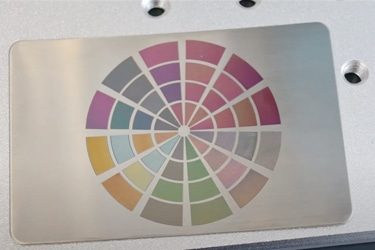
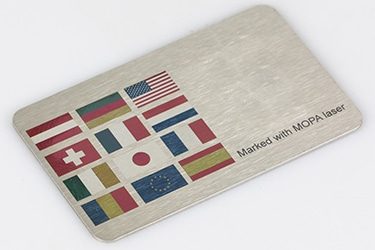
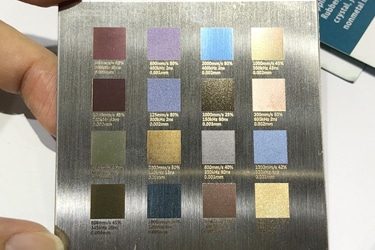
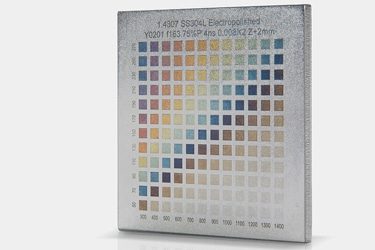
Application of 20W MOPA Laser Marking Machines

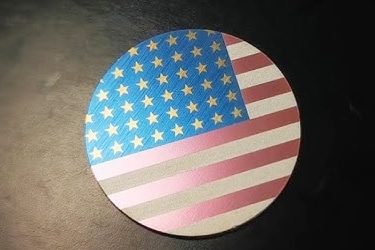
Customer Testimonials
Comparison VS Other Marking Technologies
| Comparison Item | MOPA Laser Marking | Dot Peen Marking | Inkjet Printing | Chemical Etching |
|---|---|---|---|---|
| Marking Speed | Very fast; suitable for high-volume production | Moderate; mechanical impact slows it down | Fast, but requires drying | Slow; multi-step process |
| Marking Quality | Extremely fine, clean, and high contrast | Medium; rough, dotted appearance | Good, but can smear or fade | Good, depends on chemical precision |
| Material Compatibility | Works on metals, plastics, anodized and coated materials | Mostly metals | Metals, plastics, paper | Metals and coated materials |
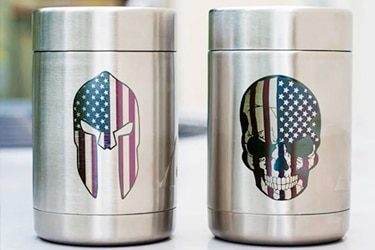
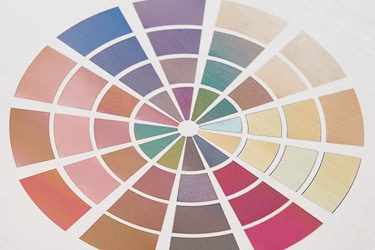
| Color Marking Capability | Can create vivid color marks on stainless steel and anodized aluminum | Not possible | Limited to ink colors | Not possible |
| Permanence | Permanent, wear- and corrosion-resistant | Permanent, but can deform surface | Temporary; ink can fade | Permanent, but surface can degrade |
| Surface Damage | Non-contact; no material deformation | Indents and scratches surface | No physical damage | Can erode or discolor surface |
| Precision on Small Parts | Excellent; ideal for micro-marking | Limited accuracy | Moderate; depends on printhead | Good but less controlled |
| Maintenance Requirements | Very low; no consumables | Frequent stylus replacement | Frequent ink and nozzle cleaning | Regular chemical replacement and cleanup |
| Operating Cost | Low after purchase; no consumables | Low to medium; mechanical wear parts | High; ongoing ink and solvent costs | Medium; chemical use and waste handling |
| Environmental Impact | Eco-friendly; no chemicals or waste | Minimal | Uses solvents, creates fumes | Produces hazardous waste |
| Noise Level | Silent operation | Noisy; mechanical impact | Quiet | Silent |
| Automation Integration | Easily automated; software-controlled | Possible, but slower | Easy to integrate | Difficult; mostly manual |
| Marking Depth Control | Adjustable pulse width allows precise control | Fixed by stylus pressure | Not applicable | Limited by etching time |
| Suitable for 2D Codes / QR Codes | Excellent; precise and high contrast | Poor readability | Moderate; prone to smudging | Not ideal for fine detail |
| Lifespan & Reliability | Over 100,000 hours; minimal wear | Moderate; frequent part replacement | Moderate; nozzle wear and clogging | Shorter; tank corrosion and chemical fatigue |
Why Choose Us
High Precision
Our machines deliver sharp, detailed markings with excellent contrast, suitable for complex patterns and small components across metal, plastic, and other materials.
Fast Processing
Designed for speed and efficiency, our systems complete marking tasks quickly without compromising quality, making them ideal for high-volume production environments.
Low Maintenance
With durable components and minimal consumables, our machines offer stable long-term performance, reducing downtime and keeping operating costs low.
Flexible Solutions
We provide a variety of models and customization options to suit different materials, marking needs, and production setups, ensuring the right fit for your business.
Related Resources
How Do Laser Parameters Affect The Marking Effect?
This article explores how laser power, speed, frequency, pulse width, focus, wavelength, hatch spacing, and material properties influence marking quality, depth, contrast, and precision.
How Does Laser Beam Quality Affect Marking Results?
This article explores how laser beam quality affects marking clarity, contrast, line width, edge sharpness, depth control, heat input, material response, and marking repeatability.
Can Laser Marking Be Removed
This article explores whether laser marking can be removed, the techniques used on different materials, common challenges, removal risks, and industrial use cases.
Can Lasers Be Used For Color Marking
This article explores how laser color marking works, the materials and colors it supports, its industrial applications, advantages, limitations, quality control, and safety factors.
Frequently Asked Questions
What Models Are Available for 20W MOPA Laser Marking Machines?
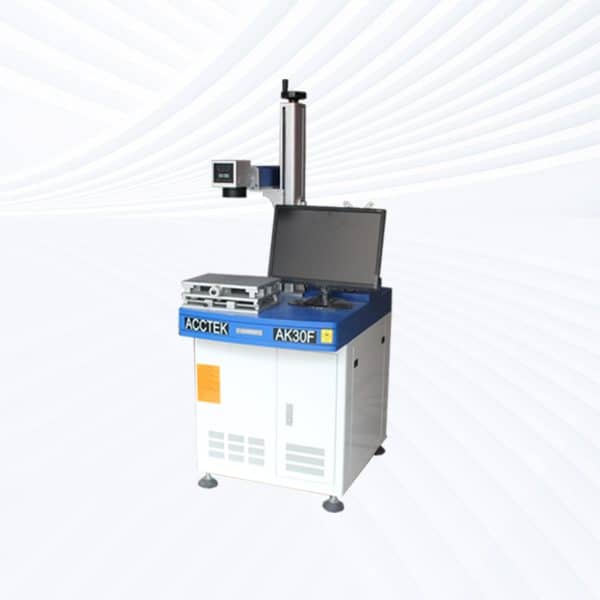
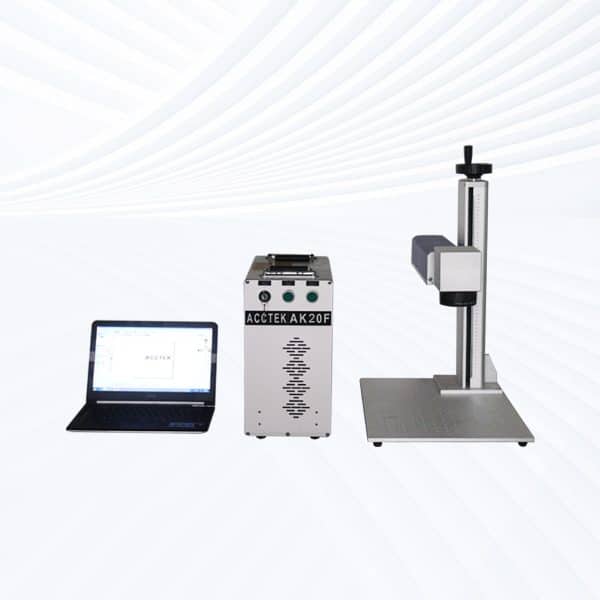
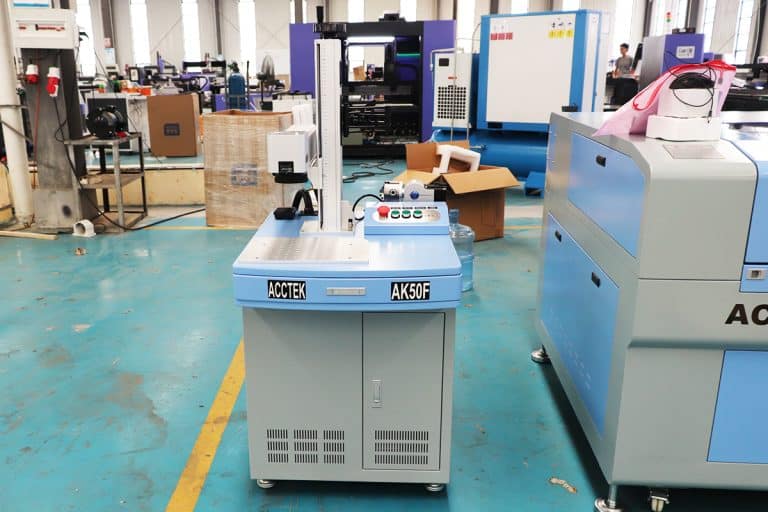
- Desktop Models: Compact and stable, desktop MOPA lasers are perfect for fine marking tasks on metals and plastics. Their adjustable parameters enable detailed color marking on stainless steel, anodized aluminum, and other materials requiring refined texture and tone control.
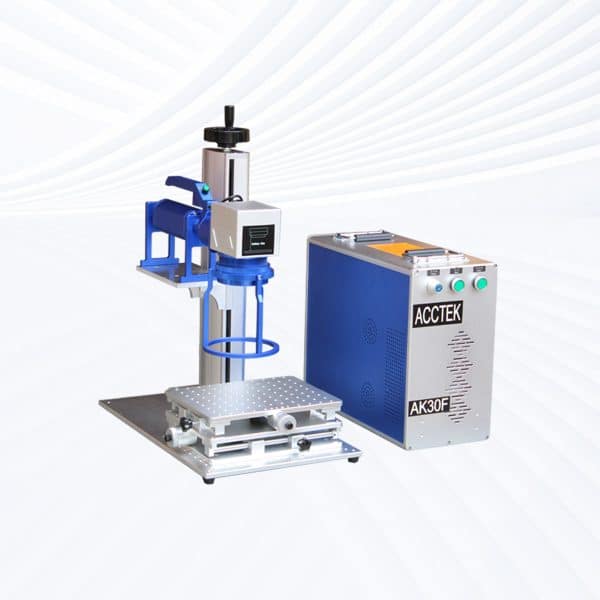
- Portable Models: Designed for flexibility, portable MOPA systems allow easy movement between workstations. They maintain excellent precision while supporting a wide range of applications such as logos, serial numbers, and color engraving on metal components.
- Handheld Models: Built for marking large or assembled objects, handheld MOPA fiber lasers provide mobility and versatility. They are ideal for on-site marking of equipment, machinery, or structural parts that cannot be moved to a fixed workbench.
- Fully Enclosed Systems: These models feature protective housings, observation windows, and integrated smoke filtration systems for maximum operator safety. Their enclosed design makes them suitable for laboratories, medical device production, and clean industrial environments.
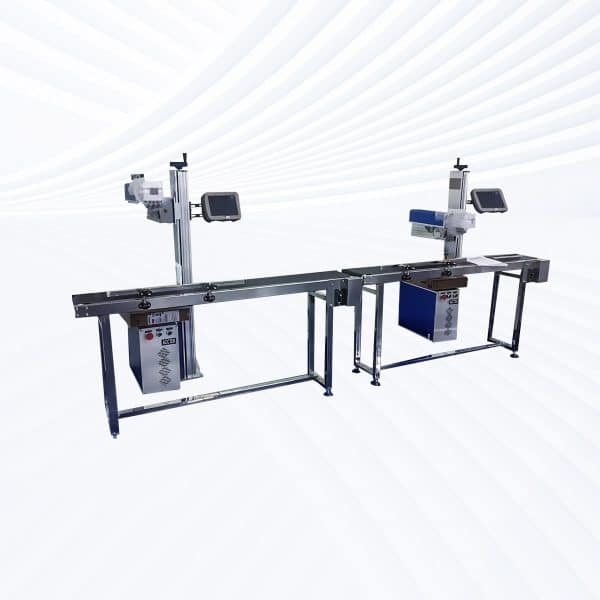
- Flying Fiber Lasers: Integrated into production lines, flying MOPA lasers perform continuous marking on moving parts such as electronic housings, wire insulation, or plastic packaging. The MOPA source ensures high-quality contrast and color on various materials, even at high speeds.
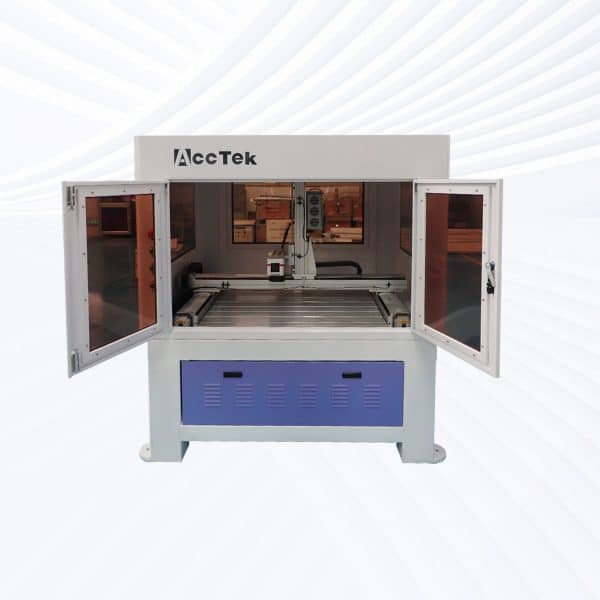
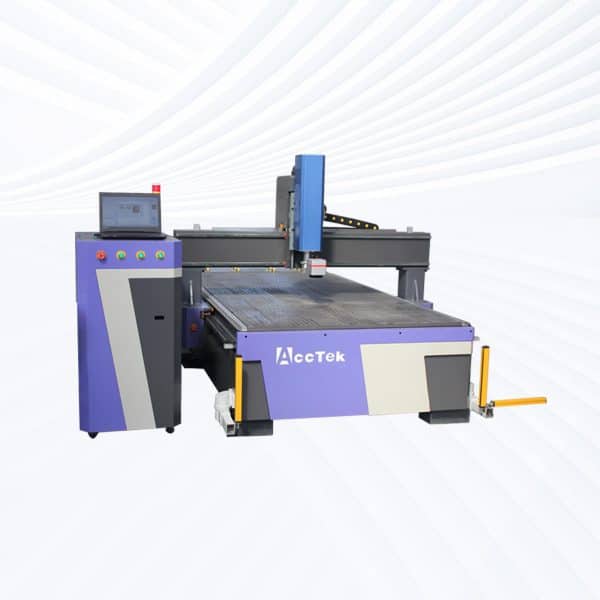
- Large-Area Screw-Drive Systems: Equipped with precision screw-drive motion control, these systems provide smooth and accurate operation across extended work areas. They are often used for detailed engravings, surface treatments, or color marking on larger panels and molds.
- Large-Area Open Rack-Drive Systems: Featuring high-speed rack-and-pinion transmission and open-frame accessibility, these systems are optimized for marking oversized parts or batch engraving. The MOPA laser’s pulse control ensures consistent results across large surfaces.
How Much Do 20W MOPA Laser Marking Machines Cost?
- Desktop Models ($2500–3100): Compact and stable, these are the most popular entry-level MOPA systems. They provide excellent precision and color control for fine engraving and stainless-steel color marking in small workshops or studios.
- Portable Models ($2500–3100): Offering the same performance as desktop versions but with improved mobility, portable MOPA machines are ideal for multi-station marking or on-site customization work without sacrificing marking quality.
- Handheld Units ($2900–3500): Designed for flexibility, handheld MOPA lasers allow marking on large, heavy, or irregularly shaped parts. They’re widely used in industrial component labeling, pipe marking, and machinery engraving.
- Fully Enclosed Systems ($3200–3800): Equipped with laser safety housing, transparent viewing windows, and filtration systems, these enclosed models ensure operator protection and clean working conditions—ideal for electronics, jewelry, or laboratory applications.
- Flying Fiber Lasers ($3800–4400): Integrated into conveyor or robotic systems, flying MOPA lasers enable high-speed, continuous marking on moving parts. Their adjustable pulse width ensures clear, consistent markings even on delicate plastics or anodized metals.
- Large-Area Screw-Drive Systems ($6800–9400): Featuring precision ball-screw motion control, these systems deliver stable, micron-level engraving across extended marking areas. They are often used for molds, metal plates, and detailed surface treatments requiring color variation.
- Large-Area Open Rack-Drive Systems ($7900–8500): Designed for high-speed, large-format marking, these open rack-driven models provide excellent accessibility for oversized workpieces or batch engraving projects in production environments.
What Is The Marking Speed Of 20W MOPA Laser Marking Machines?
- Typical Marking Speed: The marking speed of 20W MOPA fiber lasers is typically up to 7000mm/s, depending on material type, marking depth, and the complexity of the design. For most standard applications—such as serial numbers, barcodes, or logos—the machine operates efficiently at 3000–5000mm/s. High-speed galvanometer scanning enables crisp and accurate marks even at elevated speeds, making it ideal for both industrial and decorative applications.
- Factors Affecting Marking Speed
- Material Type: Metals like aluminum and stainless steel can be marked quickly, while harder materials such as titanium or carbide may require slower speeds for deeper engraving.
- Marking Depth: Surface marking and annealing are faster, while deep engraving reduces overall speed due to multiple passes.
- Pulse Width and Frequency: The MOPA laser’s adjustable pulse width (typically 2–500 ns) allows optimization between color quality and marking efficiency—shorter pulses yield better detail but slower throughput.
- Focus and Beam Quality: Proper focus alignment ensures consistent line width and prevents power loss, maintaining optimal speed without sacrificing clarity.
- Design Complexity: Simple vector marks or codes process faster than high-resolution images or shaded graphics.
- Comparison with Standard Fiber Lasers: While conventional Q-switched fiber lasers achieve similar mechanical speeds, MOPA lasers maintain better quality at higher frequencies and provide more flexibility in color marking. This allows smoother gradients, finer textures, and precise control over oxidation-based color layers on metals like stainless steel or titanium.
What Is The Selectable Marking Area For 20W MOPA Laser Marking Machines?
- 110×110mm Working Area: The 110×110mm field lens provides a smaller, concentrated working area that allows for extremely fine marking precision. The focused beam spot size ensures high energy density, resulting in crisp, detailed, and consistent marking quality. This configuration is commonly used for:
- Jewelry, watches, and small hardware parts
- Precision tools and medical instruments
- QR codes, barcodes, and small logos
- Color marking on stainless steel or titanium
- 200×200mm Working Area: The 200×200mm field lens offers a broader marking range for larger components or batch processing. Although the spot size becomes slightly larger, it still maintains high clarity for general industrial marking needs. This setup is suitable for:
- Nameplates, metal panels, and instrument housings
- Automotive and electronic parts
- Multi-piece fixtures for batch marking
- Plastic or anodized aluminum components
- Lens Selection and Adjustment: Changing between the two marking areas is achieved by replacing the f-theta field lens. Each lens defines the focus range and beam coverage, allowing users to switch easily based on the marking task. The software automatically adjusts scale and focus parameters to match the selected lens, ensuring accurate alignment across the working field.
What Problems May Occur When Using 20W MOPA Laser Marking Machines?
- Inconsistent Marking Quality: Improper laser parameters—such as pulse width, frequency, or power—can result in uneven color tones, blurred edges, or incomplete markings. Since MOPA lasers rely on precise pulse control for color marking, small parameter deviations can cause inconsistent results, especially when marking stainless steel, titanium, or anodized aluminum.
- Focus and Alignment Issues: Incorrect focusing or misalignment between the laser head and the work surface may lead to weak engraving depth or double imaging. A defocused beam can reduce marking contrast and sharpness, while excessive focus offset might damage the material or lens. Regular calibration and use of focus finders are essential to avoid this problem.
- Surface Oxidation and Color Variations: When performing color marking, variations in pulse duration or repetition rate can lead to unstable oxidation layers, causing inconsistent hues. Environmental factors such as humidity and surface cleanliness can also influence color formation on metals.
- Overheating and Component Stress: Extended operation without sufficient cooling may cause the laser source or galvanometer scanner to overheat. This can lead to reduced beam stability, lower marking accuracy, or temporary shutdowns. Ensuring proper ventilation and maintaining recommended duty cycles can mitigate overheating.
- Software or Communication Errors: Improper configuration within control software (e.g., EZCAD) or unstable USB communication between the computer and controller can interrupt marking processes. These issues may result in misaligned designs, incomplete marks, or parameter loss. Regular software updates and secure connections help prevent such interruptions.
- Lens Contamination or Damage: Dust, oil, or debris buildup on the lens can scatter the laser beam, leading to uneven marking results or permanent lens damage. Cleaning optics regularly with specialized lens wipes helps maintain beam focus and clarity.
- Electrical or Grounding Problems: Fluctuations in power supply or inadequate grounding can cause erratic machine behavior or signal interference, potentially affecting marking consistency. Using a stable voltage regulator and proper grounding is important for long-term reliability.
What Is The Service Life Of 20W MOPA Laser Marking Machines?
- Laser Source Lifespan: The core component of 20W MOPA laser marking machines—the fiber laser source—typically offers a lifespan of 80,000 to 100,000 working hours. This extended lifetime is achieved because fiber lasers have no consumable components, no moving mirrors, and use air cooling rather than complex optical alignment systems. In regular industrial use, this translates to 8–10 years or more of continuous service with proper care.
- Optical and Mechanical Components: While the laser source itself is highly durable, supporting components such as the galvanometer scanner, F-theta lens, and power supply have shorter lifespans. The galvanometer can typically operate reliably for 20,000–30,000 hours, while optical lenses may require replacement after 3–5 years, depending on cleaning practices and exposure to dust or debris.
- Environmental Factors: Machine longevity is closely tied to the operating environment. Clean, temperature-controlled spaces with good ventilation and stable power supply conditions help maximize component life. Excessive humidity, dust, vibration, or heat can reduce performance over time or cause premature component failure.
- Usage Patterns: Intermittent or moderate use extends machine life considerably compared to 24-hour production environments. Continuous high-power operation, especially during deep engraving or color marking tasks, places a greater thermal load on the laser module and optics.
- Maintenance and Calibration: Regular lens cleaning, focus calibration, and cooling fan inspections are key to maintaining optimal performance. Keeping the marking area clean and ensuring consistent air circulation around the laser source will further extend the service life.
What Training Is Required To Operate 20W MOPA Laser Marking Machines?
- Laser Operation Basics: Operators must first understand the fundamental principles of MOPA (Master Oscillator Power Amplifier) marking technology, including how pulse width, frequency, and power interact to create different marking effects such as deep engraving, surface marking, and color marking. Basic knowledge of how fiber lasers differ from CO2 or UV lasers is essential for parameter adjustment and material compatibility.
- Software Training: MOPA laser marking systems commonly use control software such as EZCAD or JCZ LaserMark, and operators need training in layout design, text and barcode generation, parameter configuration, and file import from design tools like AutoCAD or CorelDRAW. Understanding how to adjust pulse width, frequency, and marking speed is critical for achieving desired color or texture results.
- Machine Setup and Calibration: Operators must learn how to properly focus the laser using the focusing column or red light pointer, adjust the galvanometer, and align the working area. Training includes setting the correct working distance for different field lenses (e.g., 110×110mm or 200×200mm) and maintaining consistent focus for high-precision marking.
- Material-Specific Training: Each material—such as stainless steel, anodized aluminum, plastic, or titanium—responds differently to laser marking. Training covers how to select the correct laser parameters for each type of material to prevent overheating, fading, or surface damage.
- Safety Training: Since MOPA lasers emit high-intensity Class 4 laser radiation, operators must be trained in laser safety standards, including the use of laser safety glasses (rated for 1064 nm wavelength), fume extraction, and enclosure shielding. Proper grounding, ventilation, and electrical inspection procedures are also part of safety training.
- Maintenance and Troubleshooting: Basic maintenance skills—such as cleaning optical lenses, inspecting galvanometer mirrors, checking electrical connections, and updating software—are part of training to ensure long-term reliability. Operators also learn how to diagnose and resolve common errors like marking misalignment or software communication faults.
How Should 20W MOPA Laser Marking Machines Be Maintained?
- Optical Component Maintenance: The F-theta lens and protective glass are crucial for beam transmission and focus accuracy. Dust, oil, or residue buildup can scatter the beam and reduce marking quality. Clean the optical components weekly (or more often in dusty environments) using professional lens wipes or ethanol-soaked cotton swabs. Avoid touching lenses directly with your bare hands to prevent permanent damage.
- Cooling and Ventilation System: Although 20W MOPA lasers typically use air cooling, maintaining proper airflow is vital for stable operation. Ensure that cooling fans, vents, and heat sinks are free from dust and obstructions. Check fan filters monthly and clean them with compressed air. Overheating can cause output instability or reduce laser source life.
- Galvanometer Scanner Care: The galvanometer mirrors guide the laser beam during marking. Vibrations, dust, or impacts can misalign the system or degrade marking precision. Keep the scanner cover closed during operation, and avoid strong mechanical shocks. If marking lines appear distorted or doubled, calibration may be needed by a qualified technician.
- Electrical and Grounding Check: A stable power supply ensures consistent laser output. Inspect electrical connections, plugs, and grounding points every few months to prevent short circuits or static interference. Use a voltage stabilizer if your workshop has fluctuating power to protect the laser driver and control board.
- Software and Control System: Regularly back up your EZCAD or JCZ marking software configuration files and parameters. Software updates from the manufacturer can improve performance and compatibility with newer Windows systems. Check USB connections and controller boards for secure contact to prevent signal loss during marking.
- Machine Enclosure and Worktable: Wipe down the worktable and enclosure after each use to remove metal dust, oil, or debris. Residue buildup can scatter the laser beam or scratch parts. For machines equipped with an exhaust system, inspect and clean the filter or hose monthly to maintain proper fume extraction.
- Operational Environment: Maintain a clean, dry, and temperature-stable environment—ideally between 10℃ and 35℃. Avoid humidity above 75% to prevent condensation on optical components. Keep the machine away from strong magnetic fields or high vibration areas.
- Preventive Maintenance Schedule
- Daily: Check lens cleanliness and laser output consistency.
- Weekly: Clean work area and ensure fan airflow is unobstructed.
- Monthly: Inspect electrical connections and cooling fans.
- Quarterly: Calibrate focus and test marking accuracy on sample materials.
- Annually: Have a certified technician perform a full system inspection.