

Product Introduction
Laser Marking Capabilities
| Material | 30W | 60W | 100W | 150W |
|---|---|---|---|---|
| Wood (Birch, MDF, Pine) | Surface Mark; Deep Engrave | Deep Engrave; Cut (≤5mm) | Deep Engrave; Cut (≤10mm) | Deep Engrave; Cut (≤20mm) |
| Bamboo | Surface Mark; Deep Engrave | Deep Engrave; Cut (≤5mm) | Deep Engrave; Cut (≤10mm) | Deep Engrave; Cut (≤20mm) |
| Leather (Genuine & PU) | Surface Mark; Color Change | Deep Engrave; Burn Mark | Deep Engrave; Burn Mark | Deep Engrave; Burn Mark |
| Acrylic (PMMA) | Surface Mark; Edge Polished Cut (≤3mm) | Deep Engrave; Cut (≤6mm) | Deep Engrave; Cut (≤10mm) | Deep Engrave; Cut (≤20mm) |
| ABS / Plastics (Non-Metallic) | Surface Mark; Color Change | Surface Mark; Light Engrave | Deep Engrave; Surface Burn | Deep Engrave; Surface Burn |
| Glass (With or Without Paste) | Frosted Surface Mark | Frosted Surface Mark; Light Engrave | Deep Frosted Engrave | Deep Frosted Engrave |
| Paper / Cardboard | Fast Mark; Cut (≤2mm) | Fast Mark; Cut (≤3mm) | Fast Mark; Cut (≤5mm) | Fast Mark; Cut (≤10mm) |
| Fabric / Textiles (Cotton, Felt, Denim) | Surface Mark; Pattern Cutting | Surface Mark; Pattern Cutting | Deep Engrave; Cut | Deep Engrave; Cut |
| Rubber (Natural & Silicone) | Surface Mark; Deep Engrave | Deep Engrave | Deep Engrave | Deep Engrave |
| Anodized Aluminum | Surface Mark (Coating Removal) | Surface Mark (Coating Removal) | Surface Mark (Coating Removal) | Surface Mark (Coating Removal) |
| Painted/Coated Metals | Coating Ablation Only (No Metal Removal) | Coating Ablation | Coating Ablation | Coating Ablation |
| Ceramics (With Marking Paste) | Surface Mark (With Paste) | Surface Mark (With Paste) | Deep Engrave (With Paste) | Deep Engrave (With Paste) |
| Stone / Marble / Granite | Surface Mark; Shallow Engrave | Deep Engrave (≤2mm) | Deep Engrave (≤4mm) | Deep Engrave (≤6mm) |
| Glass Fiber / Epoxy Boards | Surface Mark; Shallow Engrave | Deep Engrave | Deep Engrave | Deep Engrave |
| Foam / EVA | Surface Mark; Cut (≤3mm) | Deep Engrave; Cut (≤6mm) | Deep Engrave; Cut (≤10mm) | Deep Engrave; Cut (≤15mm) |
| PVC | Not Recommended (toxic fumes) | Not Recommended | Not Recommended | Not Recommended |
| Metals (Stainless, Carbon, Brass, Copper) | Not Recommended (use Fiber Laser) | Not Recommended | Not Recommended | Not Recommended |
Compatible Materials
- Acrylic
- Plexiglass
- Polycarbonate
- Polyethylene
- Polypropylene
- ABS Plastic
- Polystyrene
- Polyvinyl Chloride
- Rubber
- Silicone
- Felt
- Polyester
- Cardstock
- Anodized Aluminum
- Laminates
- Organic Composites
- Coated Metals
- Eggshell
- Natural Fibers
- Synthetic Fibers
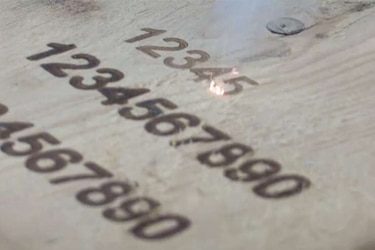
Application of 150W CO2 Laser Marking Machines






Customer Testimonials
Comparison VS Other Marking Technologies
| Comparison Item | CO2 Laser Marking | Dot Peen Marking | Inkjet Printing | Chemical Etching |
|---|---|---|---|---|
| Marking Method | Non-contact laser beam vaporizes surface | Mechanical impact using stylus | Ink-based printing | Acid or chemical corrosion |
| Suitable Materials | Non-metals (wood, leather, plastics, glass, paper, ceramics) | Mostly metals | Paper, plastic, metal, glass | Metals, coated materials |
| Marking Speed | Very fast; suitable for continuous production | Moderate; depends on hardness | High-speed | Slow, multi-step process |
| Marking Precision | Extremely high; fine and detailed marks | Moderate; limited by stylus tip | Medium; dependent on droplet control | High, but requires masking |
| Heat Effect on Material | Minimal; clean and smooth | Generates frictional heat | None | Can cause surface damage |
| Marking Quality | Clean, sharp, and permanent | Rough, indented marks | Good but prone to fading | Smooth but may leave residue |
| Permanence of Marking | Permanent and wear-resistant | Permanent but may deform surface | Non-permanent; ink can fade | Permanent but prone to corrosion |
| Surface Damage | Non-contact, no damage | Causes indentation | None | May etch or weaken surface |
| Maintenance Requirements | Very low; no consumables | Frequent stylus replacement | High; needs ink and nozzle cleaning | Requires chemical handling |
| Consumables Needed | None | Stylus tips | Ink cartridges, solvents | Acids and masks |
| Environmental Impact | Eco-friendly; no waste | Minimal | Generates ink waste | Produces hazardous chemical waste |
| Noise Level | Silent operation | Noisy due to mechanical impact | Quiet | Silent |
| Automation Compatibility | Easily integrated into automated lines | Limited | Easy to automate | Difficult; mostly manual |
| Operating Cost | Low long-term cost | Medium | High due to ink use | Medium to high |
| Ideal Applications | Organic materials, packaging, plastics, wood, glass | Metal tags, nameplates, industrial parts | Labels, barcodes, dates | Metal parts, decorative engraving |
Why Choose Us
High Precision
Our machines deliver sharp, detailed markings with excellent contrast, suitable for complex patterns and small components across metal, plastic, and other materials.
Fast Processing
Designed for speed and efficiency, our systems complete marking tasks quickly without compromising quality, making them ideal for high-volume production environments.
Low Maintenance
With durable components and minimal consumables, our machines offer stable long-term performance, reducing downtime and keeping operating costs low.
Flexible Solutions
We provide a variety of models and customization options to suit different materials, marking needs, and production setups, ensuring the right fit for your business.
Related Resources
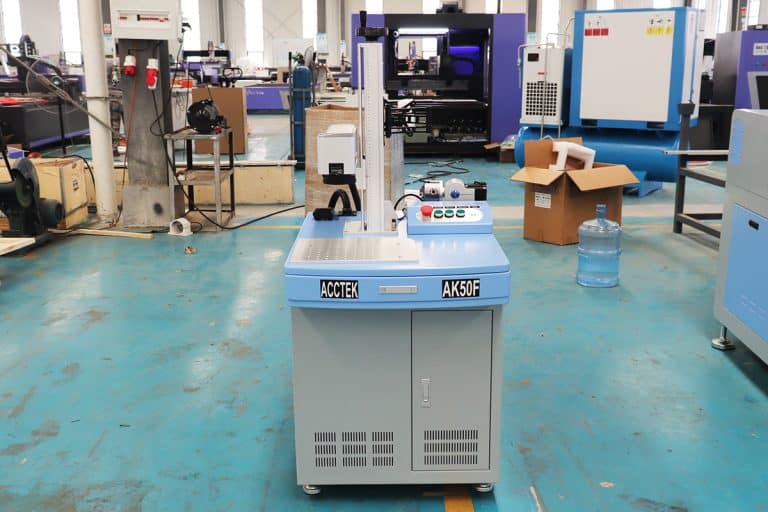
How Do Laser Parameters Affect The Marking Effect?
This article explores how laser power, speed, frequency, pulse width, focus, wavelength, hatch spacing, and material properties influence marking quality, depth, contrast, and precision.
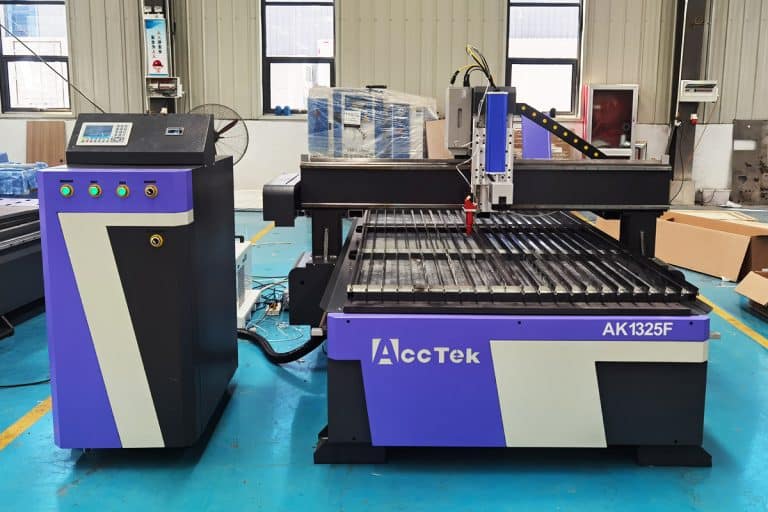
How Does Laser Beam Quality Affect Marking Results?
This article explores how laser beam quality affects marking clarity, contrast, line width, edge sharpness, depth control, heat input, material response, and marking repeatability.
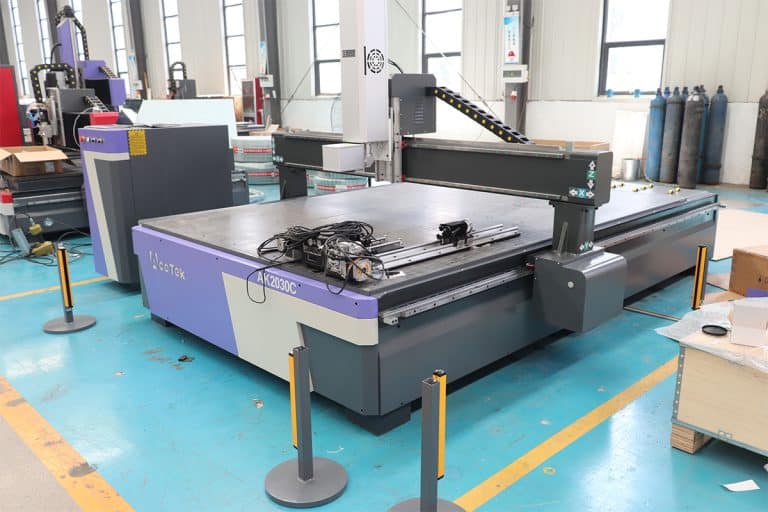
Can Laser Marking Be Removed
This article explores whether laser marking can be removed, the techniques used on different materials, common challenges, removal risks, and industrial use cases.
Can Lasers Be Used For Color Marking
This article explores how laser color marking works, the materials and colors it supports, its industrial applications, advantages, limitations, quality control, and safety factors.
Frequently Asked Questions
What Models Are Available for 150W CO2 Laser Marking Machines?
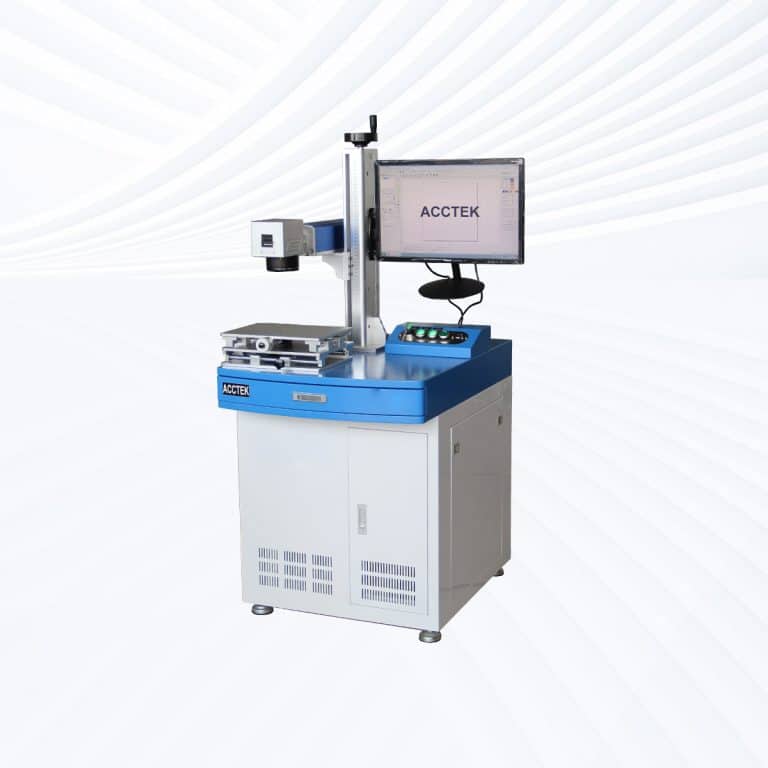
- Desktop Models: Desktop 150W CO2 laser marking machines combine high power with a compact frame. They are suitable for workshops and small factories that need to engrave or cut thicker non-metal materials such as hardwood, rubber, or acrylic with excellent edge finish and high precision.
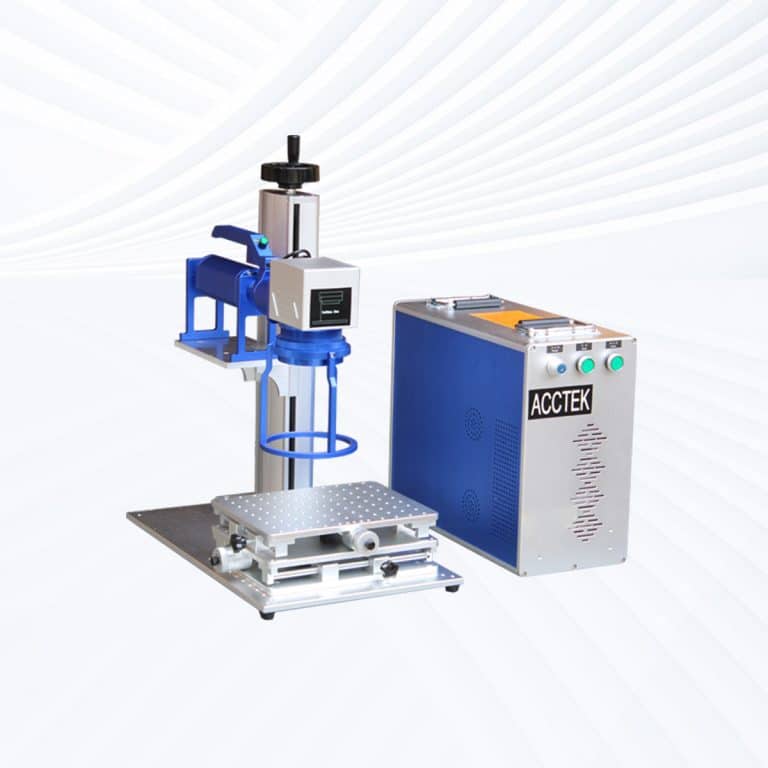
- Portable Models: Portable 150W CO2 laser marking systems offer flexibility and portability while maintaining industrial-level marking power. They can be easily relocated for on-site customization, packaging, and batch production—especially useful for signage and branding operations.
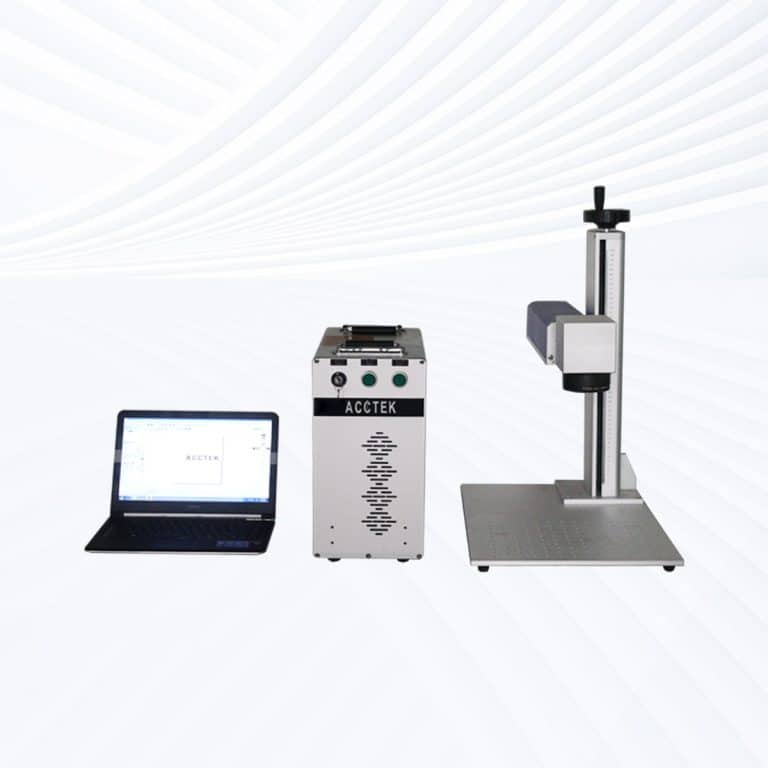
- Handheld Models: Handheld 150W CO2 laser marking machines are designed for marking or engraving on large, heavy, or irregularly shaped objects. The high laser energy output ensures deep and permanent marks even on thick wood, leather, or coated materials without repositioning the workpiece.
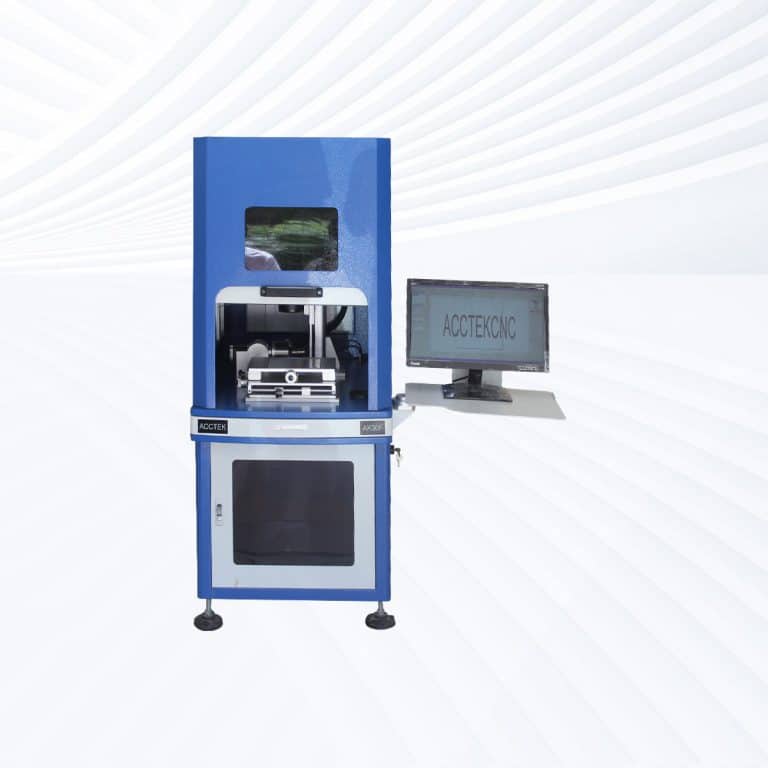
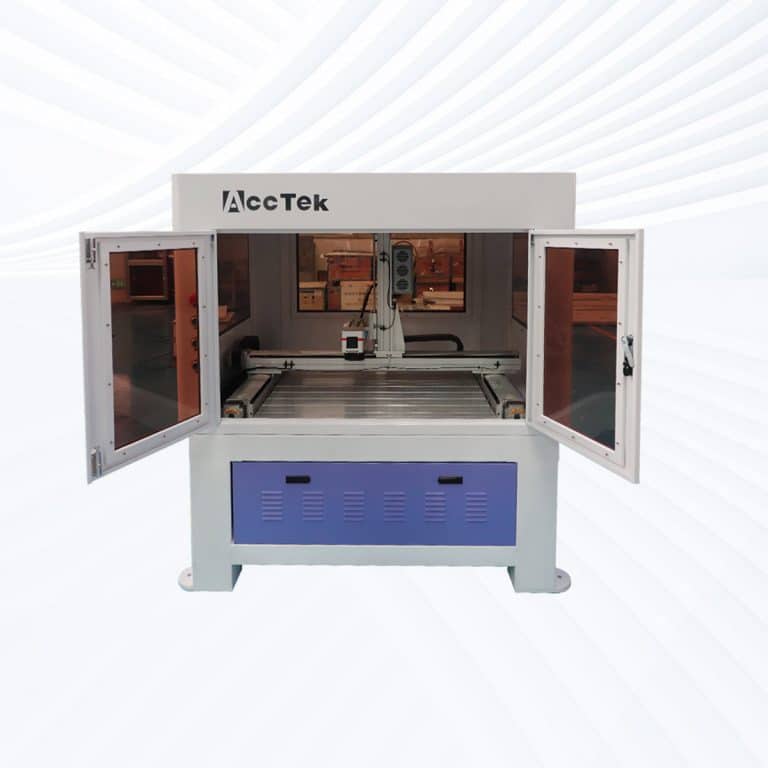
- Fully Enclosed Models: Fully enclosed 150W CO2 laser marking machines feature sealed laser chambers, filtered exhaust systems, and safety interlocks to protect operators and maintain clean operation. They are widely used in regulated industries like pharmaceuticals, electronics, and precision manufacturing, where operator safety and dust control are priorities.
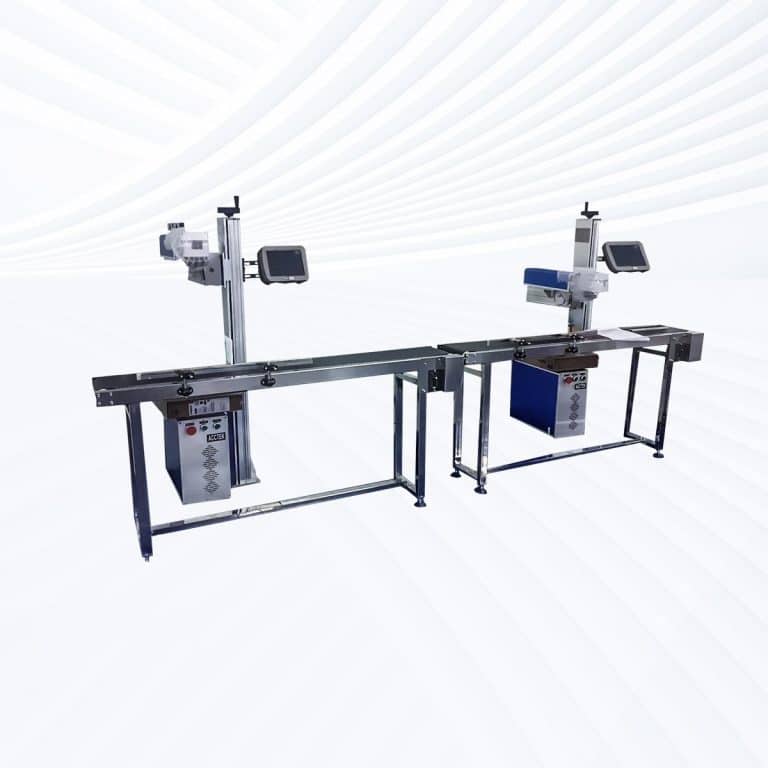
- Flying CO2 Lasers: Flying 150W CO2 laser marking systems integrate with conveyor lines for continuous, high-speed marking on moving products. They are ideal for industrial production lines marking on bottles, cans, cartons, or cables, providing unmatched consistency and efficiency at high speeds.
- Large-Area Screw-Drive Systems: These configurations utilize precision screw-drive mechanisms to achieve stable, detailed engraving on large-format materials. They are best suited for applications such as furniture manufacturing, decorative panels, and customized architectural components that demand both accuracy and large working areas.
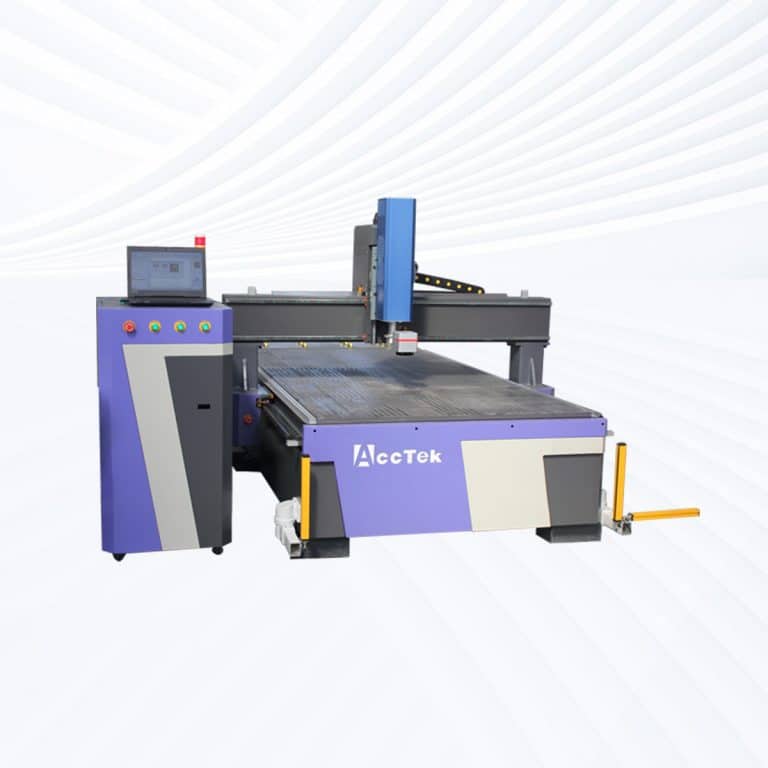
- Large-Area Open Rack-Drive Systems: Open rack-drive 150W CO2 laser marking machines employ rack-and-pinion motion systems for faster marking speeds and superior durability. Their open structure allows easy access to oversized materials, making them ideal for large signage, woodcraft, or bulk engraving projects.
How Much Do 150W CO2 Laser Marking Machines Cost?
- Desktop Models ($4500–$4900): Desktop 150W CO2 laser marking machines deliver industrial-level marking power in a compact format. They are best suited for small factories and workshops focused on high-quality engraving and light cutting of non-metal materials such as wood, acrylic, and leather.
- Portable Models ($4500–$4900): Portable 150W CO2 units combine mobility with robust performance, allowing operators to easily relocate the system for batch marking, custom branding, or on-site engraving. Despite their portable design, they maintain full laser output and stability.
- Handheld Models ($4700–$5100): Handheld 150W CO2 laser marking machines are designed for large, immovable, or curved surfaces. They are ideal for directly marking or engraving on furniture, thick wooden panels, or leather sheets, where flexibility and strong beam focus are crucial.
- Fully Enclosed Models ($5400–$5500): These models prioritize operator safety and a clean working environment. They feature sealed housings, smoke filtration, and interlock protection systems. Fully enclosed designs are commonly used in electronics, medical labeling, and high-precision packaging industries.
- Flying Models ($5800–$6200): Flying 150W CO2 laser marking machines are designed for continuous marking on conveyor systems. They can engrave logos, barcodes, serials, and production codes at high speeds, making them ideal for packaging, beverage, and pharmaceutical production lines.
- Large Area Screw Drive Systems ($9200–$9600): These machines feature precision screw-drive mechanisms that ensure smooth movement and high-resolution marking across large surfaces. They’re perfect for fine engraving on wood panels, acrylic sheets, and signage applications requiring consistent detail.
- Large Area Open Rack Drive Systems ($9300–$9700): Rack-drive 150W CO2 models emphasize speed and large-format operation. The open structure allows easy access to oversized materials, making them ideal for decorative panels, bulk engraving, and furniture production.
What Are The Disadvantages Of 150W CO2 Laser Marking Machines?
- Higher Operational Costs
- Energy Consumption: 150W CO2 laser marking systems consume significantly more power than lower-wattage models, leading to increased electricity bills. This can make them less cost-effective for small-scale operations or those with low-volume production.
- Cooling Requirements: The higher power output requires more robust cooling systems to prevent overheating of the laser tube. This increases operational costs and the complexity of the system, requiring regular maintenance of the cooling system, such as replacing water pumps or cooling fluids.
- Increased Maintenance Needs
- Wear and Tear: The higher power output places additional strain on the machine’s components, especially the laser tube. Over time, the laser tube will need to be replaced, and it may have a shorter lifespan compared to machines with lower power ratings. The increased intensity of the laser can also cause other components, like mirrors and lenses, to degrade faster.
- More Complex Calibration: As the power output is higher, precise calibration is essential to achieve optimal performance. This can require more frequent adjustments and a higher level of technical knowledge to ensure the machine operates effectively.
- Limited Material Compatibility
- Reflectivity Issues with Metals: CO2 lasers, even at 150W, struggle with highly reflective metals like aluminum, copper, and brass. While the machine can cut thin non-ferrous metals, the reflection from these materials can damage the laser system or decrease cutting efficiency. Fiber lasers are more effective in handling metals, which limits the versatility of the 150W CO2 laser in this regard.
- Material Overheating: High-power CO2 lasers may cause some materials, such as acrylics or plastics, to overheat and melt if not properly controlled, leading to imperfections or even damage. Operators need to be well-versed in adjusting the laser settings to prevent such issues, especially when dealing with delicate materials.
- Increased Size and Complexity
- Larger Footprint: 150W CO2 laser marking systems generally require more space due to their additional components like the more advanced cooling systems, higher wattage power supply, and larger laser tube. This may not be ideal for facilities with limited space.
- Complex Setup: Setting up and operating high-power lasers often involves a more complicated system, requiring skilled personnel to ensure proper configuration and calibration. This complexity can lead to longer setup times and a steeper learning curve for operators.
- Noise and Emissions
- Noise: High-powered lasers like the 150W CO2 laser marking systems often produce more noise during operation due to the cooling system and other components working at higher capacity. This can be disruptive in a working environment, requiring noise-reduction solutions.
- Fume Emissions: Cutting or engraving materials with a high-power laser can produce harmful fumes, especially when working with plastics, rubbers, or composites. Effective fume extraction systems are a necessity, but they add to the cost and maintenance of the machine.
How Noisy Are 150W CO2 Laser Marking Machines?
- Cooling System Noise
- Water Chillers: CO2 lasers, especially those with higher power ratings like 150W, often require water chillers to maintain optimal operating temperature. These chillers typically produce noise due to the operation of compressors and pumps. The larger the laser system, the louder the chiller, with some models producing noise levels that can range from 60 dB to 80 dB, comparable to the sound of a vacuum cleaner or a normal conversation.
- Air Compressors: In addition to water chillers, air compressors that help cool the laser system can contribute additional noise, especially during heavy-duty use.
- Exhaust System Noise
- Fume Extraction: Laser marking machines emit fumes, especially when engraving or cutting materials like plastics and acrylic. These fumes are typically removed by exhaust systems. High-power lasers like the 150W system require more robust fume extraction to manage the higher volume of fumes produced. The fans used in these systems can contribute to noise, especially if they are high-powered or run at full capacity. The noise from an exhaust fan can range from 60 dB to 75 dB.
- Movement and Operation
- Motion Systems: The motion system, including motors and drivers, controls the movement of the laser head, which can also create noise, especially at higher speeds. Though these systems tend to produce less noise than the cooling and exhaust systems, the overall noise levels can be significant when the machine is operating at full capacity, especially when working with larger marking areas or intricate designs.
- Laser Pulse Noise: CO2 lasers themselves generate some noise, especially during pulsed operation. However, this noise is often less intrusive compared to the mechanical systems.
- Average Noise Level
- The overall noise level for 150W CO2 laser marking machines typically ranges from 60 dB to 80 dB, depending on the machine’s configuration, cooling, and extraction systems. This is comparable to the noise level of a conversation or a moderately loud office environment.
What Is The Service Life Of 150W CO2 Laser Marking Machines?
- Laser Tube Life
- The laser tube is one of the most critical components, and its lifespan is often the primary factor that determines the overall service life of the machine. For CO2 laser marking machines, the typical lifespan of the laser tube ranges from 2,000 to 10,000 hours, depending on the quality of the tube and the usage intensity. However, after about 2,000 to 3,000 hours of continuous use, the power output may start to degrade, leading to a reduction in performance.
- High-quality glass or metal laser tubes may last up to 10,000 hours with proper maintenance, but this varies depending on the operational environment and usage frequency.
- Cooling System
- Cooling systems are essential for maintaining the optimal operating temperature of the laser tube. Overheating can drastically reduce the lifespan of the laser tube and other internal components. Machines equipped with water cooling systems tend to last longer if properly maintained and regularly serviced.
- Regular checks for leaks, filter cleaning, and the water quality used in the system are important to avoid overheating and ensure extended machine longevity.
- Power Supply and Electronics
- The power supply unit, which controls the operation of the laser tube, can have a service life of about 5 to 7 years, but it requires regular inspections. Dust buildup, power surges, or poor ventilation can reduce the lifespan of the power supply.
- Electronics and control boards are usually robust and can last many years, but the frequency of software upgrades and mechanical parts replacement may affect overall reliability.
- Other Components
- Motors, bearings, and motion systems are also critical to maintaining accuracy in marking. The lifespan of these parts can vary, but regular cleaning, lubrication, and alignment adjustments will help prolong their operational life.
- Maintenance and Usage
- Regular maintenance, including cleaning the mirrors, lenses, and airflow systems, plays a significant role in extending the life of the machine. Using the machine within its recommended operational parameters and avoiding overuse will reduce wear and tear.
- Keeping dust, moisture, and contaminants away from the machine will protect it from premature failure and extend its operational life.
What Training Is Required To Operate 150W CO2 Laser Marking Machines?
- Basic Laser System Understanding
- Laser Operation Principles: Operators should understand how the CO2 laser marking system functions, including its components such as the laser tube, power supply, optics, cooling system, and motion systems. Knowledge of how laser energy is generated, controlled, and directed to achieve precision marking is crucial.
- Types of Materials: Training should cover the different materials the machine can mark, such as wood, acrylic, plastics, metals, leather, and more. Understanding the behavior of these materials when exposed to laser energy ensures proper settings and optimal results.
- Machine Setup and Configuration
- Software and Control Panel: Operators need to be familiar with the software used to control the laser machine, including tasks like loading designs, setting up parameters (e.g., power, speed, frequency), and troubleshooting basic software issues. Learning how to interface with the machine’s control panel is essential for efficient operation.
- Parameter Settings: Operators should be trained on how to adjust settings for different materials. This includes selecting the appropriate power levels, engraving depth, cutting speeds, and other variables to achieve the desired results.
- Safety Training
- Laser Safety: Given the potential hazards of lasers, training in laser safety protocols is mandatory. This includes understanding the risks of eye exposure and using proper eye protection (laser safety glasses). Operators should be trained in the use of protective barriers, enclosures, and safety interlocks to prevent accidental exposure to harmful laser radiation.
- Ventilation and Fume Extraction: Since CO2 laser marking can release fumes from materials like plastics, operators must understand the importance of ventilation systems to maintain a safe working environment. Proper training should be provided on using fume extractors and ensuring proper airflow during operations.
- Maintenance and Troubleshooting
- Routine Maintenance: Operators should learn how to perform daily or weekly maintenance tasks, including cleaning the lenses, mirrors, and cooling systems, inspecting the laser tube, and replacing filters as necessary.
- Troubleshooting Skills: Training should cover how to diagnose common issues such as misalignment, power loss, or inconsistent marking results. Operators should know how to resolve these issues or escalate them to technicians when necessary.
- Hands-On Training
- Practical Experience: In addition to theoretical knowledge, hands-on experience is essential. Operators should undergo supervised sessions where they can practice using the machine, adjusting settings, and handling different materials. This ensures they gain confidence and proficiency before working independently.
What PPE Is Required When Operating 150W CO2 Laser Marking Machines?
- Laser Safety Glasses
- Purpose: CO2 lasers emit high-intensity infrared light, which can be harmful to the eyes. Even though many laser marking machines have protective enclosures, exposure to reflected or scattered laser beams can still occur.
- Specifications: Operators must wear laser safety goggles or glasses that are specifically designed to block or absorb the wavelength of the laser being used. For CO2 lasers, these glasses typically block the 10.6 μm wavelength, which is characteristic of the CO2 laser.
- Protective Gloves
- Purpose: While not as critical as laser glasses, protective gloves help safeguard the operator’s hands from accidental burns, cuts, or abrasions that may occur during machine maintenance, material handling, or while working with sharp edges.
- Material: Leather or rubber gloves are ideal for general protection. For high temperatures, gloves with heat-resistant properties may be required.
- Protective Clothing
- Purpose: Wearing long sleeves and pants made from materials that provide a physical barrier to potential sparks, debris, or fumes is essential. These materials also offer protection from the heat produced by the laser and the materials being worked on.
- Recommended Materials: Heavy cotton or other flame-resistant fabrics are recommended to avoid burns from hot materials or accidental sparks during the operation of the machine.
- Respiratory Protection
- Purpose: CO2 laser marking machines, especially when cutting or engraving certain materials like plastics, can release hazardous fumes and particulates. Inadequate ventilation may lead to exposure to toxic fumes, including smoke from burning materials and potentially harmful vapors.
- Type of PPE: A dust mask or respirator equipped with the appropriate filter (e.g., N95 or P100, depending on material and fume type) should be worn if proper ventilation is not in place. For environments with significant smoke or fume exposure, a fume extractor system should be used to minimize air contaminants.
- Hearing Protection
- Purpose: Depending on the design and setup of the 150W CO2 laser marking machine, the noise produced by the machine can be loud, especially if there is additional air assist or cooling fans operating. Extended exposure to high noise levels can cause hearing damage.
- Recommendation: Earplugs or earmuffs should be worn if noise levels exceed 85 dB, as prolonged exposure to such levels can lead to hearing loss.
- Face Shield or Safety Glasses (in addition to laser goggles)
- Purpose: In addition to the laser safety goggles, a face shield may be required if there is a risk of flying debris, particularly when working with harder materials or during maintenance.
- Ventilation System
- Not PPE but essential: To complement PPE, an adequate ventilation system (such as a fume extractor) is crucial to minimize inhalation of harmful particles, fumes, and gases produced during the marking or cutting process.
How Should 150W CO2 Laser Marking Machines Be Maintained?
- Clean the Lens and Mirrors Regularly
- Purpose: Dust, smoke, and debris can accumulate on the lens and mirrors, reducing the machine’s cutting or marking efficiency and potentially damaging the optical components.
- Frequency: Clean the lens and mirrors at least once every 40-50 hours of operation or more frequently if you’re working with materials that generate excessive smoke or particulate matter (like wood or plastic).
- How to Clean: Use a soft, lint-free cloth and optical-grade cleaning solution. Avoid harsh chemicals or abrasive materials that can scratch or damage the lenses.
- Check and Clean the Cooling System
- Purpose: The water cooling system helps keep the laser tube at an optimal temperature, preventing overheating and ensuring consistent performance.
- Frequency: Regularly inspect the water tank and cooling lines for debris, algae buildup, or leaks. Change the water every 3-6 months, depending on the usage and the type of water used.
- How to Maintain: Clean the cooling reservoir with distilled water and ensure that the water temperature is within the recommended range (usually 18℃ to 30℃).
- Inspect the Laser Tube
- Purpose: The laser tube is a crucial component, and its performance directly affects the quality and speed of engraving or cutting.
- Frequency: Check the laser tube every 500-1000 working hours for any signs of degradation, such as reduced power output or unusual noises.
- How to Maintain: If the power drops significantly, the laser tube may need to be replaced. Always ensure proper cooling and check for any cracks or leaks that could impact performance.
- Lubricate the Moving Parts
- Purpose: The moving parts of the laser marking machine, such as rails, motors, and bearings, need lubrication to reduce wear and tear.
- Frequency: Lubricate the moving parts every 500-1000 hours or as recommended in the manufacturer’s manual.
- How to Maintain: Use a suitable lubricant (such as machine oil) for the guide rails and bearings to prevent rust, and ensure smooth motion.
- Check the Air Assist System
- Purpose: The air assist system helps in removing smoke and debris from the cutting area, ensuring better cutting quality and preventing material charring.
- Frequency: Inspect the air compressor and tubing periodically to ensure that the airflow is adequate and there are no blockages.
- How to Maintain: Clean the air assist nozzle and ensure the compressor is functioning properly. Replace the air filters as needed.
- Test the Alignment and Focus
- Purpose: Proper alignment and focus ensure precise cutting and marking. Misalignment can lead to poor quality or misdirected laser beams.
- Frequency: Perform alignment checks every 3-6 months or after major part replacements.
- How to Maintain: Use a focus gauge to adjust the lens to the optimal focal point. Regularly check the alignment of the laser beam through the mirrors to ensure accurate cuts.
- Perform Software and Firmware Updates
- Purpose: Keeping the software and firmware updated ensures the laser machine runs with the latest features and optimizations.
- Frequency: Regularly check for updates and install them as provided by the manufacturer.