

Product Introduction
Laser Marking Capabilities
| Material | 3W | 5W | 10W | 12W | 15W |
|---|---|---|---|---|---|
| ABS / Plastics (Non-Metallic) | Surface Mark; Color Change | Surface Mark; Deep Color Change | Deep Mark; Micro Engrave | Deep Mark; Micro Engrave | Deep Mark; Micro Engrave |
| PC / PA / PET / PBT / PP | Surface Mark; High Contrast | Surface Mark; Fine Engrave | Deep Mark; No Burn | Deep Mark; No Burn | Deep Mark; No Burn |
| Silicone / Rubber | Surface Mark; Shallow Engrave | Deep Engrave | Deep Engrave | Deep Engrave | Deep Engrave |
| Acrylic (PMMA) | Surface Mark; Smooth Edge | Surface Mark; Fine Engrave | Deep Engrave; Polished Mark | Deep Engrave; Polished Mark | Deep Engrave; Polished Mark |
| Glass (With or Without Paste) | Frosted Mark; Micro Text | Frosted Mark; Fine Line Engrave | Deep Frosted Engrave | Deep Frosted Engrave | Deep Frosted Engrave |
| Ceramics (Polished / Glazed) | Surface Mark; Micro Engrave | Surface Mark; Fine Engrave | Deep Engrave (High Precision) | Deep Engrave (High Precision) | Deep Engrave (High Precision) |
| Silicon Wafer / Semiconductor Substrate | Surface Mark (High Precision) | Surface Mark (High Precision) | Fine Engrave; Chip Marking | Fine Engrave; Chip Marking | Fine Engrave; Chip Marking |
| Anodized Aluminum | Coating Removal; High Contrast | Coating Removal; Fine Mark | Coating Removal | Coating Removal | Coating Removal |
| Painted / Coated Metals | Coating Ablation Only (No Metal Removal) | Coating Ablation | Coating Ablation | Coating Ablation | Coating Ablation |
| Stainless Steel (Thin Film Coated) | Film Ablation (No Metal Engrave) | Film Ablation | Surface Mark; Micro Text | Surface Mark; Micro Text | Surface Mark; Micro Text |
| PCB / FPC / Electronic Components | Surface Mark; QR Code | Surface Mark; QR Code; Fine Line | Fine Engrave; Trace Mark | Fine Engrave; Trace Mark | Fine Engrave; Trace Mark |
| Paper / Cardboard | Fine Marking; Non-Burn | Fine Marking; Non-Burn | Deep Mark; Micro Cut | Deep Mark; Micro Cut | Deep Mark; Micro Cut |
| Leather (Genuine / PU) | Surface Mark; Color Change | Surface Mark; Deep Mark | Deep Mark; Burn Mark | Deep Mark; Burn Mark | Deep Mark; Burn Mark |
| Film / PET Label / Transparent Foil | Surface Mark; High Contrast | Surface Mark; High Contrast | Surface Mark; Precise Mark | Surface Mark; Precise Mark | Surface Mark; Precise Mark |
| Epoxy / Resin / Plastic-Coated Boards | Surface Mark; High Precision | Surface Mark; Fine Engrave | Deep Engrave; Clean Edge | Deep Engrave; Clean Edge | Deep Engrave; Clean Edge |
| Glass Fiber / Epoxy Boards (FR-4) | Surface Mark; Fine Line | Deep Engrave | Deep Engrave | Deep Engrave | Deep Engrave |
| Wood / Paper / Bamboo | Surface Mark (Limited) | Surface Mark; Light Engrave | Surface Mark; Light Engrave | Surface Mark; Light Engrave | Surface Mark; Light Engrave |
| Foam / EVA | Surface Mark; Light Engrave | Surface Mark; Light Engrave | Deep Engrave; Cut (≤2 mm) | Deep Engrave; Cut (≤3 mm) | Deep Engrave; Cut (≤4 mm) |
| PVC | Not Recommended (toxic fumes) | Not Recommended | Not Recommended | Not Recommended | Not Recommended |
| Metals (Stainless, Carbon, Brass, Copper) | Not Recommended (use Fiber Laser) | Not Recommended | Not Recommended | Not Recommended | Not Recommended |
Compatible Materials
- ABS Plastic
- Polycarbonate
- Polyethylene
- Polypropylene
- Polyvinyl Chloride
- Acrylic
- Nylon
- PEEK
- PET
- Teflon
- Copper
- Titanium
- Gold
- Silver
- Acrylic Film
- Film Labels
- Transparent Plastics
- Cosmetics Packaging Materials
- Food Packaging
- Medical Plastic Components
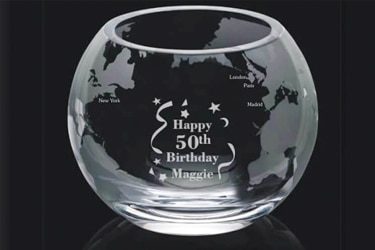
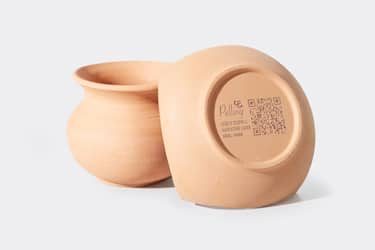
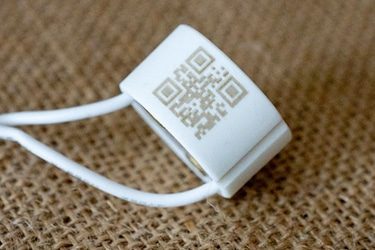
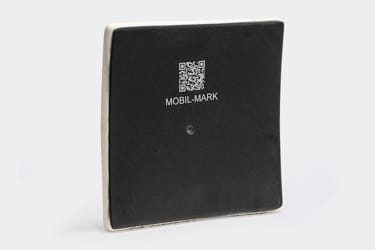
Application of 10W UV Laser Marking Machines



Customer Testimonials
Comparison VS Other Marking Technologies
| Comparison Item | UV Laser Marking | Dot Peen Marking | Inkjet Printing | Chemical Etching |
|---|---|---|---|---|
| Marking Principle | Cold laser process using ultraviolet light | Mechanical impact by stylus | Ink deposition through nozzles | Acid-based chemical reaction |
| Marking Speed | Fast; suitable for mass production | Moderate; depends on material hardness | Fast; high throughput | Slow; multi-step process |
| Marking Precision | Extremely high; suitable for micro-marking | Medium; limited by stylus size | Medium; depends on ink droplet control | High; but process can be inconsistent |
| Heat Effect on Material | Minimal (cold marking, no burning) | Generates frictional heat | None, but ink may smear | Can cause surface corrosion |
| Material Compatibility | Works on plastics, glass, ceramics, silicon, and coated metals | Mostly metals | Metals, plastics, paper | Metals and coated surfaces |
| Marking Quality | Smooth, clean, burr-free | Rough, dotted marks | Prone to fading or blurring | May leave uneven surface finish |
| Permanence | Permanent and wear-resistant | Permanent, but may deform material | Temporary; ink wears off | Permanent but prone to corrosion |
| Surface Damage | Non-contact, no surface damage | Indents surface | None | May etch or weaken material |
| Marking on Heat-Sensitive Materials | Excellent; no melting or deformation | Not suitable | Good | May damage material |
| Maintenance Requirements | Very low; no consumables | Frequent stylus replacement | High; regular ink and nozzle cleaning | Regular chemical disposal and replacement |
| Operating Cost | Low long-term cost; no consumables | Low to medium | High; continuous ink use | Medium; recurring chemical costs |
| Environmental Impact | Eco-friendly; no chemicals or waste | Minimal | Uses solvents and ink | Produces chemical waste and fumes |
| Automation Integration | Easy to integrate with automation and robotics | Moderate; mechanical limitations | Easy; digital control | Difficult; mostly manual process |
| Noise Level | Silent operation | Noisy due to impact | Quiet | Silent |
| Suitable Applications | Micro-marking, plastic, glass, electronics, medical devices | Metal parts, nameplates, industrial tools | Packaging, date codes, labels | Metal tags, industrial plates, decoration |
Why Choose Us
High Precision
Our machines deliver sharp, detailed markings with excellent contrast, suitable for complex patterns and small components across metal, plastic, and other materials.
Fast Processing
Designed for speed and efficiency, our systems complete marking tasks quickly without compromising quality, making them ideal for high-volume production environments.
Low Maintenance
With durable components and minimal consumables, our machines offer stable long-term performance, reducing downtime and keeping operating costs low.
Flexible Solutions
We provide a variety of models and customization options to suit different materials, marking needs, and production setups, ensuring the right fit for your business.
Related Resources
How Do Laser Parameters Affect The Marking Effect?
This article explores how laser power, speed, frequency, pulse width, focus, wavelength, hatch spacing, and material properties influence marking quality, depth, contrast, and precision.
How Does Laser Beam Quality Affect Marking Results?
This article explores how laser beam quality affects marking clarity, contrast, line width, edge sharpness, depth control, heat input, material response, and marking repeatability.
Can Laser Marking Be Removed
This article explores whether laser marking can be removed, the techniques used on different materials, common challenges, removal risks, and industrial use cases.
Can Lasers Be Used For Color Marking
This article explores how laser color marking works, the materials and colors it supports, its industrial applications, advantages, limitations, quality control, and safety factors.
Frequently Asked Questions
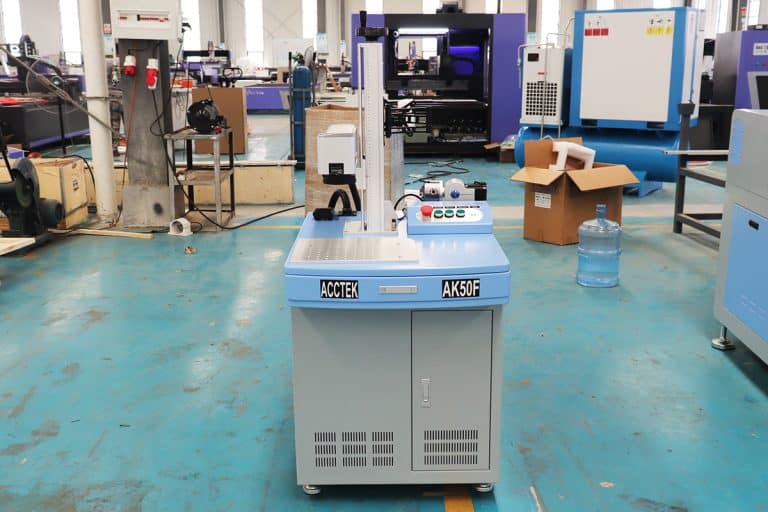
What Models Are Available for 10W UV Laser Marking Machines?
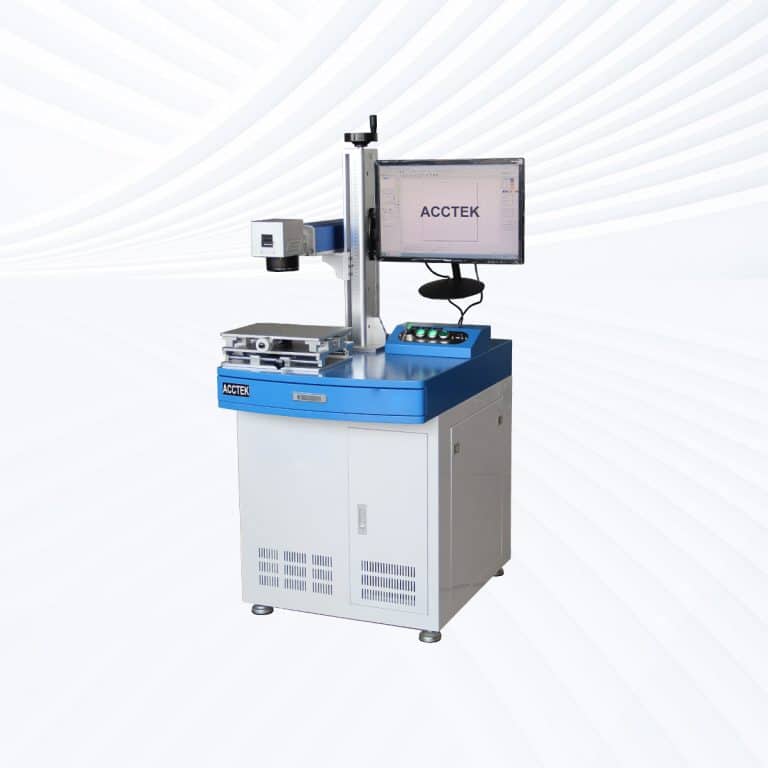
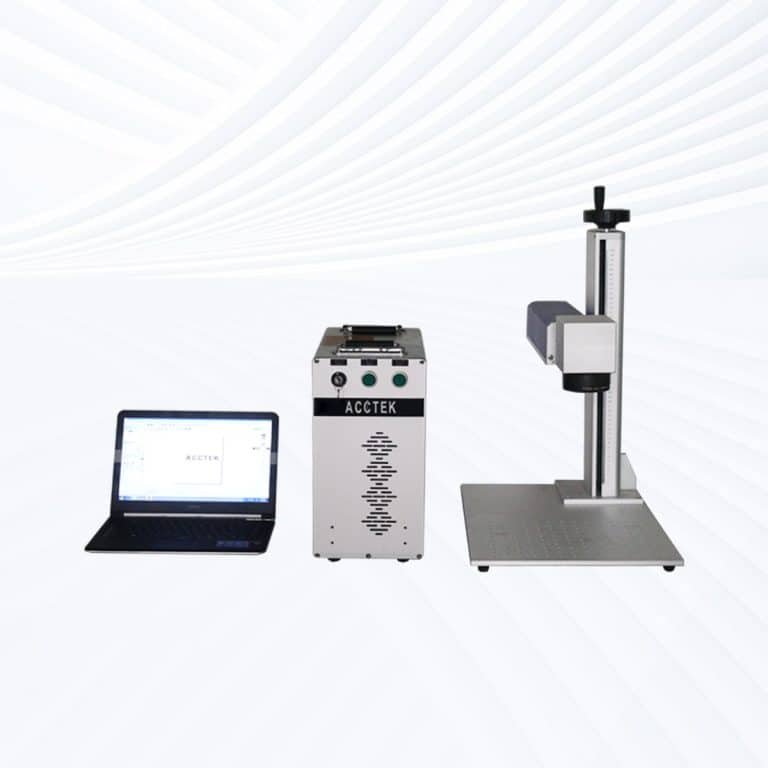
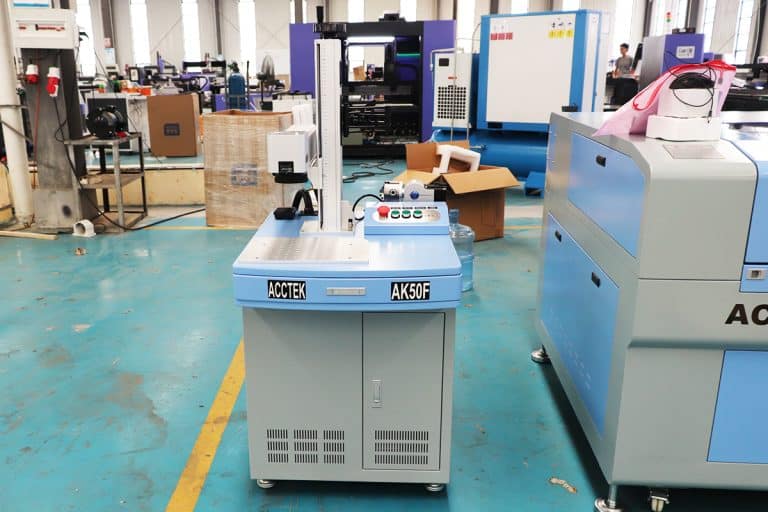
- Desktop Models: Compact and stable, desktop 10W UV lasers provide precise, high-speed marking for electronics, medical instruments, and plastic packaging. The increased power allows deeper marking on metals and ceramics while maintaining excellent edge definition.
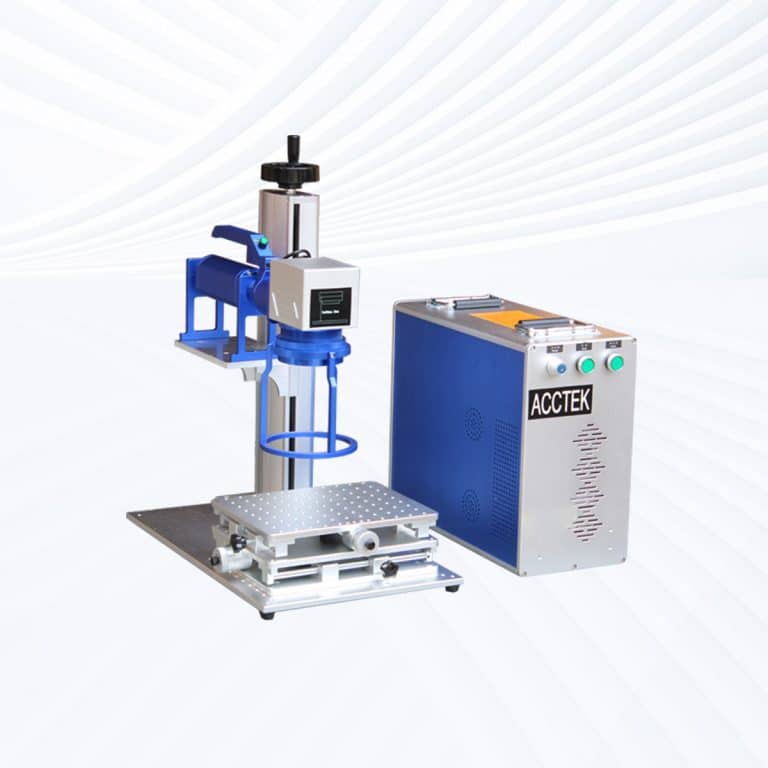
- Portable Models: Designed for operational flexibility, portable UV laser marking systems combine industrial performance with mobility. They’re ideal for multi-station production environments and laboratory setups that require frequent repositioning without losing precision.
- Handheld Models: Engineered for marking large, irregular, or immovable parts, handheld 10W UV laser marking machines provide direct marking with exceptional control. The higher power output enables faster marking speeds while maintaining cold-processing accuracy—perfect for automotive components, pipes, and coated parts.
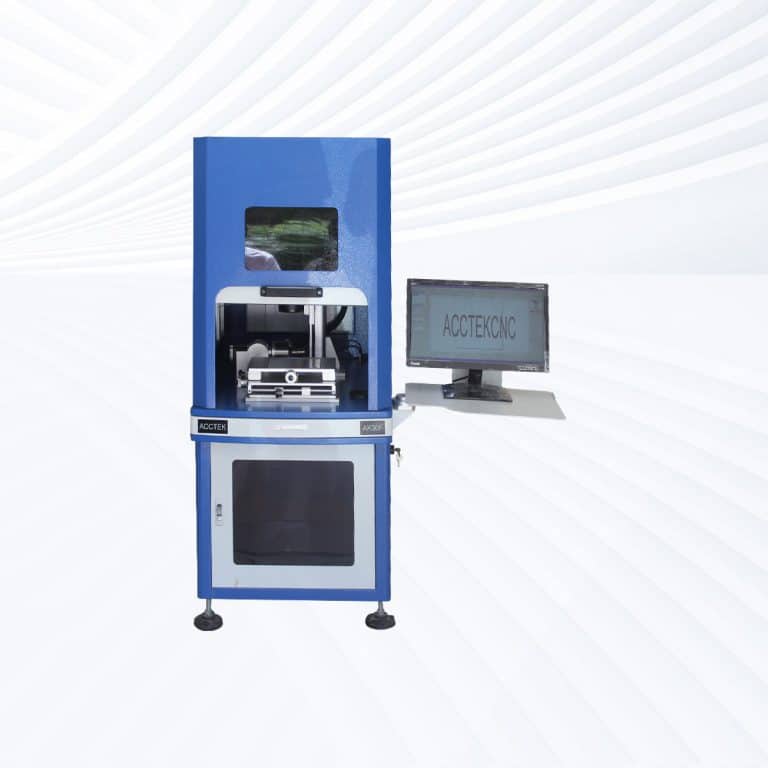
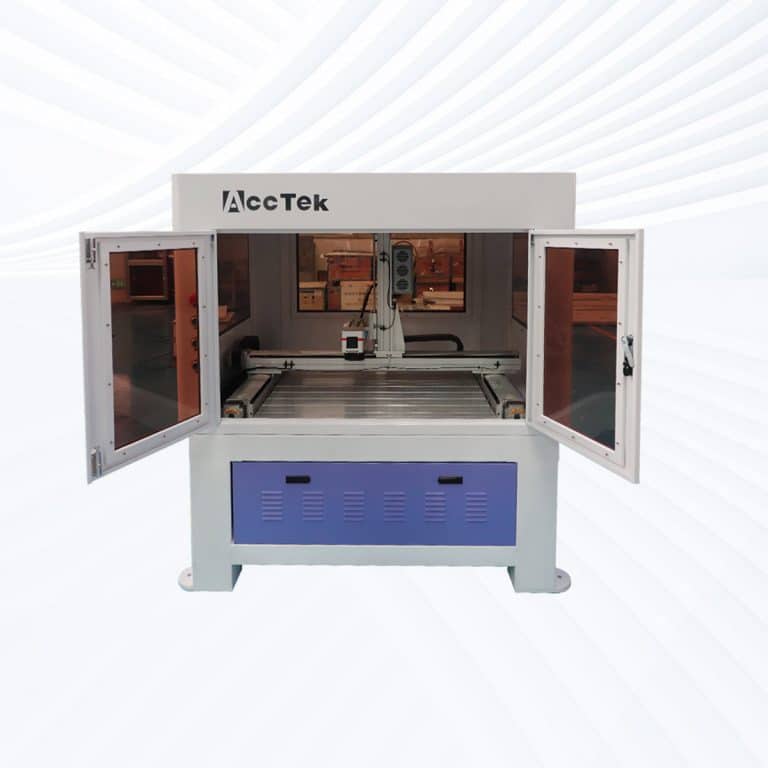
- Fully Enclosed Systems: With sealed housings, viewing windows, and built-in fume extraction, fully enclosed 10W UV laser marking systems ensure safe and clean operation. They’re widely used in cleanroom and precision manufacturing environments like aerospace, defense, and microelectronics.
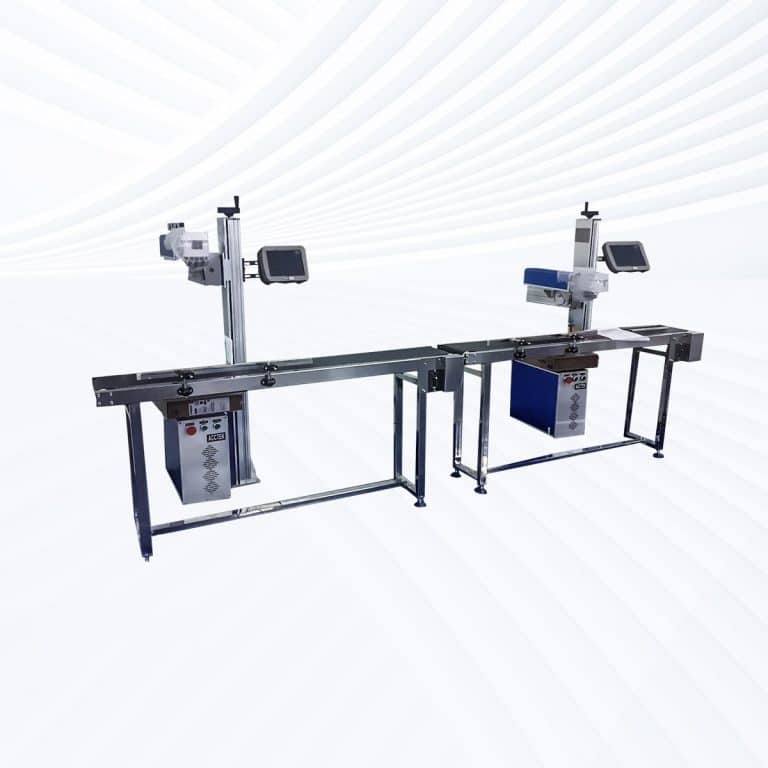
- Flying UV Lasers: Designed for automated production lines, flying 10W UV lasers continuously mark moving objects such as cables, films, packaging, and circuit boards. Their strong beam quality allows stable, legible marking at high conveyor speeds.
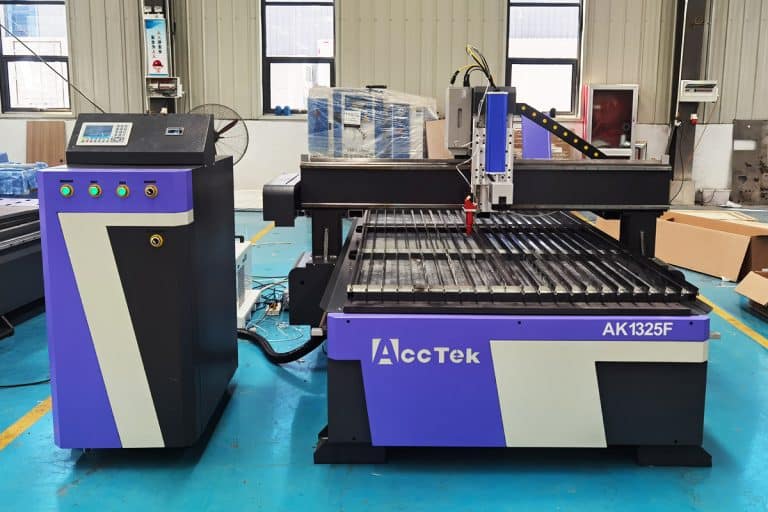
- Large-Area Screw-Drive Systems: Featuring ball-screw precision motion, these machines offer ultra-smooth control for detailed marking on large panels or surfaces. Ideal for polymer films, glass sheets, and nameplates that require precise and uniform marking across extended areas.
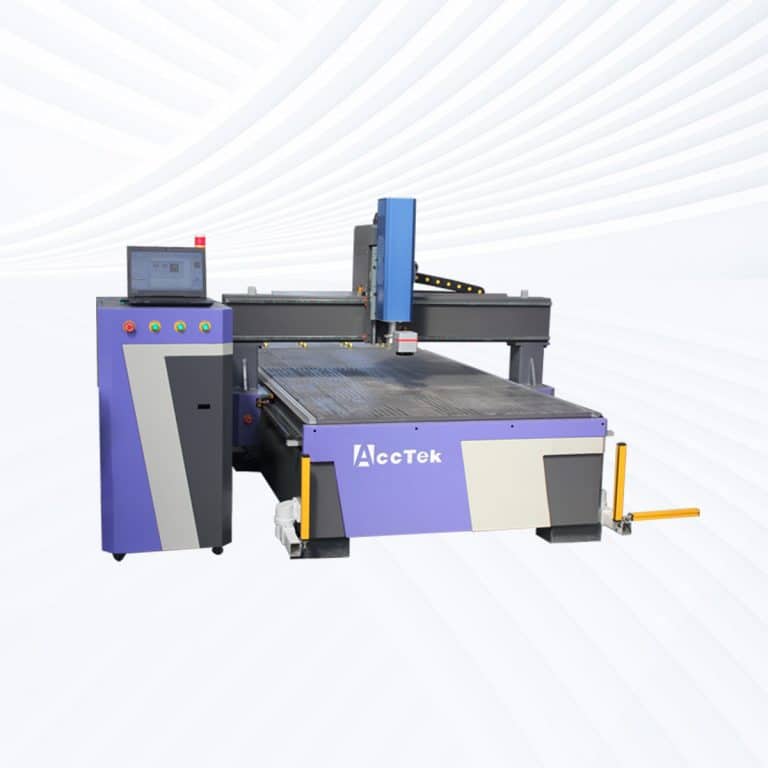
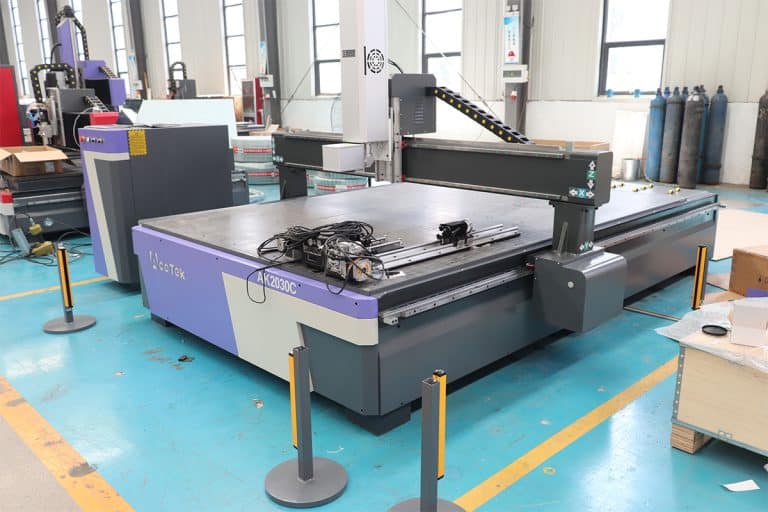
- Large-Area Open Rack-Drive Systems: Equipped with rack-and-pinion motion and open work tables, these systems support high-speed marking for large or multi-part operations. They’re suited for signage, industrial labeling, and high-volume component engraving.
How Much Do 10W UV Laser Marking Machines Cost?
- Desktop Models ($5800–6200): Compact and precise, desktop 10W UV laser marking systems offer clean, deep marking with minimal heat effect. Ideal for electronics, semiconductors, and fine medical instruments, they combine stability with superior beam quality.
- Portable Models ($5800–6200): Delivering the same high-quality performance as desktop models, portable UV lasers add mobility and flexibility for multi-station use. They’re suitable for laboratories, workshops, or packaging lines that need mobile precision marking.
- Handheld Units ($6000–6400): Built for large, immovable, or curved objects, handheld 10W UV lasers provide direct on-site marking with exceptional control. The cold-beam process ensures smooth, non-destructive engraving—ideal for plastic housings, cables, and coated materials.
- Fully Enclosed Systems ($6500–6900): Designed for safety and cleanliness, these models include enclosed housings, observation windows, and fume filtration. They’re popular in high-precision sectors like medical, aerospace, and electronics, where operator safety and part quality are equally important.
- Flying UV Lasers ($7100–7500): Optimized for production lines, flying 10W UV laser marking machines can continuously mark products on conveyors or robotic systems. Their strong power and stable wavelength ensure crisp, permanent markings even at high line speeds.
- Large-Area Screw-Drive Systems ($11100–12300): Equipped with precision ball-screw motion control, these machines deliver consistent focus and high-resolution engraving over large surfaces. They are ideal for detailed marking on large panels, polymer films, and nameplates.
- Large-Area Open Rack-Drive Systems ($11200–11600): Featuring open-frame structures and high-speed rack-and-pinion motion, these UV laser marking systems support large-format or multi-component marking with efficiency and easy material access—perfect for signage, glass sheets, and industrial-scale engraving.
Is It Safe To Use 10W UV Laser Marking Machines?
- Laser Safety Class
- A 10W UV laser is typically classified as a Class 4 laser. This classification means the laser emits potentially harmful radiation that can cause severe eye and skin damage. Proper safety protocols, such as wearing laser safety goggles rated for the UV wavelength (typically 355 nm) of the laser, are critical to protect against eye injury from both direct and reflected laser light.
- Operators should ensure that anyone in the vicinity is also wearing appropriate PPE (personal protective equipment), such as laser safety glasses, face shields, and flame-resistant clothing if needed.
- Protective Barriers and Enclosures
- To prevent accidental exposure to the laser beam, the marking area should be enclosed or equipped with protective barriers. UV lasers can cause irreversible damage if the beam is accidentally reflected or scattered, so ensuring a controlled environment with minimal exposure is key.
- Safety interlocks should be used to automatically turn off the machine if the enclosure is opened, providing an added layer of protection.
- Ventilation and Fume Extraction
- During the marking process, materials such as plastics or metals can produce fumes and gases that can be hazardous to health. It is crucial to use a fume extraction system to capture and filter these fumes. Inadequate ventilation may lead to the accumulation of harmful vapors or dust, increasing the risk of respiratory issues for the operator.
- Ensure the workspace is well-ventilated to avoid exposure to harmful fumes that may be produced, especially when working with certain plastics or coated materials.
- Electrical and Cooling System Considerations
- The cooling system plays an essential role in maintaining safe operation, especially with higher-powered lasers. For a 10W UV laser, ensuring that the cooling system (air or water-cooled) is functioning properly is important to prevent overheating and potential damage to the machine.
- Ensure the electrical supply is stable and free from fluctuations that could affect the laser’s performance or cause electrical hazards.
- Fire Hazards
- Higher-powered lasers like the 10W UV laser can generate significant heat. If not properly monitored, fire hazards can arise, especially when working with combustible materials such as certain plastics or wood. Operators should maintain fire safety equipment nearby, such as a fire extinguisher, and ensure that the workspace is clear of flammable materials.
What Is The Marking Speed Of 10W UV Laser Marking Machines?
- Material Type
- Plastics: UV lasers are commonly used for marking plastics, including acrylic, ABS, and polyethylene. The marking speed on plastics typically ranges from 500 mm/s to 2,000 mm/s, depending on the material and its thickness. Softer plastics tend to mark faster, while harder plastics or those requiring more detailed marks may take longer.
- Glass and Ceramics: When engraving glass or ceramics, the marking speed is typically slower, falling between 100 mm/s and 300 mm/s. The precision required for these materials means the laser operates more slowly to create detailed and accurate engravings.
- Design Complexity
- Simple Designs: For simple designs such as text or logos, the marking speed can reach higher rates, up to 2,000 mm/s. Basic tasks like marking barcodes or small logos are faster because they require less processing time.
- Complex Patterns: Detailed or intricate designs, such as high-resolution logos or patterns, will slow the marking speed down to around 100 mm/s to 500 mm/s. The laser must make more passes or take more time to ensure accuracy and precision in complex shapes.
- Laser Settings
- Power and Frequency: The marking speed also depends on the power and frequency settings. At higher frequencies, the machine can mark faster, but at the cost of precision and surface finish. Conversely, lower frequencies allow for better detail but result in slower speeds.
- Focus and Pulse Control: Adjustments to focus settings and pulse control can impact both the marking speed and the quality of the mark. For fine details, the speed will be reduced to ensure optimal performance.
What Is The Service Life Of 10W UV Laser Marking Machines?
- Laser Source Lifetime
- The laser source (typically a diode or fiber) is one of the most crucial components in UV laser marking machines. Under normal usage, the laser source in 10W UV laser marking machines can last around 20,000 to 30,000 hours. This can vary depending on how frequently the machine is used and the type of materials being marked. Lasers used in high-intensity operations or those running at full power for long periods tend to wear out faster.
- Cooling System
- The cooling system helps regulate the temperature of the laser and prevents overheating, which is essential for the machine’s longevity. The cooling system may be air-cooled or water-cooled. Proper maintenance of the cooling system, such as checking coolant levels (if applicable) and cleaning filters, can significantly extend the machine’s service life. Overheating due to improper cooling can lead to premature failure of the laser components.
- Optical Components (Lenses and Mirrors)
- Optical components, such as the lenses and mirrors, are critical to the performance of the UV laser. These components can degrade over time due to exposure to the laser’s high-energy light. Regular cleaning and inspection for any damage, such as cracks or discoloration, are necessary to ensure consistent performance. If not properly maintained, degraded optics can lead to reduced marking quality or inefficiency in laser energy use, potentially shortening the overall lifespan.
- Usage Conditions
- The operating environment plays a role in the longevity of the machine. It should be kept in an environment with controlled temperature (18℃ to 25℃) and humidity (40% to 60%) to avoid condensation or overheating. Dusty or harsh environments can lead to faster wear of components, requiring more frequent maintenance.
- The material types being marked also influence wear. Marking harder materials like metals or thick plastics can cause more stress on the laser system, whereas softer materials may reduce the strain.
- Maintenance and Care
- Routine maintenance, such as cleaning optical components, checking the cooling system, and calibrating the machine, is key to extending the life of the laser marking machine. Neglecting maintenance tasks can lead to performance degradation and potentially costly repairs, shortening the machine’s useful life.
What Training Is Required To Operate 10W UV Laser Marking Machines?
- Laser Safety Training
- Understanding Laser Classifications: A 10W UV laser is classified as a Class 4 laser, meaning it poses significant risks to the eyes and skin. Operators must be trained to understand the dangers associated with UV laser exposure, including the potential for permanent eye damage or burns from the beam or reflections.
- Personal Protective Equipment (PPE): Operators must learn to properly use laser safety goggles specifically designed to protect against UV light (355 nm). Additionally, training should cover the importance of wearing protective clothing, gloves, and face shields if necessary.
- Safety Procedures: Operators should be trained on setting up the machine in a safe working environment, using safety barriers or enclosures to prevent exposure, and ensuring that interlocks and safety switches are functional.
- Machine Setup and Operation
- Component Familiarity: Operators should be trained to understand the machine’s key components, including the laser source, cooling system, optical components (lenses and mirrors), control panel, and air assist system. Understanding how each part works is essential for correct machine setup and troubleshooting.
- Material Handling: Proper techniques for loading and aligning materials on the machine bed are important. Misalignment can cause inaccurate markings or damage to both the material and the machine.
- Software Operation: Operators should be familiar with the laser marking software used to create designs, adjust parameters (power, speed, frequency), and ensure precise placement of markings. They should also learn how to upload and adjust designs for different materials.
- Maintenance and Troubleshooting
- Routine Maintenance: Training should cover basic maintenance tasks, such as cleaning optical components, checking cooling systems, and replacing worn-out parts like lenses or mirrors. Regular maintenance ensures optimal performance and extends the life of the machine.
- Troubleshooting: Operators should be trained to recognize common issues like misalignment, inconsistent marking, or overheating. Knowing how to diagnose and resolve these issues quickly reduces downtime and maintains the quality of work.
- Material Compatibility
- Material-Specific Training: The operator should understand which materials are compatible with the UV laser. Plastics, metals (coated), and glass are commonly marked with UV lasers, but each material requires different settings for optimal results. Training should include how to adjust machine settings for different materials, preventing damage, and ensuring clean, accurate marks.
What PPE Is Required When Operating 10W UV Laser Marking Machines?
- Laser Safety Glasses
- Purpose: UV laser safety glasses are the most critical piece of PPE when operating 10W UV laser marking machines. These glasses are designed to block the harmful UV light (around 355 nm) emitted by the laser, protecting the operator’s eyes from permanent damage.
- UV-Specific Protection: It’s essential to use safety glasses that are rated for UV wavelengths, as ordinary eye protection will not block UV rays effectively. These glasses should provide full coverage to ensure protection from direct or reflected laser beams.
- Protective Clothing
- Flame-Resistant or Fire-Retardant Clothing: The operator should wear flame-resistant or fire-retardant clothing to minimize the risk of burns, especially if working near combustible materials. Materials like cotton are ideal, as they provide a barrier against heat.
- Long Sleeves and Pants: It’s recommended to wear long sleeves and pants to protect the skin from accidental exposure to heat, laser radiation, or debris generated during the marking process. This also helps prevent skin burns in case of laser misfires or exposure to reflected light.
- Face Shield or Goggles
- Face Shield: In addition to laser safety glasses, a face shield may be used to provide extra protection for the face, particularly if working with reflective materials that might scatter the laser beam. It is essential to shield the face from accidental reflections and debris.
- Safety Goggles: If a face shield is not used, operators should wear additional goggles that protect against flying debris or accidental splashes from materials being marked.
- Hearing Protection
- Although UV lasers are generally quieter than high-power lasers, if the laser operates in a noisy environment with other machinery, earplugs or earmuffs should be used. This is especially important if the operator works in an environment where there are loud background noises from air compressors or other equipment.
- Respiratory Protection
- Fume Extraction: Materials marked with the UV laser may release toxic fumes or gases, especially plastics or metals. A fume extraction system is essential to ensure the operator is not exposed to harmful fumes.
- Respirators: In cases where fumes are not adequately extracted or if the material being marked releases hazardous particles, operators may need to wear a respirator equipped with the proper filters to protect against inhaling toxic vapors.
- Work Area Setup
- Ensure that the work area is well-ventilated and free from flammable materials. UV lasers generate heat, and a cooling system should be used to prevent overheating. The workspace should also be clean to avoid contamination from dust or particles, which can affect both the laser’s performance and material quality.
How Should 10W UV Laser Marking Machines Be Maintained?
- Laser Source and Power Check
- Regular Inspection: Periodically inspect the laser source for any signs of wear, such as a drop in power or inconsistent marking. The laser diode in 10W UV laser marking machines typically lasts for 20,000 to 30,000 hours, but it’s essential to monitor its performance to detect any early signs of degradation.
- Power Calibration: Ensure the laser power settings are calibrated regularly. A decrease in power can indicate a problem with the laser source or other components.
- Cooling System Maintenance
- Cooling System Inspection: The cooling system (air or water-cooled) is essential for regulating the temperature and preventing overheating. Check the cooling system regularly to ensure it is functioning correctly. For water-cooled systems, verify coolant levels and replace the coolant every 6 to 12 months.
- Clean Fans and Filters: If the system is air-cooled, clean the fans and filters to ensure proper airflow and prevent the buildup of dust, which can impede cooling and reduce efficiency.
- Optical Components Cleaning
- Lens and Mirror Maintenance: UV lasers rely on lenses and mirrors to focus the beam. Over time, these optical components can accumulate dirt, dust, or residue from the materials being marked. Regularly clean the lenses and mirrors using a soft, lint-free cloth and optical lens cleaner. Avoid using harsh chemicals or rough materials that could scratch the surfaces.
- Check for Damage: Regularly inspect optical components for any signs of scratches, discoloration, or deformation. Damaged lenses or mirrors can significantly affect marking quality and should be replaced.
- Air Assist and Fume Extraction
- Air Assist System: The air assist system helps clear debris and fumes during the marking process. Ensure the air nozzle is not clogged, and check the airflow pressure to make sure it’s within the recommended range. A clogged nozzle can lead to poor marking quality or overheating of the material.
- Fume Extraction: Ensure that the fume extraction system is in good condition and regularly cleaned. The system should be free of blockages and maintained according to the manufacturer’s instructions to prevent hazardous fumes from accumulating.
- Routine Software Updates
- Software Maintenance: Keep the control software and firmware updated to benefit from the latest improvements, bug fixes, and features. Manufacturers typically release updates to optimize performance or add new functionalities, so regularly check for updates and install them to keep the machine running smoothly.
- General Cleanliness and Workspace
- Clean Workspace: Keep the laser marking area free of dust and debris. Excessive dust or dirt in the workspace can affect the machine’s components and may impact the quality of the marking.
- Machine Surface: Wipe down the machine’s exterior regularly to remove any dust or material residue that may have accumulated during operation.