

Product Introduction
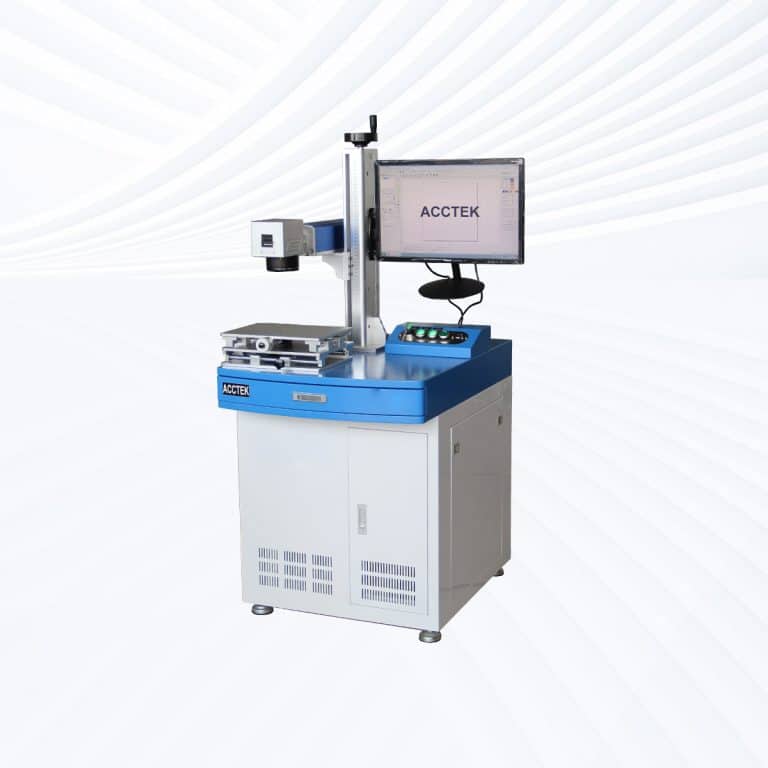
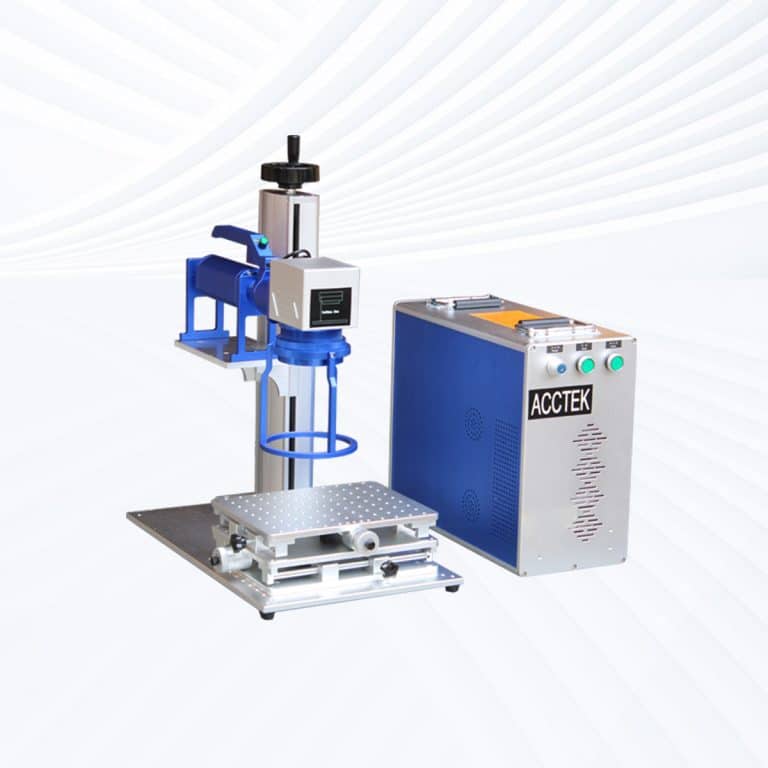
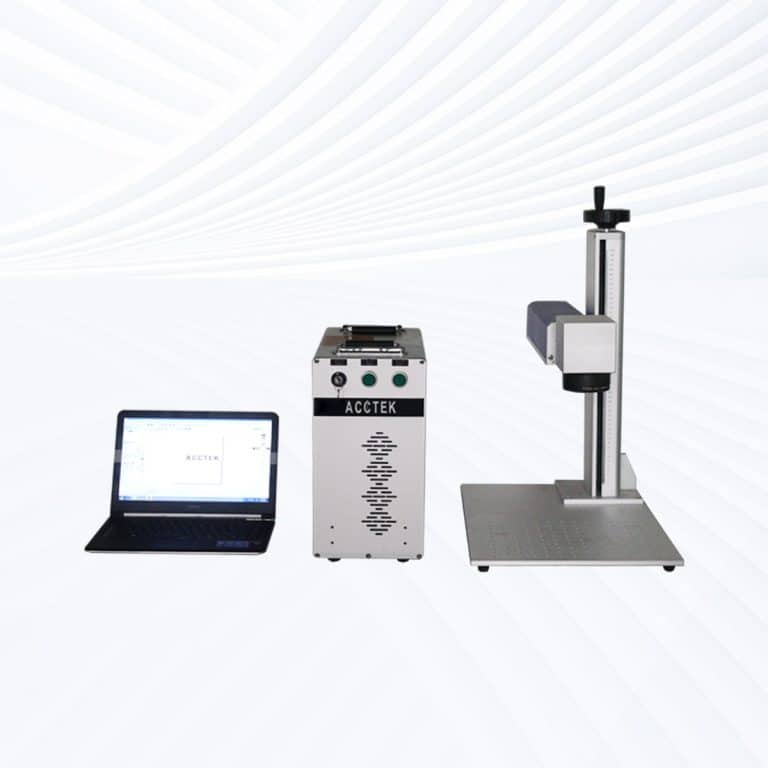
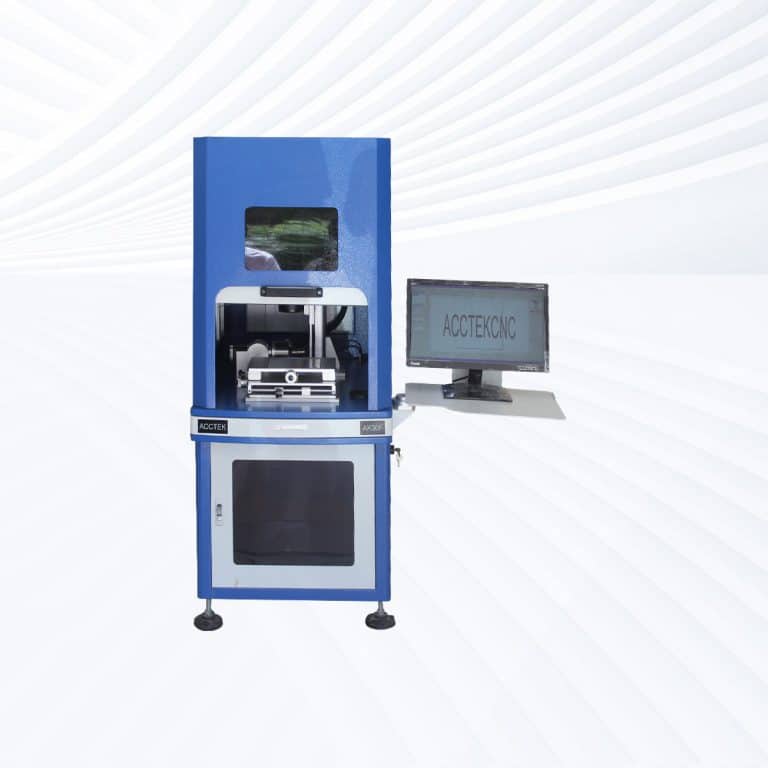
Benefits of Laser Marking Leather
High-Precision Customization
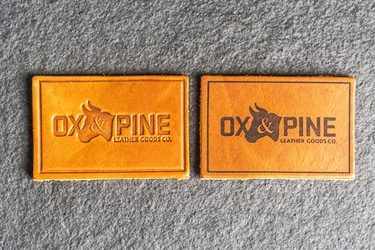
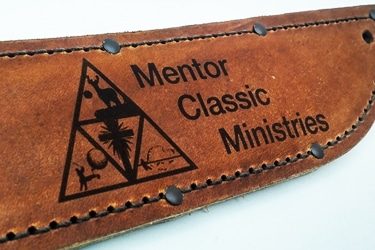
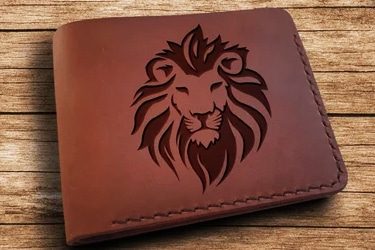
Laser marking allows for incredibly fine detail, making it perfect for logos, intricate patterns, serial numbers, and personalized designs. Whether marking small items or large panels, the results are sharp, consistent, and visually impactful every time.
Permanent and Durable Marks
Laser-etched designs are permanent and resistant to fading, peeling, or smudging. This durability ensures long-lasting branding or decoration on leather goods, even with frequent handling, friction, or exposure to environmental conditions.
Non-Contact and Clean Process
As a non-contact method, laser marking avoids damaging or stretching the leather. It produces no dust, debris, or physical impact, ensuring a clean, smooth finish without the need for post-processing or cleanup.
Compatible with Many Leather Types
Works on natural leather, synthetic leather, PU, suede, nubuck, and more. With adjustable laser settings, the machine can be tuned for surface engraving, texture effects, or tonal contrasts across different leather materials.
Fast and Repeatable Production
Laser marking is ideal for both custom, one-off jobs and high-volume production. It offers rapid processing speeds and consistent results, making it perfect for batch manufacturing of branded or decorative leather products.
Eco-Friendly and Cost-Efficient
No inks, chemicals, or dies are required, reducing both environmental impact and operating costs. The system uses only light, minimizing waste and maintenance while delivering a sustainable alternative to traditional leather marking methods.
Compatible Leather Materials
- Full Grain Leather
- Top Grain Leather
- Genuine Leather
- Bonded Leather
- Split Leather
- Suede
- Nubuck
- Vegetable-Tanned Leather
- Chrome-Tanned Leather
- Oil-Tanned Leather
- Pull-Up Leather
- Aniline Leather
- Semi-Aniline Leather
- Pigmented Leather
- Embossed Leather
- Patent Leather
- Corrected Grain Leather
- Distressed Leather
- Glazed Leather
- Waxed Leather
- Burnished Leather
- Deerskin Leather
- Calfskin
- Goatskin
- Sheepskin
- Cowhide
- Buffalo Leather
- Kangaroo Leather
- Ostrich Leather
- Crocodile Leather (Processed)
- Snakeskin Leather (Processed)
- Salmon Leather
- Fish Leather
- Vegan Leather
- PU (Polyurethane) Leather
- PVC Leather
- Microfiber Leather
- Recycled Leather
- Eco-Leather
- Faux Suede
Application of Leather Laser Marking Machines





Customer Testimonials
Comparison VS Other Marking Technologies
| Feature | Laser Marking | Screen Printing | Pad Printing | Digital Printing |
|---|---|---|---|---|
| Marking Quality | High precision, clean, detailed engravings | Good but limited on textured surfaces | Moderate quality, less detailed | High resolution, limited depth |
| Durability | Permanent, wear-resistant, doesn’t fade | Prone to wear and cracking | Fades with friction or time | Susceptible to fading or peeling |
| Material Compatibility | Works on most natural and synthetic leathers | Best on smooth, flat leather | Limited to simple, small surfaces | Prefers flat, coated leather |
| Surface Contact | Non-contact process | Direct contact required | Direct contact with pressure | Minimal contact |
| Risk of Damage | No risk of stretching, tearing, or deformation | Potential for smudging or cracking | May damage delicate leather | Low risk with coated surfaces |
| Setup Time | Very low – file-based setup | High – screens need to be made | High – pad design and tooling needed | Moderate – software setup only |
| Design Flexibility | Extremely high – instant digital changes | Low – each design requires a new screen | Moderate – tooling changes needed | High – easy to update digital designs |
| Environmental Impact | Clean – no inks, chemicals, or waste | Uses inks, solvents, and cleaning agents | High – chemical inks and pad waste | Moderate – ink use and waste |
| Cost per Mark (Long-Term) | Low – no consumables or ongoing supply costs | Higher due to screen prep and inks | High – consumables and maintenance required | Medium – ink and equipment upkeep |
| Maintenance Needs | Minimal – occasional lens cleaning | Frequent – screen cleaning and ink handling | Regular pad replacement and cleanup | Moderate – printhead care required |
| Marking Depth | Adjustable – light surface etching to deeper marks | Surface ink only | Surface ink only | Surface-level coloration only |
| Automation Potential | Easily automated for mass production | Difficult to integrate into automated lines | Limited automation | Moderate automation compatibility |
| Repeatability | Excellent – consistent marks every cycle | Inconsistent if screen or ink degrades | Can vary with pad wear | Good repeatability if maintained properly |
| Production Speed | Fast – ideal for both batch and single runs | Slower due to prep and drying time | Moderate – pad cycling required | Fast for short runs, slower for mass output |
| Best Use Cases | Branding, customization, serial numbers, patterns | Large flat logos or batch printing | Small curved areas with basic text | Full-color designs on pre-coated leather |
Why Choose Us
High Precision
Our machines deliver sharp, detailed markings with excellent contrast, suitable for complex patterns and small components across metal, plastic, and other materials.
Fast Processing
Designed for speed and efficiency, our systems complete marking tasks quickly without compromising quality, making them ideal for high-volume production environments.
Low Maintenance
With durable components and minimal consumables, our machines offer stable long-term performance, reducing downtime and keeping operating costs low.
Flexible Solutions
We provide a variety of models and customization options to suit different materials, marking needs, and production setups, ensuring the right fit for your business.
Related Resources
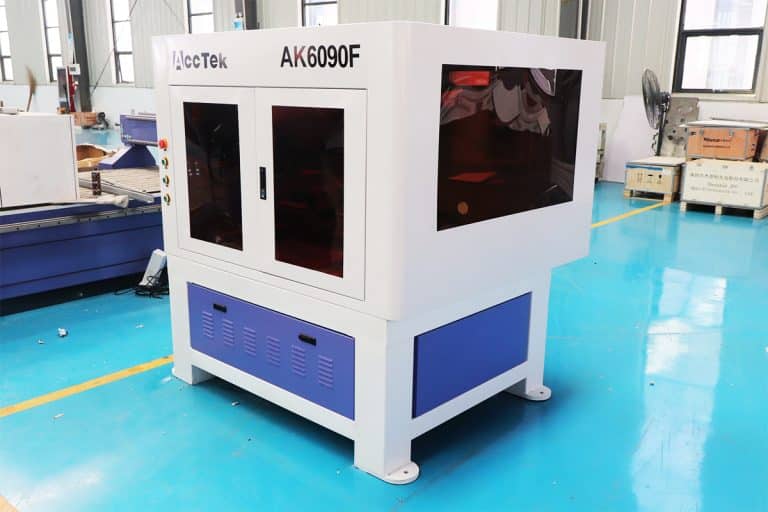
Can Lasers Be Used For Marking On Curved or Irregular Surfaces
This article explores the advantages and disadvantages of laser marking, including how it works, key technologies, applications, costs, and factors that determine when it is the right marking solution.
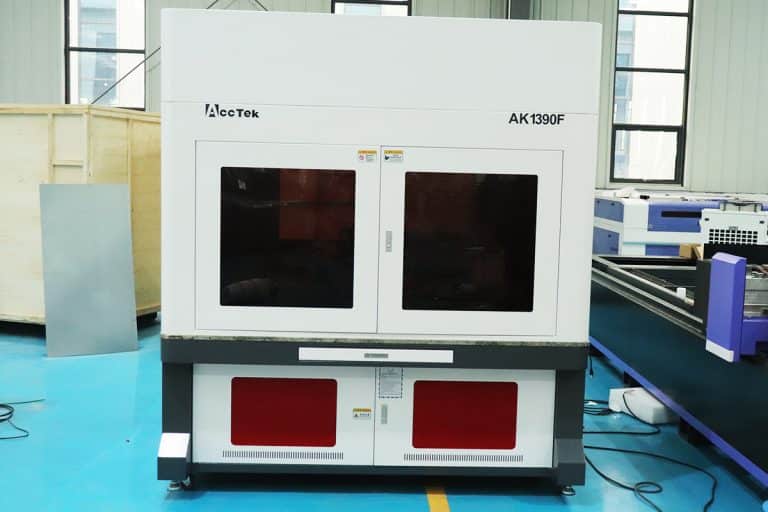
What Types of Laser Marking Machines Are There
This article explains the main types of laser marking machines, covering laser sources, marking methods, materials, applications, and how to choose the right system for production needs.
What Safety Precautions Are Required For Laser Marking
This article outlines essential safety precautions required for laser marking, including equipment safety, operator training, emergency protocols, and routine maintenance to ensure safe and efficient operations.
How to Achieve High Contrast in Laser Marking
This article comprehensively covers the technologies, parameters, materials, and process controls required for consistent, high-contrast laser marking in industrial applications.
Frequently Asked Questions
How Much Do Leather Laser Marking Machines Cost?
- Entry-Level Laser Marking Machines: Around $3,500 to $8,000. These are usually more basic models with lower laser power (typically around 30W to 60W), suitable for small-scale leather marking tasks.
- Mid-Range Laser Marking Machines: Between $8,000 to $15,000. These machines offer more advanced features such as higher power (60W to 100W), larger work areas, and faster processing speeds, making them suitable for medium to larger operations.
- High-End Laser Marking Machines: $15,000 to $30,000. These models offer the highest power (up to 150W or more), large marking areas, improved precision, and advanced features for high-volume or industrial-level leather marking.
Which Laser Marking Machine is Best for Marking Leather?
- Precision and Detail: CO2 lasers provide high precision, which is essential for creating fine details on leather products.
- Versatility: They can mark a wide range of leather types, from genuine leather to synthetic leather, allowing you to work with various products.
- High-Quality Results: CO2 lasers ensure that the markings are sharp, clear, and permanent without damaging the leather surface.
- Minimal Heat Impact: CO2 lasers produce less heat, which reduces the risk of burning or warping the leather material.
- Variety of Effects: You can create different effects, including engraved designs, text, and logos, giving leather items a professional look.
What are The Disadvantages of Laser Marking Leather?
- Risk of Burning or Charring
- Cause: Leather is a natural material and can be sensitive to heat. If the laser settings are not optimized, the leather may burn or char.
- Impact: This could ruin the aesthetic quality of the leather or lead to permanent damage if not carefully controlled.
- Limited Color Range
- Cause: Laser marking typically changes the color of the leather by burning the surface, which usually results in dark or light markings.
- Impact: Leather does not always respond well to lasers in terms of creating a wide range of colors or vibrant contrasts. The color change might not be as varied or as vivid as with other materials.
- Material Type Sensitivity
- Cause: Different types of leather (e.g., genuine leather, synthetic leather) react differently to laser marking.
- Impact: Some synthetic leathers may not mark well, while others may produce undesirable results, such as uneven marking or material damage.
- Surface Texture Changes
- Cause: Leather is a textured material, and laser marking can sometimes flatten or distort the surface texture around the marked area.
- Impact: This may affect the tactile quality of the leather, especially if a more intricate texture is desired for aesthetic purposes.
- Need for Proper Ventilation
- Cause: The laser marking process can release fumes from the leather material, especially when working with synthetic types or dyed leather.
- Impact: Without proper ventilation or an exhaust system, these fumes can be harmful to both the operator and the machine, requiring additional setup and maintenance.
- Possible Damage to Delicate Leather
- Cause: Fine-grain or delicate leather may be more susceptible to damage during the laser marking process.
- Impact: The high heat generated by the laser may cause small burns or leave unsightly marks, reducing the overall quality of the leather product.
- High Initial Investment
- Cause: CO2 laser marking machines, especially those with high precision, tend to be expensive.
- Impact: For businesses with limited budgets, the cost of the machine may be a significant barrier, making it a less accessible option compared to traditional methods.
How Should I Choose Leather Laser Marking Machines?
- Laser Type
- Why it Matters: Leather requires a CO2 laser for optimal results. CO2 lasers are best for marking leather, as they are gentle on the material, offering precise, clean, and high-quality markings.
- What to Look For: Ensure the machine uses a CO2 laser tube with suitable power for your needs.
- Laser Power
- Why it Matters: Laser power affects the depth and clarity of the marks on the leather. Too much power can burn or damage the leather, while too little may not produce visible marks.
- What to Look For: For leather, a 30W to 100W CO2 laser is typically sufficient. Adjust the power based on the thickness and type of leather you’re working with.
- Marking Speed
- Why it Matters: The speed of the laser machine determines how quickly it can process leather products. Faster machines are essential for high-volume production.
- What to Look For: Choose a machine with adjustable speed settings, allowing you to find the balance between quality and efficiency.
- Precision and Resolution
- Why it Matters: High precision and resolution are crucial for detailed designs on leather, especially when marking intricate patterns, logos, or text.
- What to Look For: Look for machines with high resolution (measured in DPI, dots per inch). A 300-1000 DPI range is typical for fine detailing on leather.
- Cooling System
- Why it Matters: Leather laser marking machines generate heat, and overheating can cause damage to both the machine and the material.
- What to Look For: Choose a machine with an efficient cooling system, such as a water cooling or air cooling system, to prevent overheating during extended operations.
- Size of the Work Area
- Why it Matters: The size of the work area determines the size of the leather pieces you can mark. Larger work areas are essential if you plan to mark bigger leather items like bags or furniture.
- What to Look For: Consider a machine with an appropriate bed size to accommodate the size of your leather goods. Common sizes are 300x400mm, 400x600mm, and 600x900mm.
- Software Compatibility
- Why it Matters: The software used to control the laser machine is important for ease of design and customization.
- What to Look For: Ensure the machine supports design software such as CorelDRAW, AutoCAD, or Adobe Illustrator, and offers easy integration with your existing systems.
- Ease of Use
- Why it Matters: A user-friendly interface ensures that your team can operate the machine efficiently without requiring extensive training.
- What to Look For: Opt for a machine with a simple control panel, touchscreen display, and intuitive software.
- Maintenance and Durability
- Why it Matters: A reliable, durable machine ensures long-term performance without frequent breakdowns, which can hinder production.
- What to Look For: Choose a machine from a reputable manufacturer known for durable components and good after-sales support. Look for low-maintenance systems with easy-to-replace parts.
- Ventilation and Fume Extraction
- Why it Matters: Leather marking produces fumes, particularly with synthetic or dyed leather. Without proper ventilation, these fumes can harm both the operator and the machine.
- What to Look For: Ensure the machine has an efficient exhaust or fume extraction system to maintain a safe working environment.
- Cost and ROI
- Why it Matters: While the initial cost is important, the long-term return on investment (ROI) depends on the machine’s productivity, durability, and efficiency.
- What to Look For: Consider both the upfront cost and the cost of consumables (e.g., laser tubes, replacement parts), as well as how much the machine will increase your productivity.
- After-Sales Support and Warranty
- Why it Matters: Reliable after-sales support can save you time and money, especially in case of technical issues or repairs.
- What to Look For: Ensure the machine comes with a comprehensive warranty and that the manufacturer offers technical support, training, and maintenance services.
Is Laser Marking Leather Safe?
- Laser Type and Power
- CO2 lasers are commonly used for laser marking leather. These lasers are effective for engraving and cutting leather, as the material absorbs the wavelength of the laser.
- Power settings should be adjusted according to the thickness and type of leather. Too much power can cause burning, excessive fumes, or charring.
- Ventilation and Fume Extraction
- Leather marking can release fumes, some of which may be harmful if inhaled. It’s crucial to ensure that the workspace is well-ventilated or has an efficient fume extraction system to remove harmful gases and particles.
- The fumes may contain compounds like formaldehyde, depending on the type of leather and any chemical treatments it may have undergone.
- Material Safety
- Natural leather is relatively safe for laser marking, but some types of leather, particularly synthetic ones, may release toxic fumes when heated. It’s important to verify the type of leather being used.
- Ventilation becomes even more important when dealing with treated or synthetic leather, as chemicals used in the manufacturing process can produce harmful vapors when heated by the laser.
- Fire Hazards
- Leather is a combustible material, so there is a risk of ignition if the laser settings are too high or if there is inadequate supervision. Always monitor the process and use a laser system with an automatic shutdown feature if overheating occurs.
- Operator Safety
- Proper training is essential for the operator. They should understand the safe operation of the laser machine, the necessary adjustments for different leather types, and the safety procedures to follow.
- Protective eyewear should always be worn when operating laser equipment, as the concentrated laser light can damage the eyes.
How Should I Maintain Leather Laser Marking Machines?
- Cleaning the Optics (Lens and Mirrors)
- Lens Cleaning: The lens plays a key role in focusing the laser beam. Leather marking can produce smoke and fumes that leave residue on the lens. Regularly clean the lens using a soft, lint-free cloth and a lens cleaning solution. This prevents damage to the lens and ensures proper focus.
- Mirror Cleaning: The mirrors reflect the laser beam, and dust can accumulate on them. Use a microfiber cloth and mild cleaning solution to gently clean the mirrors. Be cautious not to scratch the surface.
- Frequency: Clean the lens and mirrors after every few hours of operation, depending on usage.
- Maintaining the Exhaust System
- Fume Extraction: Laser marking leather releases fumes that need to be vented away properly. Ensure the exhaust system is working efficiently by cleaning or replacing air filters regularly.
- Inspect Ductwork: Check for any obstructions or blockages in the ducts. Clean or replace the ducts if needed to ensure proper airflow and efficient removal of fumes.
- Filter Replacement: Replace filters every few months or as recommended by the manufacturer, depending on usage frequency.
- Cooling System Maintenance
- Water-Cooled Systems: If your machine uses a water-cooling system, monitor the water level and ensure that the coolant is clean. Change the coolant every 3 to 6 months, or when it becomes discolored or dirty.
- Air-Cooled Systems: For air-cooled machines, ensure the fans are free from dust and debris. Clean them regularly to ensure proper airflow.
- Regular Flushing: If the machine uses a closed-loop cooling system, flush the system periodically to prevent the buildup of any impurities that can affect the machine’s cooling efficiency.
- Inspecting the Laser Tube and Power Supply
- Laser Tube: The laser tube’s life span can vary depending on usage, but it typically lasts several thousand hours. If you notice reduced power or inconsistent markings, it may be time to replace the laser tube.
- Power Supply: Ensure that the power supply connections are secure and free from dust or dirt. Periodically inspect the power supply for signs of wear or malfunction.
- Calibration and Software Updates
- Calibration: Regular calibration is important to ensure the machine’s focus and alignment are correct. Follow the manufacturer’s guidelines for calibration, and do it after significant usage or when you notice discrepancies in marking quality.
- Software Updates: Keep the laser marking machine’s software up to date to benefit from bug fixes, performance enhancements, and new features.
- Checking the Mechanical Parts
- Rails and Gantry: The rails and gantry should be cleaned regularly to remove any leather residue or dust. Lubricate the moving parts with the appropriate oil or grease to prevent wear and ensure smooth movement.
- Belts and Motors: Inspect the belts for wear or looseness. Tighten or replace belts as necessary. Also, check the motors for smooth operation and lubricate them if needed.
- Work Surface Maintenance
- Surface Cleaning: The work surface should be cleaned regularly to prevent debris buildup that may affect the laser’s focus. A clean, level surface ensures precise marking and cutting.
- Work Surface Protection: Leather or other materials should be properly aligned on the work surface, and the area around the machine should be clear of clutter to ensure smooth operation.
- Electrical and Connection Checks
- Inspect Connections: Regularly check all electrical connections for wear or damage. Loose connections can lead to power issues or affect the performance of the machine.
- Replace Damaged Wires: If any wires are frayed or damaged, replace them immediately to avoid short circuits or malfunctions.
- General Operator Maintenance
- Training: Ensure that the machine operators are trained in both the operation and the maintenance tasks required. Proper knowledge of the machine’s functions can help in identifying minor issues before they become major problems.
- Safety Measures: Operators should always wear protective eyewear when operating the machine to avoid eye damage from the laser.
What is the Lifespan of Leather Laser Marking Machines?
- Laser Tube Lifespan
- CO2 Laser Tubes: The laser tube is a critical component in laser marking machines. The lifespan of a CO2 laser tube typically ranges from 2,000 to 10,000 hours of operation, depending on the power rating and usage conditions.
- Factors Affecting Laser Tube Lifespan: Intensive, frequent use will shorten the life of the laser tube. Furthermore, continuous operation at high power levels may accelerate the aging of the laser tube. Maintaining proper cooling and ventilation can extend the life of the laser tube.
- Overall Machine Lifespan
- General Durability: With proper care and regular maintenance, the overall lifespan of a leather laser marking machine can last anywhere from 5 to 10 years. High-quality machines from reputable manufacturers can last even longer if they are well-maintained.
- Maintenance: Regular servicing, such as cleaning optics, checking mechanical components, and replacing consumables, can significantly extend the lifespan of the machine.
- Mechanical Components
- Motors, Belts, and Guides: These parts usually last between 5 to 7 years with proper maintenance. Regular lubrication and inspection help prevent wear and tear.
- Cooling System: A well-maintained cooling system can last throughout the machine’s life, but neglecting cooling (especially in water-cooled systems) may cause early failure of other components, including the laser tube.
- Consumables
- Lenses and Mirrors: Lenses, mirrors, and other consumables such as nozzles or filters will need to be replaced periodically, typically after several months to a few years, depending on usage. These parts are subject to wear from laser exposure, smoke, and debris from leather.
- Electronics and Software
- Power Supply and Control Systems: The electronics, including the power supply and control board, can last for many years if maintained properly. However, issues like power surges or improper handling can lead to early failure.
- Software: While software does not wear out, it may need updates or upgrades to stay compatible with newer technologies, ensuring the machine remains efficient and functional.
- Maintenance Impact on Lifespan
- Routine Maintenance: Regular maintenance, such as cleaning, lubrication, and calibration, can prevent premature wear and keep the machine running smoothly for longer. Failure to maintain the machine can result in reduced performance and faster breakdowns.
- Environmental Factors: Storing the machine in a clean, dry, and well-ventilated environment can protect it from dust, moisture, and other elements that may affect its performance and lifespan.
What Are the Environmental Requirements for Using Leather Laser Marking Machines?
- Ventilation and Fume Extraction
- Proper Ventilation: Laser marking leather generates fumes that can be harmful if not properly ventilated. It’s essential to have an effective fume extraction system to remove smoke and gases produced during the marking process.
- Fume Extraction System: A high-quality exhaust system is necessary to prevent toxic fumes from accumulating in the workspace. Leather and synthetic materials can release potentially hazardous compounds, so ensure that the exhaust system includes filters and fans to remove and direct fumes outside the facility.
- Air Quality: The workspace should have sufficient airflow to prevent the buildup of harmful particles in the air. This is particularly important for treated or synthetic leather, which may release more toxic fumes than natural leather.
- Temperature Control
- Stable Temperature Range: Laser marking machines perform best within a controlled temperature range. The ideal operating temperature is typically between 18℃ to 25℃ (64℉ to 77℉). Extreme temperatures can affect the machine’s components and reduce the lifespan of sensitive parts like the laser tube.
- Avoid Extreme Heat: Excessive heat can cause overheating, especially in machines with water-cooled systems. It can lead to malfunctioning of components such as the cooling system and laser tube, which could shorten their lifespan.
- Humidity Control
- Humidity Levels: It’s important to keep humidity levels between 40% and 60% to avoid issues like condensation, which could damage the electrical components or the laser tube. Humidity that is too high can lead to rusting of metal parts or electrical short circuits.
- Avoid High Humidity: Leather, especially natural leather, can absorb moisture from the air, which may affect the quality of the markings and increase the risk of damaging the machine. On the other hand, very low humidity can increase the risk of static discharge.
- Cleanliness and Dust Control
- Clean Environment: The workspace should be kept clean and free of dust or debris. Dust can interfere with the laser’s optics and cause buildup on the mirrors and lens, affecting the laser’s focus and performance. Use air filters or air purifiers to help maintain a clean atmosphere.
- Control Leather Debris: Leather materials may shed small pieces or dust during the marking process, so ensure that the work area is clear of unnecessary items and that there’s a regular cleaning schedule to maintain the machine.
- Power Supply and Electrical Requirements
- Stable Power Source: A stable and clean power supply is crucial. Voltage fluctuations or power surges can damage sensitive components of the laser marking machine, such as the laser tube or control systems. Use a surge protector or UPS (Uninterruptible Power Supply) to prevent power interruptions or fluctuations.
- Proper Grounding: Ensure that the machine is properly grounded to avoid electrical issues and ensure safety.
- Space and Layout
- Adequate Space: Laser marking machines need adequate space for both the machine itself and its ventilation system. There should be enough room around the machine to allow for proper airflow and easy access to the machine for maintenance.
- Work Surface: The work surface should be flat and stable to ensure precise marking. It should also be able to withstand the laser’s power and heat without warping or causing safety issues.
- Safety Precautions
- Laser Safety: Leather laser marking machines use powerful lasers, which can be hazardous to eyesight if not properly shielded. Ensure that the machine is equipped with proper safety enclosures, laser shields, and warning signs in the workspace.
- Protective Gear: Operators should wear appropriate protective eyewear to avoid laser exposure to the eyes. Ensure that the workspace is marked for safety and that operators are trained in safe operating practices.
- Environmental Regulations
- Compliance with Local Regulations: Depending on your location, there may be specific environmental regulations regarding emissions and waste disposal related to laser cutting and marking. Ensure that the machine complies with local safety, air quality, and waste management regulations.