

Product Introduction
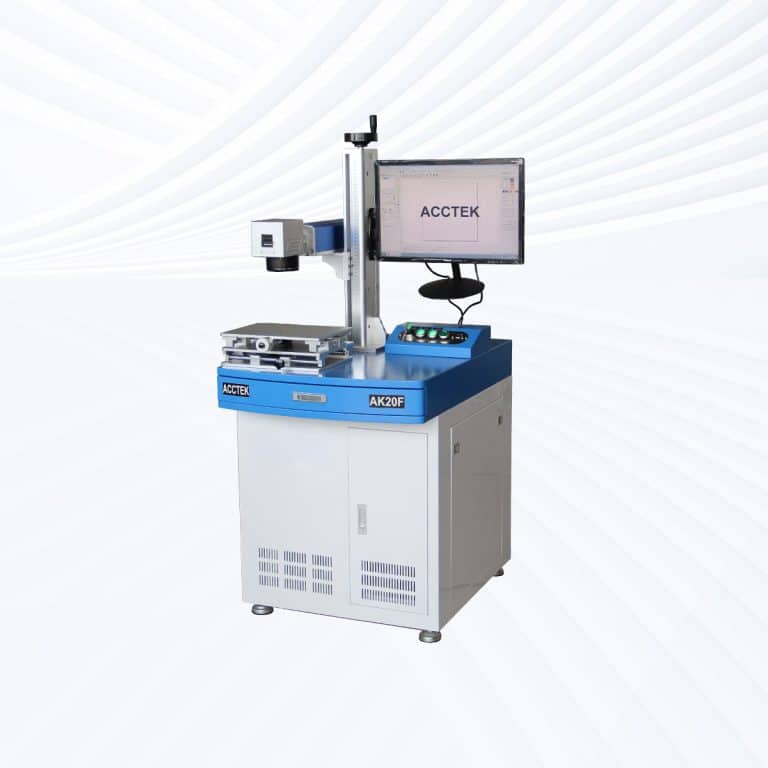
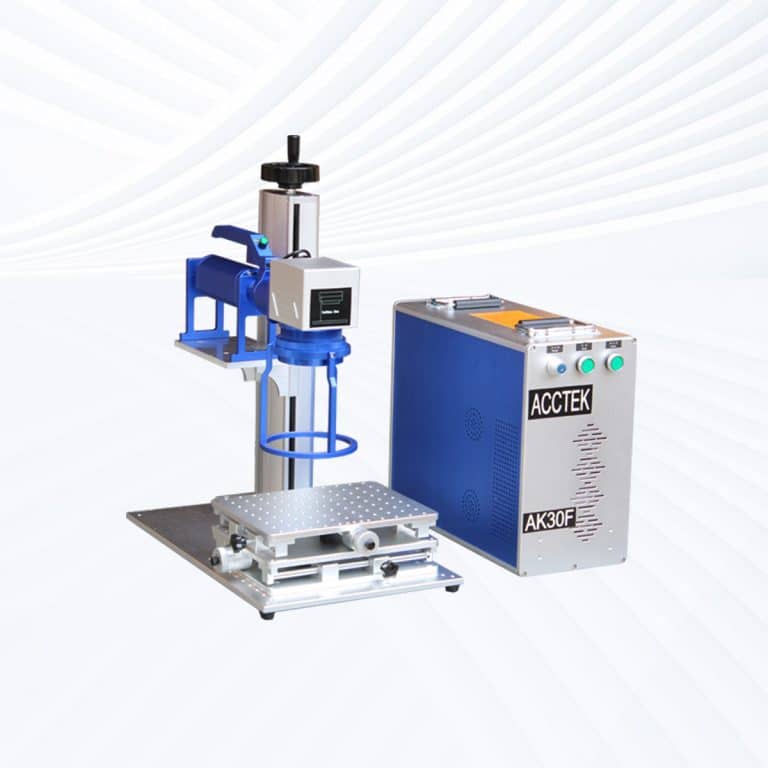
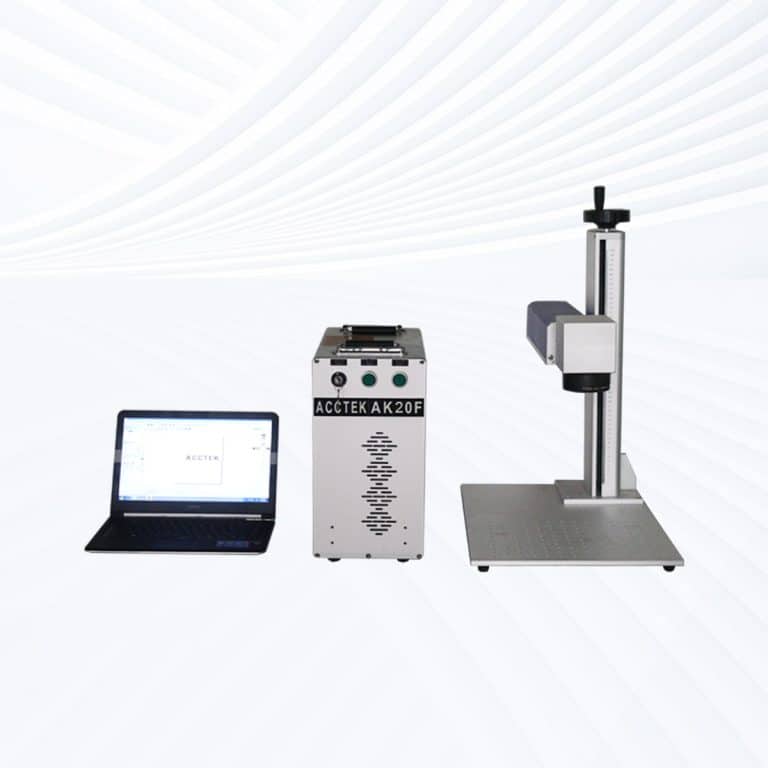
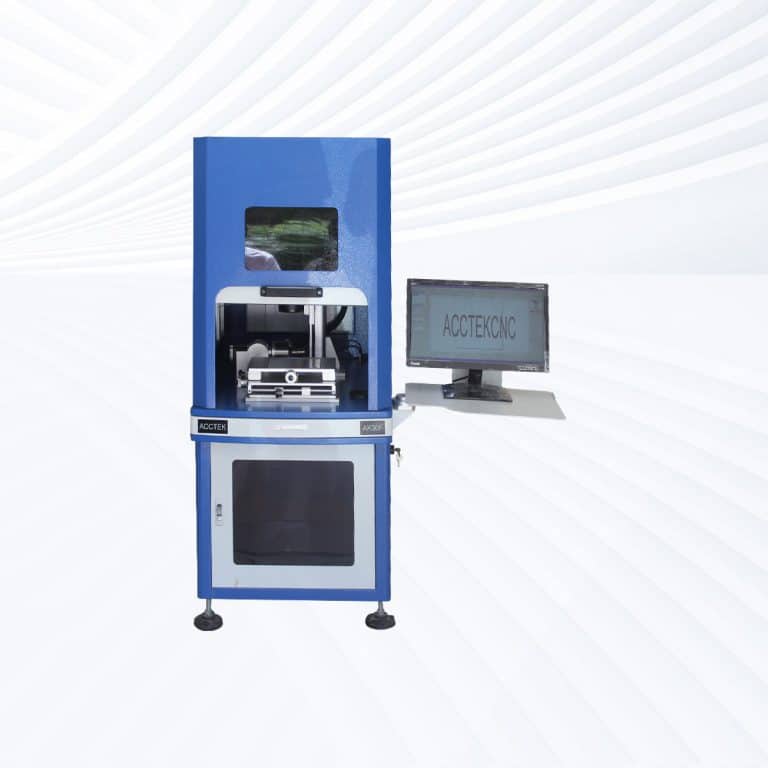
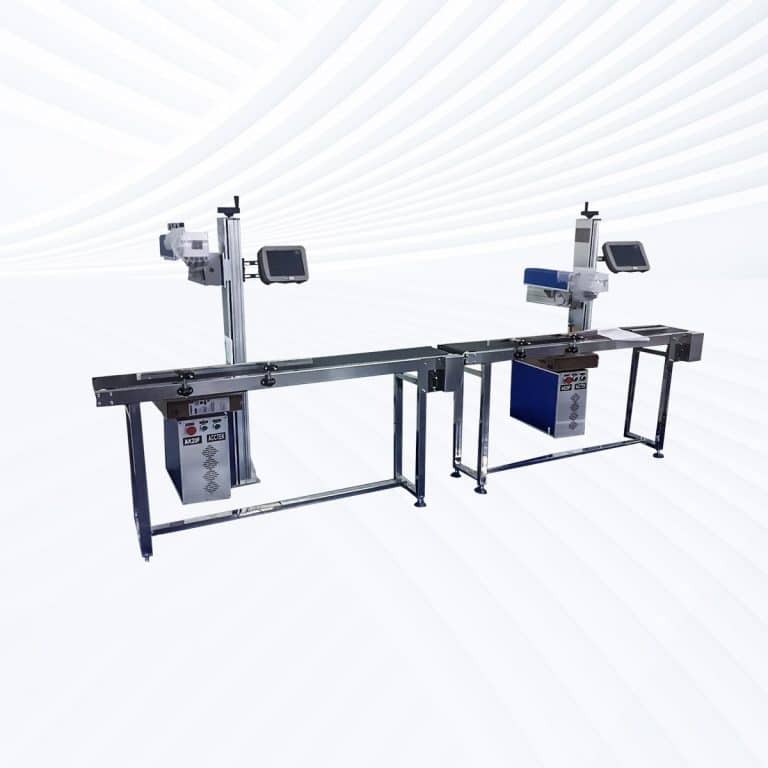
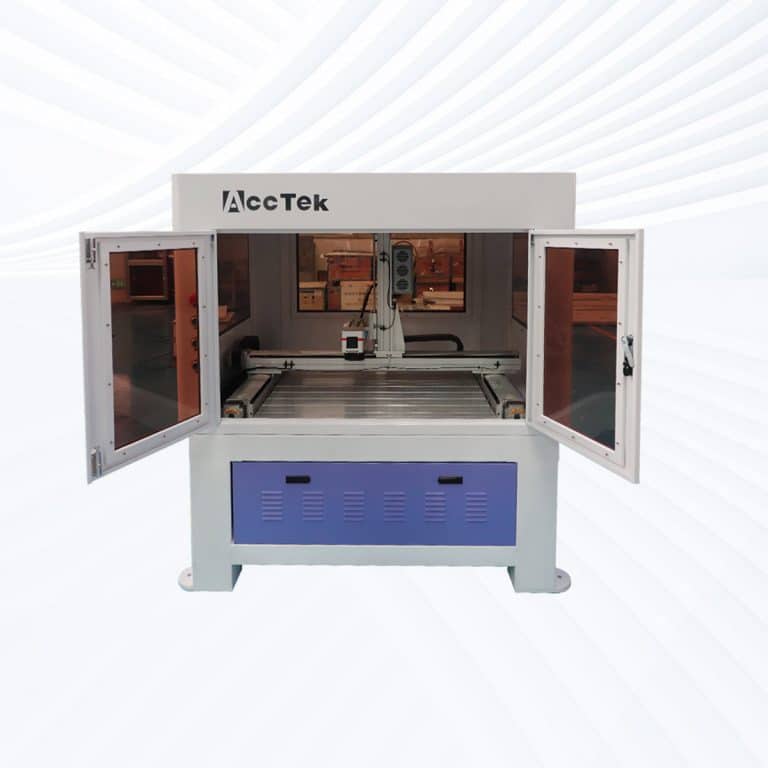
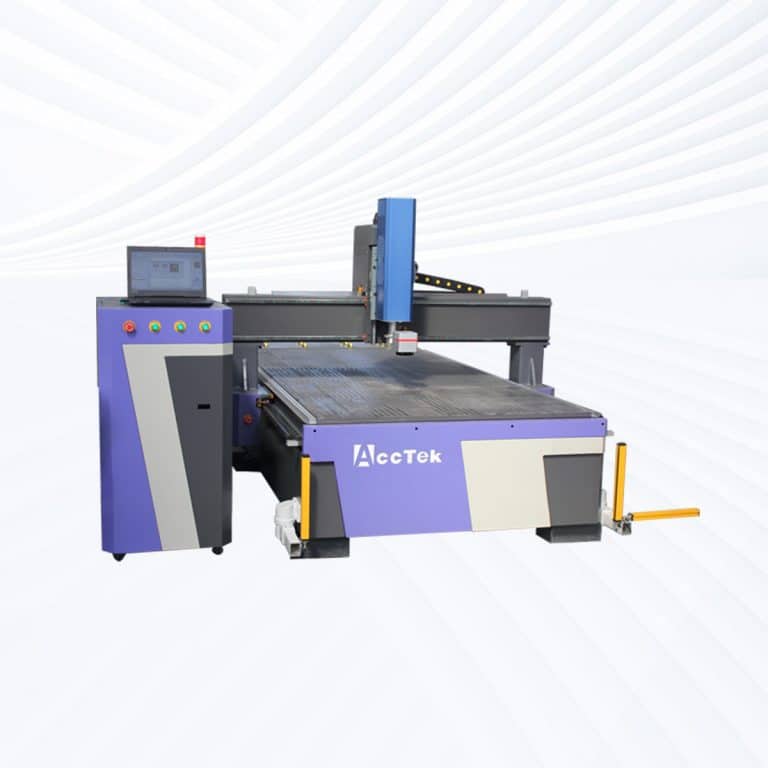
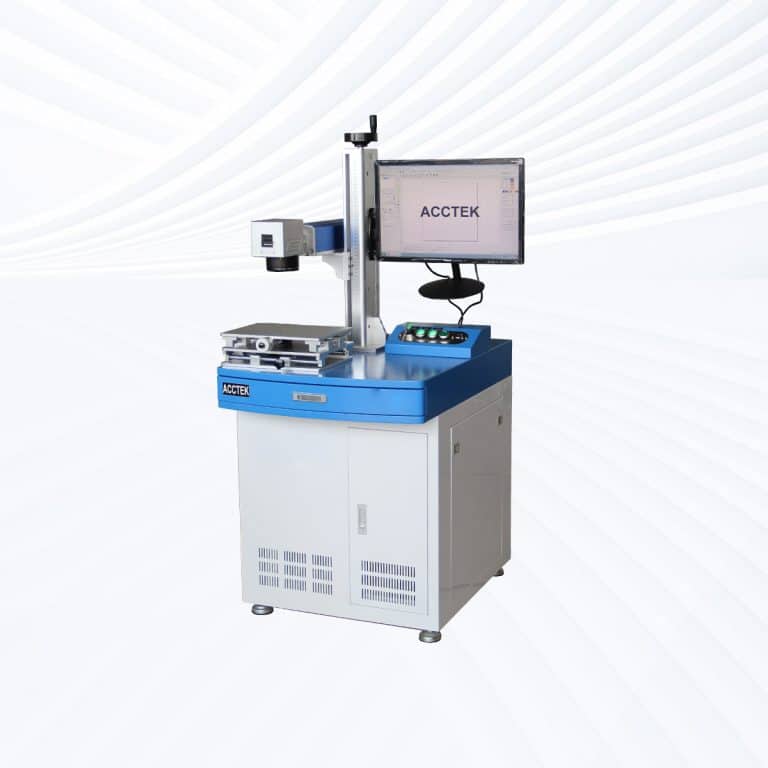
Types of Ceramics Laser Marking Machines
Benefits of Laser Marking Ceramic
Permanent and High-Contrast Marks
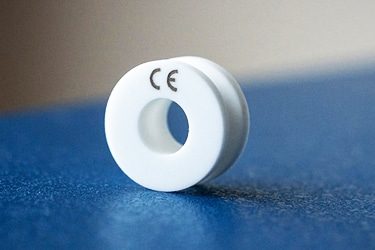
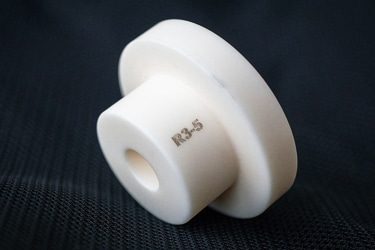
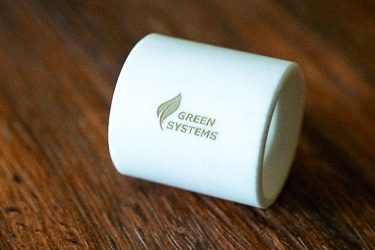
Laser marking produces permanent, high-contrast marks on ceramics that resist wear, heat, and chemicals. Ideal for demanding environments, these marks remain readable and sharp throughout the product's lifespan, ensuring reliable traceability and identification.
Non-Contact, Crack-Free Process
The laser marking process is completely non-contact, meaning there's no physical stress on the ceramic surface. This eliminates the risk of cracks, chips, or fractures, preserving the integrity of delicate or high-precision ceramic parts.
No Inks or Consumables Needed
Laser marking uses focused light—no inks, etching chemicals, or stickers. This reduces operating costs, simplifies maintenance, and creates a clean, eco-friendly process with no waste or material handling requirements.
Compatible with Various Ceramic Types
Ceramic laser marking machines work on a wide range of ceramics, including alumina, zirconia, porcelain, glazed tiles, and more. Whether technical or decorative, the machine adjusts easily to suit different material hardness and finishes.
High Precision and Detail
Laser marking systems produce fine lines, sharp edges, and intricate designs—perfect for marking small components, serial codes, logos, and ornamental patterns with consistent quality and micron-level accuracy.
Fast and Scalable Production
Laser marking supports high-speed processing and automation, making it ideal for both mass production and custom work. Designs can be stored and repeated with ease, ensuring consistency and efficiency across large production runs.
Compatible Plastic Materials
- Alumina
- Zirconia
- Silicon Carbide
- Silicon Nitride
- Boron Nitride
- Boron Carbide
- Steatite
- Mullite
- Porcelain
- Ceramic Tiles
- Stoneware
- Earthenware
- Cordierite
- Ferrite Ceramics
- Titanate Ceramics
- Glass-Ceramics
- Magnesium Oxide Ceramics
- Barium Titanate
- Lead Zirconate Titanate
- Hafnia
- Yttria-Stabilized Zirconia
- Lanthanum Oxide Ceramics
- Alumina Toughened Zirconia
- Zirconia Toughened Alumina
- Refractory Ceramics
- Ceramic Coated Metals
- Bioceramics
- Electrical Insulating Ceramics
- Thermally Conductive Ceramics
- Ceramic Substrates for Electronics
- Glazed Porcelain Enamel
- Fused Silica Ceramics
- Ceramic Capacitors
- Piezoelectric Ceramics
- Technical Ceramics
- Optical Ceramics
- Ceramic Mugs
- Ceramic Plates
- Ceramic Ornaments
- Ceramic PCBs
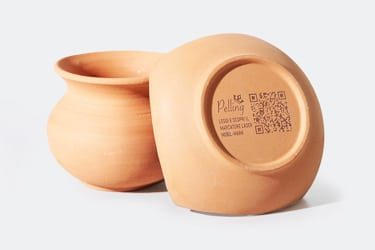
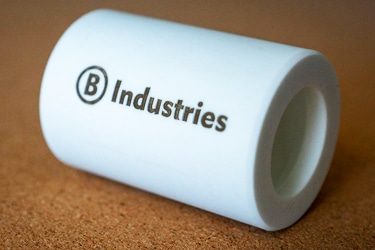
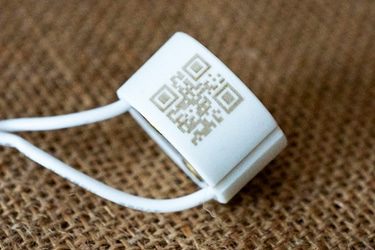
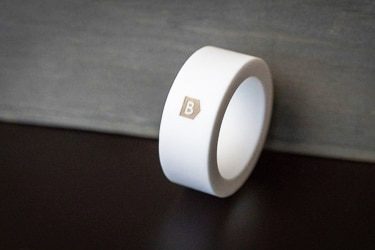
Application of Ceramic Laser Marking Machines

Customer Testimonials
Comparison VS Other Marking Technologies
| Feature | Laser Marking | Screen Printing | Pad Printing | Digital Printing |
|---|---|---|---|---|
| Marking Quality | High precision, sharp detail, no smudging | Good but can be inconsistent on curved/glazed surfaces | Decent for small logos, lacks fine detail | Good detail, limited depth |
| Durability | Permanent, resistant to heat, chemicals, abrasion | Moderate – ink may wear off | Low – easily fades on ceramic | Low to moderate – not ideal for harsh use |
| Material Compatibility | Works on all technical and decorative ceramics | Best on flat, glazed surfaces | Limited compatibility with hard ceramics | Works best on pre-coated surfaces |
| Contact with Surface | Non-contact, zero mechanical stress | Direct contact | Direct contact | Minimal contact |
| Risk of Surface Damage | None – safe for fragile ceramics | Possible scratching or coating issues | Higher risk of cracking or chipping | Minimal, depending on handling |
| Setup Time | Minimal – digital file-based | High – screen preparation required | High – tooling setup needed | Moderate setup |
| Customization Flexibility | Easy design updates with no hardware changes | Requires new screens for each design | Requires new pads for each variation | Easy digital updates |
| Environmental Impact | Clean – no inks, solvents, or waste | Uses inks and chemicals | Uses inks, pads, and cleaning agents | Uses ink but less waste than traditional methods |
| Cost Per Mark (Long-Term) | Low – no consumables or replacements | Higher – screens, inks, and maintenance | High – pads wear out, ink needed | Medium – ongoing ink and maintenance costs |
| Maintenance Requirements | Very low | Frequent cleaning and ink handling | Regular pad and ink upkeep | Printhead maintenance needed |
| Marking Depth | Can be adjusted (surface, etched, or deep marks) | Surface ink only | Surface ink only | Surface-only coloration |
| Automation Potential | Easily automated and production-line ready | Not easily automated | Limited automation | Moderately automatable |
| Repeatability | Excellent – consistent across batches | Varies with screen wear and manual errors | Can vary with pad wear | Good with proper settings |
| Production Speed | High-speed, ideal for mass production | Slower due to manual prep | Moderate speed | Fast for small batches, slower for large runs |
| Marking on Textured/Curved Surfaces | Excellent adaptability | Poor performance on uneven surfaces | Moderate – pads can contour slightly | Limited – flat surfaces work best |
Why Choose Us
High Precision
Our machines deliver sharp, detailed markings with excellent contrast, suitable for complex patterns and small components across metal, plastic, and other materials.
Fast Processing
Designed for speed and efficiency, our systems complete marking tasks quickly without compromising quality, making them ideal for high-volume production environments.
Low Maintenance
With durable components and minimal consumables, our machines offer stable long-term performance, reducing downtime and keeping operating costs low.
Flexible Solutions
We provide a variety of models and customization options to suit different materials, marking needs, and production setups, ensuring the right fit for your business.
Related Resources
Can Lasers Be Used For Marking On Curved or Irregular Surfaces
This article explores the advantages and disadvantages of laser marking, including how it works, key technologies, applications, costs, and factors that determine when it is the right marking solution.
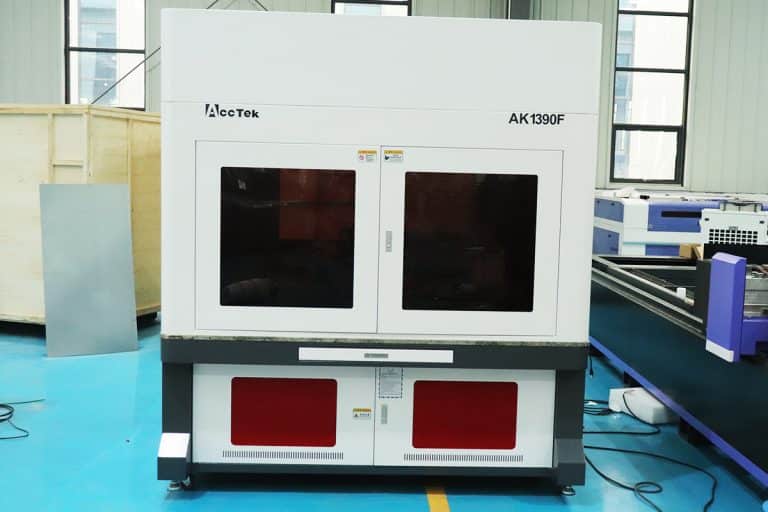
What Types of Laser Marking Machines Are There
This article explains the main types of laser marking machines, covering laser sources, marking methods, materials, applications, and how to choose the right system for production needs.
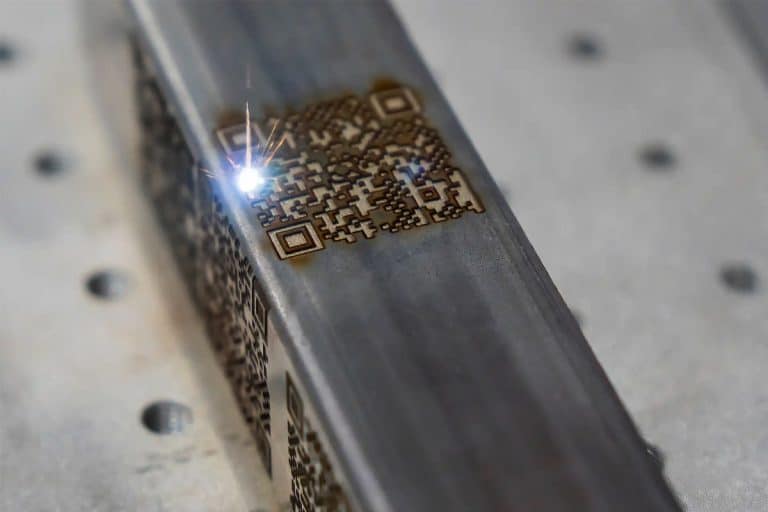
What Safety Precautions Are Required For Laser Marking
This article outlines essential safety precautions required for laser marking, including equipment safety, operator training, emergency protocols, and routine maintenance to ensure safe and efficient operations.
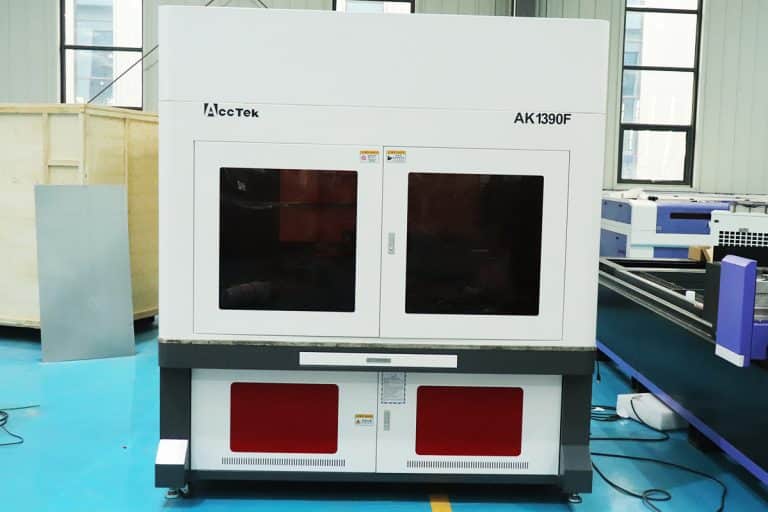
How to Achieve High Contrast in Laser Marking
This article comprehensively covers the technologies, parameters, materials, and process controls required for consistent, high-contrast laser marking in industrial applications.
Frequently Asked Questions
Which Laser Marking Machine is Best for Marking Ceramic?
- Fiber Laser Marking Machines: Fiber lasers are highly effective for marking glazed ceramics, technical ceramics, and ceramic-coated components. They deliver a high-intensity, short-wavelength beam that interacts well with the surface, producing sharp, permanent marks with excellent contrast. These machines are widely used in electronics, aerospace, and medical industries to mark data matrix codes, part numbers, and logos. However, fiber lasers may struggle to produce dark marks on white or unglazed ceramics without surface additives or special treatments. Pulse control and beam tuning are key to avoiding microcracks.
- CO2 Laser Marking Machines: CO2 lasers use a longer wavelength that doesn’t penetrate dense ceramic materials, but they work well on the surface of glazed or coated ceramics. These machines are ideal for decorative applications, such as engraving names, images, or branding onto tiles, mugs, and ceramic awards. The marks are shallow and mostly aesthetic. For unglazed or technical ceramics, CO2 lasers are generally ineffective. Their strength lies in affordability and simplicity for low-wear, visual applications.
- UV Laser Marking Machines: UV lasers emit a short-wavelength, low-heat beam, making them suitable for precision work on delicate ceramics. These systems are ideal for small, high-detail marking where heat must be minimized, such as in microelectronics, laboratory equipment, and medical devices. They create fine, clean marks without damaging the ceramic structure. UV laser systems are more expensive and typically reserved for high-value or precision-critical components.
How Much Do Ceramic Laser Marking Machines Cost?
- Fiber Laser Marking Machines ($2,500-$30,000): Fiber lasers are known for their high precision and speed when marking hard materials, including certain ceramics. They’re ideal for industrial-grade applications such as serial number engraving, barcodes, or deep etching on technical ceramics. Entry-level models for light-duty marking start at around $2,500, while high-powered, production-grade systems with advanced software and automation can exceed $30,000. Fiber lasers have a long lifespan and low maintenance costs, which justifies the upper-end investment for heavy use.
- CO2 Laser Marking Machines ($3,500-$25,000): CO2 lasers work best on organic and non-metallic surfaces, but they can also mark ceramic surfaces—especially glazed ceramics—via surface-level discoloration or engraving. These machines are often used for decorative or branding purposes on tiles, mugs, or porcelain products. Lower-cost CO2 laser marking machines (~$3,500) are usually limited in speed and resolution. High-end systems nearing $25,000 come with stronger laser tubes, better cooling, and automation options for batch processing.
- UV Laser Marking Machines ($2,500-$30,000): UV lasers use short wavelengths (around 355 nm) that interact well with heat-sensitive materials like ceramics, glass, and plastics. They provide extremely fine detail without causing cracks or discoloration, making them ideal for medical ceramics, electronics, and micro-marking. Budget models start around $4,500, but machines intended for high-precision manufacturing environments or cleanroom integration can run up to $20,000.
What are The Disadvantages of Laser Marking Ceramic?
- Fragility and Thermal Shock Risk: Ceramics are hard but brittle. When exposed to the intense, localized heat of a laser beam, the material can expand unevenly, leading to microcracks or full fractures. This is especially problematic with dense technical ceramics or when marking near edges or holes. Careful control of power and speed is necessary to avoid damaging the part.
- Low Contrast on Light or Unglazed Ceramics: Laser marking on white or unglazed ceramic surfaces often produces low-contrast marks that are difficult to see under normal lighting. Unlike metal, which darkens or oxidizes, ceramic marking relies on subtle surface changes, making visibility an issue unless additional darkening agents or post-processing steps are used.
- Surface Sensitivity: The effectiveness of marking varies with the ceramic’s surface. Glossy, glazed ceramics tend to mark better and more consistently. Matte, porous, or textured ceramics can lead to uneven marks, weak definition, and unpredictable results. The laser’s interaction with these surfaces often requires frequent parameter adjustments.
- Not Suitable for Deep Engraving: While lasers can mark ceramic surfaces, they are not effective for deep engraving or material removal. Ceramics resist ablation, and attempting to cut deeply with a laser may lead to cracking or reduced structural integrity. If deep marks or shaping are needed, mechanical or abrasive methods are more appropriate.
- Slower Processing Speeds: Laser marking on ceramics requires lower power settings and slower speeds to prevent thermal damage. This increases cycle times, making the process less efficient for high-volume production unless multiple machines or high-speed scanning heads are used.
- Higher Equipment Costs for Precision Marking: UV and fiber lasers are typically required for clean, readable ceramic marks. These machines cost significantly more than standard CO2 lasers. UV lasers in particular offer fine detail with minimal heat impact, but their initial cost and maintenance requirements are higher.
How Should I Choose Ceramic Laser Marking Machines?
- Laser Type Matters: Ceramics are non-metallic, brittle, and heat-resistant materials, so not all laser systems are suitable.
- CO2 Lasers: These can engrave the surface of ceramics by heating and cracking the glaze or coating. They’re ideal for decorative marks or shallow etching on ceramic tiles, mugs, or coated surfaces. However, they lack the precision and depth needed for detailed, high-contrast marks on harder technical ceramics.
- Fiber Lasers: Not suitable for bare ceramic, as their wavelength (1064 nm) isn’t well-absorbed by most ceramic surfaces. However, they can work on ceramic surfaces that are metal-oxide coated or otherwise treated.
- UV Lasers: The best option for high-precision ceramic marking. UV lasers operate at shorter wavelengths (~355 nm), allowing them to mark ceramics with minimal thermal damage. They create high-contrast, detailed marks ideal for electronics, medical components, and fine artwork.
- Marking Quality & Requirements: Think about what kind of mark you need:
- Shallow vs Deep Marks: For serial numbers, barcodes, or logos, shallow marks are usually sufficient. UV lasers are great here. If you need deeper, visible engraving (e.g., for identification that must survive high wear), CO2 lasers may be more appropriate.
- Contrast: UV lasers create sharp, high-contrast marks on both glazed and unglazed ceramics. This is essential for readability in industrial applications.
- Damage Tolerance: Ceramics are prone to cracking under thermal stress. UV lasers minimize this risk thanks to their “cold marking” process.
- Machine Features: Look for features that support precision, repeatability, and safety:
- High-resolution scanning head: Ensures detailed marks, especially for logos or fine text.
- Adjustable focal length and auto-focus: Critical for consistent marking on curved or uneven surfaces like ceramic mugs or medical parts.
- Dust and particle extraction system: Marking ceramics can produce fine particulate matter. A built-in extraction system protects both the optics and the operator.
- Software compatibility: Ensure the machine supports your design files (DXF, SVG, etc.) and offers user-friendly control for parameters like speed, power, and frequency.
- Application Context: Consider how and where the machine will be used:
- Production Volume: For high-throughput environments, fiber or UV lasers with automated feeding systems or galvo heads offer speed and consistency.
- Object Size: Desktop machines work for small items, while larger bed sizes or conveyor-based systems handle tiles, plates, or industrial components.
- Material Variants: Know whether you’re marking glazed ceramics, alumina, zirconia, or porcelain. Different ceramics absorb lasers differently.
- Budget vs Performance: UV laser marking machines are more expensive than CO2 systems due to their precision and specialized components. If you’re only doing light decorative work, a CO2 laser marking machine may suffice. But if you need clean, damage-free markings on technical ceramics, investing in a UV laser pays off in quality and durability.
What is the Durability of Laser-Marking Ceramic?
- Permanence: Laser marks on ceramic are extremely long-lasting. Once etched, the marks do not peel, fade, or wear off with time, even under harsh conditions. The laser modifies the surface, either by micro-cracking the glaze, changing the molecular structure, or etching into the ceramic body. This makes the mark part of the material, not something applied on top.
- Abrasion Resistance: Compared to surface coatings or inks, laser-marked ceramics resist wear, scuffing, and physical abrasion. This is especially true with UV and CO2 laser marks, which penetrate the top layer without creating weak points in the structure.
- Chemical Resistance: Most ceramic laser markings hold up well against solvents, detergents, acids, and alkalis. That’s why this method is used in medical, aerospace, and industrial settings where labels must survive frequent cleaning or chemical exposure.
- Heat Resistance: Ceramics naturally tolerate high heat, and laser markings retain their integrity at extreme temperatures. This is crucial for applications like electrical insulators, engine parts, or lab equipment, where heat stability is essential.
- Moisture & UV Resistance: Since there are no dyes or pigments involved, laser marks are unaffected by sunlight, humidity, or water exposure. They won’t bleach out or swell over time like printed labels or decals.
What Training is Required to Operate Ceramic Laser Marking Machines?
- Laser Safety Training: Ceramic laser marking machines operate with powerful laser beams that can pose serious risks if mishandled. All operators must be trained in:
- Laser Classification Awareness: Most marking lasers fall under Class 4, requiring strict safety measures.
- Personal Protective Equipment (PPE): Operators must wear wavelength-specific safety goggles to protect their eyes from direct or reflected beams.
- Safe Work Area Setup: Includes use of protective enclosures, emergency stops, interlocks, warning signs, and restricted access zones.
- Ventilation and Fume Extraction: Proper training on air filtration systems is essential, as ceramic engraving can release fine dust or particulates.
- Machine Operation Training: Operators must understand the mechanical and software controls of the laser marking system, which include:
- System Startup and Shutdown Procedures: Ensuring safe power-up, calibration, and cooldown processes.
- Focus and Alignment: Learning how to adjust focus for different ceramic shapes and thicknesses to ensure crisp, precise markings.
- Parameter Settings: Operators are trained to adjust laser power, pulse frequency, scan speed, and line spacing to avoid cracking or overburning.
- Fixture Use: Training often includes how to use jigs, rotary tools, or adjustable beds to stabilize ceramic items during marking.
- Design and Software Training: Laser marking systems are driven by software, and operators need to know how to:
- Import and Edit Files: Handle common formats like DXF, AI, or BMP.
- Position and Scale Designs: Accurately align artwork or codes to ceramic surfaces.
- Preview and Simulate Jobs: Check laser paths before execution to avoid waste or misalignment.
- Layer and Power Control: Configure settings for multi-pass or multi-surface projects with varied intensity.
- Material-Specific Knowledge: Different ceramic types—glazed, unglazed, alumina, zirconia—respond differently to laser energy. Training should include:
- Absorption Behavior: Understanding how ceramics absorb various laser wavelengths (CO2 vs UV).
- Surface Reactions: Recognizing signs of excessive heating, microcracking, or poor contrast.
- Mark Testing and Tuning: Operators should know how to conduct sample runs to fine-tune settings for optimal durability and clarity.
- Maintenance and Troubleshooting: Regular upkeep is key to performance and safety. Training covers:
- Lens and Mirror Cleaning: Avoiding focus loss or beam scattering due to dirty optics.
- Cooling and Exhaust System Checks: Ensuring the machine doesn’t overheat and that dust is properly removed.
- Software/Hardware Diagnostics: Identifying and resolving common issues like misfires or communication errors.
What is the Lifespan of Ceramic Laser Marking Machines?
- Expected Lifespan by Laser Type
- CO2 Laser Marking Machines: CO2 lasers typically last between 8,000 to 15,000 hours of operation. The sealed glass tube systems used in many desktop or mid-range machines tend to fall on the lower end, while metal RF (radio frequency) tube lasers last longer and offer more stable output.
- UV Laser Marking Machines: UV lasers, which are ideal for high-contrast, fine-detail marking on ceramics, usually have a lifespan of 10,000 to 20,000 hours. Their diode-pumped solid-state (DPSS) technology ensures lower heat output, which can help extend system longevity if operated properly.
- Fiber Lasers (used for coated ceramics): While not ideal for raw ceramics, fiber lasers used on coated surfaces can run for up to 100,000 hours. Their solid-state architecture and lack of consumables make them extremely durable, though less common for pure ceramic applications.
- Factors That Influence Machine Lifespan
- Workload and Duty Cycle: Machines run in high-volume production lines with long daily cycles will wear faster than those used occasionally or intermittently. Heat buildup and continuous operation can stress components and optics over time.
- Environment: Dusty, humid, or poorly ventilated environments can degrade internal components, lenses, and mirrors. Ceramic dust, in particular, is abrasive and can shorten the lifespan if not extracted properly.
- Maintenance Quality: Routine cleaning of lenses, filters, and ventilation systems—plus timely replacement of worn parts—can significantly extend a machine’s operational life. Neglect is one of the fastest ways to degrade a high-performance marking system.
- Optics and Consumables: While the laser source may last thousands of hours, components like galvo mirrors, lenses, and filters may need replacement every 2,000 to 5,000 hours, depending on intensity and material interaction.
- Software and Electronics: As with any digital equipment, outdated software or failed controllers can shorten the useful life if updates or replacements aren’t available. Well-supported systems with modular components have longer serviceability.
What Are the Environmental Requirements for Using Ceramic Laser Marking Machines?
- Ventilation and Air Filtration: Laser marking ceramics produces fine particulate matter and, in some cases, fumes from glazes or coatings. A proper exhaust and filtration setup is critical.
- Fume Extraction System: Required to remove dust and airborne particles generated during marking. This helps prevent operator exposure and buildup on machine optics.
- Air Assist: Helps blow debris away from the marking area and keeps the laser beam path clean.
- HEPA or Activated Carbon Filters: Often used to trap microscopic particles and absorb any residual fumes before air is recirculated.
- Temperature Control: Laser marking systems—especially UV and CO2 lasers—are sensitive to ambient temperature. Extreme heat or cold can cause misalignment or shorten component life.
- Optimal Operating Range: Typically between 15℃ and 30℃ (59℉ to 86℉).
- Avoid Rapid Fluctuations: Sudden temperature changes can cause lens fogging or condensation inside the optics.
- Air Conditioning: Often used in enclosed rooms or labs to maintain a steady temperature.
- Humidity Management: Humidity affects electronic components and can cause corrosion or arcing in high-voltage sections of the machine.
- Ideal Relative Humidity: Between 35% and 60%, non-condensing.
- Dehumidifiers: Recommended in humid environments to prevent moisture buildup inside the machine or on ceramic surfaces from being marked.
- Dust-Free Environment: Ceramic dust is abrasive and can degrade optics, motors, and electronics over time.
- Cleanroom or Semi-Cleanroom Conditions: Advised in precision environments such as electronics or medical device marking.
- Routine Cleaning: Workspaces, machine interiors, and lenses must be cleaned regularly to prevent dust buildup.
- Power Supply Stability: Laser systems require a consistent voltage to operate properly and protect sensitive electronics.
- Stable Power Source: Use surge protectors or Uninterruptible Power Supplies (UPS) to prevent power spikes or outages.
- Dedicated Circuit: Recommended to avoid interference from other machinery.
- Workspace Layout and Safety Measures: The physical environment around the machine should also support safety and workflow efficiency.
- Controlled Access: Laser marking areas should be restricted to trained personnel.
- Laser Enclosure or Safety Curtains: Required for Class 4 systems to block stray beams.
- Emergency Shutoff Access: Operators must be able to quickly stop the machine if needed.