

Product Introduction

Laser Marking Capabilities
| Material | 20W | 30W | 50W | 60W | 70W | 100W |
|---|---|---|---|---|---|---|
| Stainless Steel (304/316) | Surface Mark; Black/Anneal | Surface Mark; Black/Anneal | Surface Mark; Black/Anneal; Shallow Engrave | Surface Mark; Black/Anneal; Shallow Engrave | Surface Mark; Black/Anneal; Shallow Engrave | Surface Mark; Black/Anneal; Shallow Engrave; deep relief |
| Carbon Steel (Mild) | Surface Mark | Surface Mark; Shallow Engrave | Surface Mark; Shallow Engrave | Surface Mark; Shallow Engrave | Surface Mark; Shallow Engrave | Surface Mark; Shallow Engrave; deep relief |
| Tool Steel (HRC ≤55) | Surface Mark | Surface Mark; Shallow Engrave | Surface Mark; Shallow Engrave | Surface Mark; Shallow Engrave | Surface Mark; Shallow Engrave | Surface Mark; Shallow Engrave; deep relief |
| Tool Steel (HRC 55–60) | Surface Mark | Surface Mark | Surface Mark; Shallow Engrave | Surface Mark; Shallow Engrave | Surface Mark; Shallow Engrave | Surface Mark; Shallow Engrave (slow) |
| Titanium & Ti Alloys | Surface Mark; Black/Anneal (color) | Surface Mark; Black/Anneal | Surface Mark; Black/Anneal | Surface Mark; Black/Anneal | Surface Mark; Black/Anneal | Surface Mark; Black/Anneal |
| Nickel Alloys / Inconel | Surface Mark | Surface Mark; Shallow Engrave | Surface Mark; Shallow Engrave | Surface Mark; Shallow Engrave | Surface Mark; Shallow Engrave | Surface Mark; Shallow Engrave; deep relief |
| Aluminum (Anodized) | fast Coating Removal (Surface Mark) | Coating Removal | Coating Removal | Coating Removal | Coating Removal | Coating Removal |
| Aluminum (Bare) | Surface Mark (MOPA Recommended) | Surface Mark; Shallow Engrave (MOPA Recommended) | Surface Mark; Shallow Engrave | Surface Mark; Shallow Engrave | Surface Mark; Shallow Engrave | Surface Mark; Shallow Engrave; deep relief |
| Brass | Surface Mark | Surface Mark; Shallow Engrave | Surface Mark; Shallow Engrave | Surface Mark; Shallow Engrave | Surface Mark; Shallow Engrave | Surface Mark; Shallow Engrave; deep relief |
| Copper | Surface Mark (MOPA Recommended) | Surface Mark; Shallow Engrave (MOPA Recommended) | Surface Mark; Shallow Engrave | Surface Mark; Shallow Engrave | Surface Mark; Shallow Engrave | Surface Mark; Shallow Engrave; deep relief |
| Galvanized Steel | Surface Mark (Manage Zinc Fumes) | Surface Mark | Surface Mark | Surface Mark | Surface Mark | Surface Mark |
| Zinc-/Chrome-Plated Steel | Coating Ablation (Surface Mark) | Coating Ablation | Coating Ablation | Coating Ablation | Coating Ablation | Coating Ablation |
| Black Oxide/Phosphate Coat | Surface Mark; Black/Anneal | Surface Mark; Black/Anneal | Surface Mark; Black/Anneal | Surface Mark; Black/Anneal | Surface Mark; Black/Anneal | Surface Mark; Black/Anneal |
| Painted/Powder-Coated Metals | Coating Ablation (Surface Mark) | Coating Ablation | Coating Ablation | Coating Ablation | Coating Ablation | Coating Ablation |
| Hard Plastics (ABS/PC/PA)* | Surface Mark (MOPA; Laser-Markable Grades) | Surface Mark (MOPA; Laser-Markable Grades) | Surface Mark (MOPA; Laser-Markable Grades) | Surface Mark (MOPA; Laser-Markable Grades) | Surface Mark (MOPA; Laser-Markable Grades) | Surface Mark (MOPA; Laser-Markable Grades) |
| POM/PE/PP (Additive-Filled)* | Surface Mark (Additive-Filled; MOPA Recommended) | Surface Mark (Additive-Filled; MOPA Recommended) | Surface Mark (Additive-Filled) | Surface Mark (Additive-Filled) | Surface Mark (Additive-Filled) | Surface Mark (Additive-Filled) |
| CFRP/GFRP Composites | resin Surface Mark | resin Surface Mark | resin Surface Mark | resin Surface Mark | resin Surface Mark | resin Surface Mark |
| Ceramics (With Marking Paste) | Shallow Engrave (With Paste) | Shallow Engrave (With Paste) | Shallow Engrave; Surface Mark (With Paste) | Shallow Engrave; Surface Mark (With Paste) | Shallow Engrave; Surface Mark (With Paste) | Shallow Engrave; Surface Mark (With Paste) |
| Glass (With Marking Paste) | Shallow Engrave (With Paste) | Shallow Engrave (With Paste) | Shallow Engrave; Surface Mark (With Paste) | Shallow Engrave; Surface Mark (With Paste) | Shallow Engrave; Surface Mark (With Paste) | Shallow Engrave; Surface Mark (With Paste) |
| Wood/Leather (Organics) | Mot Recommended (use CO₂ laser) | Mot Recommended | Mot Recommended | Mot Recommended | Mot Recommended | Mot Recommended |
| PVC | Mot Recommended (toxic fumes) | Mot Recommended | Mot Recommended | Mot Recommended | Mot Recommended | Mot Recommended |
Compatible Materials
- Stainless Steel
- Carbon Steel
- Mild Steel
- Alloy Steel
- Aluminum
- Anodized Aluminum
- Brass
- Copper
- Bronze
- Titanium
- Tungsten
- Nickel
- Nickel Alloys
- Zinc
- Chrome
- Gold
- Silver
- Platinum
- Palladium
- Iron
- Magnesium
- Carbide
- Cobalt
- Inconel
- Lead
- Tin
- Galvanized Metals
- Powder-Coated Metals
- Painted Metals
- Stainless Steel with Mirror Finish
- Hard Plastics
- PEEK
- Nylon
- Polycarbonate
- Acrylic
- Epoxy Resin
- Ceramic
- Silicone
- Leather
- Some Stone Surfaces
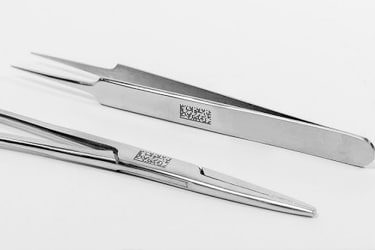
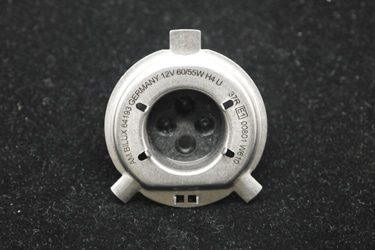
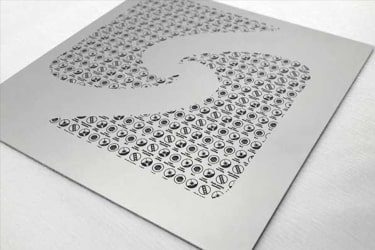
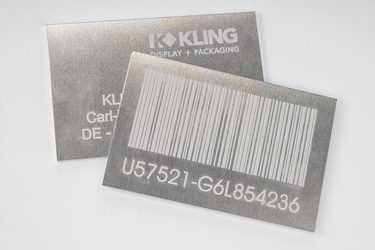
Application of 60W Fiber Laser Marking Machines
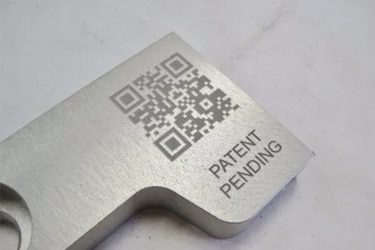
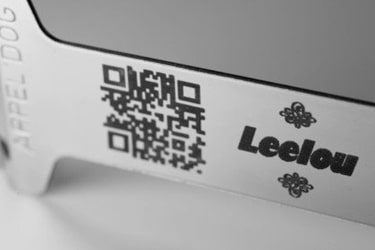
Customer Testimonials
Comparison VS Other Marking Technologies
| Comparison Item | Fiber Laser Marking | Dot Peen Marking | Inkjet Printing | Chemical Etching |
|---|---|---|---|---|
| Marking Speed | Very fast; high throughput suitable for automation | Moderate; mechanical movement limits speed | Fast, but limited by drying time | Slow; multi-step chemical process |
| Marking Quality | Extremely precise, clean, and high contrast | Medium; mechanical impact causes rough marks | Good, but can smear or fade | Good, but depends on chemical consistency |
| Material Compatibility | Works on most metals, plastics, ceramics | Mainly metals | Works on metals, plastics, paper | Mostly metals and coated surfaces |
| Permanence | Permanent and wear-resistant | Permanent but can be affected by corrosion | Temporary; can fade over time | Permanent if surface is properly treated |
| Surface Damage | Non-contact; no physical damage | Causes indentation and vibration | None | Can affect surface coating or finish |
| Precision on Small Parts | Excellent for micro-marking | Limited precision | Moderate; depends on nozzle resolution | Good, but less controllable |
| Maintenance Requirements | Very low; no consumables | Regular pin and stylus replacement | Frequent ink and nozzle maintenance | Chemical disposal and tank cleaning needed |
| Operating Cost | Low after purchase; no consumables | Low to moderate; mechanical wear parts | High; ink and solvent costs | Moderate; chemicals and waste handling |
| Environmental Impact | Clean and eco-friendly | Minimal | Uses solvents and produces emissions | Generates chemical waste |
| Noise Level | Silent operation | Noisy (mechanical impact) | Quiet | Silent |
| Integration in Production Lines | Easily automated with software and robotics | Possible, but slower cycle time | Easy to integrate | Difficult; manual process |
| Marking Depth Control | Fully adjustable via software | Fixed by stylus pressure | Not applicable | Limited by etching duration |
| Suitable for 2D/QR Codes | Excellent; sharp, high-resolution marks | Poor readability | Limited durability | Not suitable for fine codes |
| Lifespan of Equipment | 100,000+ hours of laser life | Moderate; mechanical wear parts | Moderate; ink system replacements | Limited by corrosion of tanks and tools |
| Overall Marking Consistency | Excellent; repeatable, distortion-free | Inconsistent on uneven surfaces | Affected by ink flow and surface texture | Variable; depends on chemical balance |
Why Choose Us
High Precision
Our machines deliver sharp, detailed markings with excellent contrast, suitable for complex patterns and small components across metal, plastic, and other materials.
Fast Processing
Designed for speed and efficiency, our systems complete marking tasks quickly without compromising quality, making them ideal for high-volume production environments.
Low Maintenance
With durable components and minimal consumables, our machines offer stable long-term performance, reducing downtime and keeping operating costs low.
Flexible Solutions
We provide a variety of models and customization options to suit different materials, marking needs, and production setups, ensuring the right fit for your business.
Related Resources
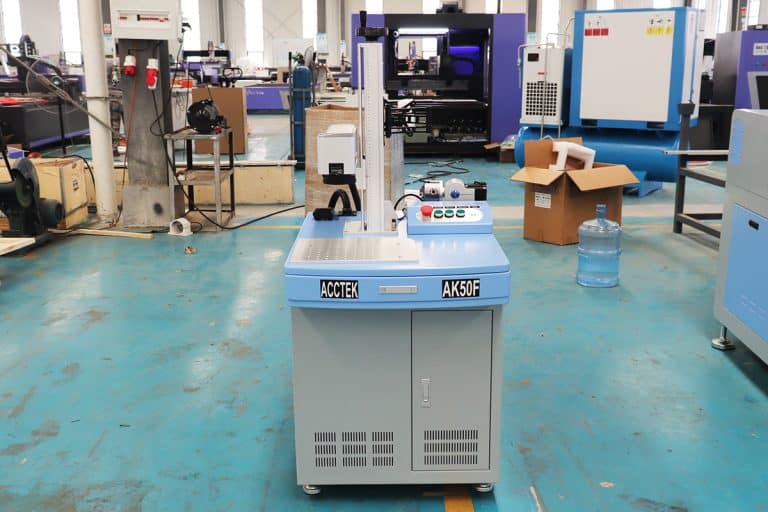
How Do Laser Parameters Affect The Marking Effect?
This article explores how laser power, speed, frequency, pulse width, focus, wavelength, hatch spacing, and material properties influence marking quality, depth, contrast, and precision.
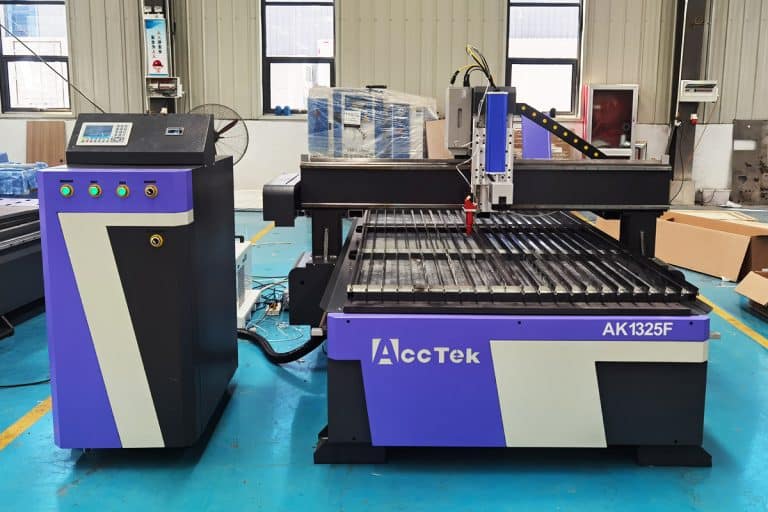
How Does Laser Beam Quality Affect Marking Results?
This article explores how laser beam quality affects marking clarity, contrast, line width, edge sharpness, depth control, heat input, material response, and marking repeatability.
Can Laser Marking Be Removed
This article explores whether laser marking can be removed, the techniques used on different materials, common challenges, removal risks, and industrial use cases.
Can Lasers Be Used For Color Marking
This article explores how laser color marking works, the materials and colors it supports, its industrial applications, advantages, limitations, quality control, and safety factors.
Frequently Asked Questions
What Models Are Available For 60W Fiber Laser Marking Machines?
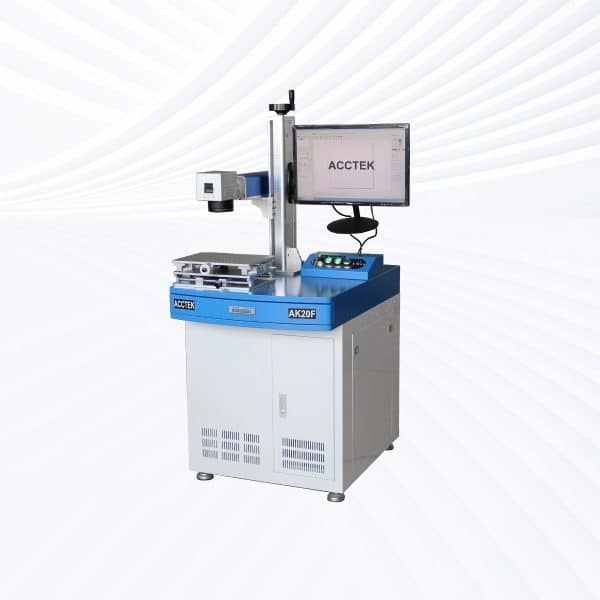
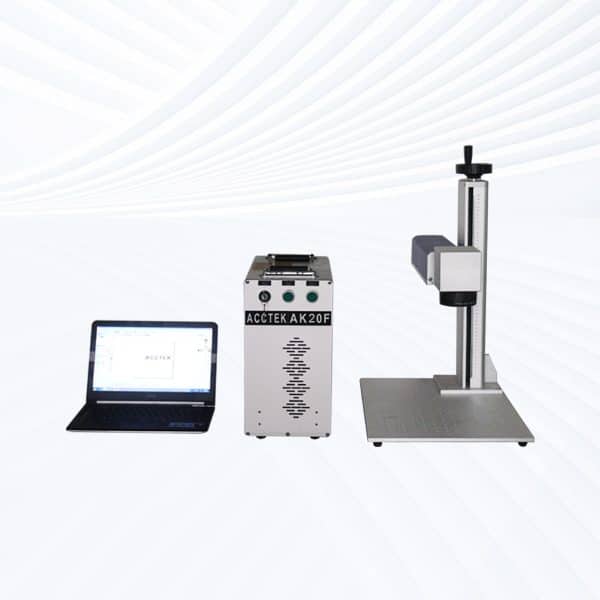
- Desktop Models: Compact yet highly efficient, desktop 60W fiber laser marking systems provide precise, repeatable marking on metals, alloys, and engineering plastics. Their rigid structure ensures accuracy, making them suitable for nameplates, tools, and electronic parts.
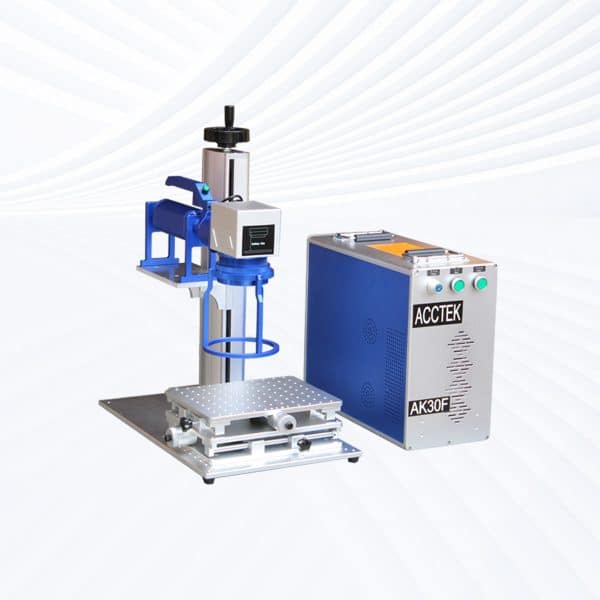
- Portable Models: Offering mobility without sacrificing performance, portable designs allow operators to move the system between workstations. They’re ideal for marking machinery components, tools, or heavy parts that are difficult to reposition.
- Handheld Models: With ergonomic design and flexible operation, handheld 60W fiber lasers enable deep marking or engraving on large, immovable objects such as pipes, steel structures, and assembled equipment. The higher power allows greater depth and speed.
- Fully Enclosed Systems: These integrated models include protective housings, laser-safe glass, and fume filtration. They’re built for safe operation in clean environments such as laboratories, medical manufacturing, or electronics production.
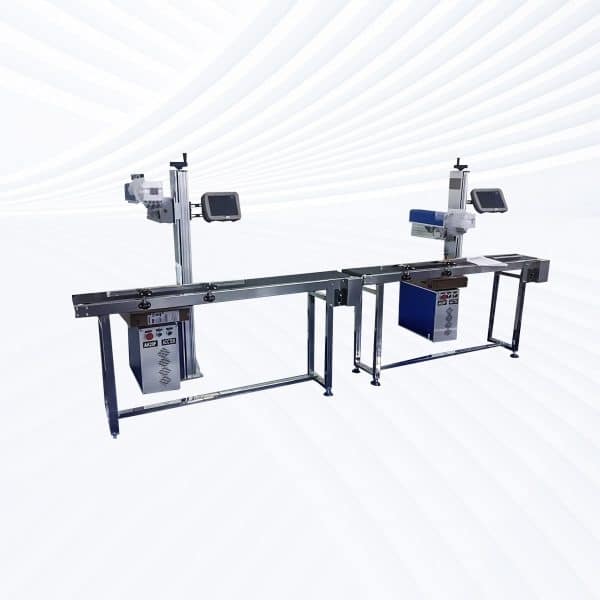
- Flying Fiber Lasers: Designed for continuous, inline marking, flying 60W lasers integrate with conveyor systems to engrave moving products such as wire, pipe, or packaging materials. The higher wattage ensures strong contrast even at fast speeds.
- Large-Area Screw-Drive Systems: Utilizing precision screw-driven motion control, these machines deliver stable, high-accuracy marking across large work areas. They’re perfect for molds, panels, plates, and industrial engraving applications requiring consistent depth.
- Large-Area Open Rack-Drive Systems: With an open, accessible frame and fast rack-and-pinion movement, these machines handle oversized parts or batch processing efficiently. They prioritize speed and accessibility for mass production workflows.
How Much Do 60W Fiber Laser Marking Machines Cost?
- Desktop Models ($2600–3000): Compact and stable, desktop units are ideal for precision marking of metals, plastics, and coated materials. Their rigid frame ensures consistent accuracy, making them a reliable choice for workshop or lab use.
- Portable Models ($2600–3000): Offering the same power as desktop models with added mobility, portable fiber lasers allow operators to mark parts across multiple workstations or on large equipment that cannot be easily moved.
- Handheld Units ($2800–3200): Designed for marking large, heavy, or irregularly shaped objects, handheld 60W lasers provide deep engraving and high contrast on materials like stainless steel, carbon steel, and aluminum.
- Fully Enclosed Systems ($3300–3700): These units include laser safety enclosures, observation windows, and filtration systems for safe and clean operation. They’re commonly used in electronics, medical, and high-end manufacturing environments.
- Flying Fiber Lasers ($3900–4300): Engineered for integration with automated or conveyor systems, flying models perform continuous marking on moving products. The 60W power enables fast, high-contrast marking on cables, packaging, and parts.
- Large-Area Screw-Drive Systems ($7900–9500): Equipped with precision ball-screw motion control, these machines provide exceptional stability and fine engraving across wide marking areas—ideal for molds, nameplates, and industrial panels.
- Large-Area Open Rack-Drive Systems ($8000–8500): Built for accessibility and speed, open rack-driven models are perfect for large-format or batch marking operations, supporting rapid throughput in mass-production setups.
What Is The Marking Speed Of 60W Fiber Laser Marking Machines?
- Marking Speed Performance: 60W fiber laser marking machines typically achieve a maximum marking speed of 7000–9000 mm/s, depending on the complexity of the design, marking depth, and material type. For shallow marking or engraving on metals like stainless steel, aluminum, or titanium, the system can sustain speeds near the upper range with no loss of clarity. For deeper engraving or on reflective surfaces, slightly lower speeds (around 4000–6000 mm/s) are recommended to maintain marking contrast and precision.
- Influencing Factors: Several variables affect the achievable marking speed:
- Laser Power and Pulse Frequency: Higher power allows deeper or darker marks at faster speeds. Pulse frequency settings typically range between 20 kHz and 200 kHz, with optimal adjustment balancing speed and surface finish.
- Material Characteristics: Metals, coated plastics, and anodized surfaces mark faster than reflective or heat-sensitive materials.
- Optical Configuration: The use of high-speed galvanometer scanners and precisely focused F-Theta lenses ensures consistent performance across large marking fields (110×110 mm or 200×200 mm).
- Marking Type: Vector-based text or simple logos can be processed at maximum speed, whereas dense fills, QR codes, or intricate graphics require reduced scanning velocity for consistent detail.
Is It Safe To Use 60W Fiber Laser Marking Machines?
- Laser Safety Classification: Most 60W fiber laser marking machines fall under Class 4 laser systems, meaning the laser beam is powerful enough to cause eye or skin injury from direct or reflected exposure. Therefore, safety precautions are required during operation, especially when using open or desktop models. Fully enclosed versions offer the highest level of protection, as they contain the laser beam and often include interlock safety systems that automatically disable the laser when the door is open.
- Protective Equipment: Operators should always wear certified laser safety goggles rated for 1064 nm wavelength (the output range of fiber lasers). Goggles protect against accidental reflections that could cause permanent eye damage. Additionally, gloves and long sleeves can be worn when handling hot or recently marked materials to prevent burns.
- Ventilation and Fume Extraction: When marking plastics, coated metals, or painted surfaces, the process may release fumes or micro-particles. To ensure a healthy work environment, it is essential to use a fume extractor or air filtration system positioned close to the marking area. This prevents the accumulation of harmful gases and improves air quality.
- Electrical and Operational Safety: The machine should be connected to a stable, grounded power source (AC 220 V ± 10%) to prevent electrical hazards. Before maintenance, ensure the power is switched off and capacitors are fully discharged. Avoid modifying safety circuits or removing protective panels.
- Environmental Considerations: Operate the laser in a clean, dry, and temperature-controlled environment (15℃–30℃, humidity < 70%). Excessive dust or humidity can affect optical stability and cause component wear.
How Noisy Are 60W Fiber Laser Marking Machines?
- Laser Emission and Optical System: The laser source in 60W fiber laser marking machines produces light energy without moving mechanical components. This solid-state design ensures virtually silent operation. The beam is transmitted through optical fibers and directed by high-speed galvanometer mirrors, which move rapidly but operate quietly due to precision-engineered bearings and low-friction motion systems.
- Cooling and Ventilation Noise: The primary source of sound during operation comes from cooling fans and fume extraction units. These systems typically emit around 45–60 dB of noise—comparable to an office environment or the hum of a desktop computer. The exact level depends on the model, fan size, and whether a fume extractor is attached.
- Environmental and Structural Factors: Proper machine placement also affects perceived noise. Mounting the marking head on a stable platform and ensuring the fume extractor is installed away from the operator reduces sound reflection and vibration. In enclosed workstations or laboratory setups, the noise becomes almost negligible.
- Workplace Suitability: Because of their low acoustic footprint, 60W fiber laser marking machines are suitable for offices, laboratories, classrooms, and production lines where quiet environments are preferred. Operators can comfortably work nearby without the need for hearing protection or noise isolation.
What Training Is Required To Operate 60W Fiber Laser Marking Machines?
- Understanding Machine Components and Functions: Before using the machine, operators should become familiar with the laser source, galvanometer head, control board, fume extractor, and focusing system. Knowing how each part contributes to the marking process helps prevent errors and ensures smooth operation.
- Software Operation (EZCAD or Equivalent): Training should include the use of marking software such as EZCAD, which controls laser parameters like power, frequency, marking speed, and fill type. Operators should learn how to import designs, adjust laser paths, and configure marking settings for different materials (e.g., stainless steel, aluminum, plastics).
- Safety Procedures and Laser Classification: Since 60W fiber lasers are Class 4 laser systems, users must understand laser safety principles—especially the risks of direct or reflected beam exposure. Training emphasizes wearing certified 1064 nm laser safety goggles, using protective enclosures or shields, and following local safety regulations.
- Maintenance and Troubleshooting: Operators should learn basic maintenance tasks like cleaning lenses, checking fiber connections, ensuring proper grounding, and monitoring cooling systems. Common troubleshooting skills include identifying marking quality issues, adjusting focus, or resetting the software if communication errors occur.
- Material-Specific Settings: Training also involves experimenting with different materials to determine optimal laser parameters. Understanding how metals, plastics, and coatings react to laser energy helps avoid overheating, poor contrast, or surface damage.
- Operational Workflow: Finally, users should learn to position workpieces accurately, set marking origins, and verify marking results using preview functions or red-light positioning before full-power operation.
What PPE Is Required When Operating 60W Fiber Laser Marking Machines?
- Laser Safety Glasses: The most critical piece of PPE when operating 60W fiber laser marking machines is laser safety eyewear designed for the 1064 nm wavelength used by fiber lasers. These glasses protect the eyes from both direct and scattered infrared radiation. Operators should ensure their goggles meet OD 6+ or higher optical density standards and are compliant with international safety certifications such as EN 207/208 or ANSI Z136.1.
- Protective Clothing: Operators should wear non-reflective, flame-resistant clothing made of natural fibers such as cotton. Avoid shiny or reflective surfaces (like jewelry or watches) that could redirect the laser beam. Long sleeves and closed collars provide additional protection from stray reflections or sparks produced when marking certain metals.
- Gloves: While fiber laser marking is non-contact, gloves are recommended when handling hot or freshly marked workpieces. Materials like metal can retain heat after laser exposure. Heat-resistant gloves prevent burns during material handling and alignment.
- Respiratory Protection: When marking plastics, coated metals, or painted surfaces, fumes or fine particulates may be released. Operators should use a fume extractor system with a HEPA and activated carbon filter to remove hazardous emissions. In poorly ventilated areas, a light-duty respirator or mask (N95 or equivalent) may be used as supplemental protection.
- Hearing Protection (Optional): Fiber lasers are typically very quiet, producing around 45–60 dB of noise. While hearing protection is generally not required, operators working in industrial workshops with multiple machines may choose earplugs or earmuffs to reduce ambient noise exposure.
- Safety Footwear: Operators should wear closed-toe, anti-slip shoes to prevent injuries from dropped workpieces or tools, especially in industrial production environments.
How Should 60W Fiber Laser Marking Machines Be Maintained?
- Optical System: The optical path is one of the most important parts of fiber laser marking machines. The f-theta lens and protective window should be inspected and cleaned regularly to remove dust, oil, or fume residue. Use non-abrasive lens tissue or isopropyl alcohol wipes to clean the surfaces gently. Avoid touching the optical components directly with fingers to prevent scratches or contamination that could affect beam focus and power output.
- Cooling System: Most 60W fiber laser marking machines use an air-cooling system. Regularly check that the air vents, cooling fans, and filters are free from dust or obstructions to maintain optimal airflow. If a chiller system is used, ensure that the coolant level is adequate, the water is clean, and the temperature remains within the recommended range (typically 10–35℃). Overheating can shorten the lifespan of both the laser source and electronic components.
- Electrical and Fiber Connections: Inspect the fiber connectors, ground wires, and power cables periodically. Loose or corroded connections can cause unstable output or communication faults between the control board and the laser source. Never bend the optical fiber sharply or apply tension to it. If cleaning fiber ends is necessary, use specialized fiber optic cleaning tools only.
- Software and Calibration: Maintain the EZCAD software or other marking software by updating it to the latest stable version. Backup all parameter settings and marking templates regularly. Recalibrate the galvo head periodically to ensure accurate positioning, especially if the machine has been moved or used for long periods.
- Environmental Maintenance: Keep the work area dry, clean, and well-ventilated. Dust and debris can accumulate on optical parts or circuit boards, reducing efficiency or causing overheating. Avoid placing the machine near sources of vibration or electromagnetic interference. A fume extractor should always be used to remove smoke and particles generated during marking.
- Routine Maintenance Schedule
- Daily: Clean lenses, check air filters, and inspect power cables.
- Weekly: Test marking performance and verify focus accuracy.
- Monthly: Clean internal components, check cooling fans, and recalibrate marking accuracy.
- Annually: Perform a complete system inspection and optical alignment by a qualified technician.