

Product Introduction
Laser Marking Capabilities
| Material | 20W | 30W | 60W | 100W | 200W | 300W |
|---|---|---|---|---|---|---|
| Stainless Steel (304/316) | Surface Mark; Black/Anneal; Color Marking | Surface Mark; Black/Anneal; Color Marking | Surface Mark; Black/Anneal; Shallow Engrave | Surface Mark; Black/Anneal; Shallow Engrave; Deep Color | Surface Mark; Black/Anneal; Shallow Engrave; Deep Relief | Surface Mark; Black/Anneal; Shallow Engrave; Deep Relief |
| Carbon Steel (Mild) | Surface Mark; Shallow Engrave | Surface Mark; Shallow Engrave | Surface Mark; Shallow Engrave; Deep Engrave | Surface Mark; Shallow Engrave; Deep Engrave | Deep Engrave; High-Contrast Mark | Deep Engrave; High-Contrast Mark |
| Tool Steel (HRC ≤55) | Surface Mark | Surface Mark; Shallow Engrave | Surface Mark; Shallow Engrave | Surface Mark; Shallow Engrave; Deep Engrave | Deep Engrave | Deep Engrave |
| Tool Steel (HRC 55–60) | Surface Mark | Surface Mark | Surface Mark; Shallow Engrave | Surface Mark; Shallow Engrave | Deep Engrave | Deep Engrave |
| Titanium & Ti Alloys | Surface Mark; Black/Anneal (Color Capable) | Surface Mark; Black/Anneal; Color Marking | Surface Mark; Black/Anneal; Color Marking | Surface Mark; Black/Anneal; Color Marking | Surface Mark; Black/Anneal; Deep Color | Surface Mark; Black/Anneal; Deep Color |
| Nickel Alloys / Inconel | Surface Mark | Surface Mark; Shallow Engrave | Surface Mark; Shallow Engrave | Surface Mark; Shallow Engrave | Surface Mark; Deep Engrave | Surface Mark; Deep Engrave |
| Aluminum (Anodized) | Fast Coating Removal (Surface Mark) | Coating Removal; Color Mark | Coating Removal | Coating Removal | Coating Removal | Coating Removal |
| Aluminum (Bare) | Surface Mark (MOPA Color Capable) | Surface Mark; Shallow Engrave (MOPA Color Capable) | Surface Mark; Shallow Engrave | Surface Mark; Shallow Engrave | Deep Engrave; High-Contrast Mark | Deep Engrave; High-Contrast Mark |
| Brass | Surface Mark; High Contrast | Surface Mark; Shallow Engrave | Surface Mark; Shallow Engrave | Surface Mark; Shallow Engrave | Deep Engrave | Deep Engrave |
| Copper | Surface Mark (MOPA Recommended) | Surface Mark; Shallow Engrave (MOPA Recommended) | Surface Mark; Shallow Engrave | Surface Mark; Shallow Engrave | Deep Engrave (Slow) | Deep Engrave (Slow) |
| Galvanized Steel | Surface Mark (Manage Zinc Fumes) | Surface Mark | Surface Mark | Surface Mark | Surface Mark | Surface Mark |
| Zinc-/Chrome-Plated Steel | Coating Ablation (Surface Mark) | Coating Ablation | Coating Ablation | Coating Ablation | Coating Ablation | Coating Ablation |
| Black Oxide/Phosphate Coat | Surface Mark; Black/Anneal | Surface Mark; Black/Anneal | Surface Mark; Black/Anneal | Surface Mark; Black/Anneal | Surface Mark; Black/Anneal | Surface Mark; Black/Anneal |
| Painted/Powder-Coated Metals | Coating Ablation (Surface Mark) | Coating Ablation | Coating Ablation | Coating Ablation | Coating Ablation | Coating Ablation |
| Hard Plastics (ABS/PC/PA) | Surface Mark (MOPA; Laser-Markable Grades) | Surface Mark (MOPA; Laser-Markable Grades) | Surface Mark (MOPA; Laser-Markable Grades) | Surface Mark (MOPA; Laser-Markable Grades) | Deep Mark (Laser-Grade) | Deep Mark (Laser-Grade) |
| POM/PE/PP (Additive-Filled) | Surface Mark (Additive-Filled; MOPA Recommended) | Surface Mark (Additive-Filled; MOPA Recommended) | Surface Mark (Additive-Filled) | Surface Mark (Additive-Filled) | Surface Mark (Additive-Filled) | Surface Mark (Additive-Filled) |
| CFRP/GFRP Composites | Resin Surface Mark | Resin Surface Mark | Resin Surface Mark | Resin Surface Mark | Deep Surface Mark | Deep Surface Mark |
| Ceramics (With Marking Paste) | Shallow Engrave (With Paste) | Shallow Engrave (With Paste) | Shallow Engrave; Surface Mark (With Paste) | Shallow Engrave; Surface Mark (With Paste) | Deep Engrave (With Paste) | Deep Engrave (With Paste) |
| Glass (With Marking Paste) | Shallow Engrave (With Paste) | Shallow Engrave (With Paste) | Shallow Engrave; Surface Mark (With Paste) | Shallow Engrave; Surface Mark (With Paste) | Deep Engrave (With Paste) | Deep Engrave (With Paste) |
| Wood/Leather (Organics) | Not Recommended (use CO₂ laser) | Not Recommended | Not Recommended | Not Recommended | Not Recommended | Not Recommended |
| PVC | Not Recommended (toxic fumes) | Not Recommended | Not Recommended | Not Recommended | Not Recommended | Not Recommended |
Compatible Materials
- Stainless Steel
- Aluminum
- Anodized Aluminum
- Brass
- Copper
- Bronze
- Titanium
- Tungsten
- Carbide
- Zinc
- Chrome
- Nickel
- Nickel Alloys
- Silver
- Gold
- Platinum
- Palladium
- Iron
- Carbon Steel
- Galvanized Steel
- Magnesium
- Cobalt
- Inconel
- Hard Alloys
- Painted Metals
- Powder-Coated Metals
- Stainless Steel with Mirror Finish
- Plastics
- Polycarbonate
- PEEK
- PET
- Acrylic
- Nylon
- Polypropylene
- Silicone
- Epoxy Resin
- Coated Glass
- Ceramic
- Leather
- Wood
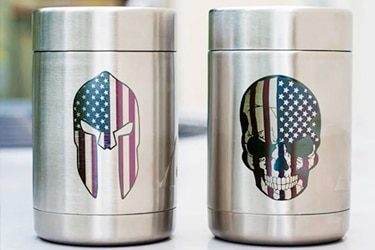
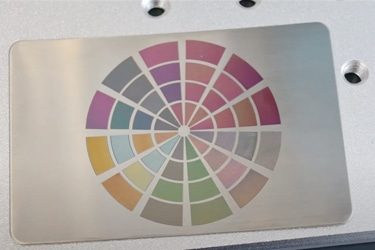
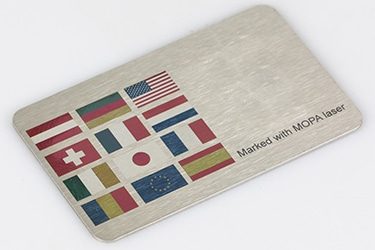
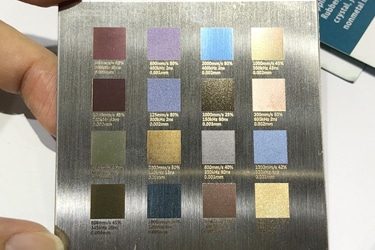
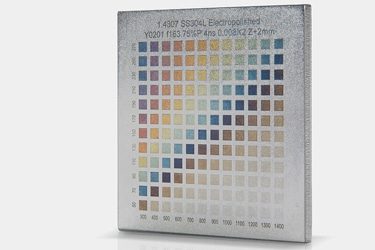
Application of 100W MOPA Laser Marking Machines


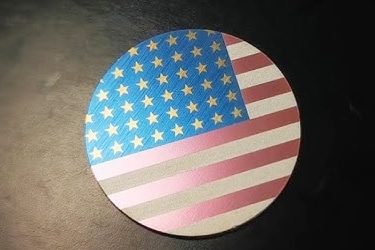
Customer Testimonials
Comparison VS Other Marking Technologies
| Comparison Item | MOPA Laser Marking | Dot Peen Marking | Inkjet Printing | Chemical Etching |
|---|---|---|---|---|
| Marking Speed | Very fast; suitable for high-volume production | Moderate; mechanical impact slows it down | Fast, but requires drying | Slow; multi-step process |
| Marking Quality | Extremely fine, clean, and high contrast | Medium; rough, dotted appearance | Good, but can smear or fade | Good, depends on chemical precision |
| Material Compatibility | Works on metals, plastics, anodized and coated materials | Mostly metals | Metals, plastics, paper | Metals and coated materials |
| Color Marking Capability | Can create vivid color marks on stainless steel and anodized aluminum | Not possible | Limited to ink colors | Not possible |
| Permanence | Permanent, wear- and corrosion-resistant | Permanent, but can deform surface | Temporary; ink can fade | Permanent, but surface can degrade |
| Surface Damage | Non-contact; no material deformation | Indents and scratches surface | No physical damage | Can erode or discolor surface |
| Precision on Small Parts | Excellent; ideal for micro-marking | Limited accuracy | Moderate; depends on printhead | Good but less controlled |
| Maintenance Requirements | Very low; no consumables | Frequent stylus replacement | Frequent ink and nozzle cleaning | Regular chemical replacement and cleanup |
| Operating Cost | Low after purchase; no consumables | Low to medium; mechanical wear parts | High; ongoing ink and solvent costs | Medium; chemical use and waste handling |
| Environmental Impact | Eco-friendly; no chemicals or waste | Minimal | Uses solvents, creates fumes | Produces hazardous waste |
| Noise Level | Silent operation | Noisy; mechanical impact | Quiet | Silent |
| Automation Integration | Easily automated; software-controlled | Possible, but slower | Easy to integrate | Difficult; mostly manual |
| Marking Depth Control | Adjustable pulse width allows precise control | Fixed by stylus pressure | Not applicable | Limited by etching time |
| Suitable for 2D Codes / QR Codes | Excellent; precise and high contrast | Poor readability | Moderate; prone to smudging | Not ideal for fine detail |
| Lifespan & Reliability | Over 100,000 hours; minimal wear | Moderate; frequent part replacement | Moderate; nozzle wear and clogging | Shorter; tank corrosion and chemical fatigue |
Why Choose Us
High Precision
Our machines deliver sharp, detailed markings with excellent contrast, suitable for complex patterns and small components across metal, plastic, and other materials.
Fast Processing
Designed for speed and efficiency, our systems complete marking tasks quickly without compromising quality, making them ideal for high-volume production environments.
Low Maintenance
With durable components and minimal consumables, our machines offer stable long-term performance, reducing downtime and keeping operating costs low.
Flexible Solutions
We provide a variety of models and customization options to suit different materials, marking needs, and production setups, ensuring the right fit for your business.
Related Resources
Can Lasers Be Used For Marking On Curved or Irregular Surfaces
This article explores the advantages and disadvantages of laser marking, including how it works, key technologies, applications, costs, and factors that determine when it is the right marking solution.
What Types of Laser Marking Machines Are There
This article explains the main types of laser marking machines, covering laser sources, marking methods, materials, applications, and how to choose the right system for production needs.
What Safety Precautions Are Required For Laser Marking
This article outlines essential safety precautions required for laser marking, including equipment safety, operator training, emergency protocols, and routine maintenance to ensure safe and efficient operations.
How to Achieve High Contrast in Laser Marking
This article comprehensively covers the technologies, parameters, materials, and process controls required for consistent, high-contrast laser marking in industrial applications.
Frequently Asked Questions
What Models Are Available For 100W MOPA Laser Marking Machines?
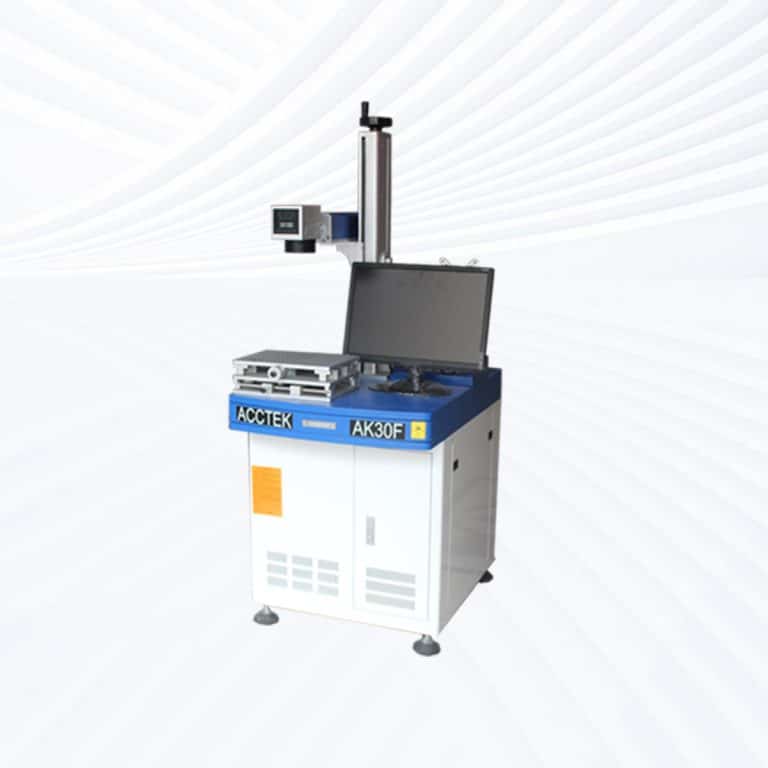
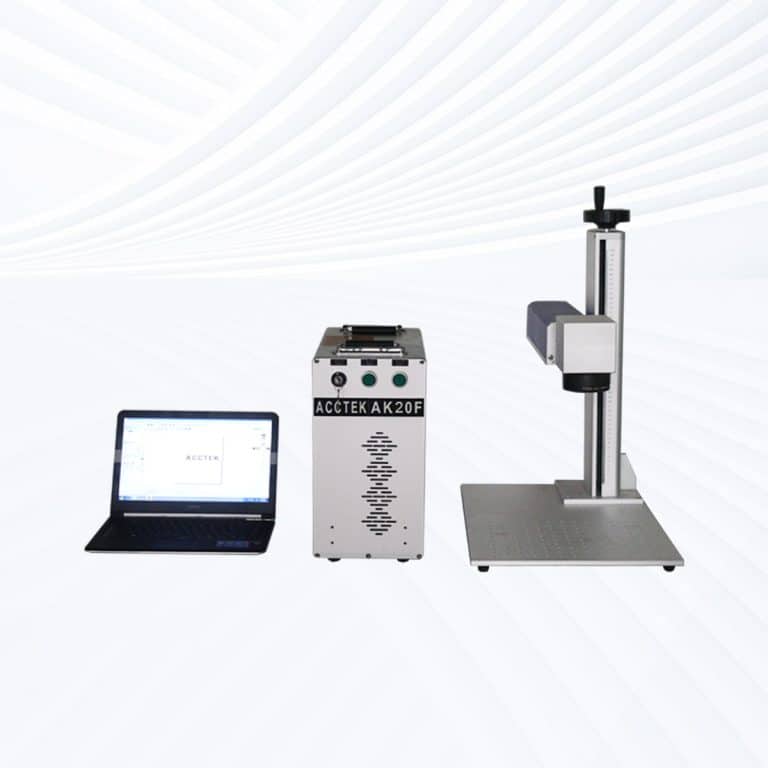
- Desktop Models: Designed for precision and consistency, desktop 100W MOPA systems deliver stable marking performance with adjustable pulse width and frequency. They’re ideal for deep engraving, color marking, and high-speed coding on metals and coated materials.
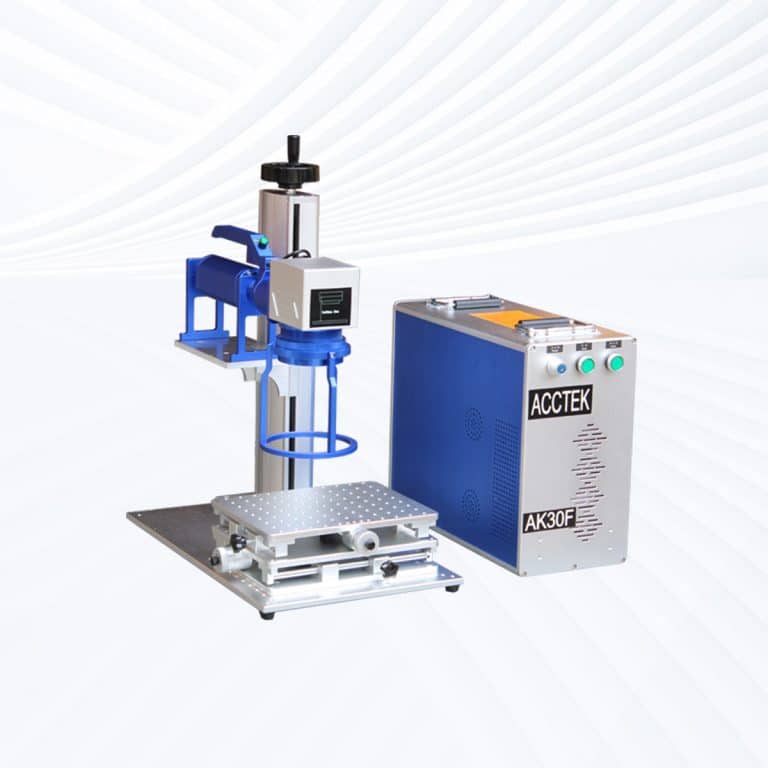
- Portable Models: Offering flexibility and mobility, portable MOPA lasers provide the same high power as desktop models but with a lightweight, movable design. They are suitable for marking large or stationary components across multiple workstations.
- Handheld Models: Built for heavy-duty industrial use, handheld 100W MOPA systems are perfect for marking or engraving on large, irregular, or assembled workpieces such as machinery frames, pipelines, or metal structures. The increased power ensures fast, deep, and high-contrast results.
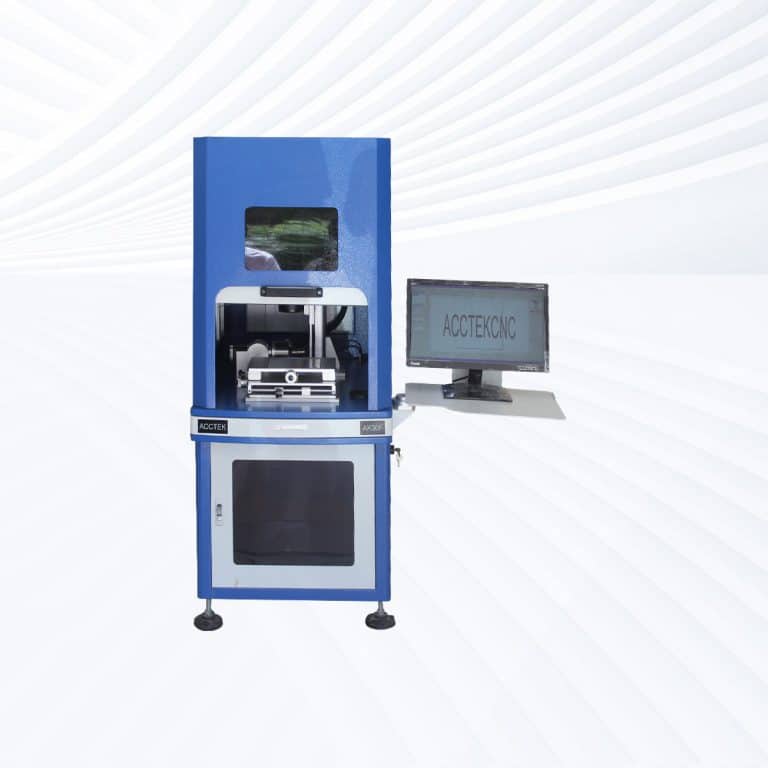
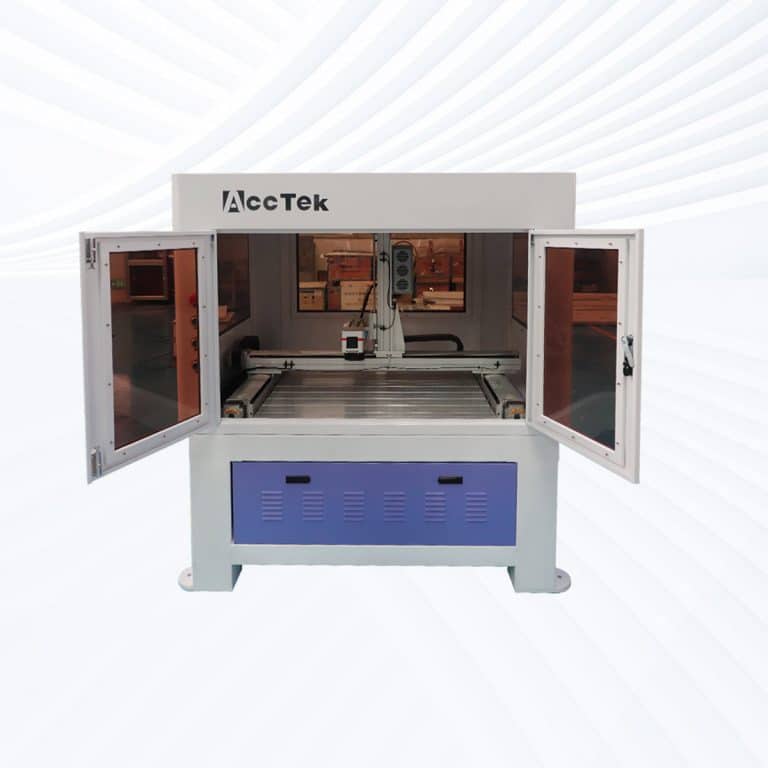
- Fully Enclosed Systems: Featuring complete protective housing, laser-safe viewing windows, and smoke extraction systems, these machines guarantee operator safety and clean operation. They are widely used in electronics, aerospace, and medical equipment industries where safety and precision are critical.
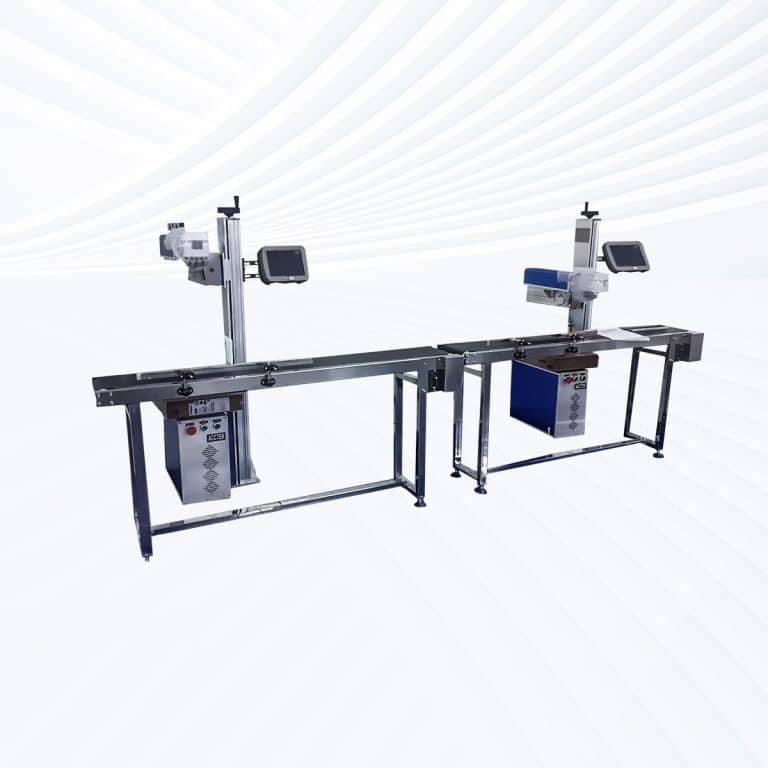
- Flying Lasers: Integrated into automated conveyor lines, flying 100W MOPA models are capable of continuous marking on moving products like cables, circuit boards, and packaging. The powerful laser and flexible pulse control maintain consistent results at high throughput speeds.
- Large-Area Screw-Drive Systems: Equipped with precision ball-screw transmission, these machines ensure micron-level accuracy across large marking surfaces. The 100W MOPA source allows deep engraving, color patterning, and textured finishes for molds, industrial panels, or nameplates.
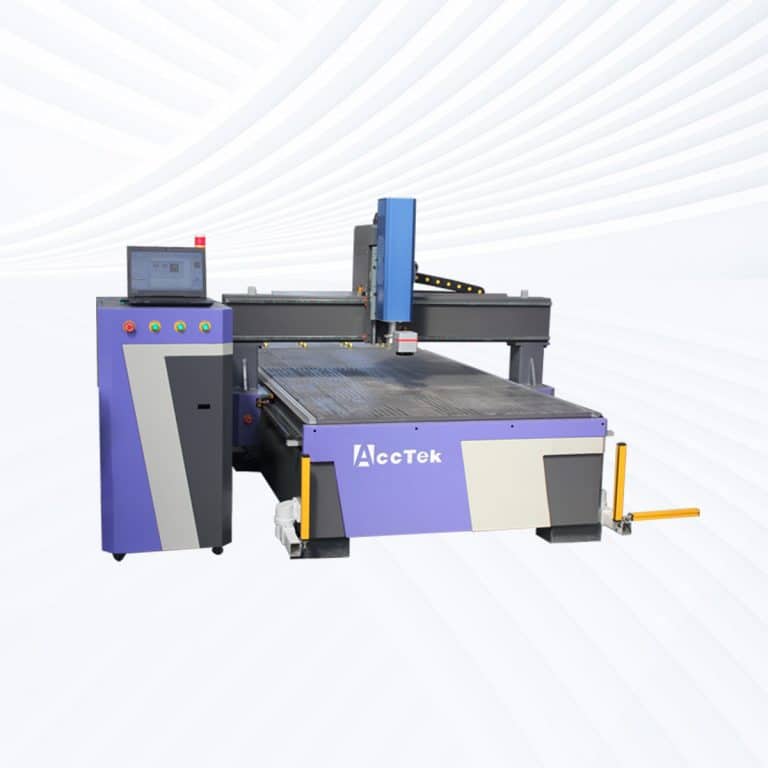
- Large-Area Open Rack-Drive Systems: Designed for accessibility and efficiency, open rack-drive models handle oversized or batch-marking projects with high speed and reliability. They are ideal for mass production, mold engraving, and large metal sheet applications.
How Much Do 100W MOPA Laser Marking Machines Cost?
- Desktop Models ($3900–4500): Compact yet powerful, desktop 100 W MOPA machines deliver precise, repeatable marking performance. They’re ideal for detailed color engraving on stainless steel, aluminum, and titanium in small factories or workshops.
- Portable Models ($3900–4500): Offering the same optical output with added portability, these units are suited for factories requiring flexible positioning between production areas while maintaining excellent marking consistency.
- Handheld Units ($4300–4900): Designed for marking large or immovable objects, handheld MOPA lasers provide deep, durable engraving with vivid color capability on metals and alloys. Common uses include machinery, pipelines, and structural frames.
- Fully Enclosed Systems ($4600–5200): Featuring complete laser shielding, observation windows, and integrated fume extraction, enclosed MOPA models ensure operator safety and cleanliness. They are widely used in electronics, aerospace, and precision component manufacturing.
- Flying Lasers ($5200–5800): Integrated into conveyor or robotic lines, these machines perform continuous, high-speed marking on moving parts. The MOPA source allows precise control for color consistency and crisp marks on cables, packaging, and electronic housings.
- Large-Area Screw-Drive Systems ($8200–10800): Using precision ball-screw transmission, these systems deliver micron-level accuracy and smooth engraving across extended surfaces. They’re perfect for mold, panel, and decorative engraving requiring depth and uniformity.
- Large-Area Open Rack-Drive Systems ($9300–9900): Built for accessibility and throughput, rack-driven MOPA machines handle large or multiple workpieces efficiently. Their open-frame layout simplifies loading for mass-production operations.
Is It Safe To Use 100W MOPA Laser Marking Machines?
- Laser Safety
- Eye Protection: MOPA lasers emit high-intensity light that can be harmful to the eyes. Always wear the appropriate laser safety goggles designed to filter out the wavelength of light produced by the machine.
- Laser Class: MOPA lasers typically belong to Class 4, which are high-powered and pose serious hazards to the eyes and skin. It’s essential to avoid direct exposure to the laser beam.
- Laser Enclosure: Many MOPA laser marking systems come with protective enclosures to prevent accidental exposure. Make sure the machine is properly enclosed or fitted with safety barriers to prevent unintended exposure.
- Material Safety
- Material Compatibility: MOPA lasers are versatile and can mark a wide range of materials like metals, plastics, wood, rubber, ceramics, and more. However, not all materials are safe to process with lasers. For example, materials like PVC release toxic gases (chlorine) when laser-marked, so avoid using them. Always verify the material before processing.
- Fume Extraction: Laser marking can release hazardous fumes, particularly when working with plastics, wood, or synthetic materials. Ensure that a proper fume extraction system is in place to safely remove any potentially harmful smoke or gases produced during marking.
- Fire Safety
- Flammable Materials: Materials like paper, wood, and certain plastics can be highly flammable, especially in a laser marking process. Ensure adequate fire safety measures are in place, such as a fire extinguisher and air assist, to keep the material cool during processing.
- Air Assist Systems: These systems help in reducing fire risks by blowing air across the material’s surface, preventing heat buildup that might cause ignition.
- Ventilation
- Proper ventilation is crucial when using MOPA lasers, especially when working with materials that emit fumes. A well-ventilated workspace reduces the risks associated with inhaling fumes and improves the overall air quality.
- Training and Experience
- Operator Training: The operator must be trained in using the 100W MOPA laser system. Understanding how to set appropriate parameters, adjust the pulse duration, and handle various materials will ensure safety and high-quality results.
- Supervision: Always supervise the machine while in operation, especially when using it for materials with higher fire risks or those that may release toxic gases.
- Maintenance
- Regular maintenance and inspection of the laser equipment are critical for safe operation. Check for proper calibration, ensure that safety features like emergency stop buttons are working, and confirm that cooling systems are functioning effectively.
What Are The Disadvantages Of 100W MOPA Laser Marking Machines?
- High Power Consumption: MOPA lasers, especially at higher wattages like 100W, consume significant amounts of power during operation. This can lead to higher electricity costs, especially if the laser is used frequently for long periods. It is important to consider the operational cost when using these machines for industrial or commercial applications.
- Heat Generation: The high power of the 100W MOPA laser generates a significant amount of heat during operation. This can be problematic for both the materials being processed (which may warp or burn if not handled properly) and the machine itself (which may require complex cooling systems). If the cooling system is inadequate, it can lead to overheating and damage to the laser.
- Limited Material Compatibility (Reflective Metals): While MOPA lasers excel at marking non-ferrous metals like aluminum and copper, their performance on highly reflective materials can be reduced. For example, metals with highly reflective surfaces can cause a loss of laser power, resulting in weaker marks and lower efficiency. In some cases, special coatings or pre-treatment might be needed to get optimal results.
- Initial Cost: The initial investment for 100W MOPA laser marking machines can be quite high. Compared to other laser technologies like CO2 lasers, MOPA lasers tend to have a higher upfront cost. This can be a significant barrier for small businesses or hobbyists looking to invest in laser marking equipment.
- Complexity of Operation: MOPA lasers offer high flexibility, with the ability to adjust pulse duration and other parameters for fine control over marking quality. However, this flexibility comes with added complexity. Operators need to have a good understanding of the machine’s settings and the materials they are working with to ensure the best results. Improper settings can lead to poor quality markings or even damage to materials.
- Material Waste: When working with certain materials, MOPA lasers can produce significant amounts of debris or fumes. This is especially true when engraving or marking plastics, which may release fumes that require fume extraction systems. Additionally, the laser beam’s precision and settings need to be finely tuned to avoid excessive material loss, especially for expensive materials.
- Size and Space Requirements: 100W MOPA laser marking machines can be relatively large, requiring ample space for installation. In small workshops or environments with limited space, the machine might not be practical. Additionally, the ventilation system required to safely manage fumes and heat may also need additional space.
- Potential for Material Damage: Due to the high power of 100W MOPA lasers, there is a risk of damaging sensitive or thin materials if the settings are not properly adjusted. Overexposure to the laser can cause burns, warping, or excessive heat build-up, leading to material degradation or ruined products.
- Maintenance Requirements: MOPA lasers are sophisticated pieces of equipment that require regular maintenance to ensure optimal performance. This includes cleaning, calibration, and possibly replacing parts such as the laser module or lenses. The maintenance process can be time-consuming and costly, especially if the machine is heavily used.
- Not Ideal for Cutting Thick Materials: While MOPA lasers are excellent for engraving and marking, they are not as effective for cutting thicker materials compared to CO2 or fiber lasers. If cutting thick metals or high-density materials is required, MOPA lasers may not be the best option.
What Are The Environmental Requirements For 100W MOPA Laser Marking Machines?
- Temperature Control: MOPA lasers generate significant heat during operation, both from the laser itself and the materials being processed. To prevent overheating, the ambient temperature of the workspace should be maintained between 15℃ and 25℃ (59℉ to 77℉). If the room temperature rises too high, it can strain the cooling system and affect the laser’s performance. Proper temperature regulation helps extend the lifespan of the machine and prevents thermal damage.
- Humidity Levels: Humidity plays a crucial role in the performance of MOPA lasers. High humidity can cause condensation inside the laser system, leading to electrical issues or damage to sensitive components. Conversely, too low humidity can create static electricity, which might interfere with the machine’s electronics. Ideally, relative humidity should be kept between 30% and 70%. Maintaining this balance ensures smooth operation and reduces the risk of component failure.
- Ventilation and Fume Extraction: Laser marking can produce harmful fumes, smoke, and particles, especially when working with plastics, wood, and other materials. Proper ventilation is essential to ensure a safe working environment. A fume extraction system should be in place to capture and filter any hazardous fumes or smoke generated during the marking process. This is particularly important when working with materials like PVC, which can release toxic chlorine gas when heated.
- Cleanliness and Dust Control: The environment surrounding the MOPA laser should be clean and free from dust. Dust particles can interfere with the laser’s optics, reducing marking precision and causing long-term damage. Regular cleaning of both the machine and the workspace is necessary to prevent dust buildup. Additionally, dust can hinder the cooling and ventilation systems, leading to reduced efficiency and potential overheating.
- Power Supply Stability: A stable and consistent power supply is crucial for the smooth operation of 100W MOPA laser marking machines. Voltage fluctuations can cause the system to malfunction, reduce its lifespan, or even damage components. It is recommended to use a voltage stabilizer or uninterruptible power supply (UPS) to maintain a steady power flow and protect the machine from electrical surges or interruptions.
- Space Requirements: The MOPA laser marking system should be installed in a spacious area with adequate clearance around the machine for safety and easy maintenance. Proper space allows for smooth operation and reduces the risk of accidents. Additionally, the room should be equipped with safety measures, such as fire extinguishers, and the workspace should be restricted to authorized personnel only.
What Is The Service Life Of 100W MOPA Laser Marking Machines?
- Laser Source Lifespan: The most important factor in determining the service life of MOPA laser marking machines is the laser source. MOPA lasers typically use a diode-pumped solid-state (DPSS) laser, which has a relatively long lifespan. With proper maintenance, the laser source can last between 20,000 and 30,000 hours. However, this can vary depending on the quality of the laser source, how frequently it is used, and the intensity at which it operates.
- Cooling System and Maintenance: The cooling system of the laser is crucial for extending its service life. MOPA lasers generate a considerable amount of heat, and if the cooling system is not properly maintained, it can lead to overheating, which accelerates wear and reduces the lifespan of the machine. Regular maintenance, such as cleaning the cooling system and replacing any worn-out parts (like pumps or fans), helps to prolong the life of the laser marking machine.
- Operational Conditions: The operating conditions also play a significant role in determining the service life. If the machine operates in harsh environments with high temperatures, humidity, or dust, the components may degrade faster. Conversely, keeping the machine in a clean, temperature-controlled environment with proper ventilation helps extend its lifespan. Also, running the machine at peak power for extended periods can accelerate wear, so it is advisable to operate the system within the recommended settings.
- Maintenance and Care: Regular maintenance is essential for maximizing the service life of MOPA laser marking machines. This includes cleaning lenses, checking the laser power, and ensuring that the system is free from dust and debris. Proper calibration and inspections help identify potential issues early and prevent unnecessary damage. When maintenance schedules are followed, the machine’s lifespan can be extended beyond its expected range.
- Replacement of Components: Certain components, such as the laser module or optics, may need replacement over time due to wear or damage. While the laser source itself can last tens of thousands of hours, other parts of the machine, such as the laser lens or reflectors, may require more frequent replacement depending on the material being marked and the intensity of use.
What Training Is Required To Operate 100W MOPA Laser Marking Machines?
- Laser Technology Basics: Operators need a strong understanding of the fundamentals of MOPA laser marking technology. MOPA lasers operate differently from CO2 or fiber lasers, and training should focus on:
- The principle of pulse width modulation allows for greater control over the laser’s power and duration.
- Beam Control: Understanding how the laser beam interacts with various materials is critical for achieving precise markings.
- The differences between MOPA and other laser types, particularly evident in how they handle materials like metals, plastics, and ceramics.
- Machine Operation: Training should include hands-on experience with the laser marking machine itself. This involves:
- Setting up the Machine: Loading materials correctly, adjusting settings like speed, power, and frequency to suit specific materials.
- Software Operation: Understanding how to use the software interface that controls the laser, including tasks such as designing, importing files, and modifying parameters.
- Running the Machine: Operators must learn how to start and stop the machine safely, monitor its operation, and make real-time adjustments to ensure the quality of the laser markings.
- Safety Protocols: Given the high power of 100W MOPA lasers, safety is a critical part of the training:
- Laser Safety: Operators must understand the risks associated with laser exposure, including eye and skin safety. Wearing appropriate protective eyewear is mandatory.
- Fire Safety: MOPA lasers can pose a fire risk, particularly when working with flammable materials like wood or foam. Operators should be trained on fire prevention measures, including the use of air assist and fire suppression systems.
- Ventilation: Understanding the importance of proper fume extraction to remove harmful smoke and gases, particularly when cutting or engraving materials like plastics, which can release toxic fumes (e.g., chlorine from PVC).
- Material Handling and Compatibility: Training must cover how to handle a variety of materials safely and efficiently:
- Identifying Compatible Materials: MOPA lasers are highly versatile, but different materials require different settings. Operators should learn how to adjust the machine settings for metals, plastics, wood, and other materials.
- Material-Specific Safety: Some materials, like PVC, can release dangerous fumes when processed. Operators need to be trained to identify and handle materials that are safe for laser marking.
- Maintenance and Troubleshooting: To extend the lifespan of the machine and maintain quality, operators should be trained on:
- Routine Maintenance: This includes cleaning lenses and optics, checking the cooling system, and replacing consumable parts like lenses and mirrors.
- Troubleshooting: Operators should know how to diagnose and address common issues, such as power loss, inconsistent marks, or machine malfunctions.
What PPE Is Required When Operating 100W MOPA Laser Marking Machines?
- Laser Safety Goggles: Laser safety goggles are the most important PPE when working with high-powered lasers like the 100W MOPA. These goggles protect the eyes from hazardous laser radiation, especially from the wavelength used by the MOPA laser. The goggles must be specifically designed for the wavelength of the laser being used. For a MOPA laser, which typically operates at a 1064 nm wavelength, the goggles must block this specific wavelength to prevent eye damage.
- Flame-Resistant Clothing: Given the potential fire risks associated with laser marking (especially when working with materials like wood, foam, or plastics), flame-resistant clothing is recommended. This includes long-sleeve shirts, pants, and lab coats made from materials that are not easily ignitable. In case of sparks or fire hazards, flame-resistant fabrics will help reduce the risk of burns.
- Heat-Resistant Gloves: MOPA lasers can generate significant heat, especially when working with materials that absorb or reflect the laser energy. Heat-resistant gloves protect the hands from accidental burns or heat exposure during setup, material loading, or handling heated components. Gloves should be durable and heat-resistant, providing comfort and dexterity for handling materials or adjusting the machine.
- Respirators or Face Masks: Laser marking processes, especially with materials like plastics, rubber, or certain metals, can produce toxic fumes, smoke, or dust. A respirator with an appropriate filter is necessary to protect the lungs from inhaling harmful particles or gases. This is especially important when marking materials like PVC or certain synthetic leathers that can release toxic fumes. In addition, fume extraction systems should always be used in conjunction with the respirator to help mitigate air contamination in the workspace.
- Hearing Protection: While MOPA lasers tend to be quieter than other high-power lasers, prolonged exposure to any type of loud machinery can lead to hearing damage. Earplugs or earmuffs should be used, particularly in environments where multiple machines are operating simultaneously. This helps reduce the risk of noise-induced hearing loss, especially in a busy industrial setting.
- Face Shield: A face shield may be required for additional protection, especially when working with high-power lasers that might produce sparks, debris, or other particulate matter that can be dangerous to the face and eyes. This adds an extra layer of protection, particularly when manually adjusting or inspecting the system during operation.