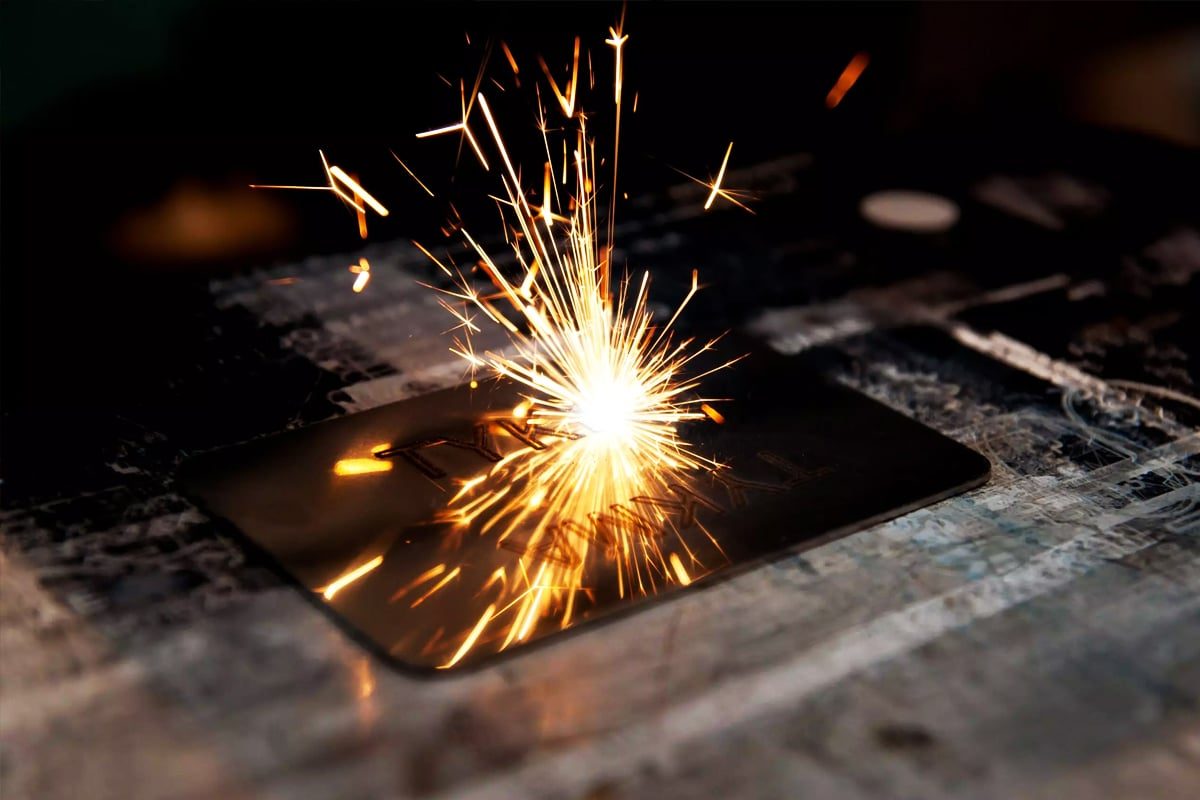
Laser marking machines are a complex system where optics, electronics, and mechanics work in harmony. The laser source generates the beam, the galvo system and lenses control and focus it, and the control unit coordinates every move. Supporting systems like cooling, exhaust, and power management keep everything running safely and efficiently. By understanding the role and interdependence of these components, operators can spot potential problems early, perform proper maintenance, and keep the machine delivering high-quality, precise markings for years to come.
Regular maintenance is the foundation of reliable, safe, and cost-effective laser marking operations. It ensures stable marking quality, prolongs the lifespan of expensive equipment, minimizes downtime, and protects both workers and the machine itself. Investing time and effort into preventive care pays off with uninterrupted performance, lower repair costs, and consistent results—making maintenance not an expense, but a smart business strategy that safeguards productivity and quality in the long run.
Laser marking technology comes in several types, each designed to work best with specific materials and applications. While all laser marking machines rely on similar principles—directing a focused laser beam to mark the surface of a material—different laser sources require unique maintenance routines due to variations in their design, wavelength, and operating mechanisms. Understanding these differences helps operators apply the right maintenance approach for each system, ensuring consistent quality and long service life.
Green lasers operate at a wavelength of about 532 nm and are particularly effective for marking reflective materials such as copper, gold, and some plastics that don’t respond well to infrared lasers. These machines use a frequency-doubled diode-pumped solid-state (DPSS) laser system, which requires stable temperature control and clean optics. The crystal module, which converts infrared to green light, is highly sensitive to dust, vibration, and temperature fluctuations. Maintenance routines for green lasers should focus on ensuring optical cleanliness, cooling efficiency, and mechanical stability. Any contamination on the focusing lens or mirrors can lead to beam misalignment or energy loss. Regular inspection of laser power output helps ensure that the frequency conversion remains stable and efficient.
Each type of laser marking machine has its own strengths—and its own set of maintenance priorities. Fiber lasers are low-maintenance and highly reliable, but still need clean optics and stable power. CO2 laser marking systems demand more frequent cleaning and cooling care due to their gas and optical design. UV and green lasers, being more specialized, require extra precision in maintaining optics, cooling, and alignment because of their sensitivity and high beam quality. By understanding the unique maintenance needs of each laser type, operators can prevent costly downtime, extend equipment life, and keep every mark sharp, consistent, and professional across all production runs.
Daily maintenance is the backbone of keeping laser marking machines in top working condition. These small, consistent actions prevent the gradual buildup of dust, heat, and electrical strain that can lead to bigger issues over time. Think of daily maintenance as the machine’s first line of defense—it keeps performance stable, marking results consistent, and the risk of downtime low. Performing these checks before and after each shift helps identify early signs of wear or malfunction, allowing for quick correction before they affect production quality.
A clean workspace is essential for both machine performance and operator safety. Dust, debris, and residue from marked materials can settle on optics, mirrors, or ventilation openings, leading to reduced beam quality and potential overheating. Every day, operators should wipe down the machine’s surface, worktable, and surrounding area with lint-free cloths. Any residue from smoke or vapor—especially when marking plastics or coated metals—should be carefully removed. Avoid using harsh cleaning chemicals that might damage sensitive surfaces. Keeping the area around the exhaust vents clear ensures proper airflow and efficient fume extraction.
The optical components—particularly the F-Theta lens and galvo mirrors—play a critical role in beam precision. Even the slightest contamination from dust or fingerprints can scatter the laser beam and reduce marking clarity. Inspect these optics daily under proper lighting. If any smudges or particles are visible, clean them using approved optical wipes and lens-cleaning fluid. Never use compressed air from an unfiltered source, as it can blow oil or moisture onto the lens. Maintaining clean optics ensures sharp, consistent marks and prevents unnecessary strain on the laser source.
The cooling system prevents the laser source and electronics from overheating during operation. Whether air- or water-cooled, it should be checked daily to ensure it’s working efficiently. For air-cooled systems, verify that fans are running smoothly and vents are not blocked by dust or debris. For water-cooled systems, inspect coolant levels, look for leaks, and confirm that the temperature is within the manufacturer’s recommended range. Overheating can cause beam instability or shorten component lifespan, so consistent cooling performance is key to reliable operation.
Electrical connections and power stability are often overlooked, but they are crucial for consistent performance. Each day, inspect power cables, connectors, and grounding wires for any signs of fraying, loose fittings, or wear. Vibrations or repeated movement can gradually loosen cables, creating electrical resistance or intermittent faults. Ensure the power supply voltage remains stable and within the recommended range. Using surge protection devices is also a smart preventive step against unexpected power spikes.
Laser marking machines perform best in stable, controlled environments. Fluctuations in temperature, humidity, and air cleanliness can affect beam stability and optical performance. Check that the room temperature is within the manufacturer’s guidelines—typically between 18℃ and 25℃ (64℉ to 77℉)—and that humidity levels remain moderate to prevent condensation inside the machine. Avoid excessive vibration from nearby equipment, as it can affect the galvo system’s precision. Ensure that the exhaust or air filtration system is functioning properly to keep the workspace free from fumes and particulates.
Daily maintenance isn’t complicated, but it’s one of the most effective ways to protect your laser marking machine from premature wear and performance issues. Cleaning the work area keeps dust and debris from contaminating optics. Inspecting the lens and galvos preserves marking accuracy. Monitoring cooling systems prevents overheating, while checking power and cables ensures steady electrical performance. Maintaining a stable environment supports consistent results and operator safety. Taken together, these daily habits keep the machine running smoothly, extend its lifespan, and ensure that every mark produced meets the highest standards of precision and quality.
While daily maintenance keeps your laser marking machine running smoothly, weekly maintenance focuses on deeper checks that catch early signs of wear or misalignment before they turn into performance problems. Over the course of a workweek, dust, vibration, and heat can subtly affect the optics, cooling system, and laser path. Taking the time to perform a detailed weekly inspection helps maintain precision, beam quality, and operational stability. These checks don’t take long but have a lasting impact on the consistency and longevity of your equipment.
Air filters play a critical role in protecting both the cooling system and the internal electronics of the laser marking machine. They trap dust, smoke particles, and airborne debris that could otherwise clog fans or settle on sensitive components. Once a week, remove and clean the air filters using low-pressure compressed air or a vacuum cleaner. If the filters appear damaged, excessively dirty, or worn, replace them immediately. A clogged filter can lead to overheating and reduced air circulation, forcing the cooling fans to work harder and shortening their lifespan. Consistent airflow ensures stable operating temperatures, protecting the laser source and electronic modules from unnecessary thermal stress.
The galvo mirrors are among the most precise and sensitive components in the system. They guide the laser beam’s movement across the marking surface with micrometer accuracy. Over time, microscopic dust or residues can accumulate on the mirror surfaces, slightly altering the reflection angle or reducing beam intensity. Each week, carefully inspect the mirrors under clean, bright lighting. If any particles or smudges are visible, gently clean them with optical-grade wipes and lens cleaner. Never use rough materials or touch the mirrors directly, as even a light scratch can degrade marking quality. A well-maintained galvo system ensures the beam travels exactly where it should—producing crisp, consistent markings across every batch.
Laser focus and alignment can drift subtly over time due to vibration, temperature fluctuations, or mechanical shifts in the optical setup. A weekly check of the beam focus and position helps maintain precision. Use a test marking pattern or calibration plate to verify that the laser is hitting the correct location and producing clean, sharp marks across the marking field. If the beam appears blurry, uneven, or off-center, minor realignment or focus adjustment may be needed. Keeping the beam properly focused not only ensures consistent marking quality but also reduces unnecessary strain on the laser source by maintaining optimal energy delivery to the target surface.
Environmental stability directly influences the performance and reliability of laser marking machines. Once a week, take time to review the overall conditions in the workspace. Ensure that room temperature, humidity, and air quality remain within manufacturer-recommended limits. Excessive humidity can cause condensation on optics, while dust accumulation in the air can contaminate mirrors and lenses. Check that the exhaust or air filtration system is functioning effectively—replace filters if airflow seems weak or if fumes linger in the workspace. Also, confirm that no new sources of vibration, such as heavy machinery or compressors, have been introduced nearby. A stable, clean environment helps maintain beam accuracy and extends component life.
Weekly maintenance is about precision and prevention. Cleaning air filters keeps the cooling and ventilation systems efficient. Inspecting galvo mirrors ensures the beam path stays clear and accurate. Checking the beam focus and position maintains the sharpness and consistency of markings, while environmental monitoring helps preserve stable operating conditions. By dedicating a short amount of time each week to these essential tasks, operators can catch potential issues early, reduce downtime, and keep their laser marking machine performing at its best. In the long run, this routine care ensures the system continues to deliver precise, reliable, and high-quality results with minimal disruption.
Monthly maintenance goes a step beyond daily and weekly care—it’s the time to perform more thorough inspections and adjustments that keep your laser marking machine running at peak performance over the long term. While day-to-day cleaning focuses on surface upkeep, monthly maintenance involves checking deeper components, internal systems, and overall calibration. These tasks help prevent long-term wear, catch subtle performance degradation, and ensure the machine continues delivering precise, consistent results. Proper monthly maintenance not only protects your investment but also keeps production efficiency high and minimizes the risk of costly downtime.
Even in clean environments, dust and fine debris can build up inside the laser marking machine’s enclosure and electronic compartments. Over time, this can interfere with cooling airflow, attract static electricity, or settle on sensitive components. Once a month, power down the machine completely, disconnect it from the electrical supply, and carefully open accessible panels to remove internal dust. Use low-pressure, oil-free compressed air or an anti-static vacuum to clean internal surfaces and circuit boards. Avoid touching circuit components directly, as static discharge can cause damage. Pay particular attention to ventilation channels, fans, and optical mounts—clean airflow pathways ensure stable operating temperatures and protect internal parts from overheating or contamination.
The cooling system is one of the most critical parts of any laser marking machine, directly affecting laser stability and component longevity. For water-cooled systems, inspect coolant levels, tubing connections, and the chiller unit. Check for leaks, discoloration, or debris in the coolant—these are signs that the fluid needs to be replaced. Clean the chiller’s heat exchanger and ensure the coolant is circulating properly. For air-cooled systems, check fan operation and inspect for dirt buildup on heat sinks and ventilation grills. Confirm that all temperature sensors are functioning correctly and that the system maintains consistent operating temperatures. A stable cooling system helps prevent overheating, beam drift, and reduced laser output power.
The mechanical structure of laser marking machines provides stability and precision alignment for all optical and motion components. Vibrations, continuous use, or small impacts can gradually loosen bolts, mounts, or guide rails. Once a month, carefully inspect the entire mechanical assembly. Tighten any loose fasteners, verify that the marking head and galvo system are securely mounted, and check for signs of wear on moving parts. If your machine includes adjustable marking tables or motorized Z-axes, ensure they move smoothly without backlash or vibration. Any irregularity in mechanical alignment can affect marking accuracy and repeatability. Regular mechanical inspection maintains the machine’s structural integrity and ensures it continues to produce clean, consistent marks across all work surfaces.
Over time, the laser’s output power can fluctuate due to natural wear, contamination on optics, or drift in the power supply. A monthly power check ensures the laser is delivering energy within its rated specifications. Use a laser power meter or test marking pattern to measure output and compare it to baseline performance data. If the measured power is lower than expected, it may indicate a dirty lens, an aging laser source, or misalignment in the optical path. Regularly checking and recording power output trends allows you to spot gradual declines before they impact marking quality. If significant power loss is detected, further calibration or servicing by a qualified technician may be required.
Monthly maintenance serves as a comprehensive health check for your laser marking machine. Internal cleaning keeps dust and contaminants from affecting critical systems. Checking the cooling unit ensures stable thermal control, while inspecting the mechanical assembly preserves precision alignment and smooth operation. Rechecking laser power output verifies that the machine continues to deliver consistent energy for high-quality marking. These deeper, monthly tasks may take more time than daily or weekly upkeep, but they provide invaluable assurance that your system is operating safely, efficiently, and accurately. Consistent monthly maintenance not only extends the life of your laser marking machine but also upholds the standard of performance your production depends on.
Quarterly maintenance is the stage where preventive care meets performance optimization. Unlike daily or monthly tasks that focus on cleaning and basic upkeep, quarterly maintenance involves more in-depth technical checks that ensure the laser marking machine remains properly calibrated, stable, and up to date. These inspections and adjustments help maintain high precision, extend component life, and prevent subtle degradation that can affect marking quality over time. By dedicating time every few months to detailed system evaluation and fine-tuning, operators can ensure their machines continue to perform reliably and efficiently through heavy production cycles.
Over time, even small vibrations, thermal expansion, or accidental bumps can cause the optical path of the laser marking machine to drift out of alignment. This misalignment can lead to uneven marking, reduced beam intensity, or inconsistent results across the marking field. Every quarter, conduct a detailed optical alignment check to verify that the laser beam passes cleanly through the optical components and strikes the galvo mirrors and F-Theta lens at the correct angles. Using alignment tools or calibration targets, ensure that the laser is centered and properly focused across the full marking area. If the machine has adjustable optical mounts, make fine corrections as needed, and confirm that all fasteners are secure. Precise alignment not only restores beam accuracy but also prevents long-term wear on optical components by ensuring the beam follows the correct path with minimal reflection losses.
The software controlling laser marking machines plays a vital role in performance, stability, and compatibility. Over time, manufacturers release updates that improve system functions, fix bugs, or enhance safety protocols. Every three months, check for available software and firmware updates for both the control unit and marking software. Before applying any updates, back up all system settings, marking templates, and calibration data to prevent accidental data loss. This backup ensures that if a software issue occurs during the update, you can quickly restore your system to its prior state. Additionally, review and organize project files, removing outdated data to improve system efficiency. Keeping your software up to date ensures the machine runs on optimized code, maintains compatibility with newer operating systems, and benefits from the latest performance improvements provided by the manufacturer.
Laser stability directly influences marking quality, depth uniformity, and consistency across long production runs. A stable laser maintains a steady output power, beam mode, and wavelength throughout extended operation. Quarterly testing involves running a controlled laser output test—either using a built-in diagnostic function or an external laser power meter—to measure beam consistency over time. Record power fluctuations and compare them with previous readings to detect any decline in stability or output. Instability can indicate early signs of issues such as power supply degradation, optical contamination, or internal misalignment. Also, observe marking performance across different materials to ensure uniform results. If instability persists, a more detailed inspection or recalibration by a certified technician may be necessary. Routine stability checks ensure the laser source remains reliable, safe, and precise, even under continuous operation.
Quarterly maintenance provides the opportunity to fine-tune, calibrate, and modernize your laser marking system. Checking and correcting optical alignment guarantees beam precision and marking consistency. Keeping software and firmware updated—while maintaining regular system backups—ensures smooth, secure, and efficient operation. Testing laser stability verifies that your system’s output remains steady and dependable, preventing gradual declines in marking quality. These quarterly tasks, though more technical, are vital for long-term reliability and performance. By taking a proactive approach every few months, you maintain not just the machine’s health but also its productivity, accuracy, and readiness for demanding production environments.
Annual maintenance is the most comprehensive level of care for a laser marking machine. While daily, weekly, and quarterly routines handle surface cleaning and calibration, yearly maintenance focuses on a full system evaluation—ensuring every part of the machine, from optics to electronics, is performing to its original specification. This is the stage where hidden wear, aging components, and subtle system inefficiencies are addressed before they can cause costly downtime or degrade marking quality. Performing detailed annual maintenance helps preserve the machine’s accuracy, extend its operational life, and ensure long-term reliability in demanding production environments.
Once a year, conduct a complete inspection of the entire laser marking system. This includes checking all electrical, mechanical, and optical components for signs of wear, corrosion, or damage. Inspect the laser source, galvo motors, F-Theta lens, and control electronics for alignment accuracy and output stability. Examine internal wiring and connectors for insulation cracks, loose fittings, or discoloration caused by heat. The mechanical frame should be checked for rigidity and vibration; bolts, mounts, and moving parts must be tightened and lubricated if required. During this process, it’s also wise to review the machine’s operating logs to identify any recurring errors or performance drops over the past year. A full inspection helps establish a detailed health record for the machine and highlights components that may need replacement or recalibration.
The cooling system—whether air- or water-based—requires deep maintenance at least once a year. For water-cooled systems, drain and replace the coolant to remove any buildup of algae, scale, or debris that can restrict flow or reduce heat transfer. Inspect hoses, pumps, and seals for leaks or brittleness, and clean or replace the filters and radiator. Check that the chiller maintains a stable operating temperature and recalibrate sensors if necessary. For air-cooled systems, remove all dust and lint from fans, grills, and heat sinks using compressed air or a soft brush. Lubricate fan bearings if applicable, and ensure proper airflow through the entire system. A clean and efficient cooling system maintains stable operating temperatures, which directly affects laser beam quality and overall machine longevity.
Laser marking often generates fumes, vapors, and fine particulates—especially when processing plastics, coated metals, or organic materials. Over time, these byproducts accumulate inside the exhaust system, clogging filters and reducing airflow. Once a year, the entire exhaust or air filtration system should be disassembled, cleaned, and renewed. Replace all filters—both pre-filters and HEPA or carbon types—and clean the ducts or hoses thoroughly. Inspect the fan or blower for dust buildup on blades, as this can reduce efficiency and create an imbalance. If your machine uses a fume extraction unit, check its sensors and replace them if readings appear inconsistent. A fully renewed exhaust system not only ensures clean operation but also protects optics and internal components from contamination while maintaining a safe and healthy workspace.
Even with diligent operator maintenance, some aspects of laser marking machine upkeep require professional expertise. Once a year, it’s recommended to schedule a service visit from the manufacturer or an authorized technician. A professional can perform detailed calibrations that require specialized tools—such as laser power measurement, optical realignment, and galvo tuning—that most operators cannot accurately perform in-house. They can also update firmware, verify electrical safety standards, and check that the system meets its original factory specifications. Professional servicing often includes diagnostic testing that detects early-stage issues invisible to the naked eye, such as internal laser degradation or small power fluctuations. Having your machine professionally inspected once a year ensures it remains compliant, safe, and performing at optimal efficiency.
Annual maintenance represents a complete reset and optimization of your laser marking system. A full system inspection verifies the condition of every mechanical, electrical, and optical component. The cooling system overhaul restores thermal efficiency and prevents overheating risks, while exhaust system renewal ensures clean airflow and a contaminant-free environment. Finally, professional servicing provides expert calibration and verification, ensuring the system continues to operate within manufacturer standards. By committing to thorough annual maintenance, operators can extend the lifespan of their laser marking machine, maintain consistent high-quality output, and avoid the costly disruptions that come from unexpected failures. In short, annual maintenance is the key to keeping your laser marking system performing like new, year after year.
The optical components of laser marking machines—such as the F-Theta lens, mirrors, and protective glass—are the most critical elements influencing marking quality and precision. These components guide and focus the laser beam with extreme accuracy, so even the smallest speck of dust, fingerprint, or residue can scatter the beam and degrade performance. Proper handling and cleaning are therefore essential parts of maintenance. Mishandling optics can cause scratches, misalignment, or power loss that directly affect the quality of the marks produced. Understanding how to care for these delicate parts ensures consistent performance and prolongs the life of your machine’s optical system.
Optical components should always be treated as precision instruments. They are coated with specialized anti-reflective films that enhance transmission and minimize beam distortion—but these coatings are extremely delicate. Always handle lenses and mirrors with powder-free gloves or finger cots to prevent skin oils from transferring to the surface. Never touch the optical area directly, and avoid exposing lenses to open air longer than necessary. Store spare or cleaned optics in dust-free containers or antistatic bags. The work area for optical cleaning should be clean, dry, and well-lit. Any cleaning should only be performed when necessary; over-cleaning can cause more damage than occasional dust buildup. When in doubt, inspect first—clean second.
Optical wear can develop gradually and is often overlooked until it begins affecting marking performance. Common signs include reduced marking power, uneven engraving depth, blurry or distorted marks, and visible burn spots or discoloration on the lens or mirrors. Scratches, chips, or clouding on the optical surface are indicators that the coating has degraded. Additionally, if you notice the machine requiring higher laser power to achieve the same marking results, it may signal reduced transmission efficiency caused by optical damage or contamination. Regular inspection with a magnifier or under proper lighting can help detect early wear. Severely worn optics should be replaced promptly, as damaged coatings can cause the beam to scatter or reflect unpredictably, potentially harming other internal components.
Proper handling and cleaning of optical components are essential for maintaining laser accuracy, efficiency, and output quality. By following strict handling rules, performing careful and controlled cleaning, and recognizing signs of optical wear early, operators can preserve the precision and reliability of the system’s laser path. Clean, well-maintained optics ensure consistent marking contrast, sharper detail, and longer component life. Neglect, on the other hand, can quickly lead to reduced performance and costly replacements. Regular attention to these critical parts is one of the most effective ways to keep your laser marking machine performing at its full potential.
The cooling system is one of the most vital parts of a laser marking machine. Its role is to regulate the temperature of the laser source, power modules, and electronic components, ensuring stable operation and preventing overheating. Without effective cooling, heat buildup can lead to reduced beam stability, lower marking accuracy, and, in severe cases, permanent damage to internal components. Proper maintenance of the cooling system—whether water-cooled or air-cooled—is essential for preserving laser performance, extending component lifespan, and ensuring safe, continuous operation.
Water-cooled systems are commonly found in high-power or industrial laser marking machines that generate significant heat during operation. These systems use a closed-loop chiller to circulate coolant through the laser source and electronic modules, transferring heat away to maintain optimal temperatures. Regular maintenance of a water-cooling system is crucial for preventing blockages, leaks, and efficiency loss.
Start by checking coolant levels regularly and topping up when necessary using only the manufacturer-recommended fluid. The coolant should be replaced every 6 to 12 months, as it can degrade over time, losing its thermal properties and potentially growing algae or forming mineral deposits. During replacement, flush the entire cooling loop to remove any residue or contamination that could restrict flow. Inspect hoses and fittings for cracks, leaks, or discoloration—any of which can indicate wear or chemical reaction with the coolant.
The chiller unit itself should be cleaned and inspected periodically. Ensure that its heat exchanger, radiator, and fans are free of dust and debris that could reduce airflow or heat transfer efficiency. Monitor the chiller’s temperature readings and flow rate to verify proper performance; any fluctuations could signal a failing pump or sensor. Keeping the coolant clean, the flow steady, and the chiller efficient ensures the laser source operates at stable temperatures, preserving its longevity and beam consistency.
Air-cooled systems are more common in compact or lower-power laser marking machines, where cooling demands are moderate. These systems rely on fans, vents, and heat sinks to dissipate heat. Although simpler and easier to maintain than water-cooled systems, they are more sensitive to environmental conditions like dust and airflow obstruction.
For air-cooled systems, maintenance begins with ensuring that air inlets, outlets, and filters are always clean and unobstructed. Dust buildup restricts airflow, forcing the fans to work harder and reducing cooling efficiency. At least once a week, inspect and clean all vents using compressed air or a soft brush. Filters should be removed, cleaned, or replaced as needed, depending on the environment’s cleanliness. Machines operating in dusty or industrial settings may require more frequent cleaning.
The fans themselves should be checked for smooth operation and unusual noise, which could indicate worn bearings or imbalance. Make sure the internal heat sinks are free of dust, and verify that the internal temperature sensors are reading accurately. Maintaining strong, unobstructed airflow ensures even cooling across all components, preventing hotspots that can degrade performance or shorten the lifespan of sensitive electronics.
Maintaining the cooling system is essential for the long-term performance and reliability of any laser marking machine. Water-cooled systems require regular coolant checks, cleaning of the chiller and hoses, and monitoring for leaks or buildup to maintain stable heat transfer. Air-cooled systems depend on clean filters, clear airflow paths, and functional fans to keep internal temperatures within safe limits. Whether using air or water as the cooling medium, consistent care ensures that the laser operates at optimal temperature, maintains output stability, and avoids overheating-related failures. A well-maintained cooling system not only enhances marking precision but also extends the overall life and efficiency of the machine.
Laser marking machines’ performance depends not only on their optics and mechanics but also on the integrity of their electrical and software systems. These two areas control how efficiently the laser operates, how accurately it marks, and how safely it responds to commands. Electrical maintenance ensures stable power delivery and protection from faults, while software maintenance keeps the system running smoothly, securely, and in sync with current technological standards. Regular attention to both is essential to prevent unexpected downtime, data loss, or malfunctions that can disrupt production and reduce marking quality.
The electrical system powers every aspect of the laser marking machine—from the laser source and galvo drivers to the control unit and cooling components. Stable, clean power is critical for consistent laser output and long component life. Over time, factors such as vibration, dust accumulation, and temperature changes can affect electrical connections, leading to poor contact or voltage fluctuations.
Routine inspection of electrical components should include checking all power cables, connectors, and grounding wires for wear, corrosion, or looseness. Tighten any loose terminals and replace damaged cables immediately to prevent short circuits or erratic behavior. Verify that the machine’s grounding system is intact and properly connected to minimize electrical noise and reduce the risk of static discharge, which can damage sensitive electronics.
Additionally, ensure the power supply unit (PSU) is functioning within its rated voltage and current range. Irregular voltage can cause performance drops or even permanent damage to the laser source. Installing surge protection devices and uninterruptible power supplies (UPS) is strongly recommended, especially in environments prone to power fluctuations. These protective devices safeguard against voltage spikes, power cuts, and electrical interference, all of which can cause system instability or data corruption.
The internal electrical cabinet should be inspected for dust buildup and cleaned using low-pressure compressed air to prevent overheating or shorting. Fans and ventilation openings in the cabinet should remain unobstructed. Performing a deep electrical check every few months helps detect early signs of degradation in wiring insulation or connectors, allowing for preventive repairs before problems escalate.
Software maintenance is just as vital as electrical care, as it governs how the hardware operates and communicates. Laser marking software manages marking patterns, galvo movements, and beam modulation—meaning even small software issues can directly affect marking precision or process control. Keeping the software environment stable and updated ensures optimal performance and compatibility with new hardware or operating systems.
Start by checking for software and firmware updates provided by the machine manufacturer. These updates often include performance enhancements, bug fixes, and security patches that protect against data vulnerabilities. Before performing any update, always back up system configurations, marking templates, and calibration data to avoid data loss. Regular backups—stored both locally and externally—ensure fast recovery in case of a crash or hardware failure.
Operators should also perform routine calibration checks through the software to verify that the system’s alignment and marking accuracy remain within specifications. Over time, software settings can drift slightly, affecting precision. Regular calibration ensures the galvo and laser beam remain synchronized and accurate. Additionally, maintaining a clean and stable operating environment for the control computer—free from unnecessary software, malware, or cluttered storage—prevents lag and operational errors.
It’s also wise to log performance data using the software’s diagnostic tools. These logs can help identify early signs of instability or irregular power fluctuations, providing valuable insight for maintenance and troubleshooting. In industrial environments, integrating the marking software with a networked monitoring system allows operators to track usage, errors, and maintenance schedules remotely.
Electrical and software maintenance are the pillars of reliable, high-precision laser marking operations. Keeping electrical connections secure and clean ensures steady power delivery, while surge protection and grounding prevent damage from voltage spikes. On the software side, routine updates, backups, and calibration checks maintain operational accuracy, efficiency, and security. Together, these practices form a robust maintenance strategy that minimizes downtime, safeguards valuable data, and ensures the laser marking machine performs flawlessly over time. By treating both the electrical and software systems with the same care as the optics and mechanics, operators can achieve lasting stability, consistent results, and optimal performance throughout the machine’s lifespan.
Environmental conditions play a crucial yet often underestimated role in the performance and longevity of laser marking machines. These systems rely on precise optical alignment, stable electronics, and controlled laser output—all of which are highly sensitive to changes in temperature, humidity, air quality, and vibration. A stable, clean, and well-regulated environment not only ensures consistent marking results but also prevents premature wear and costly downtime. Controlling the environment around the machine is therefore just as important as maintaining the machine itself.
Laser marking machines perform best within a stable temperature range, typically between 18℃ and 25℃ (64℉–77℉). Excessive heat can cause laser sources and electronic components to overheat, leading to power loss or system shutdowns. Conversely, very low temperatures can cause condensation when the machine warms up, risking short circuits or corrosion on optical and electronic parts. Temperature fluctuations also affect optical alignment, as the expansion and contraction of metal components can shift the laser path slightly, reducing marking accuracy. To prevent this, operate the machine in a temperature-controlled room and avoid placing it near heat sources, air conditioning vents, or direct sunlight. Consistent temperature regulation ensures stable beam focus, reliable power output, and overall operational efficiency.
Humidity control is equally important. Excessive moisture in the air can cause condensation on lenses, mirrors, and circuit boards, leading to corrosion, optical distortion, or electrical faults. On the other hand, extremely dry conditions increase the risk of static electricity buildup, which can damage sensitive electronics. Ideally, the relative humidity should be maintained between 40% and 60%. In humid climates, a dehumidifier should be used to keep moisture under control, while in drier environments, an ionizer or humidifier can help balance static buildup. Monitoring humidity levels with a digital hygrometer ensures that the working environment remains within safe operational limits year-round.
Laser marking generates fumes, dust, and microscopic particles, particularly when marking plastics, coated metals, or organics. These airborne contaminants can settle on optics, mirrors, and cooling fans, reducing beam transmission and causing heat buildup. To maintain a clean working environment, an effective exhaust or air filtration system is essential. Ensure that fume extractors are properly positioned near the marking area and that filters are cleaned or replaced regularly. The workspace should be vacuumed frequently to minimize dust accumulation, and doors or windows should be kept closed during operation to prevent airborne particles from entering. In cleanroom or precision manufacturing settings, consider using HEPA air purifiers to maintain air purity. Clean air preserves the optical components’ clarity and prevents internal contamination that could affect beam quality.
Laser marking relies on precise galvo mirror movements and fine optical alignment—both of which can be disrupted by vibration. Machines installed near heavy equipment, compressors, or high-traffic areas are more prone to vibration-related marking inconsistencies. Over time, constant vibration can also loosen mechanical fasteners or misalign optical components. To minimize this, the machine should be installed on a stable, vibration-free surface—preferably a reinforced table or anti-vibration base. Avoid placing other machinery on the same platform, and inspect mounting points periodically to ensure nothing has shifted. Maintaining physical stability is key to preserving marking precision and repeatability.
Proper lighting and workspace organization also contribute to a controlled environment. Adequate, even lighting helps operators inspect optical components, monitor marking results, and detect dust or residue that might otherwise go unnoticed. Keep cables, tools, and materials neatly arranged to avoid obstructing airflow or interfering with ventilation systems. A well-organized workspace promotes safety and efficiency, reducing the likelihood of accidental bumps or misalignment of the marking head.
Environmental control is a foundational aspect of laser marking machine maintenance. Consistent temperature and humidity prevent thermal stress and condensation; clean air and proper exhaust systems protect optics and electronics; and vibration control ensures mechanical stability and precision. Together, these factors create an environment where the machine can perform at peak accuracy and reliability. Ignoring environmental conditions can lead to reduced marking quality, overheating, optical damage, and premature component failure. By maintaining a stable, clean, and vibration-free workspace, operators not only enhance machine performance but also extend its operational lifespan—ensuring every mark remains crisp, consistent, and professional.
Even with regular maintenance, laser marking machines can occasionally experience performance issues. Understanding how to identify and resolve these problems quickly can save valuable time, prevent production delays, and protect the machine from further damage. Most operational issues stem from predictable causes—such as contamination, misalignment, or unstable power—making systematic troubleshooting an essential part of equipment management. Below are some of the most common problems operators encounter and how to address them effectively.
When the marks appear faint, uneven, or lack definition, the issue typically lies in optical contamination, laser power settings, or focus misalignment. Start by checking the F-Theta lens and protective glass for dust, fingerprints, or residue—clean them using optical-grade wipes and lens cleaner. If the optics are clean, verify the focus height between the lens and the workpiece. Even a small deviation can reduce energy density and marking intensity. Next, inspect the laser power output using a test pattern; if the power appears weak, recalibrate or adjust the output settings through the control software. Inconsistent marking contrast can also occur due to incorrect speed or frequency settings, especially on reflective or coated materials. Adjusting the marking parameters—such as pulse frequency, scan speed, and fill density—can often restore proper contrast.
Distortion, skewed text, or misaligned markings typically indicate a problem with the galvo system or optical alignment. First, check whether the workpiece is level and securely fixed on the marking table; even slight tilting can distort the marking field. Next, inspect the galvo mirrors for dust or smudges that may alter beam reflection. If the issue persists, it may be caused by mechanical vibration or loose mounting bolts on the marking head—tighten all mechanical fasteners and ensure the machine is on a stable surface. For persistent misalignment, run a calibration test through the control software to verify galvo accuracy. Some machines include built-in calibration functions that allow you to realign the marking field grid. In severe cases, a full optical realignment by a technician may be necessary to restore proper beam path geometry.
Overheating is one of the most serious issues in laser marking machines and can affect both performance and safety. Common causes include clogged cooling systems, poor airflow, or prolonged high-power operation. Begin by checking whether the cooling system—air- or water-based—is functioning correctly. For air-cooled systems, clean the vents, fans, and air filters to restore airflow. For water-cooled systems, inspect coolant levels, check for leaks, and verify that the chiller or pump is running properly. Monitor temperature readings to ensure they remain within the manufacturer’s recommended limits. Overheating can also be triggered by dust buildup inside the electrical cabinet or restricted exhaust airflow, so ensure these areas are clean and unobstructed. If overheating continues after cleaning and inspection, it may indicate a failing fan, pump, or temperature sensor, requiring professional servicing.
Software issues can manifest as unexpected marking errors, connection failures, or unresponsive controls. These problems are often related to corrupted files, outdated software, or improper communication between the PC and the control unit. Start by restarting both the software and the machine, then reconnecting all communication cables. If the issue persists, check for software or firmware updates from the manufacturer—updates often fix bugs and improve system compatibility. Ensure that your marking design files are not corrupted and that they are saved in a supported format. Regular system backups are crucial to prevent data loss in the event of a software crash. If the control software freezes or outputs random behavior, a clean reinstallation may be necessary. Always maintain an updated antivirus program and avoid installing unrelated software on the control computer, as conflicts can cause instability.
Electrical problems often cause intermittent power loss, error codes, or sudden shutdowns. These issues can arise from loose connections, power surges, or faulty grounding. Begin by checking all power cables, plugs, and terminals to ensure they are firmly connected and free from corrosion or damage. Inspect the power supply unit (PSU) for signs of overheating, noise, or irregular voltage output. A multimeter can help verify that voltage and current levels are within acceptable ranges. If the machine is experiencing frequent restarts or unstable power, a surge protector or uninterruptible power supply (UPS) can help stabilize electrical input. Ensure the system is properly grounded to prevent static buildup or voltage spikes from damaging sensitive electronics. Persistent electrical faults, such as tripped breakers or blown fuses, should be addressed by a certified technician to avoid safety risks.
Troubleshooting laser marking machines effectively requires a systematic approach: observe the symptoms, identify potential causes, and address them step by step. Low marking contrast often points to optical contamination or incorrect settings, while distorted or misaligned markings suggest alignment or mechanical issues. Overheating usually stems from cooling or airflow problems, and software malfunctions can often be resolved through updates and backups. Electrical errors demand careful inspection of power connections and grounding systems. By following these structured troubleshooting practices, operators can quickly restore optimal machine performance, reduce downtime, and maintain consistent, high-quality marking results. In the long run, prompt and precise troubleshooting is not just a repair measure—it’s a critical part of maintaining operational reliability and production efficiency.
Even the most advanced laser marking machines depend on skilled, disciplined operators to stay in top condition. While regular maintenance procedures protect the equipment, it’s the knowledge, habits, and attention of the people using the machine that determine how well it performs over time. Proper operator training and consistent maintenance discipline ensure that every task—from daily cleaning to troubleshooting—is done safely, efficiently, and correctly. A trained operator doesn’t just follow procedures; they understand how the system works, recognize early warning signs of wear, and respond quickly to prevent downtime or costly repairs.
A well-trained operator is the foundation of effective maintenance. They must understand not just how to run marking programs, but also how to care for the equipment’s optical, mechanical, and electrical systems. Training should begin with a deep understanding of the machine’s structure and components, including the laser source, galvo system, optics, cooling system, and control unit. Operators should be familiar with the machine’s operational parameters—such as power settings, marking speed, and focus distance—and know how these affect marking quality.
Beyond operation, training should cover safety protocols in laser handling, including the correct use of protective eyewear, ventilation systems, and emergency shutdown procedures. This ensures that maintenance tasks are performed safely, especially when inspecting electrical components or cleaning optical elements.
Operators should also be trained to identify early symptoms of issues, such as reduced marking contrast, irregular focus, or unusual noises from the cooling system. Recognizing these signs early allows for proactive action before small issues escalate into costly failures. Furthermore, they must be comfortable with basic troubleshooting steps, such as checking alignment, inspecting filters, and verifying laser output, so minor problems can be resolved in-house without interrupting production.
Modern laser marking systems also rely heavily on software control, so operators should be trained in software operation and maintenance—including creating marking templates, adjusting laser parameters, updating firmware, and managing backups. A strong grasp of the control interface enables the operator to fine-tune performance and respond effectively to software-related issues.
Ultimately, operator training should be continuous. As new materials, marking technologies, and software versions are introduced, operators should receive refresher sessions or manufacturer-led courses. Continuous learning ensures they remain competent and confident in maintaining both legacy and next-generation laser marking systems.
Discipline in maintenance isn’t just about performing tasks—it’s about documenting them. A maintenance log is one of the most powerful tools for keeping laser marking machines in reliable condition. It provides a clear record of every inspection, cleaning, repair, or calibration performed, helping operators and technicians track performance trends and spot recurring problems.
Every time maintenance is carried out—whether it’s cleaning the F-Theta lens, replacing filters, or checking coolant levels—the details should be recorded: the date, task performed, observations, and the person responsible. Over time, this data builds a complete service history that helps predict when parts might need replacement or when certain issues tend to occur. For example, if optics consistently require cleaning sooner than expected, the log may point to environmental contamination that needs addressing.
Maintenance logs also serve as a communication tool between shifts, ensuring that all operators are aware of the machine’s condition and any ongoing issues. In multi-operator facilities, this consistency prevents tasks from being overlooked or repeated unnecessarily.
In addition, thorough logging is invaluable for warranty claims and professional servicing. When technicians or manufacturers review the machine, a detailed maintenance record provides evidence of proper care and helps diagnose problems faster. Many modern laser systems include built-in digital logging functions that automatically record operational hours, temperature fluctuations, and error events—these should be reviewed regularly and supplemented with manual observations for a complete overview.
Operator training and maintenance discipline are the human cornerstones of successful laser marking machine upkeep. Skilled, knowledgeable operators ensure maintenance is done properly and problems are identified early, reducing the risk of downtime or damage. Proper training equips them to handle both the machine and its software safely and effectively, while maintenance logging provides accountability, consistency, and long-term insight into the system’s health. Together, these practices create a culture of precision, responsibility, and preventive care—ensuring that the machine runs reliably, produces consistently high-quality marks, and delivers maximum return on investment throughout its operational life.
Even with the most diligent maintenance routines, there will be times when laser marking machines require professional intervention. While operators can manage regular cleaning, inspections, and minor troubleshooting, certain problems demand the expertise, tools, and calibration knowledge that only trained service engineers possess. Knowing when to stop DIY maintenance and call for professional help is crucial to protecting the equipment, ensuring safety, and preventing small issues from turning into major system failures. Timely professional servicing not only restores performance but also extends the machine’s lifespan and preserves its manufacturer’s warranty.
Operators can safely handle routine tasks such as cleaning optics, checking filters, and adjusting focus, but internal repairs or advanced calibration are different matters. When a problem involves the laser source, galvo system, optical alignment, or power supply, it’s best to leave it to qualified technicians. These systems operate at high voltages and require specialized diagnostic equipment to test and adjust properly. Attempting repairs without the right expertise can cause permanent damage or void the manufacturer’s warranty.
For example, laser power fluctuations that persist even after cleaning optics and verifying cooling systems may indicate internal component degradation. Similarly, if the marking pattern becomes distorted or offset despite software calibration, the galvo motors or their drivers may be failing—an issue that requires precision tools for realignment. Any signs of burning smell, electrical arcing, or unusual noise from inside the machine are immediate red flags that professional inspection is needed before continued operation.
Professional servicing does more than fix problems—it ensures precision recalibration, system safety, and performance optimization. Certified technicians use specialized diagnostic tools unavailable to most operators, such as beam analyzers, laser power meters, and alignment scopes. They can access advanced diagnostic data through manufacturer software, allowing them to identify underlying issues before they cause downtime. Additionally, professional service often includes firmware updates, hardware testing, and certified component replacement, guaranteeing that all repairs meet warranty and safety standards.
For businesses, timely professional intervention minimizes production interruptions and prevents the compounding costs of repeated downtime or damaged parts. A short service visit can prevent the need for costly laser module replacements or lengthy machine overhauls.
Knowing when to call for professional help is a key part of responsible laser marking machine maintenance. While daily and periodic care keep the system running smoothly, complex issues involving laser output, alignment, electrical faults, or software integrity should always be handled by qualified technicians. Professional service ensures that problems are accurately diagnosed, safely repaired, and fully optimized for long-term performance. Rather than viewing it as a last resort, think of professional support as a preventive measure—an investment that protects your equipment, reduces downtime, and guarantees the precision and reliability your production demands.
Maintaining a laser marking machine is not just about preventing breakdowns—it’s about preserving precision, performance, and longevity. These machines rely on delicate optical, electrical, and mechanical systems that must work in perfect harmony. Consistent maintenance ensures that every component—from the laser source and galvo mirrors to the cooling and exhaust systems—operates efficiently and safely. Daily cleaning, weekly inspections, and scheduled checks on optics, filters, and alignment help prevent contamination and wear, while monthly and annual maintenance provide deeper calibration and system health evaluations.
Equally important is maintaining the surrounding environment. Stable temperature, proper humidity, and clean air protect sensitive optics and electronics from damage. Software updates, electrical safety checks, and professional servicing ensure the machine stays calibrated and compliant with performance standards. Skilled, well-trained operators who document each maintenance task form the foundation of a reliable upkeep routine, ensuring early detection of issues before they escalate.
In short, regular maintenance is a long-term investment. It safeguards machine accuracy, minimizes downtime, lowers operating costs, and extends the system’s lifespan. With disciplined care, the laser marking machine will continue to deliver consistent, high-quality results—marking precisely, efficiently, and reliably for years to come.