

Product Introduction
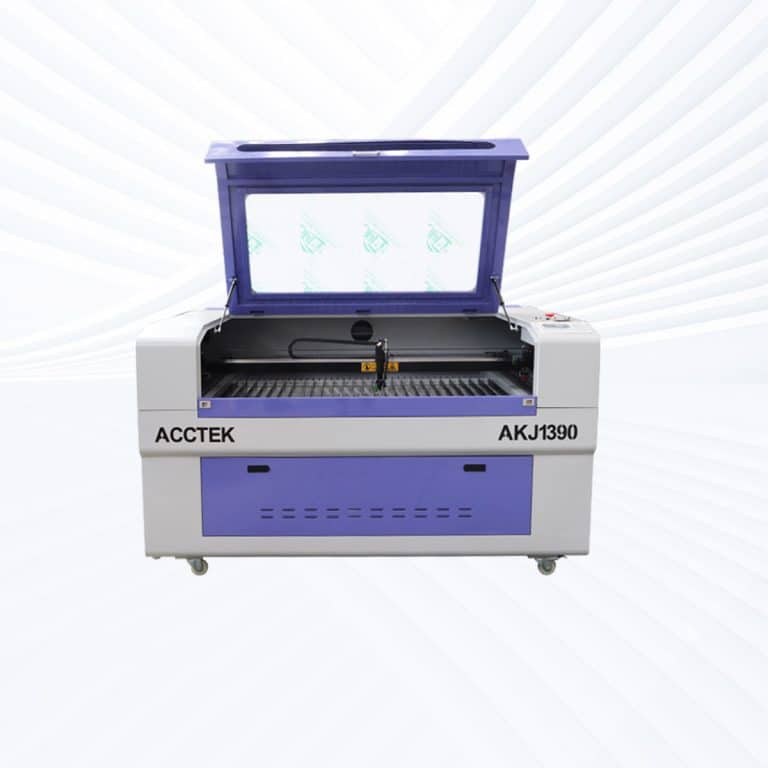
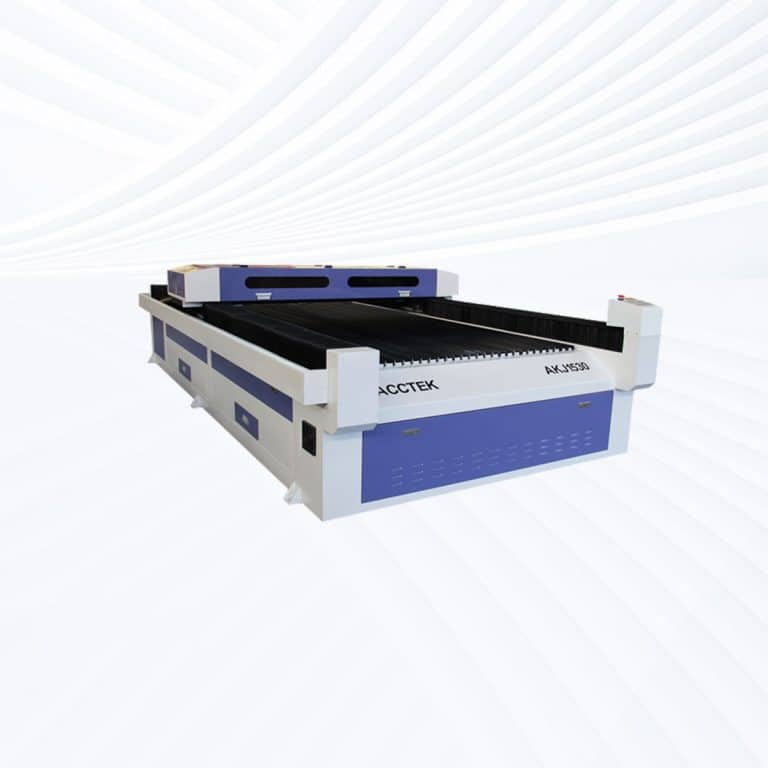
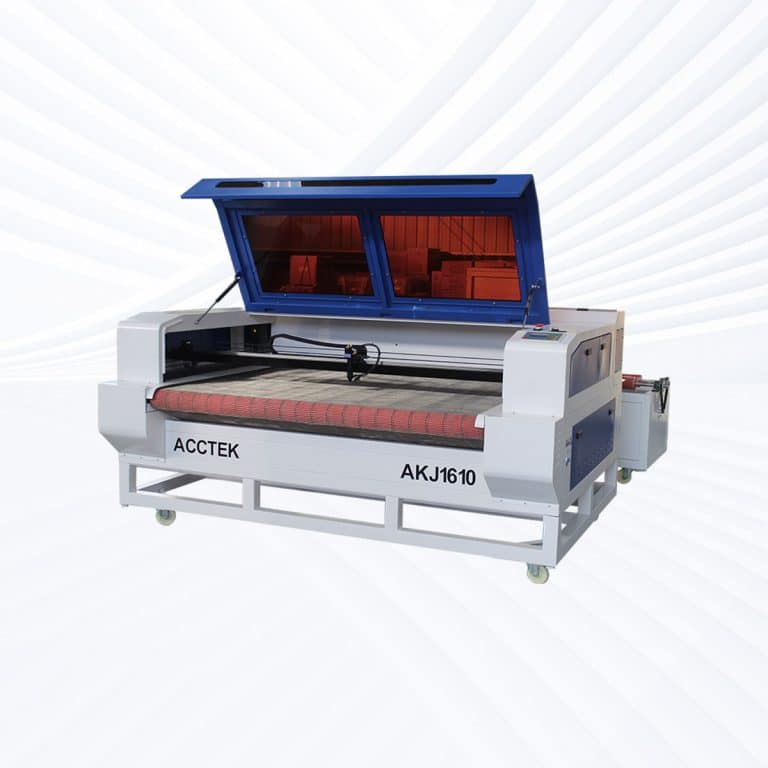
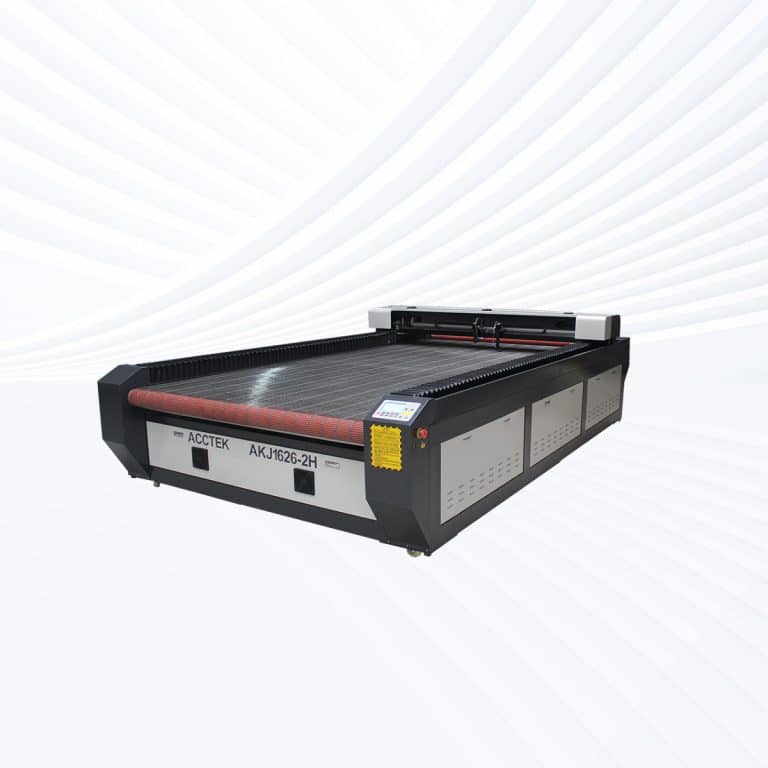
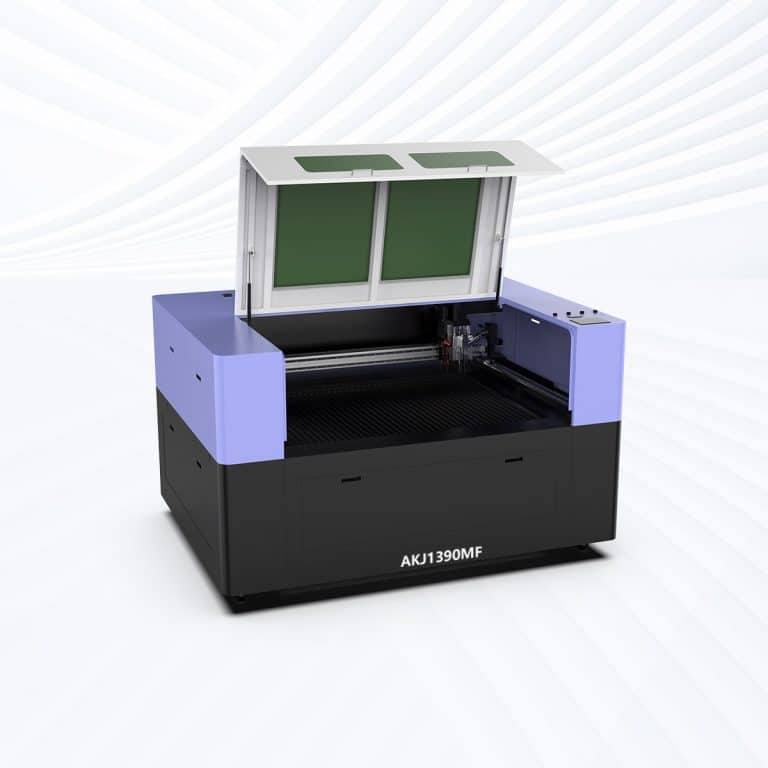
Benefits of Laser Cutting Paper
Precise and Clean Cuts
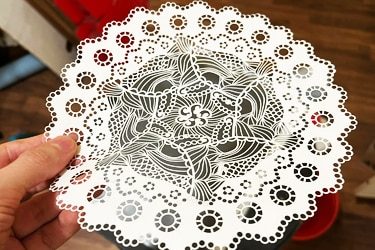
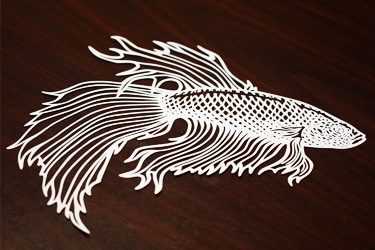
CO2 laser cutting machines deliver razor-sharp precision, allowing for intricate details, fine lines, and delicate patterns without tearing or fraying. This clean finish makes them ideal for high-end designs, packaging, paper art, and commercial-quality production.
Non-Contact Process
Laser cutting doesn’t physically touch the paper, which means no crushing, warping, or edge damage. This is especially important for fragile or thin papers, where traditional cutting methods often fail to maintain structural integrity.
Supports Complex Designs
From lace-like patterns to micro-text, CO2 lasers handle complex vector paths with ease. Designers can create highly detailed templates, decorative elements, and personalized items that are impossible to replicate with manual or die-cut methods.
No Tool Wear or Replacement
Unlike mechanical blades, CO2 lasers don’t wear out from use. This reduces maintenance costs and ensures consistent cutting quality over time, making the process more reliable and cost-effective for both short runs and mass production.
Fast Turnaround Time
With minimal setup and high-speed cutting capabilities, paper laser cutting machines dramatically reduce production time. Perfect for tight deadlines, on-demand jobs, or rapid prototyping where speed and precision are equally critical.
Versatile Paper Compatibility
These machines cut everything from thin tissue and coated paper to thick cardstock and multi-layered materials. This flexibility allows users to handle a wide range of creative, commercial, and industrial paper-cutting applications.
Compatible Paper Materials
- Standard Printer Paper
- Cardstock
- Kraft Paper
- Construction Paper
- Copy Paper
- Recycled Paper
- Glossy Photo Paper
- Newspaper Print
- Coated Paper
- Watercolor Paper
- Handmade Paper
- Art Paper
- Vellum
- Parchment Paper
- Bristol Board
- Corrugated Cardboard
- Chipboard
- Matte Paper
- Metallic Paper
- Embossed Paper
- Textured Paper
- Bond Paper
- Label Paper
- Adhesive-Backed Paper
- Tissue Paper
- Crepe Paper
- Laminated Paper
- Thermal Paper
- Foil-Lined Paper
- Greeting Card Paper
- Invitation Paper
- Postcard Stock
- Wrapping Paper
- Tracing Paper
- Transparent Paper
- Engineering Plotter Paper
- Die-Cut Sticker Paper
- Book Cover Stock
- Calendar Paper
- Business Card Stock
Application of Paper Laser Cutting Machines






Customer Testimonials
Comparison VS Other Cutting Technologies
| Comparison Item | Laser Cutting | CNC Routing | Knife Cutting | Waterjet Cutting |
|---|---|---|---|---|
| Suitability for Paper Materials | Highly suitable | Poor | Very suitable | Poor |
| Cutting Precision | Very high | Medium | Medium | High |
| Edge Quality | Clean, sharp edges | Rough edges | Clean but uneven | Clean but wet |
| Material Deformation | None (non-contact) | High risk | Medium | None |
| Heat-Affected Zone (HAZ) | Small and controlled | None | None | None |
| Kerf Width | Very narrow | Medium | Narrow | Wide |
| Cutting Speed | High | Moderate | High | Slow |
| Thickness Capability | Thin to medium paper | Medium materials | Thin to medium paper | Thin to thick |
| Tool Wear | No tool wear | High tool wear | Blade wear | Nozzle wear |
| Material Waste | Very low | Medium | Medium | High |
| Setup and Changeover Time | Very fast | Moderate | Fast | Long |
| Design Flexibility | Excellent | Good | Limited | Good |
| Automation and Repeatability | Excellent | Good | Good | Good |
| Operating Cost | Moderate | Moderate | Low | High |
| Overall Efficiency for Paper Processing | Excellent | Fair | Good | Poor |
Why Choose Us
Advanced Technology
Our laser cutting machines feature high-speed, precision cutting with the latest laser technology, ensuring smooth edges, minimal waste, and superior efficiency across various materials and thicknesses.
Reliable Quality
Each machine undergoes rigorous quality control and durability testing to ensure long-term stability, low maintenance, and consistent high performance, even under demanding industrial conditions.
Comprehensive Support
We provide full technical support, including installation guidance, operator training, and after-sales service, ensuring smooth machine operation and minimal downtime for your business.
Cost-Effective Solutions
Our machines offer high performance at competitive prices, with customizable options to fit different production needs, helping businesses maximize their investment without compromising on quality.
Related Resources
Understanding The Odors Associated With Laser Cutting
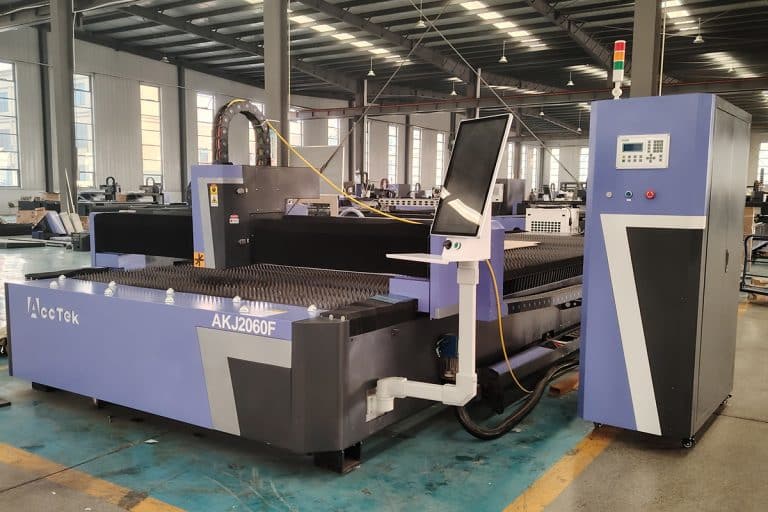
This article provides a comprehensive guide to laser cutting odors, explaining the causes of odors, material-specific odors, health risks, and practical strategies for effectively controlling odors and ensuring safer operation.
What Safety Measures Should Be Taken When Operating Laser Cutting Machines
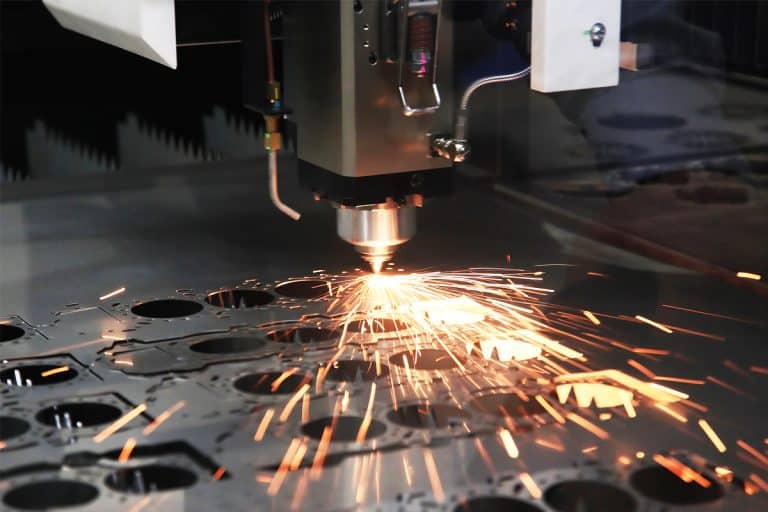
This article teaches the basic safety measures for operating a laser cutting machine, including hazard awareness, engineering controls, PPE, fire prevention, ventilation, training, and emergency response drills.
Addressing the Challenges of Fiber Laser Cutting: Common Problems and Solutions
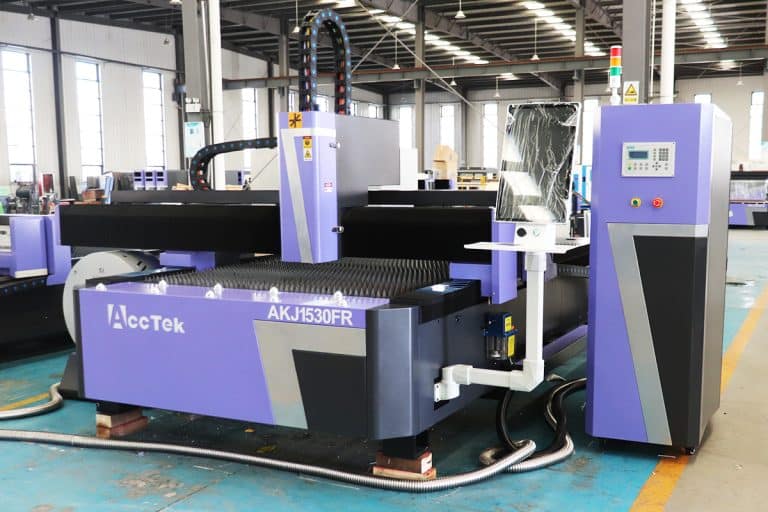
This article explores common challenges in fiber laser cutting, including material-related issues, machine performance, and operator-related problems, offering practical solutions to optimize cutting quality and efficiency.
Precautions for Operating Laser Cutting Machines
This article provides a detailed overview of basic precautions for operating laser cutting machines, covering safety risks, proper setup, operating guidelines, maintenance procedures, and emergency preparedness.
Frequently Asked Questions
How Fast Can Lasers Cut Paper?
- Cutting Speeds for Paper: Thin paper sheets (80–120 gsm) can typically be cut at speeds of 300–1,000 mm/s, depending on the laser’s wattage, beam focus, and design complexity. Lower power settings (often under 10–20% of total machine power) are used to prevent burning or edge browning. For intricate patterns or fine lettering, speeds are reduced slightly to maintain detail without compromising quality.
- Cardstock and Heavier Paper Materials: Thicker paper-based materials such as cardstock, chipboard, or art paper require slower cutting speeds, generally in the range of 100–400 mm/s, with a slight increase in laser power to ensure complete penetration without multiple passes.
What Power Levels Are Available For Laser Cutting Machines Used in Paper Production?
- 60W – 80W: Ideal for fine detail work and small-scale production. Easily handles thin paper (80–200 gsm) at high speeds with minimal risk of burning. Commonly used for greeting cards, stencils, and intricate decorative designs.
- 90W – 100W: Balances precision and productivity. Suitable for medium-volume paper production and heavier paper materials up to light chipboard. Faster than lower wattages while maintaining high-quality edges.
- 130W – 150W: Best for commercial paper cutting, where higher speed is needed for thicker materials or larger sheet sizes. Can process medium-weight card, packaging board, and layered paper projects with reduced pass times.
- 180W – 220W: High-output systems are designed for large-format cutting or integration with automated feed systems. Useful for signage, packaging, or bulk decorative product manufacturing. Maintains good precision while significantly increasing throughput.
- 260W – 300W: Suited for high-speed industrial production, particularly when cutting heavy paperboard or mixed media projects that combine paper with thin wood or acrylic. Generally overpowered for single-sheet paper cutting but valuable in multi-material workflows.
- 500W – 600W: Extremely high-power CO2 laser cutting systems are rarely needed for pure paper cutting. Primarily used in specialized industrial lines that cut paper in combination with thicker substrates, or in continuous-feed, high-speed production environments where speed is prioritized over extreme precision.
What Is The Maximum Thickness Of Paper That Can Be Cut With Lasers?
- Standard Paper (80–200 gsm): Thin papers such as printer paper, craft paper, and light cardstock are cut almost instantly with low laser power. These materials are rarely more than 0.5 mm thick and are easily processed at high speeds without requiring multiple passes.
- Medium-Weight Cardstock (200–350 gsm): Common in greeting cards, packaging, and decorative products, medium cardstock is usually 0.5–0.7 mm thick. It cuts cleanly in a single pass with proper air assist and low to moderate power settings, minimizing edge browning.
- Heavy Card and Paperboard (350–600 gsm): Often used in premium packaging, tags, and display pieces, heavy paperboard can be 0.7–1.0 mm thick. Slower speeds and slightly higher power settings ensure full penetration while maintaining fine detail.
- Chipboard and Specialty Boards: Thick chipboard and specialty paper-based boards used for book covers or rigid packaging can be up to 1.5–2.0 mm thick. Cutting at this thickness is possible with a well-focused beam and controlled heat to prevent excessive charring. Beyond 2.0 mm, paper-based materials become more prone to burning, requiring slower speeds and sometimes multiple passes.
How Do I Choose The Appropriate Power For Cutting Paper?
- Thin Paper (80–120 gsm): Standard printer paper, tissue paper, and lightweight craft sheets require very low power, often 5–15% of a 60–100W machine’s maximum output. High cutting speeds (up to 800–1,000 mm/s) can be used to minimize heat buildup and prevent edge browning.
- Medium-Weight Paper and Cardstock (200–350 gsm): Greeting card stock, scrapbook paper, and packaging inserts benefit from slightly higher power—typically 10–20% of available wattage—combined with moderate speeds (400–700 mm/s) for clean penetration without charring.
- Heavy Cardstock and Paperboard (350–600 gsm): Thicker boards require 15–30% of available power and slower cutting speeds (200–500 mm/s) to ensure complete cuts in a single pass. Air assist is particularly important at this level to clear debris and reduce the risk of flare-ups.
- Specialty Paper and Laminates: Textured, coated, or layered papers may require slight power adjustments to account for surface treatments. Glossy coatings can reflect heat, requiring slower speeds or slightly higher power to achieve consistent results.
- Multi-Layer and Composite Cuts: When cutting stacked paper sheets or bonded paperboard, power settings may need to be increased while reducing speed to ensure uniform depth across all layers.
What Is The Price Of Paper Laser Cutting Machines?
- Entry-Level Machines ($3,000 – $6,000): Compact systems with 60W–150W laser tubes and smaller work areas. These are ideal for hobbyists, craft studios, and small businesses producing greeting cards, invitations, stencils, or custom packaging in short runs. They offer fine precision but have slower throughput for bulk jobs.
- Mid-Range Machines ($6,000 – $10,000): Equipped with 150W–300W tubes and larger cutting beds, these systems can handle larger paper sheets, thicker paperboard, and moderate production volumes. They often feature faster cutting speeds, better optics, and improved ventilation systems for cleaner results.
- High-End Machines ($10,000 – $15,000): Industrial-grade paper laser cutting machines with 300W–600W power, large-format work areas, and advanced features such as automated sheet feeders, high-speed galvo heads, and integrated exhaust filtration. Designed for continuous operation in commercial printing, packaging, and decorative paper product manufacturing.
Does Laser Cutting Paper Produce Hazardous Fumes or Emissions?
- Uncoated Paper: Plain cellulose-based paper, such as standard printer paper or uncoated cardstock, produces mainly carbon-based smoke and fine particulates. While these are less hazardous than some industrial fumes, they can still cause respiratory irritation and should be vented away from the workspace.
- Coated or Glossy Paper: Papers with glossy finishes, laminates, or protective coatings may contain plastics, waxes, or resins. When cut, these coatings can release volatile organic compounds (VOCs) or fine microplastics, which can be harmful if inhaled over time.
- Printed Paper: Laser cutting printed materials can vaporize inks, releasing additional VOCs and pigment particles. The hazard level varies depending on the ink composition—eco-friendly vegetable-based inks are less harmful than solvent-based or metallic inks.
- Specialty and Treated Paper: Paper treated for waterproofing, fire resistance, or special textures may contain chemical additives that release harmful fumes when burned. These should be tested in small quantities before large-scale cutting, and only processed with adequate fume extraction.
- Particulate Exposure: Even with clean paper, ultrafine particulates are produced, which can linger in the air. Over time, inhalation of fine dust can cause respiratory discomfort or longer-term health effects without proper ventilation.
What Are The Risks Of Lasers Cutting Paper?
- Fire Risk: Paper is one of the most flammable materials processed on laser cutting machines. Thin sheets can ignite instantly if the power is too high, the speed is too slow, or the air assist is insufficient. Continuous supervision is essential to prevent small flare-ups from escalating into larger fires.
- Fume and Particulate Emissions: Laser cutting vaporizes paper fibers, producing smoke and ultrafine particulates. Coated, laminated, or printed paper may also release volatile organic compounds (VOCs) or microplastics, which can be harmful if inhaled. Adequate ventilation or filtration is critical to maintain safe air quality.
- Material Movement During Cutting: Because paper is lightweight, high-speed cutting or air assist pressure can shift the material, leading to misalignment, distorted cuts, or incomplete designs. Proper hold-down methods, such as vacuum tables or low-tack adhesives, help maintain accuracy.
- Edge Browning and Discoloration: Excess heat can cause brown edges or slight warping, especially on light-colored papers. This is more likely at slower speeds or higher power settings, and it can affect the visual quality of the final product.
- Incomplete Cuts or Tearing: If settings are too low or the beam is slightly out of focus, paper fibers may not fully separate, leading to ragged edges or tearing during removal. This is particularly common with textured or fibrous specialty papers.
- Residue Build-Up in the Machine: Fine paper dust and soot can accumulate in the cutting area, optics, and ventilation systems. Without regular cleaning, this can reduce cutting efficiency, degrade edge quality, and increase fire risk.
What Are The Maintenance Requirements For Paper Laser Cutting Machines?
- Optics Cleaning (Lenses and Mirrors): Paper dust and smoke particles settle quickly on the laser’s lenses and mirrors, reducing beam quality. These optics should be inspected daily and cleaned using approved lens wipes and solutions to maintain precision and prevent overheating damage.
- Bed and Work Area Cleaning: Ash and paper debris can block airflow and interfere with material alignment. The cutting bed and surrounding work area should be cleared after each job to prevent buildup, improve ventilation, and reduce ignition risks.
- Ventilation and Filtration System Maintenance: Exhaust systems and filters can quickly become clogged when processing paper. Regular cleaning or replacement of filters ensures efficient smoke extraction, maintains safe air quality, and prevents backflow of fumes into the workspace.
- Motion System Lubrication: Rails, belts, and bearings should be checked and lubricated periodically to ensure smooth operation. Dust from paper cutting can act as an abrasive, so maintaining clean and well-lubricated motion components is critical.
- Cooling System Checks: CO2 laser tubes require proper cooling to avoid overheating. Coolant levels, water quality, and chiller operation should be checked regularly to ensure stable laser performance.
- Alignment and Calibration: Paper cutting requires fine precision, so mirror alignment and laser focus should be checked frequently. Even slight misalignments can cause incomplete cuts, burning, or inconsistent results.
- Software and Firmware Updates: Keeping control software and firmware up to date can improve performance, enable new features, and ensure compatibility with design files and automation equipment.