

Product Introduction
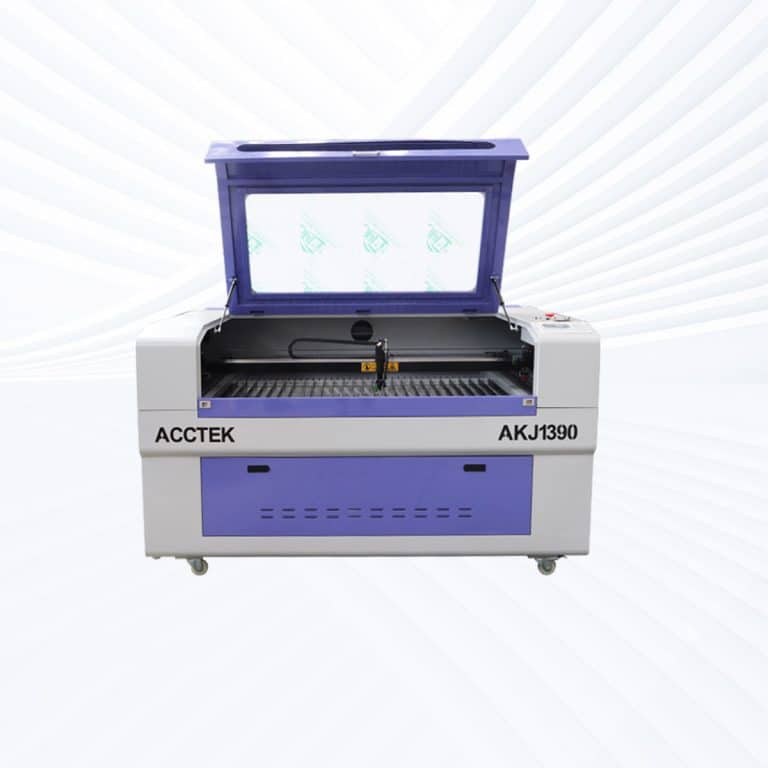
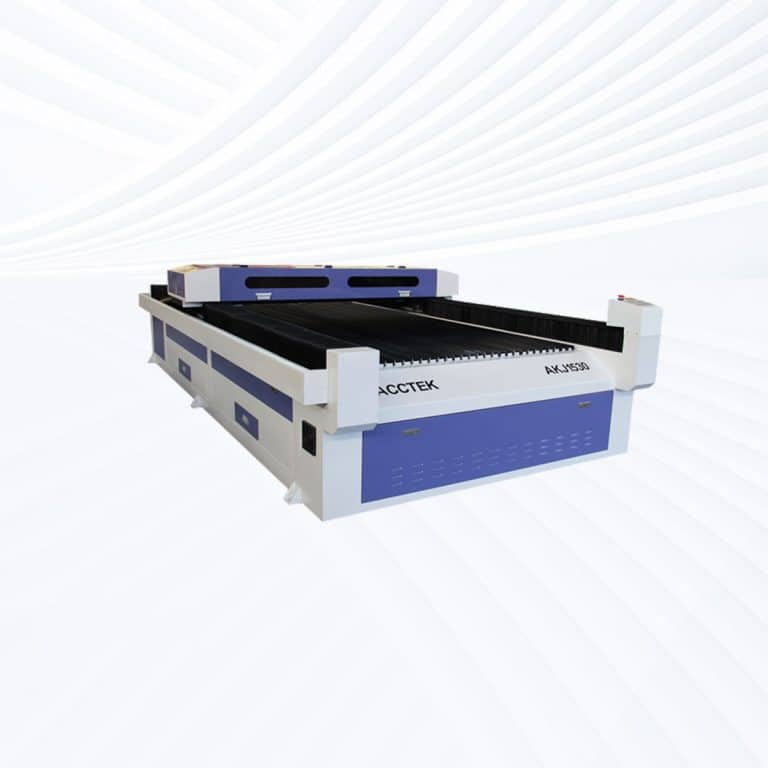
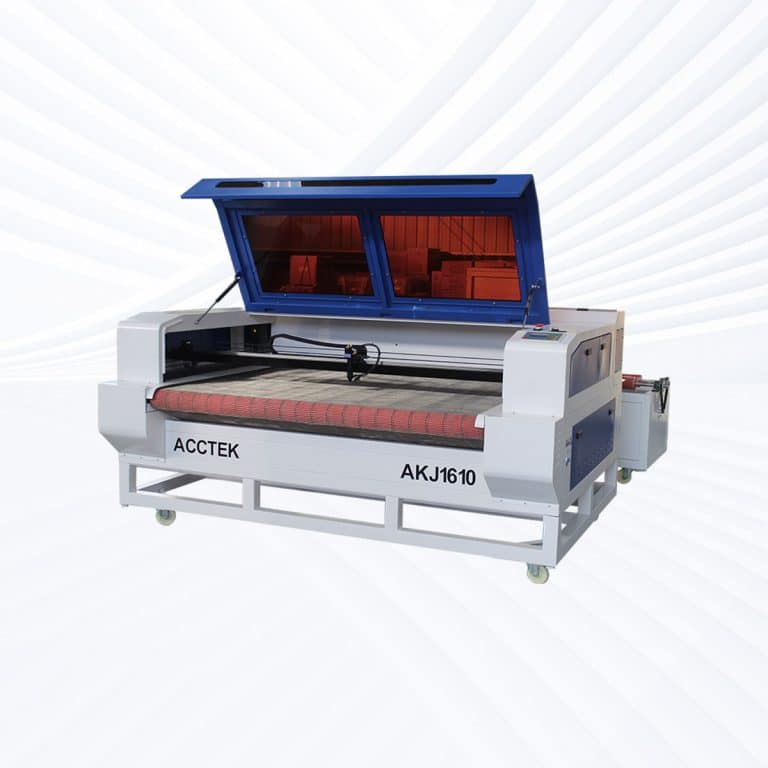
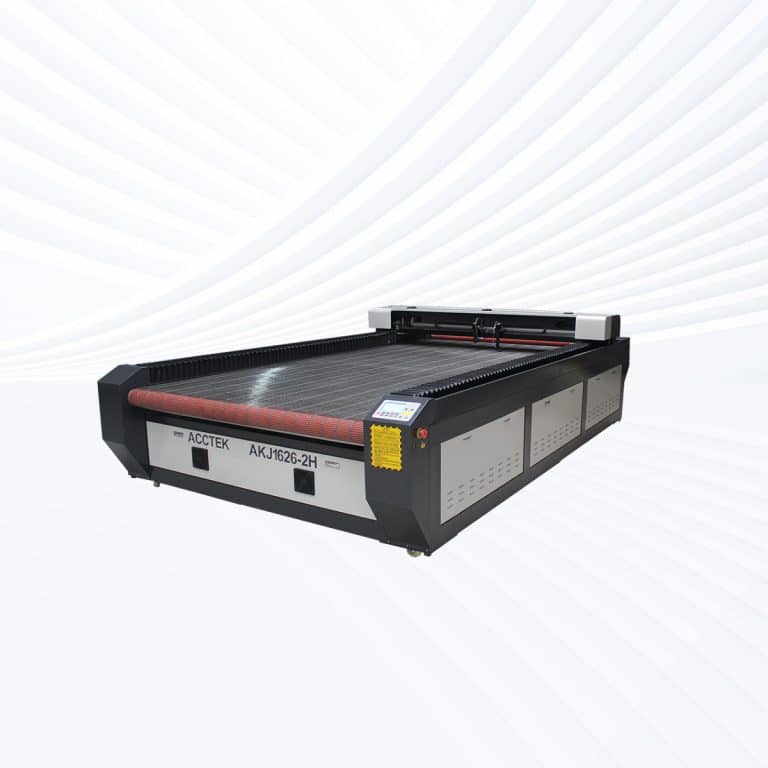
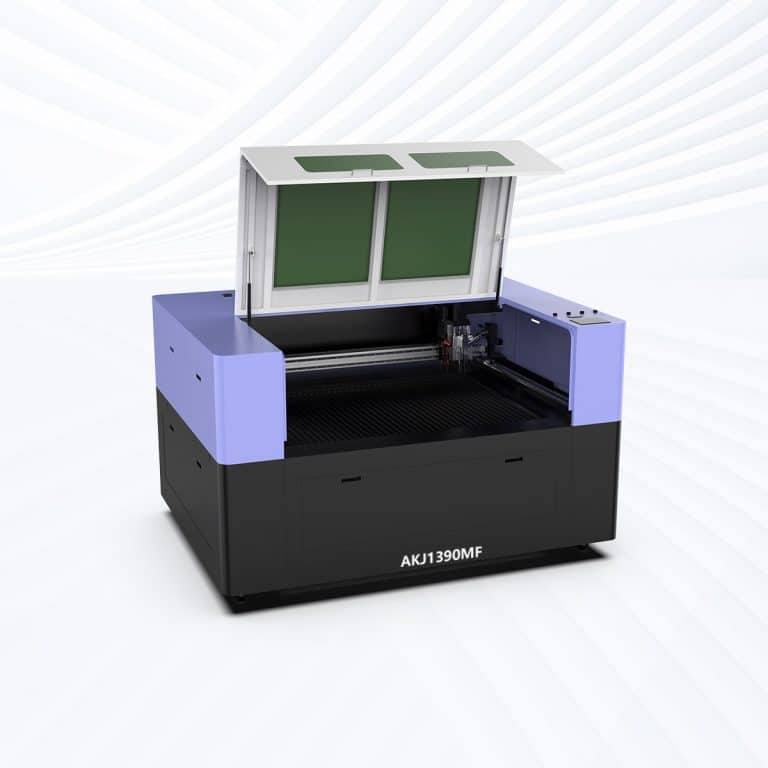
CO2 Laser Cutting Capabilities
| Material Type | 60W | 80W | 90W | 100W | 130W | 150W | 180W | 220W | 260W | 300W | 500W | 600W |
|---|---|---|---|---|---|---|---|---|---|---|---|---|
| Acrylic | 0-8mm | 0-10mm | 0-12mm | 0-15mm | 0-18mm | 0-20mm | 0-22mm | 0-25mm | 0-28mm | 0-30mm | 0-35mm | 0-40mm |
| Plywood | 0-6mm | 0-8mm | 0-9mm | 0-10mm | 0-12mm | 0-15mm | 0-15mm | 0-18mm | 0-20mm | 0-22mm | 0-25mm | 0-28mm |
| MDF | 0-5mm | 0-6mm | 0-8mm | 0-9mm | 0-12mm | 0-15mm | 0-15mm | 0-18mm | 0-20mm | 0-22mm | 0-25mm | 0-25mm |
| Solid Wood | 0-5mm | 0-6mm | 0-8mm | 0-10mm | 0-12mm | 0-15mm | 0-15mm | 0-18mm | 0-20mm | 0-22mm | 0-25mm | 0-25mm |
| Bamboo Board | 0-5mm | 0-6mm | 0-8mm | 0-10mm | 0-12mm | 0-15mm | 0-15mm | 0-18mm | 0-20mm | 0-22mm | 0-25mm | 0-25mm |
| Leather | 0-4mm | 0-5mm | 0-5mm | 0-6mm | 0-6mm | 0-8mm | 0-8mm | 0-8mm | 0-10mm | 0-10mm | 0-12mm | 0-12mm |
| Textile | Any Cutting | Any Cutting | Any Cutting | Any Cutting | Any Cutting | Any Cutting | Any Cutting | Any Cutting | Any Cutting | Any Cutting | Any Cutting | Any Cutting |
| Rubber | 0-3mm | 0-4mm | 0-5mm | 0-5mm | 0-6mm | 0-6mm | 0-8mm | 0-8mm | 0-8mm | 0-10mm | 0-10mm | 0-10mm |
| EVA | 0-5mm | 0-6mm | 0-8mm | 0-10mm | 0-12mm | 0-15mm | 0-15mm | 0-18mm | 0-20mm | 0-25mm | 0-30mm | 0-30mm |
| Cardboard | 0-3mm | 0-4mm | 0-4mm | 0-5mm | 0-6mm | 0-6mm | 0-8mm | 0-8mm | 0-8mm | 0-10mm | 0-10mm | 0-10mm |
| Cork Sheet | 0-3mm | 0-4mm | 0-5mm | 0-5mm | 0-6mm | 0-6mm | 0-8mm | 0-8mm | 0-8mm | 0-10mm | 0-10mm | 0-10mm |
| ABS | 0-3mm | 0-4mm | 0-5mm | 0-6mm | 0-8mm | 0-8mm | 0-10mm | 0-10mm | 0-12mm | 0-12mm | 0-15mm | 0-15mm |
| Delrin | 0-3mm | 0-4mm | 0-5mm | 0-6mm | 0-8mm | 0-8mm | 0-10mm | 0-10mm | 0-12mm | 0-12mm | 0-15mm | 0-15mm |
| Foam Board | 0-5mm | 0-6mm | 0-8mm | 0-10mm | 0-12mm | 0-15mm | 0-18mm | 0-20mm | 0-25mm | 0-25mm | 0-30mm | 0-30mm |
| PCB | 0-1mm | 0-1.5mm | 0-2mm | 0-2mm | 0-3mm | 0-3mm | 0-3mm | 0-4mm | 0-4mm | 0-5mm | 0-5mm | 0-5mm |
| Laminates | 0-3mm | 0-4mm | 0-5mm | 0-6mm | 0-8mm | 0-8mm | 0-10mm | 0-10mm | 0-12mm | 0-12mm | 0-15mm | 0-15mm |
| Stone | Engraving Only | Engraving Only | Engraving Only | Engraving Only | Engraving Only | Engraving Only | Engraving Only | Engraving Only | Engraving Only | Engraving Only | Engraving Only | Engraving Only |
| Ceramic | Engraving Only | Engraving Only | Engraving Only | Engraving Only | Engraving Only | Engraving Only | Engraving Only | Engraving Only | Engraving Only | Engraving Only | Engraving Only | Engraving Only |
Compatible Materials
- Rubber
- Delrin
- ABS Plastic
- Polystyrene
- Polycarbonate
- PETG
- EVA Foam
- Neoprene
- Mylar
- Nylon
- Canvas
- Suede
- Fleece
- Cardstock
- Veneer
- Latex
- Foam Board
- Pressboard
- Melamine
- Carbon Fiber
- Linoleum
- Birch Plywood
- Walnut Plywood
- Alder Wood
- Basswood
- Chipboard
- Hardboard
- Synthetic Felt
- Wool Fabric
- Polyurethane Foam
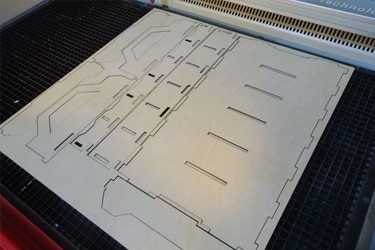
Application of 90W CO2 Laser Cutting Machines
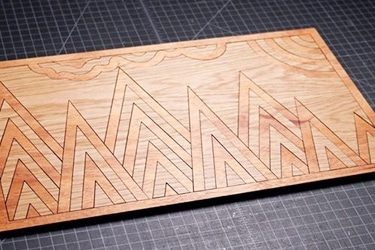



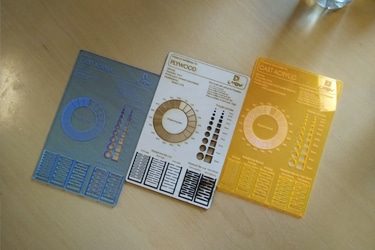
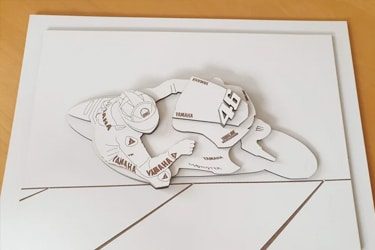

Customer Testimonials
Comparison VS Other Cutting Technologies
| Comparison Item | CO2 Laser Cutting | CNC Routing | Knife Cutting | Waterjet Cutting |
|---|---|---|---|---|
| Cutting Principle | Uses a focused laser beam to vaporize material | Uses rotating cutting bits to remove material | Uses a sharp blade to slice through material | Uses a high-pressure jet of water (with or without abrasive) |
| Suitable Materials | Non-metals like wood, acrylic, leather, fabric, rubber | Wood, plastics, composites, soft metals | Soft materials like foam, leather, textiles, and paper | Almost all materials, including metal, stone, glass, and composites |
| Cutting Precision | Very high (±0.05 mm) | Moderate (±0.2 mm) | Moderate to high (±0.1 mm) | High (±0.1 mm) |
| Edge Quality | Smooth, sealed edges (especially on acrylic and wood) | May require sanding or finishing | Clean for soft materials | Smooth but can be slightly rough on thick cuts |
| Cutting Speed | Fast for thin to medium materials | Slower due to mechanical resistance | Fast on soft materials | Slower, especially for thick or hard materials |
| Maintenance | Low — no physical contact with material | Medium — bits wear out regularly | Low — blades replaced periodically | High — pumps, nozzles, and abrasive handling required |
| Noise Level | Quiet operation | Noisy (due to motor and bit contact) | Very quiet | Very loud (requires sound enclosure) |
| Heat Effect | Generates localized heat (may char some materials) | Minimal heat | No heat | No heat |
| Tool Wear | None — non-contact process | High — cutting tools dull quickly | Moderate — blades wear over time | High — nozzles and pumps wear from abrasive use |
| Material Waste | Minimal (thin kerf <0.2 mm) | Moderate | Low | Moderate to high (especially with abrasives) |
| Operating Cost | Low — mostly electricity and maintenance | Medium — bits and material waste | Low — inexpensive blades | High — abrasives, water, and power costs |
| Environmental Impact | Clean, no water waste | Minimal | Clean | Generates slurry and consumes large amounts of water |
| Software Compatibility | Compatible with most CAD/CAM and design files | Standard CNC software | Basic vector design software | Specialized CAD/CAM software |
| Cutting Thickness Range | Best up to ~15 mm (material-dependent) | Varies widely by bit and material | Best for soft, thin materials | Can cut very thick materials (>100 mm) |
| Ideal Applications | Signage, crafts, packaging, engraving, prototyping | Woodworking, furniture, 3D carving | Soft goods, packaging, leatherwork | Industrial metal, stone, and glass cutting |
Why Choose Us
Advanced Technology
Our laser cutting machines feature high-speed, precision cutting with the latest laser technology, ensuring smooth edges, minimal waste, and superior efficiency across various materials and thicknesses.
Reliable Quality
Each machine undergoes rigorous quality control and durability testing to ensure long-term stability, low maintenance, and consistent high performance, even under demanding industrial conditions.
Comprehensive Support
We provide full technical support, including installation guidance, operator training, and after-sales service, ensuring smooth machine operation and minimal downtime for your business.
Cost-Effective Solutions
Our machines offer high performance at competitive prices, with customizable options to fit different production needs, helping businesses maximize their investment without compromising on quality.
Related Resources
Understanding The Odors Associated With Laser Cutting
This article provides a comprehensive guide to laser cutting odors, explaining the causes of odors, material-specific odors, health risks, and practical strategies for effectively controlling odors and ensuring safer operation.
What Safety Measures Should Be Taken When Operating Laser Cutting Machines
This article teaches the basic safety measures for operating a laser cutting machine, including hazard awareness, engineering controls, PPE, fire prevention, ventilation, training, and emergency response drills.
Addressing the Challenges of Fiber Laser Cutting: Common Problems and Solutions
This article explores common challenges in fiber laser cutting, including material-related issues, machine performance, and operator-related problems, offering practical solutions to optimize cutting quality and efficiency.
Precautions for Operating Laser Cutting Machines
This article provides a detailed overview of basic precautions for operating laser cutting machines, covering safety risks, proper setup, operating guidelines, maintenance procedures, and emergency preparedness.
Frequently Asked Questions
What Is The Price Of 90W CO2 Laser Cutting Machines?
- Working Area Size: The working area size plays a significant role in pricing. Smaller models with a working area of 600×400mm or 900×600mm are more affordable, typically closer to the lower end of the price range. These sizes are suitable for smaller workshops or businesses with limited production requirements. Larger working areas, such as 1300×900mm or 1300×2500mm, increase both material and structural requirements, raising the cost of the machine.
- Laser Tube Brand and Quality: The laser tube is a critical factor in determining the cutting performance and longevity of the machine. High-quality laser tubes from brands like RECI, EFR, or SPT offer longer lifespans (up to 10,000 hours) and more stable beam quality. Machines with these high-end tubes tend to be more expensive, while budget options with shorter lifespans are typically more affordable. The beam quality directly impacts the precision and efficiency of the cuts, making a higher-quality tube a valuable investment.
- Motion Control System: The type of motion control system used also influences the machine’s price. Machines equipped with servo motors and HIWIN or PMI linear guide rails provide smoother, faster cutting speeds with better accuracy, which is crucial for detailed work. These advanced systems come at a premium compared to machines using stepper motors and standard rails, which are generally more cost-effective but may result in lower performance, particularly for fine engraving or intricate cutting.
- Automation Features: Machines that include autofocus systems, motorized Z-axis tables, or dual laser heads tend to be more expensive. These features improve cutting efficiency, accuracy, and ease of operation, making them desirable for businesses that require higher productivity or complex tasks. The more automated the system, the higher the cost, but these features can significantly enhance the overall value and operational efficiency.
- Build Quality and After-Sales Support: Heavy-duty frames and high-quality components contribute to a higher machine price, as they ensure long-term durability and stable performance. Additionally, brands offering strong after-sales support, including spare parts, technical assistance, and training, tend to have higher prices, but they provide peace of mind and reduced downtime.
What Are The Working Areas Of 90W CO2 Laser Cutting Machines?
- 600mm x 400mm: This is the smallest size available and is ideal for small-scale projects and prototype development. It’s commonly used in hobbyist workshops or for engraving and cutting small items, such as jewelry, signage, or small components.
- 900mm x 600mm: This size provides a moderate cutting area and is suitable for smaller to medium-sized projects. It’s often used by small businesses or entrepreneurs who need to produce larger pieces than those available with the 600mm x 400mm area, but do not require industrial-scale output.
- 1300mm x 900mm: This is a common working area size and can handle medium-sized sheets and higher-volume cutting. It’s suitable for engraving larger signs, cutting custom parts, or producing multiple smaller items at once. This size is widely used by small to medium-sized businesses or workshops with growing demands.
- 1600mm x 1000mm: With a larger working area, this size is ideal for larger industrial applications and high-volume cutting and engraving. It’s commonly used for cutting larger panels of materials such as acrylic, wood, or leather, making it suitable for signage companies, furniture makers, and large manufacturers.
- 1800mm x 1000mm: This size offers even more space for large, continuous production runs. It’s ideal for cutting larger sheets of materials or batch cutting multiple smaller pieces. Companies involved in large-format printing, packaging, or custom parts manufacturing typically use this size.
- 1300mm x 1800mm: This is a significant increase in size and is generally used in high-production settings, where large, complex pieces of material are processed. This size is perfect for large manufacturers or companies with large-scale custom design projects.
- 1300mm x 2500mm: This is a very large working area suitable for cutting oversized sheets. Commonly used in industries like interior design, furniture manufacturing, and automotive, where large panels or sheet materials need to be cut.
- 1600mm x 2600mm: This large-format area is ideal for industrial users who need to process extra-large materials like sheet metal or wood panels. It’s suited for high-throughput applications where large quantities of material need to be processed efficiently.
- 1500mm x 3000mm: The largest standard working area for 90W CO2 laser cutting machines. Ideal for industrial cutting and engraving on large materials like acrylic, plywood, MDF, and non-ferrous metals. This size is used in large factories or businesses that require high capacity and continuous operation.
What Are The Disadvantages Of 90W CO2 Laser Cutting Machines?
- Limited Power for Thick Materials: 90W CO2 lasers are not as powerful as higher-wattage machines, which limits their ability to cut through thicker materials. While it can cut materials like wood, acrylic, plastics, and leather, its cutting ability is not suitable for thicker sheets of metal or very dense materials. If your work requires cutting through thick aluminum, brass, or other metals, you might need a higher-wattage laser or a fiber laser.
- Slower Cutting Speed: Due to its lower power output, the cutting speed of 90W lasers is slower when compared to more powerful lasers. This is especially noticeable when working with thicker materials, which require slower cutting speeds to achieve clean cuts. Businesses that require high throughput or fast production times might find that a higher-power laser, like 150W or 180W, provides better efficiency.
- Smaller Working Area: The working area size of 90W CO2 lasers is often smaller compared to industrial-grade lasers. While it is well-suited for cutting smaller pieces or engraving, larger projects or cutting multiple pieces at once may require more workspace, which is typically offered by larger machines with greater wattage and larger bed sizes (e.g., 1300mm x 2500mm). This can limit its use in large-scale production settings.
- Material Limitations: While the 90W CO2 laser is great for cutting organic materials, there are certain materials that it may struggle with, such as reflective metals. Reflective materials like aluminum or copper reflect the laser beam, leading to inefficient cutting and potential damage to the machine’s optics. Although it can handle thin metal sheets, a higher-powered laser or a fiber laser is better suited for these materials.
- Maintenance and Replacement Costs: While the laser tube of 90W CO2 lasers may last for several years with proper maintenance, over time, you will need to replace components like focusing lenses, mirrors, or the laser tube itself. The cost of these replacements and the ongoing maintenance can add up, especially if you are using the machine heavily. Additionally, cooling systems must be maintained to prevent overheating during extended use.
- Power Consumption: While 90W CO2 laser cutting machines consume less power than higher-powered models, the power consumption still adds up over time, especially when running for extended periods. The energy cost can become significant depending on how often and for how long the machine is used.
- Not Ideal for Cutting Very Fine Details: While 90W lasers can handle detailed engraving, they are not as well-suited for intricate micro-cutting or very fine detail work compared to higher-powered lasers. The beam focus might not be as sharp when compared to lasers with smaller spot sizes, which can affect the precision of fine cuts or engravings.
How To Choose 90W CO2 Laser Cutting Machines?
- Material Compatibility: The 90W laser is suitable for cutting medium-thickness materials such as wood, acrylic, leather, and plastics. However, it may not be as effective on thicker materials or metals. It’s ideal for engraving and cutting thinner metals if the material is coated or painted. Ensure the machine can handle the types of materials you plan to work with.
- Working Area Size: The working area size plays a crucial role in determining how much material you can process at once. Common working areas for 90W CO2 lasers include:
- 600×400mm or 900×600mm for smaller, detailed cuts.
- 1300×900mm, 1300×1800mm, or larger platforms for batch processing or industrial use.
- Consider your production scale. If you plan to cut larger sheets or work on larger designs, opt for a larger working area, but keep in mind that this will increase the cost.
- Laser Tube Brand and Quality: The laser tube quality significantly impacts both performance and lifespan. High-end brands like RECI or SPT offer longer lifespans (up to 10,000 hours) and stable cutting performance. A budget laser tube may be cheaper but could require more frequent replacements, leading to higher long-term costs.
- Motion Control System: The motion control system determines the accuracy and speed of the cuts. Machines with servo motors and linear guide rails (such as HIWIN or PMI) provide better precision and smoother motion compared to stepper motors and standard rails. A high-quality motion system ensures that you can cut fine details and curves accurately.
- Automation and Features: Some 90W CO2 laser cutting machines come with automated features such as autofocus systems, motorized Z-axis tables, and dual laser heads. These features improve the machine’s efficiency and ease of operation, but they increase the overall cost. Choose these features if you need higher productivity or are working with intricate designs.
- Cooling and Exhaust Systems: Laser cutting generates heat, and an effective cooling system (such as a CW-5200 chiller) ensures that the laser operates at its optimal temperature. Additionally, a strong exhaust system helps clear smoke and fumes, preventing material contamination and machine overheating.
- Build Quality and Frame: Look for machines with heavy-duty frames made from welded steel, which provide greater stability and vibration resistance. Lighter sheet-metal frames may be cheaper but can lead to imprecise cuts due to vibration, particularly for finer engraving.
- Software and Support: Opt for machines with user-friendly controllers such as Ruida RDWorks or LightBurn, which provide better compatibility with common design software. Strong after-sales support and access to spare parts can help reduce downtime and improve your long-term machine reliability.
What Problems Might Occur When Using 90W CO2 Laser Cutting Machines?
- Inconsistent Cut Quality
- Problem: One of the most frequent issues is poor cut quality, such as rough edges or incomplete cuts. This can occur due to various reasons, including improper settings, an inadequate laser power supply, or poor alignment of the laser beam.
- Solution: Ensure that the laser power is properly calibrated for the material and thickness. Regularly clean and maintain the lens, mirrors, and other optical components to maintain beam alignment.
- Laser Tube Degradation
- Problem: The laser tube in CO2 laser cutting machines has a finite lifespan, often ranging from 1,000 to 10,000 operating hours, depending on the quality of the tube. Over time, the power output of the laser tube may degrade, leading to reduced cutting effectiveness and precision.
- Solution: To extend the lifespan of the laser tube, it is essential to operate the machine within its recommended parameters. If power loss occurs, replacing the tube might be necessary.
- Overheating and Cooling Issues
- Problem: Laser cutting machines, especially those with high-power tubes like the 90W CO2 laser, generate significant heat during operation. Inadequate cooling can lead to overheating, which affects the machine’s performance and longevity.
- Solution: Ensure that the cooling system (such as the water chiller) is functioning optimally. Clean or replace cooling components regularly to maintain a consistent operating temperature.
- Fume and Smoke Buildup
- Problem: Laser cutting produces fumes and smoke, especially when cutting materials like plastic or rubber. If not properly ventilated, these fumes can interfere with the cutting process, damage the machine, and pose health hazards.
- Solution: Use an effective exhaust system to remove fumes and smoke from the cutting area. Ensure that the ventilation system is regularly cleaned and maintained.
- Material Compatibility
- Problem: Not all materials are suitable for cutting with 90W CO2 lasers. Some materials, such as PVC, release toxic fumes when burned, while others, like thick metals, may not cut effectively.
- Solution: Always check the material specifications and ensure that they are compatible with the 90W CO2 laser’s cutting capacity. Use proper ventilation when cutting materials that may emit toxic fumes.
- Inaccurate Positioning or Alignment
- Problem: Poor alignment of the laser head or incorrect setup of the cutting path can result in misaligned cuts or inconsistent engraving.
- Solution: Regularly check the alignment of the laser head and ensure that the motion control system is properly calibrated. Tighten any loose components and check the bed level to ensure precise cutting.
- Power Fluctuations
- Problem: Power instability from the laser tube or electrical fluctuations in the power supply can result in inconsistent cutting performance, including incomplete cuts or uneven engraving.
- Solution: Ensure the power supply is stable, and use a surge protector or UPS system to prevent power interruptions.
- Software or Controller Issues
- Problem: The software and controller system play a significant role in the laser cutting process. Software bugs, outdated firmware, or incorrect settings can lead to improper cutting or engraving.
- Solution: Keep the laser cutting software up-to-date and make sure that it is properly configured for the materials and settings used. If issues arise, check the controller settings or reinstall software updates.
- Lens and Mirror Contamination
- Problem: Dust, smoke, and debris can accumulate on the lens and mirrors, affecting the focus and efficiency of the laser beam.
- Solution: Regularly clean the optical components using appropriate tools to maintain the beam’s focus and cutting power.
How Clean Is The Cut Edge Of 90W CO2 Laser Cutting Machines?
- Material Type and Thickness
- Acrylic and Plastics: CO2 lasers can produce very clean, polished edges when cutting acrylic, a material that is commonly used. The cut edge often requires little to no post-processing. However, other plastics, such as ABS or polyethylene, may result in slightly rougher edges depending on their melting and vaporizing properties.
- Wood: For wood-based products like MDF, plywood, and softwood, the cut edge can be clean; however, the wood may char or burn slightly, especially at higher power settings. Proper ventilation and lower power settings can help reduce burning.
- Leather and Fabric: These materials also have relatively clean cut edges when using the appropriate settings, but there might be some slight fraying or edge discoloration, especially with synthetic materials.
- Laser Settings
- Power: Higher laser power, like the 90W option, allows for faster cutting through thicker materials, but it can also lead to more heat being generated, which can result in a slightly rougher edge or burning. Ensuring the correct power settings for the material thickness is critical for a clean edge.
- Speed: Adjusting the cutting speed is equally important for achieving smooth edges. If the speed is too fast, the laser may not have enough time to properly cut through the material, causing incomplete cuts. Conversely, too slow a speed can result in excessive heat buildup and charring.
- Focus and Alignment
- Focal Length: A proper focal length ensures that the laser beam is focused precisely on the cutting surface, leading to a cleaner cut. If the focal point is off, the laser beam will be less concentrated, resulting in a less clean cut with rough edges.
- Mirror and Lens Condition: Dirty or misaligned mirrors and lenses can distort the laser beam, leading to uneven cuts and rough edges. Regular cleaning and maintenance of these components are essential for optimal cut quality.
- Cooling and Air Assist
- Air Assist: Utilizing air assist helps blow away smoke and debris from the cutting surface, which can keep the cut clean and free from excessive soot. It also helps to cool the material being cut, reducing the chances of thermal damage to the edges.
- Cooling Systems: Effective cooling systems, such as water chillers, help maintain the laser tube’s temperature, ensuring stable performance and cleaner cuts over time.
- Post-Processing
- While the 90W CO2 laser typically leaves a clean cut, some materials (like acrylic) may still require slight polishing or finishing to achieve the highest possible edge quality. This can involve light sanding or flame polishing, particularly when precise, polished edges are needed.
What Is The Lifespan Of 90W CO2 Laser Cutting Machines?
- Laser Tube Lifespan
- Laser Tube Quality: High-quality laser tubes from reputable brands, such as RECI, EFR, and SPT, can last up to 10,000 hours or more with proper use. Lower-end or budget tubes might have a shorter lifespan, requiring more frequent replacements.
- Laser Tube Usage: Heavy usage, frequent operation at high power, or cutting thick materials may reduce the tube’s lifespan. Conversely, machines used intermittently with proper settings can achieve the higher end of the lifespan range.
- Maintenance: Regular cleaning and correct alignment of the tube contribute significantly to its longevity. Keeping the cooling system efficient and ensuring the machine operates within optimal conditions also helps extend the laser tube’s life.
- Cooling System
- Chillers: The cooling system plays a vital role in maintaining the laser tube’s health. Using high-quality chillers like the CW-5200 or CW-6000 can help ensure the tube stays within the ideal temperature range, preventing overheating and damage.
- Air Assist: Air assist helps clear debris and keeps the cutting area cool, contributing to both the quality of the cuts and the longevity of the machine.
- Maintenance and Operational Environment
- Routine Maintenance: Regular maintenance, including cleaning optics (mirrors and lenses), checking for alignment, and ensuring proper lubrication of moving parts, helps maintain the efficiency of the machine and minimizes wear and tear.
- Environmental Factors: Dust, moisture, and temperature fluctuations can negatively impact the machine’s components. A clean, controlled environment helps reduce these risks.
- Motion and Control Systems
- Quality of Components: High-quality motion control systems with servo motors and precision guide rails (such as HIWIN or PMI) last longer compared to machines with budget-grade parts. Proper calibration and reduced vibration can extend the life of the motion system.
- Wear on Parts: Over time, parts such as belts, rails, and stepper motors may experience wear, particularly with constant, heavy use. Regular inspection and replacement of these parts help maintain machine performance.
What Training Is Required To Operate 90W CO2 Laser Cutting Machines?
- Basic Machine Familiarization
- Machine Overview: Operators should be trained on the basic parts and functionality of the machine, including understanding the laser tube, motion system, control panel, and cooling system.
- Understanding Software: Training should include familiarization with the machine’s software interface. This could include learning how to use Ruida RDWorks, LightBurn, or other software systems that control the cutting process.
- File Preparation: Operators must understand how to prepare design files (usually vector files, such as those in SVG or DXF format), set parameters, and upload files to the laser system.
- Safety Training
- Laser Safety: Operators must be aware of the potential risks from laser radiation, and training should include the use of protective eyewear to shield eyes from the laser’s beam.
- Ventilation and Fume Extraction: Proper training on how to handle materials that release fumes (e.g., acrylic, plastic) is essential. This includes understanding the importance of exhaust systems and air assist to clear the cutting area.
- Fire Safety: As CO2 lasers can ignite certain materials, operators should be trained in fire prevention techniques, such as ensuring proper material handling, supervision during cutting, and having fire extinguishers nearby.
- Material Handling
- Material Selection: Operators should understand which materials are compatible with CO2 lasers, including common ones like wood, acrylic, and paper, and avoid unsafe materials like PVC that release toxic fumes when cut.
- Material Loading and Alignment: Proper placement of the material on the bed and alignment with the laser’s focal point are crucial for achieving precise cuts. Training on the correct loading procedure ensures high-quality results.
- Machine Maintenance
- Routine Checks: Operators should be trained to perform regular maintenance tasks, such as cleaning mirrors and lenses, checking the cooling system, and ensuring the motion system is free from debris or wear.
- Laser Tube Care: Regular checks on the laser tube for any damage or wear, and replacement as needed, are essential to maintaining the machine’s performance.
- Troubleshooting and Problem-Solving
- Common Issues: Operators should learn how to identify and resolve common issues such as laser misalignment, incorrect focus settings, or material burn marks. Understanding how to troubleshoot and adjust settings will ensure continued productivity.