

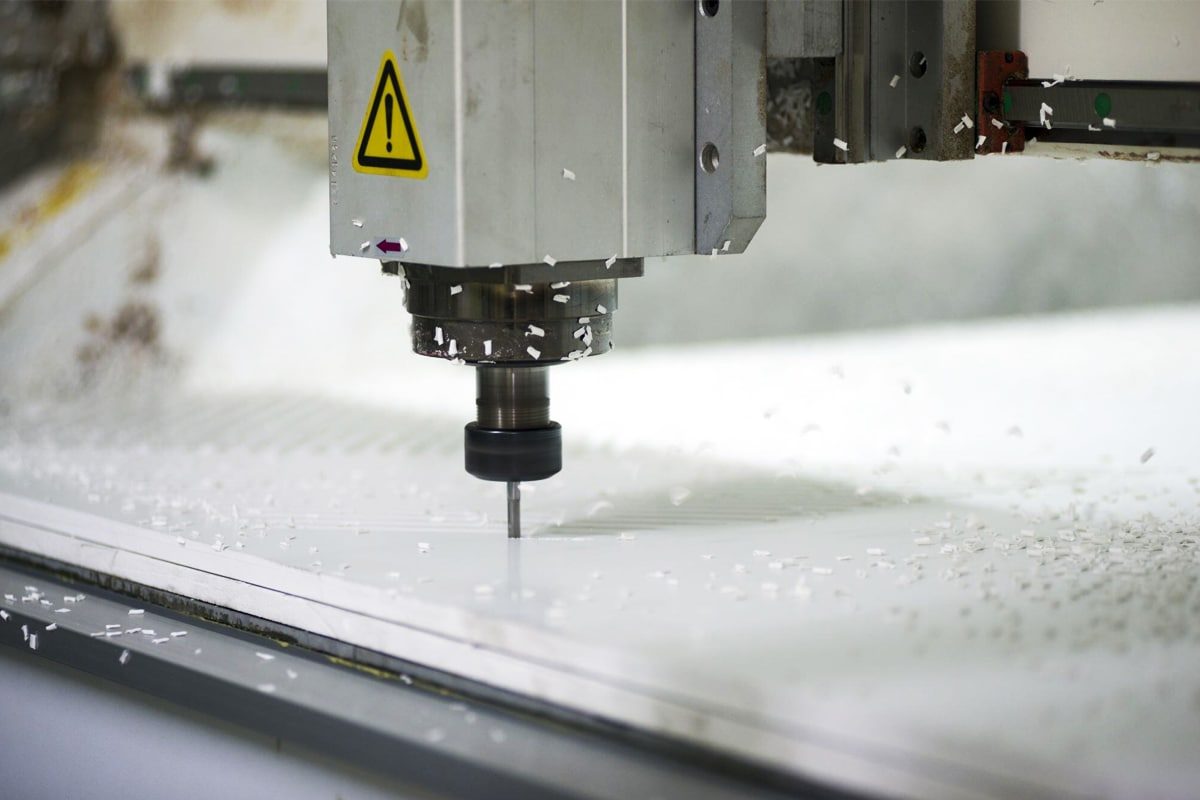
Understanding CNC Router Components
Key Components of CNC Routers
Controller
The CNC controller is the brain of the machine, often a computer or specialized hardware that interprets instructions from design software (CAD/CAM programs) and converts them into machine movements. It processes G-code, which consists of detailed commands specifying the machine’s movement, cutting speeds, and tool changes. The controller communicates with the motors, spindles, sensors, and other components, ensuring synchronized operation.
- Functionality: The controller ensures that the CNC router performs according to a set program, managing inputs from operators and sensors to control movements across the X, Y, and Z axes.
- Common Issues: Software glitches, incorrect programming, and faulty wiring can cause the controller to malfunction. Problems include system freezes, erratic movements, or inability to follow programmed paths, which can lead to machining errors and damage to the router or workpiece.
Spindle
The spindle is the rotating component that holds and drives the cutting tool. It is powered by a motor and provides the necessary rotational speed and torque for the cutting process. Different spindles have varying capabilities depending on the materials being worked on and the complexity of the task.
- Functionality: Spindles rotate at high speeds and are essential for cutting, engraving, and shaping materials. The speed and torque are adjustable to match the material type and cutting operation.
- Common Issues: Over time, spindles experience wear due to high-speed rotation, friction, and the heat generated during cutting. Common problems include overheating, bearing failure, and vibration, leading to reduced cutting performance and potentially permanent damage to the spindle.
Linear Guideways and Rails
Linear guideways and rails provide the framework that supports the router’s moving parts, such as the gantry, head, and cutting tool. They ensure smooth, precise movements of these components along the X, Y, and Z axes.
- Functionality: Guideways minimize friction between moving parts and allow for precise, high-speed movements. Rails support the weight of the moving components, preventing any wobbling or misalignment that could affect accuracy.
- Common Issues: Guideways and rails can suffer from wear, misalignment, or contamination (dust, chips, and debris), leading to jerky or inaccurate movements. This can result in loss of precision, poor surface finishes, or even mechanical failure if not addressed regularly.
Drive Motors and Ball Screws
The drive motors control the movement of the CNC router’s axes, while the ball screws convert rotary motion from the motors into linear motion. Together, they enable the router to perform precise movements, cutting, and milling operations.
- Functionality: Drive motors receive signals from the controller, causing them to rotate and move the ball screws. Ball screws are high-precision components that allow for smooth, backlash-free movement across the machine’s axes, enabling fine tolerances in machining.
- Common Issues: Drive motors can experience overheating, electrical issues, or mechanical wear. Ball screws can also degrade over time, resulting in backlash (unintended movement) or reduced precision. These issues may lead to misalignment, inaccurate cuts, or even machine crashes.
Worktable
The worktable is where the material being cut is placed. It provides the surface on which the cutting tools interact with the workpiece. The design and stability of the worktable play a crucial role in maintaining precision during operations.
- Functionality: The worktable supports the material and may include features like a vacuum system, mechanical clamps, or pneumatic systems to hold the material securely. Precision in the worktable ensures that the material does not shift during machining, which is critical for accurate cuts.
- Common Issues: Warped or unstable worktables can lead to misalignment, causing parts to be cut inaccurately. Lack of proper fixturing and clamping can also result in material movement during machining, compromising the final product’s precision.
Cutting Tools
Cutting tools are mounted in the spindle and are the parts that physically remove material from the workpiece. These tools come in various shapes, sizes, and materials, depending on the nature of the work being done, such as drills, end mills, and router bits.
- Functionality: Cutting tools engage directly with the material, cutting or shaping it based on the programmed instructions. The type of tool selected depends on the material being cut and the desired finished shape.
- Common Issues: Cutting tools can wear down over time due to constant contact with hard materials, causing dullness, chipping, or breakage. When tools become worn, they can cause rough surface finishes, overheating, and inaccuracies in the machining process.
Coolant System
The coolant system is responsible for maintaining optimal temperatures during the machining process. It helps reduce heat and friction, keeping both the cutting tools and the workpiece cool, preventing overheating.
- Functionality: Coolant is sprayed directly on the cutting tool and the material to reduce heat buildup, increase cutting efficiency, and prolong the life of the cutting tool. There are several types of coolant delivery methods, including flood, mist, and through-tool systems.
- Common Issues: If the coolant system is blocked or fails, it can lead to excessive heat buildup, causing tool wear and potentially damaging both the cutting tool and the workpiece. Inadequate coolant flow can also lead to material chips sticking to the cutting tool, impacting performance.
Proximity Sensors and Limit Switches
These sensors ensure the CNC router operates within safe and predefined limits. Proximity sensors detect the position of moving components, while limit switches are used to stop the machine when it reaches the end of its range.
- Functionality: Proximity sensors help detect and monitor tool positions, ensuring that the machine doesn’t exceed its mechanical limits. Limit switches automatically stop the machine’s motion when it reaches its set boundaries, preventing crashes or collisions.
- Common Issues: Faulty sensors or switches can lead to inaccurate movements, machine crashes, or unanticipated stops. Dirty or misaligned sensors can fail to detect correct positions, compromising the machine’s safety and cutting accuracy.
Functionality of Each Component
Every component in the CNC router serves a specific purpose in ensuring precise, efficient, and reliable operation. Here’s a brief overview:
- Controller: Interprets G-code and translates it into precise machine commands, enabling the router to execute cutting paths.
- Spindle: Provides rotational power to the cutting tool for performing actual cutting, engraving, or milling on the material.
- Guideways and Rails: Support the machine’s moving parts and ensure accurate, smooth motion during cutting operations.
- Drive Motors and Ball Screws: Convert electrical signals from the controller into mechanical movement, driving the machine’s axes with precision.
- Worktable: Holds and supports the workpiece in a stable, secure position during machining, ensuring precision and accuracy.
- Cutting Tools: Physically engage with the workpiece to remove material, creating the desired shapes and cuts.
- Coolant System: Keeps the cutting process cool by reducing friction and heat, improving cutting performance and tool life.
- Proximity Sensors and Limit Switches: Provide feedback to the controller to ensure safe machine operation, stopping the router when necessary to avoid damage.
Common Problems Faced by CNC Router Components
Controller Failures
- Problem: The controller may experience glitches, crashes, or communication errors with other components, disrupting machine operations.
- Solution: Regular updates to software and firmware, routine diagnostics, and proper electrical connections can help prevent controller failures.
Spindle Overheating and Wear
- Problem: High-speed operation and constant friction can lead to spindle overheating, bearing failure, or imbalance.
- Solution: Routine lubrication, appropriate speed settings for materials, and regular inspections for wear and tear can extend spindle life.
Guideway and Rail Misalignment
- Problem: Wear or contamination in the guideways and rails can lead to misalignment, resulting in inaccurate cuts.
- Solution: Regular cleaning and lubrication, as well as periodic realignment, ensure that the rails remain in top condition.
Ball Screw and Motor Issues
- Problem: Over time, ball screws can lose precision, causing backlash or inaccurate movements. Motors can overheat, leading to erratic performance.
- Solution: Proper lubrication and cleaning of ball screws, as well as motor maintenance and temperature monitoring, can reduce these issues.
Worktable Inaccuracy
- Problem: A warped or unstable worktable can lead to misalignment of the material during machining, causing cutting errors.
- Solution: Ensuring that the worktable is level, secure, and free from contaminants is crucial for maintaining cutting accuracy.
Cutting Tool Wear
- Problem: Dull or worn-out cutting tools can result in rough finishes, material burn, and reduced cutting efficiency.
- Solution: Regular inspection and timely replacement of cutting tools can ensure that they remain sharp and functional.
Coolant System Failures
- Problem: A malfunctioning coolant system can lead to overheating, excessive friction, and premature wear of the cutting tool.
- Solution: Regular maintenance of the coolant system, including cleaning lines and checking coolant levels, will prevent overheating and tool wear.
Sensor Failures
- Problem: Faulty sensors may result in inaccurate movements, improper stops, or failure to detect position, leading to crashes or erratic behavior.
- Solution: Periodic sensor calibration and cleaning to ensure their proper functioning.
Daily Maintenance Checklist
Cleaning the Work Area
A clean work area is crucial for the proper functioning of the CNC router. Dust, debris, and chips can accumulate, affecting both the machine and the quality of your work. They can obstruct moving parts, clog coolant systems, or create an unsafe environment.
- Cleaning the Machine Surface: Wipe down the exterior surfaces of the CNC router to remove dust, dirt, and material residue. Pay special attention to areas such as the spindle, rails, and guideways where dust and chips can easily accumulate. Use a microfiber cloth or a soft brush to avoid damaging the sensitive components.
- Vacuuming the Worktable: The worktable is where the material is placed for cutting. Ensure it’s free of debris, dust, and leftover chips from previous projects. Use a vacuum system or compressed air to remove any particles that could interfere with material placement and the cutting process.
- Checking Dust Collection Systems: If your CNC router is equipped with a dust collection system, ensure that the dust bins are empty and the air filters are clean. Clogged filters or full dust bags can reduce the effectiveness of the system, leading to excess dust buildup in the machine’s internals, which can affect performance and pose a fire risk.
- Cleaning the Tool Changer (if applicable): If your CNC router uses an automatic tool changer, ensure it is free of debris and chips. These small particles can jam the tool changer mechanism or cause poor tool changes, leading to inconsistent results.
Lubrication of Moving Parts
Lubrication is essential for minimizing friction and wear on the moving parts of CNC routers. Moving components such as the linear guideways, ball screws, and rails are particularly susceptible to damage from friction. Ensuring they are properly lubricated will improve their performance, prevent unnecessary wear, and extend their lifespan.
- Lubricating the Linear Guideways and Rails: The guideways and rails allow the gantry, head, and other components to move smoothly during operations. Apply the manufacturer-recommended lubricant to these parts. Over-lubricating is as problematic as under-lubricating, so make sure you apply the correct amount to avoid attracting excess dust or dirt.
- Ball Screw Lubrication: Ball screws convert rotational motion into linear movement, and proper lubrication ensures they function smoothly and maintain accuracy. Regularly inspect the ball screws for signs of wear or debris and apply the recommended lubricant to reduce friction and prevent premature failure.
- Spindle Lubrication: The spindle’s bearings and moving parts should be lubricated to prevent overheating and wear. Check the spindle manual for specific recommendations on lubrication intervals and the type of lubricant to use. Apply the right lubricant to the spindle bearings to ensure smooth operation, particularly if the machine has been in use for an extended period.
- Greasing Other Moving Parts: In addition to guideways and ball screws, there may be other moving components, such as motors, pulleys, or bearings that require periodic greasing. Ensure that all moving parts are properly lubricated according to the manufacturer’s recommendations to avoid excess wear.
Checking for Loose Fasteners
CNC routers consist of a variety of fasteners that hold crucial components together, such as the gantry, spindle, rails, and other parts. Over time, vibrations from the machine’s movements can cause these fasteners to loosen, which can result in inaccuracies, mechanical failure, or even complete breakdowns. Checking and tightening fasteners daily helps maintain structural integrity and ensures smooth operation.
- Inspecting Major Fasteners: Check all critical fasteners, such as those on the spindle, linear guides, ball screws, and rails. These parts experience heavy loads and are subject to frequent movement. A loose fastener can cause parts to shift or misalign, leading to poor cutting quality and potential damage to the machine.
- Inspecting Tool Holders and Clamps: Ensure that the tool holders and material clamps are securely fastened. Loose tool holders can result in imprecise cuts and even damage the tools or material. Similarly, any instability in the material clamping system can lead to inaccurate or incomplete cuts.
- Tightening as Needed: Use the appropriate tools to tighten any loose fasteners. Ensure that you do not overtighten, as this can cause damage to the components. Regular checks of the fasteners will help prevent operational issues and keep your CNC router running smoothly.
Inspecting the Workpiece and Tooling
Before starting any operation, it’s essential to inspect both the workpiece and tooling to ensure they are in optimal condition. Misalignment or improper tooling can lead to poor-quality cuts, damaged components, or safety hazards.
- Checking the Workpiece: Inspect the material you are working on to ensure it is securely clamped and aligned properly on the worktable. Even slight misalignments can cause dimensional errors or issues with the finished product. If using a vacuum system to hold the material, verify that the vacuum system is strong enough to keep the material in place.
- Verifying the Tooling: Ensure that the tools being used are in good condition. Dull or damaged tools can result in rough surface finishes, overheating, or even machine damage. Check for tool wear and chips or cracks in the cutting edges. If the tool is worn, replace it before beginning the operation.
- Tool Calibration and Alignment: Verify that the tooling is properly calibrated and aligned with the CNC router’s program. Misalignment of the tools or incorrect tool offsets can lead to incorrect cuts and inefficiencies. Double-check the tool offsets in the controller to ensure they are accurate for the material and operation being performed.
- Checking Coolant Flow and Tool Cooling: If your CNC router uses a cooling system, ensure that coolant is flowing freely and reaching the cutting tool. The lack of adequate cooling can result in premature tool wear, overheating, and poor cut quality. Regularly check the coolant levels and refill or replace coolant as needed.
Weekly Maintenance Tasks
Checking the Air Supply and Filters
Many CNC routers rely on an air compressor or compressed air system for various operations, such as driving pneumatic tools, cooling the spindle, and assisting with material handling (e.g., in tool changers or automated loading systems). Ensuring that the air supply is functioning properly is essential for maintaining performance and preventing potential machine failures.
- Air Pressure Check: Ensure that the air compressor is delivering the proper pressure for the system. Low air pressure can affect the router’s performance, leading to slow operations, loss of precision, or even tool changes failing. Check the pressure gauges to confirm that the system is providing the necessary PSI (pounds per square inch) for optimal operation.
- Inspecting the Air Filters: Air filters play an important role in removing moisture, dust, and contaminants from the air supply. Dirty or clogged filters can lead to inconsistent air delivery, affecting the machine’s operations. Remove the air filters and clean them regularly, or replace them if they are excessively clogged or damaged. This prevents moisture buildup, which could cause rust and corrosion in critical components like the spindle and ball screws.
- Inspecting Hoses and Connections: Check all hoses and air connections for any leaks, cracks, or wear. A leak in the air system can lead to reduced efficiency, wasting energy, and reducing the effectiveness of tools that rely on compressed air. Tighten connections and replace any damaged hoses to ensure a steady flow of air to the system.
Inspecting the Electrical System
The electrical system is the backbone of the CNC router, responsible for supplying power to the controller, motors, and all other electrically driven components. A malfunction in the electrical system can lead to machine shutdowns, safety hazards, and expensive repairs.
- Check for Loose Wiring: Over time, vibrations from the machine’s movements can loosen wiring connections. Inspect all wiring connections for signs of wear or loose connections, particularly in areas subject to vibration, such as the spindle motor or drive motors. Loose or frayed wires should be addressed immediately to prevent electrical shorts or failure.
- Inspecting Power Supply and Circuit Breakers: Check the power supply for stability. Fluctuations or inconsistent power delivery can damage sensitive components like the controller or motors. Ensure that all circuit breakers are functioning properly, and verify that the power supply voltage matches the required settings for the machine.
- Cleaning Electrical Panels: Dust and debris can accumulate inside the electrical panels, which may cause overheating or reduced performance of the electrical components. Use compressed air or a soft brush to gently clean the electrical panels, removing any dust or particles that could impede airflow and cooling. Always disconnect power before cleaning to ensure safety.
- Inspecting Electrical Components for Wear: Periodically inspect key electrical components such as motors, fuses, relays, and drives. Check for signs of wear or damage, and replace components as needed to ensure consistent power delivery to the machine.
Evaluating the Coolant System
The coolant system plays a critical role in maintaining tool life and material integrity during the cutting process. CNC routers often operate at high speeds and generate significant heat, which can cause overheating of the tools and the material being cut. A properly functioning coolant system ensures that heat is dissipated efficiently and that the tool stays cool, preventing damage.
- Checking Coolant Levels: Ensure that the coolant tank is filled to the appropriate level. Low coolant levels can cause inadequate cooling, resulting in overheating of both the tool and workpiece. Depending on the machine, the coolant should be topped up regularly to avoid running low during operations.
- Cleaning the Coolant Tank: Over time, coolant can become contaminated with chips, dirt, and other particles, which may reduce its effectiveness. Clean the coolant tank regularly to prevent clogs and maintain optimal flow. If necessary, replace the coolant to ensure the system is running efficiently.
- Inspecting the Pump and Nozzles: Check the coolant pump for proper operation. If the pump isn’t functioning at full capacity, the cooling effect on the tool and material will be diminished. Inspect the coolant nozzles to ensure they are not clogged, as this can prevent adequate cooling from reaching the cutting tool. Clean or replace the nozzles as needed to maintain coolant flow.
- Inspecting for Leaks: Check the coolant system for any leaks in the pipes, hoses, or fittings. Leaking coolant can cause environmental hazards and waste valuable coolant. Repair any leaks promptly to maintain the integrity of the coolant system.
Cleaning and Calibration of the Controller
The CNC controller is the heart of the machine, as it processes all instructions and coordinates the machine’s movements. Regular cleaning and calibration of the controller ensure that the system operates smoothly and produces accurate results.
- Cleaning the Controller: Dust and debris can accumulate inside the controller’s housing, potentially interfering with its operation or causing overheating. Use compressed air or a soft cloth to carefully clean the controller’s exterior and vents. Do not use liquids, as they can damage the sensitive electronics inside. Make sure the controller is powered off and disconnected from the power supply during cleaning.
- Checking the Software and Firmware: Verify that the software and firmware running on the controller are up-to-date. Outdated software can lead to bugs, inefficiencies, or even operational failures. Regularly check for updates from the manufacturer and install them as needed.
- Calibrating the Controller: Over time, minor deviations in the machine’s movements can occur due to mechanical wear, temperature changes, or other factors. To maintain precise operations, recalibrate the controller periodically. This includes checking tool offsets, axis movements, and zero points. A well-calibrated controller ensures that the CNC router produces accurate cuts and operates within tight tolerances.
- Inspecting Communication Links: Inspect the communication between the controller and other components (such as motors and sensors). Ensure that there are no signal losses or interruptions that might affect the accuracy of machine movements. Faulty communication can result in errors or crashes, affecting both production and the lifespan of the machine.
Monthly Maintenance Tasks
Deep Cleaning the CNC Router
While daily and weekly cleaning addresses basic debris and dust removal, deep cleaning is necessary every month to ensure that all components of the CNC router are thoroughly cleaned and free from contaminants. A build-up of dust, chips, coolant, or grease over time can negatively impact the performance of the machine, leading to poor cuts, overheating, or mechanical issues.
- Cleaning the Internal Components: Disconnect power to the CNC router before starting the deep cleaning process. Use compressed air to blow out dust and debris from internal components, such as the controller, motors, wiring, and electronic components. Take care to avoid moisture or any cleaning agents that could damage the sensitive electronics.
- Cleaning the Rails and Guideways: Rails and guideways are critical for ensuring smooth, precise movements of the CNC router’s components. Over time, they can accumulate chips, grease, and dust that increase friction, leading to wear and reduced performance. Use a lint-free cloth and appropriate cleaning solvent to wipe down the rails and guideways. Follow up by applying the correct lubricant to these components to ensure smooth operation.
- Cleaning the Spindle and Tool Holders: The spindle and tool holders often accumulate debris and coolant residue, which can lead to imbalances or malfunctions. Use a soft brush or cloth to clean the spindle, removing any build-up. Inspect the tool holders for signs of wear and ensure they are free from debris that could affect tool performance.
- Cleaning the Coolant System: Over time, the coolant system can become clogged with debris, chips, or old coolant. Flush the coolant tank with clean water or a proper solvent, and check the coolant nozzles and pipes for any blockages. Replace the coolant if it’s contaminated or degraded. This ensures that the system continues to function properly, preventing overheating and extending the life of the tools.
Checking Bearings and Linear Guides
Bearings and linear guides are key to maintaining smooth motion and precision in a CNC router. They allow the moving parts of the machine, such as the gantry and tool head, to glide effortlessly along their respective axes. Over time, however, these components can experience wear, which can lead to misalignment, increased friction, and decreased cutting accuracy.
- Inspecting Bearings: Bearings are used in various moving parts of the CNC router, including the spindle, drive motors, and linear guides. Monthly inspection of these bearings is essential to ensure they are running smoothly. Look for signs of wear such as noise, uneven movement, or heat buildup. Check for excessive play or wobbling, which could indicate that the bearing is loose or damaged. If necessary, replace bearings that show signs of failure to maintain precision and prevent further damage to other components.
- Cleaning and Lubricating Bearings: Clean bearings regularly to remove any dust, chips, or grease that may have accumulated. Lubricate them with the appropriate oil or grease as recommended by the manufacturer to reduce friction and ensure smooth operation. Insufficient lubrication can cause bearings to wear prematurely and may lead to overheating or failure.
- Inspecting Linear Guides: Linear guides play a significant role in the overall precision of the CNC router. Any deviation in the alignment of the guideways can affect the accuracy of the router, causing miscuts or damage to the workpiece. Check the linear guides for signs of wear, such as roughness, irregular movement, or looseness. Inspect the guideway rails for damage or signs of pitting, which can increase friction and reduce the lifespan of the moving parts.
- Realigning Linear Guides: If you notice any misalignment, it’s essential to realign the linear guides. Misalignment can occur due to the natural wear and tear from machine use, but realigning the guides ensures that the movement of the router remains precise and stable. This step may require specialized tools and expertise, so it’s recommended to follow the manufacturer’s instructions or consult a technician if you’re unfamiliar with the process.
Inspecting the Drive System
The drive system of CNC routers converts the signals from the controller into motion, moving the router along its axes with precision. The system consists of motors, ball screws, belts, and gears, all of which are subject to wear and strain. Regular inspection and maintenance of the drive system are necessary to avoid sudden failures that could lead to machine downtime or inaccurate cuts.
- Inspecting Motors and Servos: Motors are the heart of the drive system, providing the power to move the router’s axes. Check the motors for signs of overheating, unusual noises, or vibration, as these could indicate a mechanical issue or failure. Ensure that the motor mounts are secure and there are no loose connections in the electrical wiring. Inspect the servo systems for smooth operation, and check that they respond correctly to commands from the controller.
- Checking Ball Screws and Lead Screws: Ball screws and lead screws are responsible for converting rotational motion into linear motion. Inspect these components for signs of wear, such as cracks, visible damage, or excessive play. Worn ball screws can lead to backlash, which can result in inaccurate cuts. Apply the recommended lubricant to the ball screws to reduce friction and maintain smooth motion. If you notice any excessive wear or damage, it’s important to replace the ball screws to maintain precision.
- Checking Belts and Gears: If the CNC router uses belts or gears as part of the drive system, inspect them for signs of wear, cracks, or slippage. Over time, belts can stretch, leading to inaccurate movement and reduced cutting precision. Gears should be checked for tooth wear or damage that could affect the operation of the drive system. Tighten any loose belts and replace any worn or damaged gears to avoid future problems.
- Lubricating the Drive System: The drive system’s moving parts, including ball screws, lead screws, and gears, should be lubricated regularly to reduce wear and tear. Use the lubricant recommended by the manufacturer to ensure that the system operates smoothly. Lubrication not only reduces friction but also helps prevent rust and corrosion, prolonging the lifespan of the drive components.
Quarterly Maintenance Tasks
Spindle Maintenance
The spindle is one of the most critical components of CNC routers. It is responsible for holding and rotating the cutting tool, and any issues with the spindle can drastically affect the machine’s performance. Over time, spindles experience wear from constant rotation, friction, and the heat generated during cutting operations. Regular inspection and maintenance of the spindle can extend its lifespan and maintain the router’s cutting accuracy.
- Cleaning the Spindle: Dust, debris, and coolant can accumulate inside the spindle housing over time. While daily maintenance addresses superficial cleaning, quarterly maintenance requires a more thorough approach. Carefully clean the spindle to remove any chips, dust, or residue from the cooling system. Use a clean, lint-free cloth or compressed air to avoid damaging the spindle components.
- Lubricating the Spindle Bearings: The spindle bearings experience constant friction as the spindle rotates at high speeds, making them susceptible to wear. Ensure the bearings are adequately lubricated to prevent premature wear and overheating. Check for signs of bearing noise or unusual vibrations, which could indicate bearing failure. Apply the manufacturer-recommended lubricant to the bearings to ensure smooth operation.
- Inspecting for Wear and Damage: Over time, spindle components, such as the motor or collet, can become worn or damaged. Inspect the spindle for any visible signs of wear, such as cracks, corrosion, or damage to the collet or shaft. If any parts are worn, they should be replaced to avoid further damage. A worn spindle can lead to poor-quality cuts and excessive vibrations, compromising the overall performance of the router.
- Checking Spindle Alignment: Ensure that the spindle is properly aligned with the CNC router’s worktable and axes. Misalignment can lead to inaccurate cuts and reduced precision. Use a dial indicator to check the spindle’s alignment and make any necessary adjustments to bring it back to proper alignment.
Drive Motors and Servo Systems
The drive motors and servo systems are responsible for moving the CNC router’s axes in precise increments based on the instructions provided by the controller. These components are essential for maintaining the router’s cutting accuracy. Over time, they may experience wear due to continuous motion and exposure to dust and debris. Regular maintenance of these systems is crucial to ensuring consistent performance.
- Inspecting the Motors: Check the drive motors for any signs of wear or overheating. Look for visible damage such as burned wiring, excessive dust accumulation, or unusual noises during operation. Overheating can lead to motor failure, which can cause a complete shutdown of the machine. Ensure that the motor mounts are secure, and check the motor’s cooling system to ensure it is functioning correctly.
- Checking the Servo Systems: The servo systems that control the motors should be inspected for accurate response to commands. Test the motor movements by running the machine through basic operations and monitoring the feedback from the controller. If the motors are not responding as expected, it may indicate an issue with the servo systems, such as a failure in the encoder or a wiring issue.
- Cleaning and Lubricating Moving Parts: The moving parts in the drive motors, such as gears and bearings, should be cleaned and lubricated quarterly to ensure smooth operation. Dust and dirt can cause friction and damage the motor components, so it’s essential to remove any debris using compressed air or a soft brush. Apply the recommended lubricant to moving parts to reduce wear and ensure consistent performance.
- Inspecting the Wiring and Connections: Over time, wiring and electrical connections can become loose or frayed. Regularly check all wiring connections to ensure they are secure. Loose or damaged wires can cause electrical faults that can disrupt motor operations and compromise the accuracy of the CNC router.
Upgrading Software
Software updates and upgrades are an essential part of maintaining the overall performance of CNC routers. The controller software drives the entire machine’s operation, interpreting G-code and translating it into precise motor movements. Keeping the software up-to-date ensures that the CNC router runs efficiently, can take advantage of new features, and operates safely with the latest bug fixes and performance enhancements.
- Checking for Software Updates: Manufacturers frequently release software updates to improve functionality, fix bugs, and enhance the router’s performance. Check for any available software updates for the CNC router’s controller and apply them as needed. These updates can include improvements in toolpath generation, motion control algorithms, or new features that optimize the machine’s performance.
- Upgrading Firmware: Firmware updates often accompany software updates and are necessary for maintaining compatibility with hardware components, such as motors, drives, and sensors. Firmware updates can address system stability, motion control, and hardware compatibility issues. Ensure that the firmware version is the most current, and upgrade as necessary to prevent compatibility issues and maximize machine performance.
- Backup System Settings: Before performing any software or firmware upgrade, back up your system settings and configurations. This ensures that you can restore the machine to its previous state if something goes wrong during the update process. Back up your configuration files and tool databases to avoid losing valuable machine setup information.
Calibration of Axes
The accuracy of CNC routers is heavily dependent on the calibration of their axes. Misalignment or inaccuracies in the movement of the X, Y, and Z axes can lead to poor-quality cuts, material waste, and machine damage. Quarterly calibration checks help ensure that all axes are aligned and functioning within specified tolerances.
- Checking Axis Movement: Perform a visual inspection of the movement of the CNC router’s axes. Ensure that each axis moves smoothly and without resistance across its full range of motion. Pay attention to any jerky movements, unexpected stops, or unusual noise, which could indicate that the bearings, rails, or motors are not functioning correctly.
- Measuring Axis Accuracy: Use a dial indicator or laser measurement tool to check the accuracy of each axis. Measure the movement along each axis to ensure it matches the commanded distance. Small errors in movement can accumulate over time, leading to inaccuracies in the final cut. Adjust the axis calibration to bring it within the manufacturer’s specified tolerances.
- Realigning and Adjusting: If any axis is found to be out of alignment, make the necessary adjustments. This may involve adjusting the machine’s linear guides, tightening or loosening components, or adjusting the motor settings to correct any deviations. Proper alignment is critical for ensuring that the machine can perform high-precision cuts and operate consistently over time.
Annual Maintenance Tasks
Comprehensive Machine Inspection
A comprehensive machine inspection is a crucial part of annual maintenance and should be performed thoroughly to identify any potential issues before they cause serious damage. During this inspection, every component of the CNC router is carefully examined to ensure it is functioning correctly, and no parts are at risk of failure. This inspection includes checking both mechanical and electrical components, as well as system performance.
- Structural Integrity Check: Begin by inspecting the machine’s frame, base, and structural supports. Over time, vibrations and heavy use can cause loosening or wear in the machine’s frame. Look for any cracks, rust, or damage to the metal structure. Ensure that all parts are securely fastened and that no components are at risk of shifting during operation.
- Spindle and Tooling: A thorough inspection of the spindle, motor, and associated components (such as tool holders and collets) is necessary. Check for any signs of wear or damage, including unusual vibrations, excessive heat buildup, or worn bearings. Also, inspect the tool changer mechanism, ensuring it operates smoothly and that there are no issues with tool loading or unloading. Inspect the cutting tools themselves to ensure they are in good condition and haven’t worn down to the point where they could affect cutting performance.
- Linear Guides and Bearings: The linear guides and bearings are responsible for the smooth and precise movement of the CNC router’s head and gantry. Inspect the guides for any visible damage, wear, or misalignment. Look for any pitting or corrosion, as these can lead to inaccurate movement and reduce the life of the machine. Bearings should be checked for excessive play or rough motion. If there are any concerns, it’s important to realign or replace these components.
- Electrical and Wiring Check: Inspect all wiring and electrical connections. Look for any frayed wires, loose connections, or signs of overheating, which could lead to system malfunctions. Check for potential short circuits and verify that the electrical panels are free from dust and debris that could cause overheating or shorting. Testing the electrical system ensures that power is distributed effectively and that there are no signs of degradation.
- Coolant and Lubrication Systems: Thoroughly inspect the coolant system to ensure that no blockages or leaks exist in the lines. The coolant system’s integrity is vital for keeping cutting tools cool and preventing overheating during operations. Check the pumps, nozzles, and coolant tank for damage or excessive wear. Similarly, inspect the lubrication system to ensure that grease and oil are being delivered properly to moving parts like the ball screws, guideways, and bearings.
Replacing Old and Worn Parts
One of the most important aspects of annual maintenance is replacing old and worn parts before they cause operational problems or even machine failure. Regular wear is inevitable in any CNC router, and certain parts are especially prone to deterioration after extended use. Identifying and replacing these parts proactively helps maintain machine performance and avoid downtime.
- Spindle Components: The spindle is often subjected to significant wear due to high-speed rotation and constant friction. After prolonged use, the spindle bearings, motor, and other internal components can degrade, causing issues such as vibrations, imbalanced operation, or reduced cutting performance. It’s essential to replace worn bearings or motor parts that can no longer maintain proper operation. Consider checking for any internal wear in the spindle housing and replacing seals or parts that may have suffered from prolonged stress.
- Ball Screws and Lead Screws: The ball screws and lead screws are crucial for precise linear motion in the CNC router. Over time, they can develop wear and tear that results in backlash, inaccuracies, and reduced motion precision. Replacing old ball screws or lead screws during annual maintenance ensures that the router continues to deliver high-precision movements, preventing dimensional errors and poor cut quality.
- Drive Motors and Servo Systems: The drive motors and servo systems are at the heart of the router’s motion control. They can experience wear due to the constant movement and load they handle. If motors or servos show signs of wear, such as inconsistent movements, overheating, or strange noises, replacing them can prevent a full system failure. It’s also a good idea to check for any wiring issues, as loose or frayed connections can lead to performance degradation.
- Worn Bearings and Guideways: Bearings in the linear guideways and other motion systems are subjected to constant friction. Over time, these bearings can develop excessive play, resulting in rough motion, inaccuracies, and mechanical failure. It’s important to replace worn bearings before they cause further damage to the machine’s other components. Similarly, check the guideways for wear, ensuring they are free from damage and properly lubricated.
- Cooling and Lubrication Components: If the cooling system is not functioning properly, the entire CNC router can overheat, which can cause severe damage to components such as the spindle and motors. Replace any worn-out or inefficient pumps, seals, or hoses in the coolant system. Additionally, ensure that the lubrication system is working as expected, and replace any old filters or nozzles that may be clogged or damaged.
System Overhaul
The system overhaul is a more involved maintenance task that ensures that all systems of the CNC router are functioning as efficiently as possible. It involves a detailed review and upgrade of the router’s software, hardware, and mechanical systems to bring everything back to optimal performance.
- Software Updates and System Tweaks: Over the course of a year, new versions of software or firmware may be released by the CNC router manufacturer to improve functionality, fix bugs, or enhance performance. An annual maintenance check should include updating the router’s software, including the operating system, motion control software, and any specialized toolpath or cutting software. In addition, check the controller settings to ensure that they are properly configured for current production needs.
- Mechanical Overhaul: Perform a complete mechanical overhaul by inspecting, cleaning, and recalibrating the entire machine. This involves checking the alignment of all axes, ensuring that the gantry moves smoothly and without resistance, and adjusting any components that have become misaligned over time. Tighten all fasteners, replace any worn-out seals, and ensure that all moving parts are clean and adequately lubricated.
- Electronics and Sensors: Inspect all the sensors in the machine, including limit switches, proximity sensors, and encoders, to ensure they are working correctly. A failure in any sensor can lead to unexpected machine stoppages or incorrect movements. Clean the sensors to remove any dust or debris that could interfere with their operation. If any sensors are malfunctioning or worn out, replace them to maintain the accuracy and safety of the machine.
- Testing and Calibration: After the overhaul is complete, conduct comprehensive testing of the CNC router to ensure that everything is functioning correctly. Perform a series of test cuts to verify the machine’s cutting accuracy, speed, and overall performance. Check that all movements are smooth, that there is no play in the components, and that the router produces clean, precise cuts. Recalibrate the axes if necessary to ensure that all movements are in line with the programmed specifications.
Preventive Maintenance
Creating Maintenance Schedules
A well-designed maintenance schedule is the backbone of any preventive maintenance plan. It helps ensure that maintenance tasks are completed regularly and on time, preventing unnecessary downtime and costly repairs. The key to a successful maintenance schedule is to outline tasks according to the machine’s operational requirements and to set clear intervals for daily, weekly, monthly, and annual checks.
- Defining Task Intervals: Create a checklist of routine tasks that need to be performed on a daily, weekly, monthly, and annual basis. This list should include tasks such as cleaning the machine, lubricating the moving parts, checking for loose fasteners, inspecting the electrical system, and performing deep cleaning and calibration. Clearly define the frequency of these tasks based on manufacturer recommendations and machine usage patterns. For example, daily tasks may include checking the work area and lubricating parts, while quarterly or annual tasks may involve deeper inspections or component replacements.
- Record Keeping: Establish a system for tracking and documenting each maintenance task that is performed. This record should include details on the work completed, the date it was done, and any parts that were replaced or adjusted. Regular tracking not only helps identify trends in machine wear but also provides useful data for warranty claims or audits. By maintaining detailed records, you can also anticipate the machine’s needs and prevent problems before they arise.
- Time Management: Align the maintenance schedule with production schedules to minimize disruption. Plan maintenance during times of low production demand or during scheduled downtime to ensure that there is no impact on the operation. Additionally, allocate sufficient time for each task to be completed thoroughly. Rushed maintenance can lead to overlooked issues and incomplete repairs, reducing the overall effectiveness of the program.
Training Operators and Technicians
The success of any preventive maintenance program depends not only on the equipment but also on the knowledge and skills of the people operating and maintaining the CNC router. Well-trained operators and technicians play a vital role in detecting early signs of problems, performing maintenance tasks correctly, and ensuring that the router is kept in peak condition.
- Operator Training: Operators should be trained to recognize the key indicators of potential issues. For example, they should know the importance of listening for unusual sounds (such as grinding, squeaking, or vibrations), observing abnormal movements, and identifying inconsistencies in the cutting process. Operators should also be trained on basic maintenance tasks, such as cleaning the work area, checking the coolant levels, lubricating moving parts, and inspecting tooling. This early detection of problems can prevent small issues from escalating into major failures.
- Technician Expertise: Technicians are responsible for more advanced tasks such as diagnosing faults, calibrating the CNC router, and replacing components. Technicians should receive comprehensive training on the machine’s systems, including electrical, mechanical, and software components. Continuous training on new technologies, diagnostic tools, and troubleshooting procedures will ensure that technicians are always prepared to handle any issue that arises. They should also be trained to follow a detailed maintenance checklist and adhere to best practices for the machine’s upkeep.
- Cross-Training: In addition to specialized training, cross-training can be beneficial for operators and technicians to understand each other’s roles. This ensures that team members can step in to help or cover when someone is unavailable, and it fosters a more collaborative approach to machine maintenance. Cross-training also helps operators understand the intricacies of the maintenance process and appreciate how their daily actions affect the machine’s overall health.
- Manufacturer and Vendor Training: Many CNC router manufacturers offer training sessions or certifications for their machines. These programs provide operators and technicians with in-depth knowledge of the equipment, including its inner workings, potential issues, and maintenance requirements. Additionally, work with trusted vendors to receive specialized training or support on specific parts, tools, or software upgrades.
Investing in Quality Parts and Tools
Investing in high-quality parts and tools is one of the best ways to reduce the risk of downtime, improve performance, and extend the life of the CNC router. While it might seem tempting to cut costs by using cheaper alternatives, low-quality parts can lead to frequent breakdowns, lower machine performance, and a decrease in the accuracy of your work.
- OEM Parts: Always prioritize using Original Equipment Manufacturer (OEM) parts for replacements. OEM parts are designed specifically for your machine and offer the highest compatibility and performance. They are made to meet the exact specifications required for optimal functioning and typically last longer than non-OEM parts. While OEM parts may be more expensive upfront, they provide better long-term value by reducing the need for frequent repairs and replacements.
- Quality Cutting Tools: Cutting tools are critical to the precision and quality of the work produced by CNC routers. Investing in high-quality, durable cutting tools ensures that the router operates smoothly and produces high-quality cuts. Low-quality or worn-out cutting tools can lead to inaccuracies, rough surfaces, and damage to both the material and the machine. Regularly replace cutting tools that have reached the end of their life to maintain consistent performance.
- Lubricants and Coolants: The quality of lubricants and coolants used in the machine’s maintenance also plays a key role in its performance. Using high-quality lubricants reduces wear on moving parts, while good-quality coolants ensure that the spindle and cutting tools remain at the optimal temperature during operations. Avoid using generic or low-grade lubricants and coolants, as they can lead to excessive wear, corrosion, or clogging of the system.
- Investment in Diagnostic Tools: To detect potential problems before they cause serious damage, invest in high-quality diagnostic tools such as vibration analysis equipment, thermal cameras, or specialized software. These tools help technicians and operators identify issues like imbalanced components, overheating, or excessive wear early, so they can be addressed before they lead to failure.
- Preventing Downtime: Keep an inventory of essential spare parts such as bearings, seals, belts, motors, and other critical components. By maintaining a stock of commonly used parts, you can minimize downtime in case of a breakdown. Ensure that the spare parts are OEM-approved to ensure compatibility and performance.
Troubleshooting Common CNC Router Problems
Spindle Issues
The spindle is a critical component of any CNC router, as it is responsible for driving the cutting tool and enabling precise machining. Spindle problems can lead to poor performance, reduced cut quality, or complete machine failure. Identifying spindle issues early can prevent further damage to the machine and tooling.
- Signs of Spindle Problems: Common symptoms of spindle issues include excessive vibration, unusual noises (such as grinding or whirring), poor cutting performance, or overheating. A noticeable drop in cutting speed or inconsistent cuts may also be an indicator of a spindle issue.
- Causes of Spindle Problems:
- Overheating: Spindles can overheat if they are running for extended periods without proper cooling or if the lubrication system is insufficient. This may cause bearing failure or damage to the motor.
- Worn Bearings: Bearings inside the spindle can wear out over time, leading to vibrations, noise, and inaccuracy in cutting.
- Imbalanced Spindle: If the spindle is imbalanced, it can cause uneven cutting and excessive vibrations, which affect both the material and the machine.
- Electrical Faults: Sometimes, electrical faults in the motor can cause the spindle to malfunction, resulting in inconsistent speeds or the inability to reach optimal RPMs.
- Solutions:
- Lubrication: Ensure that the spindle is adequately lubricated according to the manufacturer’s recommendations. Clean and replace the lubricant regularly to prevent overheating and wear.
- Bearings: Inspect the spindle bearings for signs of wear or damage. Replace worn-out bearings to restore smooth operation and prevent further damage.
- Balancing: Check for any imbalances in the spindle. This may involve disassembling the spindle assembly to inspect for damaged or worn parts, or it could require professional balancing.
- Overheating Prevention: Ensure the cooling system is functioning properly. Clean and check the coolant lines and verify that there is no blockage preventing proper coolant flow.
Electrical Failures
Electrical problems are one of the most common sources of trouble with CNC routers, as the router relies on a network of motors, sensors, controllers, and wiring to function properly. Electrical failures can manifest in a variety of ways, including sudden machine shutdowns, erratic movements, or complete system malfunctions.
- Signs of Electrical Failures: Symptoms include the machine suddenly powering off, not starting up at all, error messages from the controller, failure of one or more motors, or erratic or inconsistent movements.
- Causes of Electrical Failures:
- Loose Connections: Loose or corroded connections can cause intermittent power loss, leading to erratic behavior or total shutdowns. This can be a result of normal wear or excessive vibrations during operation.
- Motor Overload: A motor that’s running beyond its capacity can cause the electrical system to trip or fail. This may result from using incorrect speed or feed rates for the material being worked on.
- Controller Issues: Problems with the CNC controller, such as software bugs, corrupted files, or hardware malfunctions, can prevent the machine from executing commands properly.
- Power Supply Problems: An unstable power supply, fluctuations, or surges can cause power issues for the entire system, affecting the performance of motors, controllers, and sensors.
- Solutions:
- Inspect Connections: Regularly inspect all electrical connections, wires, and plugs for wear, corrosion, or loose fittings. Tighten any loose connections and replace any worn or damaged wiring.
- Motor Check: If the motors are overloaded, ensure they are being operated within their specified limits. Consider adjusting feed rates or tool paths to avoid overloading the motor.
- Controller Reset: Reset the CNC controller to clear any software bugs or errors. If problems persist, perform a diagnostic check of the controller and update the software or replace faulty components if necessary.
- Power Protection: Install a surge protector or an uninterruptible power supply (UPS) to protect the machine from power surges or interruptions. Ensure that the voltage supplied to the machine matches the required specifications.
Precision Problems
Precision is the cornerstone of CNC machining. If the router is producing inaccurate cuts or inconsistent results, it can cause significant issues with product quality and may lead to wasted material or production delays.
- Signs of Precision Problems: The most noticeable signs of precision issues include misaligned cuts, dimensional inaccuracies, rough edges, or inconsistent surface finishes. The machine may also show signs of play or backlash in the movement of the axes.
- Causes of Precision Problems:
- Misalignment: Over time, the axes of the CNC router can become misaligned due to wear and tear on the mechanical components, leading to inaccurate cuts.
- Backlash: Backlash occurs when there is excess play in the ball screws or lead screws, which leads to inconsistencies in movements and inaccuracies in positioning.
- Incorrect Calibration: The machine may not be calibrated properly, which can cause the cutting tool to be out of alignment with the workpiece.
- Tool Wear: Worn or dull tools can lead to poor cuts and imprecise edges, reducing the quality of the finished product.
- Solutions:
- Recalibrate Axes: Perform regular calibration of all axes to ensure that they are correctly aligned and moving in the intended directions. Use precision tools like a dial indicator to check for misalignment and adjust as necessary.
- Address Backlash: Check the ball screws and lead screws for any signs of wear and replace any components that are causing excessive play. Regular lubrication of these parts can help minimize backlash.
- Tool Inspection: Regularly inspect cutting tools for signs of wear, and replace them as necessary. Ensure that tools are sharp and suited to the material being cut. Use appropriate feeds and speeds to prevent excessive tool wear.
- Machine Calibration: Verify that the machine’s zero points, offsets, and tool settings are correct. Misaligned or incorrect calibration can lead to inaccuracies that affect the entire production process.
Mechanical Failures
Mechanical failures in CNC routers can involve issues with moving parts, the structure, or other key components that directly impact the router’s operation. These problems can lead to costly downtime and damage to the machine.
- Signs of Mechanical Failures: Common symptoms include unusual sounds (like grinding or squealing), erratic or jerky movements, inconsistent motion across axes, or components becoming stuck or unresponsive.
- Causes of Mechanical Failures:
- Wear and Tear: Over time, components such as bearings, linear guides, rails, and ball screws wear out from constant movement. This can cause friction, misalignment, and excessive play in the moving parts.
- Lack of Lubrication: Insufficient lubrication in moving parts can lead to friction, overheating, and premature wear of mechanical components, causing mechanical failure.
- Dirty or Clogged Components: Dust, debris, and coolant buildup can obstruct the movement of the router’s mechanical components, leading to jerky or uneven motions.
- Structural Misalignment: If the machine’s frame or components become misaligned, it can lead to skewed or uneven movements, resulting in poor cutting performance.
- Solutions:
- Lubrication and Cleaning: Ensure all moving parts are properly lubricated with the manufacturer’s recommended lubricants. Clean the rails, guideways, and ball screws regularly to remove any debris or contaminants.
- Inspect Mechanical Components: Regularly inspect components such as bearings, guideways, and ball screws for wear or damage. Replace any parts showing signs of wear to maintain smooth operation and prevent further issues.
- Realign Structure: Check the machine’s frame and components for structural integrity and alignment. Misalignment can cause mechanical issues that affect performance, so ensure that all parts are securely fastened and aligned according to specifications.
- Test Movement: Run the machine through test movements to identify any areas of resistance or abnormal behavior. Pay close attention to the smoothness of movement in all axes and ensure that there are no signs of stalling or hesitation.
Upgrades and Modifications
Upgrading CNC Router Components
One of the most common ways to improve the performance and longevity of CNC routers is by upgrading their core components. These components are responsible for the overall operation of the machine and have a direct impact on speed, precision, and durability. Upgrading specific parts can help optimize the router’s functionality and keep it competitive in a fast-evolving market.
- Spindle Upgrades: The spindle is the heart of the CNC router, responsible for driving the cutting tool. Upgrading the spindle to a higher-performance model can increase cutting speeds, improve precision, and enhance the ability to handle a wider range of materials. High-speed spindles can provide smoother finishes and faster material removal rates. Additionally, advanced spindles may have better cooling systems and greater durability, which is important for maintaining performance during long hours of operation.
- Motor and Drive System Upgrades: The motors and drive system (including ball screws and linear guides) directly affect the machine’s movement and cutting accuracy. Upgrading to higher-torque or more precise motors can result in faster speeds and more accurate positioning. Upgrading the drive system, such as replacing older ball screws with newer, precision-grade screws, can reduce backlash, increase rigidity, and improve the overall quality of the cuts. These upgrades are especially beneficial for operations that require high precision and fast cycle times.
- Controller and Software Upgrades: The CNC router’s controller interprets the design files and translates them into machine movements. Upgrading to a more advanced controller can improve processing speed, enhance system stability, and provide access to more sophisticated features, such as improved toolpath generation, real-time monitoring, and advanced diagnostics. Additionally, upgrading the machine’s software to the latest version can increase the system’s efficiency, add new functionalities, and improve compatibility with modern CAD/CAM programs.
- Adding New Tooling Capabilities: Depending on the work being performed, CNC routers can be equipped with various types of tooling, such as rotary attachments, oscillating blades, or laser cutters. These additional tools enable the machine to handle a broader range of materials and perform more specialized tasks. For example, adding a rotary axis can allow the CNC router to perform 3D milling, which is useful for more complex designs or producing cylindrical parts.
Modifying CNC Routers for Specific Applications
Sometimes, the nature of a project or the materials being worked on may require modifications to the CNC router to achieve the best results. Modifying CNC routers for specific applications involves adjusting or replacing certain components to tailor the machine’s capabilities to specialized tasks, improving efficiency and accuracy.
- Material-Specific Modifications: Certain materials, such as composites, metals, or softwoods, may require different cutting techniques. Modifying the CNC router to optimize it for specific materials can improve the quality of the output. For example, adding a specialized vacuum system can help secure delicate or lightweight materials during machining, reducing the risk of movement or warping. For metalworking, upgrading the spindle to a more powerful one designed for high-torque applications can make it easier to cut harder materials without overloading the machine.
- Adding Tool Changers for Automation: If the CNC router is being used for tasks that require multiple tools, adding an automatic tool changer (ATC) can save a significant amount of time and labor. An ATC enables the machine to automatically swap out tools between operations, improving productivity and reducing the need for manual intervention. This is particularly beneficial for applications that require different cutting, drilling, or milling tools in a single project.
- Enhanced Dust Collection Systems: In some environments, the need for an efficient dust collection system is paramount. Modifying the CNC router with an upgraded dust extraction system ensures that the work area remains clean and free of harmful debris, which can affect both the operator’s health and the quality of the finished work. A powerful dust collection system also helps protect sensitive components like motors and controllers from contamination.
- Additional Axes for Complex Machining: For more intricate and complex machining tasks, it may be necessary to add additional axes of movement. For example, adding a fourth or fifth axis can expand the range of possible movements and allow the router to perform more advanced milling and engraving techniques. A fourth axis might be a rotary table, while a fifth axis might include the ability to rotate the workpiece in multiple directions for more intricate cutting and machining.
Integrating Automation
Automation has become a key aspect of modern manufacturing, offering improved productivity, consistency, and cost-effectiveness. Integrating automation into CNC routers can significantly enhance efficiency, reduce labor costs, and improve accuracy. There are several ways to automate processes in CNC router setups, from simple task automation to fully integrated robotic systems.
- Automated Loading and Unloading: Integrating an automatic loading and unloading system can streamline the production process, particularly in high-volume environments. Automated systems can load raw material onto the worktable and unload finished parts without manual intervention, allowing the CNC router to operate continuously and efficiently, without waiting for the operator to intervene between jobs. This helps improve machine uptime and reduces labor costs.
- Robot Integration: For more complex operations or larger batches, integrating industrial robots into the CNC router system can further increase automation. Robots can assist in material handling, tool changes, or even post-processing tasks like part inspection and packaging. They can also perform quality control checks and remove finished products from the machine, all without human involvement.
- Part Programming and Adaptive Control Systems: Automation in CNC routers can also extend to the software that controls the machine. Advanced adaptive control systems can automatically adjust cutting parameters in real-time based on feedback from sensors or the machine’s performance. For example, the system can adjust feed rates, spindle speeds, or toolpath strategies to optimize cutting efficiency and prevent tool wear, based on the type of material being cut or the quality of the cuts being achieved.
- Data Collection and Machine Monitoring: Integrating machine monitoring systems allows for real-time tracking of the CNC router’s performance. These systems collect data such as machine uptime, tool wear, spindle usage, and cutting efficiency, which can then be analyzed to identify areas for improvement. Predictive maintenance capabilities can also be integrated, helping to anticipate potential failures before they occur, reducing downtime, and ensuring that the machine is always performing at its best.
Ensuring Longevity and Optimal Performance
The Role of Regular Maintenance in Longevity
Just like any other piece of machinery, CNC routers require regular upkeep to perform at their best and avoid costly breakdowns. Over time, the constant wear and tear on components such as the spindle, motors, guideways, and electronics can lead to failures or decreased performance. Regular maintenance helps identify and address minor issues before they evolve into major problems, extending the life of the machine and preserving its performance.
- Prevention of Wear and Tear: One of the primary benefits of regular maintenance is the prevention of excessive wear on critical components. Routine inspections, cleaning, lubrication, and recalibration of parts such as bearings, ball screws, and linear guides ensure that the machine operates smoothly, minimizing friction and preventing unnecessary strain. Over time, friction from moving parts can cause wear that leads to misalignment, poor cut quality, and decreased operational speed. Regular maintenance mitigates these effects, ensuring that parts continue to function optimally.
- Avoiding Costly Repairs: Preventive maintenance helps to catch issues early, often before they lead to a machine breakdown. For example, early detection of a spindle bearing failure can prevent damage to the spindle motor or other components, which would require much more expensive repairs or replacements. Addressing small issues promptly not only avoids costly downtime but also reduces the risk of significant, expensive repairs that could otherwise disrupt production schedules.
- Ensuring Optimal Performance: Regular maintenance ensures that all systems within the CNC router—such as the cooling system, electrical components, and drive systems—are functioning efficiently. Properly calibrated and lubricated parts result in better machine performance, including faster cutting speeds, improved accuracy, and a more consistent finish. This consistent performance reduces the chances of error and rework, ultimately leading to higher productivity and better-quality products.
- Extending Machine Lifespan: By maintaining the CNC router’s components in peak condition, regular maintenance can significantly extend the machine’s lifespan. Well-maintained CNC routers can last many years beyond the manufacturer’s expected life cycle, providing additional value and avoiding the need for frequent replacement or early retirement of the machine. This extension of the lifespan allows businesses to maximize their initial investment in the CNC router.
Maximizing Return on Investment (ROI)
Maximizing ROI is a critical consideration for businesses that rely on CNC routers for their operations. CNC routers are a significant capital investment, and getting the most value out of them over their lifespan requires more than just purchasing the machine. Proper and ongoing maintenance is the key to ensuring that the CNC router continues to deliver value, improve efficiency, and minimize long-term operating costs.
- Reducing Downtime and Improving Productivity: Regular maintenance directly impacts the productivity of CNC routers. Machines that are regularly serviced and maintained are less likely to experience unexpected downtime, which can disrupt production schedules and lead to delays. Preventive maintenance ensures that the machine is operating at full capacity, reducing the frequency and duration of unplanned outages and improving overall efficiency. The more uptime CNC routers experience, the more production they can handle, thus improving the ROI from the equipment.
- Optimizing Cutting Efficiency: The performance of the CNC router is closely tied to the quality of its cuts, speed, and precision. Over time, cutting tools and spindles can wear down, and calibration can drift, leading to poor-quality cuts, material wastage, and lower operational efficiency. Regular maintenance—such as replacing worn tools, recalibrating axes, and ensuring the spindle operates at the correct speed—helps maximize cutting efficiency. Efficient cutting reduces material waste and energy consumption, which translates into cost savings and a better ROI.
- Minimizing Operational Costs: Operating CNC routers involves several ongoing costs, such as energy consumption, material costs, and labor. Regular maintenance helps to minimize these costs by ensuring that the machine operates efficiently, using less energy and reducing material waste due to inaccuracies or machine malfunctions. Additionally, by preventing mechanical failures and unplanned downtime, businesses avoid the costs associated with emergency repairs, replacement parts, and technician visits, contributing to a more cost-effective operation.
- Improving Asset Utilization: Regular maintenance improves the utilization of the machine. With optimal performance, the CNC router can handle a higher volume of work, execute more complex tasks, and operate at faster speeds, which increases throughput. More efficient asset utilization allows businesses to take on more projects, meet deadlines more consistently, and, ultimately, improve their bottom line. Additionally, maintaining the CNC router’s ability to perform at its best increases its resale value when it’s time to upgrade or replace the machine, further boosting ROI.
- Predictive Maintenance for Long-Term ROI: Advanced maintenance practices, such as predictive maintenance, can further enhance ROI by anticipating potential issues before they cause failures. Using monitoring systems and sensors to track the performance of components in real-time can provide valuable data about the health of the machine. This data allows operators to predict when parts are likely to wear out or fail, enabling proactive repairs or replacements before they lead to costly downtime. By using predictive maintenance, businesses can fine-tune their maintenance schedules, improving resource allocation and ensuring that the machine remains in optimal condition.