

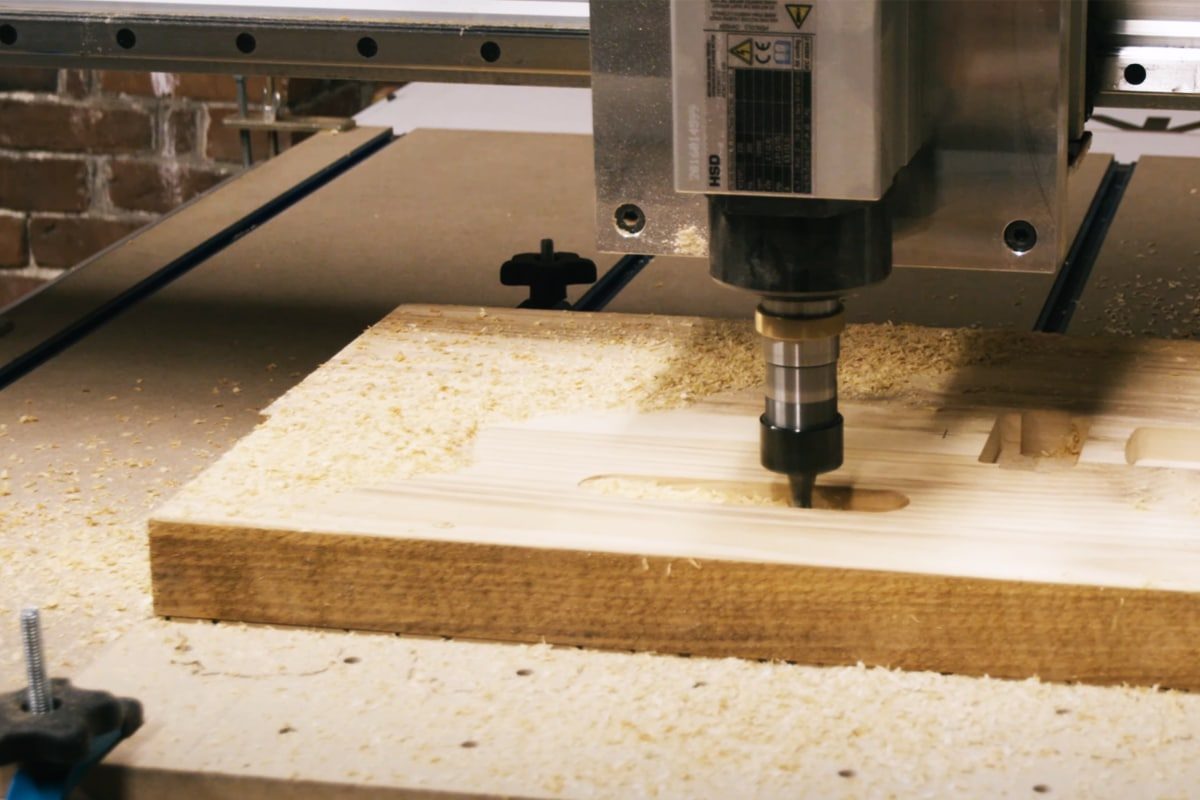
How to Choose the Right Router Bits for CNC Routers
Choosing the right router bits is one of the most important decisions you’ll make when working with CNC routers. The bit doesn’t just cut the material—it defines the precision, speed, and quality of every finished edge, groove, or carving. With hundreds of options available—different shapes, materials, coatings, and cutting geometries—it’s easy to feel overwhelmed. Yet, selecting the right bit isn’t guesswork; it’s a process grounded in understanding your material, machine capabilities, and the type of cut you want to achieve.
Whether you’re carving hardwood, shaping plastics, or machining aluminum, the right bit can mean the difference between a clean, accurate cut and wasted material or broken tools. Each bit type—end mills, ball nose, V-groove, compression, and more—serves a specific purpose. Factors like shank size, flute count, and coating also play critical roles in performance and longevity.
This guide breaks down how to choose the right router bits for your CNC router, helping you make informed decisions that improve efficiency, accuracy, and tool life. By understanding what makes each bit unique and how it interacts with your material, you’ll be able to match the right tool to every project with confidence.
Table of Contents
Understanding the Anatomy of Router Bits
Before you can choose the right router bit for your CNC router, it’s essential to understand the anatomy of the bit itself. Each component of a router bit affects how it cuts, how long it lasts, and what materials it performs best on. Knowing what these features mean allows you to match the right bit to the job and avoid costly mistakes.
Cutting Edges and Flutes
The cutting edges are the sharp portions that remove material, while the flutes are the grooves that carry chips away from the cut. Bits can have two, three, or more flutes—each influencing performance. Fewer flutes (like two-flute bits) provide better chip clearance and are ideal for softer materials such as wood or plastics. More flutes (three or more) allow smoother finishes and higher feed rates in harder materials, but they can clog more easily.
Spiral Direction: Up-Cut, Down-Cut, and Compression
Spiral bits come in three main types: up-cut, down-cut, and compression. Up-cut bits pull chips upward and out of the cut, offering efficient chip evacuation and smoother bottom edges—great for deeper cuts or softer materials. Down-cut bits push chips downward, minimizing surface tear-out and leaving cleaner top edges—perfect for laminates and veneered plywood. Compression bits combine both, using up-cut geometry at the tip and down-cut at the top, producing clean edges on both sides of the workpiece.
Shank Diameter
The shank is the part of the bit that fits into the router’s collet. Common diameters include 1/4″ and 1/2″. A thicker shank (such as 1/2″) offers greater stability, less vibration, and longer tool life, while smaller shanks are suitable for lighter cuts and compact routers. Always ensure the bit’s shank matches your router’s collet size.
Cutting Diameter
The cutting diameter determines how wide the bit cuts. Larger diameters remove more material per pass, making them ideal for roughing or large profiles. Smaller diameters are used for fine details, engraving, or intricate designs. Matching the cutting diameter to your project helps balance speed and precision.
Overall Length and Cutting Length
The overall length affects how deep a bit can reach and how rigid it remains during cutting. Longer bits can cut deeper but are more prone to vibration and deflection, which can reduce accuracy. The cutting length—the portion with flutes—determines the maximum depth of material removal in a single pass. For best results, choose the shortest bit that can handle your required depth.
Tool Material: HSS VS. Carbide
Router bits are typically made from High-Speed Steel (HSS) or carbide. HSS bits are affordable and easy to sharpen, making them suitable for softer materials and occasional use. However, they dull quickly under high-speed or heavy-duty conditions. Carbide bits, on the other hand, are harder, more heat-resistant, and stay sharp much longer. Though more expensive, they’re the preferred choice for CNC routers due to their durability and consistent performance, especially when cutting hardwoods, composites, or metals.
Understanding the anatomy of router bits gives you control over the cutting process. Each feature—flutes, spiral direction, shank size, cutting geometry, and material—contributes to the overall performance. When you grasp how these elements interact, you can select bits that cut cleaner, last longer, and deliver the precision your CNC projects demand.
Types of Router Bits and Their Purposes
Choosing the right router bit starts with understanding what each type is designed to do. CNC router bits come in many forms, each engineered for specific cutting actions, materials, and finishes. Using the right bit not only improves the quality of your cuts but also extends tool life and reduces material waste. Below is a detailed breakdown of the most common router bit types and their primary applications.
Straight Flute Bits
Straight flute bits are the simplest and most traditional type of router bit. They feature straight cutting edges that move parallel to the shank. These bits don’t have a spiral to evacuate chips, so they’re best suited for shallow cuts in softer materials like wood, MDF, and some plastics. They’re often used for slotting, trimming, and cutting dadoes where high feed rates or chip evacuation aren’t critical.
Up-Cut Spiral Bits
Up-cut bits have flutes that spiral upward, pulling chips out of the cut and away from the workpiece. This makes them ideal for deep cuts and materials that require efficient chip clearance, such as wood, plastic, and aluminum. They produce clean bottom edges but may cause minor tear-out on the surface. Up-cut bits are essential for pocketing and slotting operations where cutting depth and evacuation are priorities.
Down-Cut Spiral Bits
Down-cut bits push chips downward into the material, resulting in clean top edges and minimal tear-out. They’re ideal for plywood, laminates, and other materials with surface veneers. However, they can trap chips in deeper cuts, so they’re best used for shallow passes, finishing cuts, or applications where surface quality is more important than chip removal.
Compression Bits
Compression bits combine both up-cut and down-cut geometries—up-cut flutes at the tip and down-cut flutes near the shank. This dual action compresses the material fibers toward the center, producing clean edges on both the top and bottom surfaces. They’re the go-to choice for plywood, MDF, and laminates, where tear-out must be avoided on both faces.
Ball Nose Bits
Ball nose bits have a rounded tip that produces smooth, contoured surfaces. They’re essential for 3D carving, sculpting, and engraving complex shapes in wood, foam, or soft metals. Because of their geometry, they leave a finer surface finish on curved profiles and are often used for decorative work or finishing passes after roughing with flat end mills.
V-Bits (Engraving Bits)
V-bits have a sharp, conical point shaped like the letter “V.” They’re used for engraving, chamfering, and creating intricate lettering or sign-making details. The angle of the bit (commonly 60° or 90°) determines how deep and wide the cuts appear. They excel in artistic applications where precision and detail matter most.
O-Flute Bits
O-flute bits are designed specifically for cutting plastics and softer materials. Their single, polished flute allows smooth chip evacuation and prevents melting or edge welding, common issues when machining acrylics or polycarbonates. They’re ideal for achieving clean, polished edges on plastic sheets and other non-ferrous materials.
Surfacing and Spoilboard Bits
These bits are large-diameter tools used to level or “surface” a CNC machine’s spoilboard or flatten large workpieces. Featuring multiple cutting edges, they remove material quickly and produce a flat, even surface. They’re essential for tramming your CNC bed, resurfacing slabs, and preparing stock before precision cutting.
Compression Mortise Bits
Compression mortise bits are a variation of compression bits optimized for cutting mortises and slots in laminated or veneered materials. Their shorter cutting length maintains clean top and bottom edges while handling deeper plunge cuts efficiently. They’re favored for cabinetmaking, joinery, and other applications requiring precise, tear-free mortises.
Specialty Bits
Specialty bits include a wide range of tools designed for unique applications—such as chamfer bits for beveled edges, round-over bits for smooth contours, and dovetail bits for joinery. Some are custom-ground for specific materials like composites or aluminum. While not as commonly used as standard types, they offer precision and efficiency for specialized CNC work.
Each router bit type serves a distinct function, optimized for specific materials and cutting needs. Understanding how these bits differ—and where each excels—enables you to choose the right tool for the job. Whether you’re flattening stock, engraving fine details, or cutting clean edges in laminate, selecting the proper bit ensures precision, surface quality, and the longevity of both your tools and materials.
Bit Material: Why Carbide Reigns Supreme
The material your router bit is made from determines how well it performs, how long it lasts, and what materials it can handle. In CNC routing, precision and consistency are everything—and that’s where the bit’s composition becomes critical. Different materials offer varying levels of hardness, heat resistance, and durability. While High-Speed Steel (HSS) bits still have their place, carbide-based bits dominate the CNC world for good reason. Understanding the differences helps you choose the right balance between cost, performance, and longevity.
High-Speed Steel (HSS)
HSS bits are made from a hardened steel alloy that withstands moderate heat and maintains a sharp edge better than standard steel. They’re inexpensive, easy to sharpen, and a solid choice for occasional users or light-duty applications. HSS bits perform well on softwoods, plastics, and some composite materials. However, under the high speeds and friction of CNC routing, they dull quickly and lose cutting precision. For professionals running production-level operations, HSS bits often become a false economy due to their short lifespan and frequent replacements.
Solid Carbide
Solid carbide bits are made entirely of tungsten carbide, a material significantly harder and more heat-resistant than HSS. This gives them exceptional durability, edge retention, and performance in demanding conditions. They maintain sharpness even under heavy use, resist wear when cutting abrasive materials like MDF or plywood, and can run at higher speeds without overheating. Solid carbide bits are the preferred choice for precision CNC work, offering cleaner cuts, tighter tolerances, and extended tool life. Their higher upfront cost is offset by the reduced need for replacements and downtime.
Carbide-Tipped Bits
Carbide-tipped bits combine a steel body with carbide edges brazed onto the cutting surfaces. They offer a middle ground between affordability and performance. The steel core provides flexibility and impact resistance, while the carbide edges handle the cutting and wear resistance. These bits are ideal for woodworkers or shops that frequently cut plywood, hardwood, or laminates but don’t require the extreme durability of solid carbide. They’re durable enough for regular use yet cost-effective for medium workloads.
Coated Bits
Modern router bits often feature specialized coatings—such as titanium nitride (TiN), titanium aluminum nitride (TiAlN), or diamond-like carbon (DLC)—to enhance performance. These coatings reduce friction, dissipate heat, and prevent material buildup on the cutting edges. Coated bits excel in high-speed, high-volume CNC operations, especially when machining tough or abrasive materials. They don’t just extend tool life; they improve cut quality by keeping edges sharp and cool throughout long runs.
While each bit material has its place, carbide stands out as the gold standard for CNC routing. HSS bits are affordable and serviceable for light work, carbide-tipped bits balance cost and performance, and coated bits push durability to the next level. But solid carbide bits remain the professional’s choice—offering unmatched precision, longevity, and resistance to heat and wear. In the demanding world of CNC machining, carbide doesn’t just perform better—it pays for itself over time, making it the ultimate material for reliable, high-quality results.
Flute Count, Helix Direction, and Cutting Geometry
The way router bits cut isn’t just about their shape—it’s about how their flutes, helix, and edge geometry interact with the material. These factors control chip evacuation, heat buildup, surface finish, and overall tool performance. In CNC routing, small differences in flute count or cutting angle can make or break the quality of your work. Understanding how these elements work together helps you choose bits that deliver cleaner cuts, faster feed rates, and longer tool life.
Single-Flute Bits
Single-flute bits feature one cutting edge and one flute, offering maximum chip clearance. They excel in soft materials like plastics, acrylics, and aluminum, where chip removal and heat management are critical. Because there’s only one edge, the bit can cut aggressively at higher feed rates while minimizing melting or edge deformation. Single-flute bits are often used in high-speed CNC applications, particularly for lightweight materials or thin sheets where precision and surface finish are less critical than efficiency.
Two-Flute Bits
Two-flute bits are the most common and versatile choice for CNC routing. With a good balance between chip evacuation and surface finish, they perform well across a wide range of materials, including wood, MDF, plastics, and composites. The dual cutting edges allow smoother cuts and better balance at high speeds while still leaving enough room for chips to escape efficiently. For general-purpose use—pocketing, profiling, or slotting—two-flute bits are the go-to option for both hobbyists and professionals.
Three-Flute Bits
Three-flute bits add an extra cutting edge, allowing for finer finishes and higher feed rates. With more flutes in contact with the material at any time, the bit cuts more smoothly and leaves cleaner edges, especially in harder materials or dense composites. However, the reduced flute space means less room for chip evacuation, making them less suitable for soft or gummy materials. Three-flute bits are commonly used in production settings or applications that demand a superior finish without post-processing.
Helix Angle
The helix angle refers to the spiral pitch of the cutting edges along the bit. It influences how chips are lifted from the cut and how smoothly the bit engages with the material. A higher helix angle (around 40°–60°) results in smoother cuts and reduced cutting forces—ideal for hardwoods and composites where finish quality matters. Lower helix angles (20°–30°) prioritize durability and chip ejection, making them better suited for softer materials or aggressive cuts. The helix direction (up-cut, down-cut, or compression) also determines whether chips are pulled upward or pushed downward, affecting both edge quality and material handling.
Edge Grind and Cutting Angle
The edge grind and cutting angle define how the bit slices through material rather than scraping it. A positive cutting angle, where the edge leans forward into the material, creates a shearing action that produces cleaner, sharper cuts with less heat. This is ideal for wood, plastics, and composite materials. A neutral or negative cutting angle, on the other hand, provides better durability and chip control when working with harder or more brittle materials like aluminum or composites. The grind pattern—whether straight, spiral, or shear-cut—also affects surface finish and cutting smoothness.
Flute count, helix direction, and cutting geometry are the heart of router bit performance. Single-flute bits prioritize chip evacuation and speed, two-flute bits strike a versatile balance, and three-flute bits excel in smooth finishes and high-feed operations. The helix angle fine-tunes how efficiently chips are removed, while the edge grind determines how cleanly the bit cuts. By matching these characteristics to your material and application, you can optimize every cut for speed, accuracy, and tool longevity—getting the most from both your CNC router and your investment in quality bits.
Shank Diameter, Tool Length, and Stability
When it comes to CNC routing, precision depends not only on the sharpness or shape of the bit but also on its physical dimensions and how securely it’s held in place. Shank diameter, tool length, and stability all work together to determine how accurately your machine can cut and how long your bits will last. Even the best bit can perform poorly if it’s unstable, too long, or improperly matched to the router’s collet or tool holder. Understanding these factors ensures smoother cuts, tighter tolerances, and reduced tool wear.
Shank Diameter
The shank is the cylindrical portion of the router bit that fits into the collet or tool holder. Common CNC shank diameters include 1/4″, 3/8″, and 1/2″, though metric options like 6 mm and 12 mm are also popular. The general rule: the larger the shank, the more stable the bit. A thicker shank reduces vibration, increases rigidity, and improves accuracy, especially during heavy or deep cuts. Smaller shank bits (such as 1/4″) are suitable for fine detail work or lighter-duty machines, while larger shanks (like 1/2″) are preferred for professional routers and high-precision operations. Always match the shank diameter to your collet size—forcing a mismatch can cause runout, poor cut quality, or even dangerous tool slippage.
Cutting Length
The cutting length refers to the flute section of the bit—the portion that actually removes material. It determines how deep you can cut in a single pass. Longer cutting lengths allow deeper cuts but increase the risk of deflection (bending) and vibration, especially in hard or dense materials. For best results, use the shortest bit possible that still reaches your required depth. Shorter cutting lengths provide more stability, less chatter, and better surface finish. In CNC machining, minimizing tool deflection is critical for maintaining accuracy and preventing premature tool wear.
Overall Length
The overall length of a router bit includes both the shank and cutting portions. While longer bits can reach deeper areas or thicker materials, they also introduce more leverage and potential for vibration. Excessive tool length reduces stiffness, leading to chatter and dimensional inaccuracies. Ideally, the bit should be inserted deeply enough into the collet to minimize overhang—typically about two-thirds of the shank length—without bottoming out. A proper balance between reach and rigidity ensures smoother operation and cleaner results.
Tool Holders
Tool holders or collets play a crucial role in maintaining stability and accuracy. A high-quality collet grips the shank evenly, minimizing runout (the tiny wobble that occurs when the bit spins). Even a small amount of runout can ruin precision cuts and accelerate wear. Regular cleaning and inspection of collets are essential since debris or wear can reduce holding power. For professional setups, precision tool holders—such as ER collet systems or hydraulic chucks—offer superior clamping force and balance, reducing vibration and improving surface quality.
The relationship between shank diameter, tool length, and stability is fundamental to achieving precision in CNC routing. Larger shanks provide rigidity and reduce vibration, while shorter cutting and overall lengths improve control and accuracy. Reliable tool holders complete the equation by ensuring consistent grip and minimal runout. Together, these factors form the foundation of a stable cutting setup. When chosen and maintained correctly, they maximize bit performance, extend tool life, and guarantee smoother, more accurate cuts across every project.
Coatings and Surface Treatments
While the geometry and material of a router bit define its core performance, coatings and surface treatments take it a step further—enhancing durability, reducing friction, and improving heat resistance. CNC routers operate at high speeds, generating significant heat and wear, especially when cutting abrasive materials like MDF, composites, or aluminum. A well-chosen coating can dramatically extend tool life and improve cut quality. Understanding how different coatings work allows you to match the right finish to your cutting conditions and materials, getting more out of every bit.
TiN (Titanium Nitride)
Titanium Nitride, or TiN, is one of the most common and cost-effective coatings used on cutting tools. It has a distinctive gold color and offers improved hardness, reduced friction, and increased wear resistance compared to uncoated bits. TiN-coated router bits can run faster and cooler, making them suitable for general-purpose cutting of wood, plastics, and soft metals. However, TiN begins to lose effectiveness at very high temperatures, which limits its use in continuous heavy-duty or high-speed machining. It’s an excellent entry-level upgrade for users looking to improve performance without a significant increase in cost.
TiAlN (Titanium Aluminum Nitride)
Titanium Aluminum Nitride, or TiAlN, is a darker gray or violet coating that performs exceptionally well in high-temperature environments. The addition of aluminum increases the coating’s oxidation resistance, forming a protective aluminum oxide layer when exposed to heat. This helps the bit stay sharper for longer under demanding conditions. TiAlN-coated bits are ideal for cutting harder materials such as hardwoods, composites, and non-ferrous metals, and they’re particularly effective in high-speed or continuous CNC production settings. The improved thermal stability allows these bits to maintain cutting efficiency even when lubrication or cooling is minimal.
ZrN (Zirconium Nitride)
Zirconium Nitride, or ZrN, is a pale yellow coating often used for cutting non-ferrous materials such as aluminum, brass, and plastics. It prevents built-up edge (BUE)—a common problem where soft materials stick to the cutting edge and degrade performance. ZrN provides a slick, low-friction surface that helps chips evacuate cleanly and reduces heat buildup. Unlike TiAlN, which is designed for high-temperature environments, ZrN’s strength lies in its smoothness and ability to prevent material adhesion, making it a top choice for operators working primarily with softer or gummy materials.
Diamond Coatings
Diamond coatings represent the high end of router bit technology. These coatings use either polycrystalline diamond (PCD) or chemical vapor deposition (CVD) diamond layers, offering extreme hardness and unmatched wear resistance. Diamond-coated bits excel in cutting abrasive materials like MDF, carbon fiber, fiberglass, and composite laminates, where uncoated or standard carbide bits would wear out rapidly. Their ultra-hard surface minimizes edge degradation and provides exceptional surface finishes, even in extended production runs. While diamond-coated bits are the most expensive option, their longevity and consistency make them cost-effective for industrial applications where tool life and precision are paramount.
Coatings and surface treatments are not just add-ons—they’re performance multipliers. TiN enhances durability for general use, TiAlN withstands high heat and heavy loads, ZrN prevents material buildup on softer metals and plastics, and diamond coatings deliver unparalleled longevity in abrasive materials. By selecting the right coating for your material and application, you can reduce tool wear, improve surface quality, and maintain cutting efficiency even under demanding conditions. In the world of CNC routing, a properly coated bit doesn’t just last longer—it performs smarter, giving you cleaner cuts and better results with every pass.
Matching Router Bits to Different Materials
No single router bit can handle every material equally well. Each material—whether it’s wood, metal, plastic, or foam—reacts differently to cutting forces, heat, and chip evacuation. Choosing the right bit for your CNC router means understanding how these materials behave and matching them with the bit geometry, flute style, and coating that will deliver the cleanest, most efficient results. The right pairing improves surface finish, reduces tool wear, and prevents costly rework or tool failure.
Wood and Hardwood
Hardwoods like oak, maple, and walnut are dense and fibrous, requiring bits that stay sharp under pressure. Solid carbide bits are the standard choice due to their durability and precision. Up-cut or compression spiral bits are ideal for clean edges and efficient chip removal. Compression bits, in particular, prevent tear-out on both faces, which is critical for furniture and cabinetry work. When carving or profiling hardwood, use a moderate feed rate to avoid burning, and consider TiAlN-coated bits for added heat resistance.
Softwood
Softwoods such as pine, cedar, or spruce are less dense and easier to cut but prone to splintering and fuzziness if the wrong bit is used. Straight or down-cut spiral bits work well here because they push fibers down, leaving smoother surface finishes. Since softwoods don’t generate as much heat, uncoated or standard carbide bits are usually sufficient. Maintain sharp bits and slightly higher feed rates to prevent the bit from rubbing and compressing fibers instead of cutting cleanly.
MDF and HDF
Medium- and high-density fiberboards are highly abrasive due to their resin content, which quickly dulls standard bits. Compression bits or solid carbide up-cut spirals are best for these materials, offering clean edges without delamination. Diamond-coated bits are a premium option that can significantly extend tool life in production environments. Because MDF produces fine dust and resists chip evacuation, using bits with good flute clearance and strong coatings like TiAlN or diamond-like carbon (DLC) is essential to prevent heat buildup.
Plywood and Laminates
Plywood and laminates are layered materials that tear easily along the grain or at the veneer surface. Compression bits are the top choice here, as their opposing flute directions compress the material toward the center, preventing tear-out on both sides. For fine finishing or detailed work, down-cut bits can also be effective on thinner sheets. Carbide-tipped bits are durable enough for regular use, but coated solid carbide bits will resist the adhesive layers found in laminates and extend cutting performance.
Plastics and Acrylic
Plastics and acrylics melt easily under heat, so the key is to keep cuts cool and chips moving. O-flute bits are designed specifically for these materials—their single, polished flute minimizes friction and clears chips efficiently. A single-flute up-cut bit with a sharp edge and high clearance works best for acrylics, polycarbonate, and PVC. Avoid multi-flute bits, which trap heat and cause melting or edge welding. For optimal results, maintain moderate spindle speeds and higher feed rates to reduce contact time and heat buildup.
Aluminum and Non-Ferrous Metals
When cutting aluminum, brass, or copper, chip evacuation and lubrication are critical. Single- or two-flute up-cut bits with a high helix angle are ideal because they clear chips quickly and reduce clogging. ZrN-coated bits are highly recommended—they prevent built-up edge (BUE), which occurs when soft metals stick to the cutting edge. Running the right feed and speed combination is essential; too slow and the bit will rub and overheat, too fast and it may chatter or deflect. Carbide bits are preferred for their stiffness and long-lasting sharpness.
Composites and Carbon Fiber
Composite materials like fiberglass and carbon fiber are extremely abrasive, quickly wearing down uncoated bits. Diamond-coated or PCD (polycrystalline diamond) bits are the gold standard for these materials, offering superior resistance to wear and delamination. Straight flute or compression geometries minimize fraying at the edges. Because composites produce fine dust and can chip easily, use vacuum extraction and conservative feed rates. Bit stability and sharpness are crucial to avoid delamination or fiber pull-out.
Foam and Soft Materials
Foam, rubber, and other soft materials cut easily but require sharp bits that won’t tear or compress the material. Straight or single-flute bits with large chip clearance and low helix angles perform best. For high-density foams, up-cut bits can be used to evacuate chips cleanly, while for softer foams, down-cut bits provide smoother edges. Since foam produces minimal resistance, lighter feed pressure and clean, sharp edges are more important than bit hardness.
Each material demands its own cutting strategy and bit design. Hardwoods and composites require durable carbide or diamond-coated bits for clean, precise cuts. Softwoods and foams need gentle geometries that reduce tear-out. MDF, plywood, and laminates benefit from compression or coated bits that resist abrasion and prevent surface damage. Metals and plastics, meanwhile, rely on specialized flutes and coatings for heat control and chip evacuation. Matching router bits to your material isn’t just about getting the job done—it’s about optimizing performance, extending tool life, and achieving consistent, professional-quality results across every project.
How to Choose Router Bits for Specific CNC Applications
Selecting the right router bit isn’t just about the material—it’s also about the task. Different CNC applications demand different bit geometries, flute styles, and cutting strategies. Whether you’re roughing large pockets, engraving intricate lettering, or carving detailed 3D surfaces, using the correct bit can dramatically affect the precision, efficiency, and surface quality of your work.
Pocketing and Roughing
Pocketing and roughing operations involve removing large volumes of material quickly to shape the foundation of a part or project. For these tasks, efficiency and chip evacuation are key. Flat end mills or up-cut spiral bits are ideal since they can cut deeply and clear chips effectively. Use two- or three-flute bits for wood and composite materials to balance speed and finish, while single-flute bits are better for softer materials like plastics or aluminum to prevent heat buildup. For heavy-duty pocketing in hardwood or MDF, solid carbide bits with TiAlN coatings can withstand higher feed rates and temperatures.
Profiling and Edging
Profiling and edging require precision and clean sidewalls. Compression bits are the top choice for cutting laminated materials or plywood because they prevent tear-out on both faces. For solid wood or plastics, down-cut bits yield cleaner top edges, while up-cut bits provide smoother bottom surfaces. When edge finishing is the goal, use bits with a high helix angle for smoother cutting action and reduced chatter. Carbide-tipped bits are durable enough for continuous edge shaping and trimming, particularly in production environments.
Drilling and Slotting
Drilling and slotting require bits that can plunge vertically and cut cleanly along their length. Straight flute or spiral up-cut bits are typically used for these operations. Up-cut bits help evacuate chips from deep holes or slots, preventing heat buildup and maintaining accuracy. For tight-tolerance slots or mortises in hardwood or MDF, use compression mortise bits to ensure clean edges. Solid carbide bits perform best in repetitive drilling applications, as they resist deflection and dulling. For metals or plastics, a single-flute up-cut bit ensures smooth chip removal and prevents melting or clogging.
3D Carving and Reliefs
3D carving and relief work involve intricate shapes, curves, and contours that demand precise control and smooth surface finishes. Ball nose bits are the go-to choice for these tasks. The rounded tip allows for gradual, flowing cuts that produce fine details and seamless transitions. Larger ball nose bits are used for roughing 3D shapes, while smaller diameters handle detailed finishing passes. For materials like wood, MDF, and foam, use carbide bits with sharp edges to minimize sanding and post-processing. When carving metals or composites, TiAlN-coated bits offer superior heat and wear resistance.
Engraving and Lettering
Engraving and lettering demand precision and sharp definition. V-bits, also known as engraving bits, are the most effective for this purpose. They feature an angled tip (typically 30°, 60°, or 90°) that creates clean lines and sharp corners. A shallower angle produces fine, narrow lines—ideal for detailed text or logos—while a wider angle is better for bold designs and deeper cuts. For small-scale lettering on metal or plastic, solid carbide engraving bits maintain their edge and deliver crisp, burr-free results. Using lower spindle speeds and consistent feed rates helps ensure clean engraving without chatter.
Full-Sheet Nesting
Full-sheet nesting—cutting multiple parts from large sheets of material—requires bits that can maintain consistent cut quality across long runs. Compression bits are preferred for plywood, MDF, and laminates because they prevent tear-out on both faces while cutting cleanly through stacked layers. For solid woods, up-cut spirals may be used to clear chips efficiently during extended operations. In high-production settings, TiAlN or diamond-coated bits are advantageous for their durability and resistance to heat and resin buildup. Maintaining router bits’ sharpness and a consistent collet grip is vital for accuracy and part consistency throughout nesting operations.
Each CNC application has unique demands, and using the right router bit is the key to achieving professional results. Roughing and pocketing rely on sturdy, efficient bits for rapid material removal; profiling and edging require tools that produce smooth, tear-free surfaces. Drilling, engraving, and fine detailing call for precision bits designed for clean, accurate cuts. Meanwhile, large-scale nesting operations benefit from durable, long-lasting bits that maintain consistent performance. By selecting router bits tailored to your specific task, you not only improve quality and efficiency but also extend the lifespan of your tools and your CNC router—turning every project into a showcase of precision and craftsmanship.
Feed Rate, Spindle Speed, and Chip Load
Even the best router bit won’t perform well if it’s not cutting at the right speed and feed. Feed rate, spindle speed, and chip load are three of the most important variables in CNC machining, and they work together to control how efficiently material is removed, how long your bit lasts, and the quality of your cut. Understanding how to balance these factors turns guesswork into precision and helps you get the most from your bits and your machine.
Feed Rate refers to how quickly the cutting tool moves through the material—measured in inches or millimeters per minute. Spindle Speed is the rotational speed of the bit, measured in revolutions per minute (RPM). Chip Load is the thickness of material removed by each cutting edge per revolution. These three parameters are interdependent: increasing spindle speed without adjusting feed rate, for instance, creates heat and dulls the bit; going too slow causes burning, while going too fast risks chatter, deflection, or tool breakage.
Optimizing Chip Load
Chip load is at the heart of proper CNC cutting. When correctly set, each flute on the router bit cuts a defined thickness of material and forms a solid chip that carries heat away from the cutting edge. If chip load is too low—meaning the feed rate is too slow or the spindle speed too high—the bit rubs instead of cutting, causing friction, heat buildup, and premature dulling. If the chip load is too high, the bit removes too much material per pass, leading to chatter, poor surface finish, or even tool breakage.
To find the right balance, start with manufacturer recommendations and fine-tune based on your material and machine rigidity. The goal is to produce consistent, well-formed chips—neither dust nor shavings—that indicate the bit is cutting efficiently and staying cool.
Matching Spindle Speed to Material
Different materials require different cutting speeds. Hardwoods and metals demand slower spindle speeds and higher feed rates to prevent overheating, while softer materials like plastics or foam can handle faster spindle speeds with lighter chip loads. For example, cutting acrylic too slowly can cause melting, while routing aluminum too fast can cause chip welding or vibration. Coated bits, such as those with TiAlN or ZrN, tolerate higher temperatures and speeds, but even then, speed must match the material’s density and heat sensitivity. The key is to adjust both feed and spindle speed together—reducing one typically means adjusting the other to maintain the same chip load.
Listening to the Machine
CNC machining is as much about feel and sound as it is about numbers. Experienced operators often “listen” to the machine to fine-tune their settings. A smooth, steady hum usually means the bit is cutting properly and maintaining an optimal chip load. Harsh squealing, grinding, or excessive vibration signals trouble—often a sign of too high an RPM, too low a feed rate, or a dull bit. Watching the chips also provides clues: fine dust suggests rubbing and heat, while thick, rough chips indicate too aggressive a cut. Making small adjustments and monitoring both sound and chip formation allows you to dial in the perfect balance for your setup.
Feed rate, spindle speed, and chip load define the quality, efficiency, and lifespan of every CNC cut. When correctly balanced, they allow your router bit to slice cleanly, stay cool, and last longer. Optimizing chip load ensures that each flute does real cutting work rather than rubbing or overheating. Matching spindle speed to your material keeps temperatures in check and prevents edge damage. And by listening to your machine, you can catch problems before they ruin a cut or a tool. Mastering this balance transforms CNC routing from trial and error into precision craftsmanship—where every pass is smooth, efficient, and perfectly controlled.
Signs You Are Using the Wrong Router Bit
Even with the right machine settings and material preparation, using the wrong router bit can ruin your cut quality, shorten tool life, and waste valuable stock. Each bit is designed for specific materials, geometries, and cutting conditions—and when those don’t align with your CNC operation, the results will show almost immediately. Recognizing the warning signs early can help you correct the issue before it leads to damaged tools, poor finishes, or costly downtime.
Poor Surface Finish
If your cuts look rough, fuzzy, or scorched, chances are the bit isn’t right for the job. Tear-out on wood, frayed edges on composites, or melted surfaces on plastics all indicate that the bit’s geometry or flute type doesn’t match the material. For example, using an up-cut bit on laminated plywood can cause splintering, while the wrong flute style on acrylic can generate too much heat and cause melting. A clean, consistent finish should be the standard—if it isn’t, the bit is either dull, mismatched, or operating at the wrong speed and feed.
Excessive Heat or Burning
Burn marks on wood, smoke, or discolored edges signal that your bit is overheating. This usually happens when the bit is dull, coated with resin buildup, or cutting too slowly for its speed (resulting in too little chip load). It can also mean the bit’s coating or material isn’t designed for the specific material being cut. Carbide bits with TiAlN or ZrN coatings help dissipate heat, but even they will fail if cutting parameters are off or chip evacuation is poor. Overheating not only damages your workpiece but also permanently reduces the sharpness of the bit.
Chatter, Vibration, or Noise
A router bit that vibrates, chatters, or makes irregular sounds during cutting is a major red flag. This can result from an unbalanced bit, an incorrect shank size for the collet, or excessive tool length causing deflection. It can also mean the flute count and helix angle are not appropriate for the material. For instance, a low-flute bit in dense hardwood may cause chatter due to insufficient contact, while a high-flute bit in soft material may clog and vibrate. Stable, smooth cutting sounds indicate proper bit selection and setup; erratic noise means something is off.
Premature Bit Wear or Breakage
Router bits that dull too quickly, chip at the edges, or snap during cutting are often mismatched to the material or cutting style. Softwoods and foams may tolerate HSS bits, but MDF, laminates, and composites demand carbide or even diamond-coated tools. Using uncoated or low-grade bits on abrasive materials will grind them down fast. Excessive tool wear also points to incorrect spindle speed, feed rate, or chip evacuation. A properly selected and maintained bit should last through many hours of cutting before noticeable dulling occurs.
Inaccurate or Inconsistent Cuts
If your CNC router is producing parts that are off-dimension, out of alignment, or inconsistent from one piece to another, the bit could be to blame. Dull or unstable bits cause deflection, meaning the bit bends slightly under cutting pressure and deviates from the programmed path. Overly long bits, improper collet seating, or mismatched shank sizes can also contribute to instability. Switching to a shorter, larger-diameter bit or ensuring a better shank-to-collet fit can restore accuracy. Precision cutting depends on tool rigidity and sharpness—two things that fade quickly when the wrong bit is in play.
Poor Chip Evacuation
If chips are building up around the bit instead of clearing cleanly, your bit geometry may not suit the material. Up-cut bits pull chips out efficiently, while down-cut bits push them downward—choosing the wrong one can cause clogs, heat buildup, and even bit breakage. Materials like MDF or plastic generate fine dust or sticky chips, which require bits with polished flutes or specific coatings to prevent buildup. Poor chip evacuation is one of the most common signs that you’re using the wrong flute type or helix direction.
Excessive Machine Load or Spindle Strain
If your CNC router sounds like it’s working harder than usual, you may be using an unsuitable bit or incorrect cutting parameters. Overly aggressive bits or ones with too many flutes can overload the spindle and cause stalling or chatter. You might also see reduced cutting speed and tool marks as the router struggles to maintain proper feed. The correct bit should allow the spindle to run smoothly without forcing or dragging through the material.
Your router bit tells a story with every cut—burn marks, chatter, rough edges, or dulling are all clues that something isn’t right. The wrong bit can lead to poor finishes, wasted materials, and unnecessary tool wear. The right bit, on the other hand, cuts cleanly, runs cool, and maintains accuracy throughout the job. When you see signs of trouble—unusual noise, heat, poor chip removal, or rapid wear—stop and reassess your bit choice, feed rate, and spindle speed. Learning to recognize these early indicators not only protects your tools and machine but also ensures your CNC router continues to deliver precise, professional-quality results every time.
How to Evaluate Quality When Buying Router Bits
Choosing the right router bit isn’t just about selecting the right type or material—it’s also about recognizing quality. High-quality bits deliver cleaner cuts, last longer, and perform consistently, while cheap or poorly manufactured bits can lead to vibration, tear-out, tool failure, or even machine damage. Whether you’re a professional fabricator or a hobbyist, knowing how to evaluate bit quality helps you invest wisely and avoid tools that underperform. True quality lies in the precision of manufacturing—how well the bit is sharpened, balanced, and finished.
Sharpness and Edge Integrity
A router bit’s cutting edge is its most important feature. The sharper and more precise the edge, the cleaner the cut and the cooler the operation. A high-quality bit will have crisp, well-defined edges with no visible burrs, chips, or uneven grinding marks. Under magnification or good lighting, you should see a smooth, continuous cutting edge with a consistent bevel. Dull or poorly ground bits will crush fibers rather than slice them, leading to tear-out, burning, or excessive vibration.
Edge integrity also reflects material quality—solid carbide bits hold a sharper edge far longer than high-speed steel (HSS) alternatives. In addition, premium carbide bits often have micro-grain carbide composition, which resists chipping and maintains sharpness through extended use. If you notice that a bit dull quickly after only a few passes, it’s likely made from inferior material or ground improperly.
Flute Polish
The flute—the groove that removes chips during cutting—plays a major role in both cut quality and tool longevity. High-quality bits feature polished or mirror-finish flutes that allow chips to flow smoothly and reduce friction during operation. Polished flutes prevent material buildup, especially when cutting resinous woods, plastics, or aluminum, where chips can easily stick and cause heat. Unpolished or rough flutes, by contrast, trap debris and increase cutting resistance, generating excess heat that dulls the edge prematurely.
When inspecting a bit, run your finger gently along the flute (carefully, avoiding the edge). It should feel smooth and reflective, not grainy or coarse. A polished flute also indicates careful manufacturing and precision balancing, both of which translate to smoother, cooler cuts and better chip evacuation.
Consistent Geometry
Precision in geometry is a hallmark of a quality router bit. Every flute, cutting edge, and helix angle must be identical and symmetrically balanced. Inconsistent geometry—uneven cutting edges, mismatched flute lengths, or off-center shanks—causes vibration, chatter, and uneven wear. Even small deviations in geometry can result in visible tool marks or poor surface finishes, especially in high-speed CNC applications.
Quality bits are manufactured with tight tolerances using advanced grinding and inspection processes. You should look for bits that are perfectly centered and balanced; when spun by hand, they should rotate smoothly without visible wobble. Consistency in geometry ensures that both cutting edges share the workload equally, preventing premature dulling on one side and improving accuracy and tool life.
Additional Quality Indicators
While sharpness, polish, and geometry are key, other subtle cues can also reveal a bit’s quality. The shank should be smooth and free of burrs for secure collet gripping. The transition between the shank and cutting edges should be precise, with no rough welds or uneven joints. Coatings—if present—should appear uniform and intact, without patchiness or discoloration. Trusted manufacturers often laser-etch their bits with identification codes, specifications, or batch numbers, showing a commitment to traceability and quality control.
Evaluating router bit quality is about more than price—it’s about precision. A top-quality bit will have razor-sharp edges, polished flutes for efficient chip evacuation, and perfectly consistent geometry for vibration-free cutting. Poorly made bits may look similar but will dull quickly, chatter, or produce inconsistent results. By inspecting these details before you buy, you ensure every cut is clean, every pass is stable, and every tool investment lasts longer. In CNC routing, quality bits aren’t just tools—they’re precision instruments that define the craftsmanship and accuracy of your work.
How to Extend Router Bit Life
Router bits are the workhorses of any CNC setup, and their performance directly affects your productivity, cut quality, and overall costs. Even the best bits—made from premium carbide or coated with advanced materials—will wear out over time. But how long they last depends largely on how you use, maintain, and store them. Extending router bit life isn’t just about buying better bits; it’s about adopting proper cutting practices, machine care, and maintenance routines that preserve the cutting edge and prevent premature wear.
Proper Feed Rate and Spindle Speed
The most common cause of bit wear is heat. Running a bit too fast or feeding too slowly creates excessive friction, which dulls the cutting edge and can even deform the bit. Always balance feed rate, spindle speed, and chip load to ensure efficient cutting—each flute should remove a proper-sized chip, not dust. Well-formed chips carry heat away from the bit, keeping it cool and extending its life. If you notice burning, smoke, or excessive noise, it’s a sign the balance is off. Adjusting speed and feed settings based on the material and bit type will significantly improve tool longevity.
Use the Right Bit for the Job
No bit is universal. Using the wrong geometry or material for a specific task accelerates wear and damages both the tool and the workpiece. For example, cutting MDF or carbon fiber with an uncoated carbide bit will quickly grind down the edges, while using a down-cut bit for deep pockets can trap chips and overheat the bit. Match the bit’s design—flute direction, number of flutes, and coating—to the material and operation. High-quality carbide or diamond-coated bits are best for abrasive materials, while uncoated or HSS bits are fine for softer woods and light-duty work.
Keep Bits Clean and Free of Build-Up
Resin, pitch, and dust can accumulate on cutting edges, acting as insulation that traps heat and reduces cutting efficiency. A dull-looking bit isn’t always worn out—it might just be dirty. Regular cleaning with a non-corrosive solvent or a dedicated blade and bit cleaner removes buildup and restores cutting performance. After cleaning, dry bits thoroughly and apply a light protective oil if storing for long periods. Avoid scraping with metal tools, as this can chip or dull the cutting edge.
Inspect and Sharpen Regularly
Even the toughest carbide edges eventually lose their sharpness. Inspect bits periodically for dull edges, chips, or cracks, especially after heavy use. Dull bits require more force, generate more heat, and produce rougher finishes—all signs that it’s time for maintenance. Some bits, particularly solid carbide types, can be professionally resharpened multiple times before needing replacement. Sharpening restores edge quality at a fraction of the cost of new bits, but it must be done by a professional to maintain proper geometry and balance.
Avoid Excessive Tool Overhang
Tool deflection—when the bit bends slightly during cutting—can wear out bits prematurely. Excessive overhang (too much of the bit exposed from the collet) increases vibration and reduces cutting accuracy. Always insert the bit deep enough into the collet—typically about two-thirds of the shank length—but without bottoming out completely. Shorter tool stick-out means greater rigidity, less vibration, and longer bit life.
Use Quality Collets and Maintain Your Machine
A router bit is only as stable as the system that holds it. Worn or dirty collets can cause slippage, runout, and vibration—all of which accelerate wear. Clean your collets regularly, replace them when worn, and ensure proper tightening without overtightening. Likewise, keeping your CNC router well-maintained—proper spindle bearings, stable feed mechanisms, and consistent calibration—reduces stress on bits and ensures smooth operation.
Proper Storage and Handling
Storing bits correctly is often overlooked but makes a big difference in longevity. Keep bits in their original cases or use a foam-lined storage rack to prevent them from banging together and chipping. Avoid humid environments that can cause corrosion on steel shanks. Handle bits carefully—dropping one, even from a short height, can micro-chip the cutting edge, compromising performance before it even hits the spindle.
Extending router bit life comes down to care, precision, and awareness. Use the right bit for each material, balance your feed rate and spindle speed, and keep your bits sharp, clean, and stable. Regular maintenance—of both your tools and your CNC router—pays off in smoother cuts, longer tool life, and lower replacement costs. Treat router bits not as consumables, but as precision instruments. When properly maintained, a quality bit will reward you with consistent, high-performance results that keep your CNC router running efficiently for the long haul.
Common Mistakes in Router Bit Selection
Even experienced CNC users sometimes fall into habits that shorten tool life, reduce cut quality, and waste materials. Selecting the right router bit is both an art and a science—one that requires matching geometry, material, and cutting parameters to each project. The wrong choice can cause chatter, burning, poor finishes, or even bit breakage. Understanding the most common mistakes in router bit selection can save time, money, and frustration while helping you achieve cleaner, more consistent results.
Using One Bit for Everything
One of the most frequent mistakes is assuming that a single “all-purpose” bit can handle every material and cutting task. While tempting for convenience, this approach leads to poor performance and premature tool wear. A bit designed for cutting wood, for example, may clog or melt when used on plastics, and a bit optimized for aluminum won’t perform well on MDF or hardwood. Each bit has a specific geometry—flute count, cutting angle, and coating—engineered for particular materials and operations.
The solution is to build a small but versatile collection of bits tailored to your most common materials and cuts: up-cut spirals for deep cuts, down-cut bits for clean surfaces, compression bits for laminates, and specialized O-flute bits for plastics. Switching bits may take a few extra minutes, but it ensures better results and longer tool life every time.
Ignoring Chip Load
Chip load—the thickness of the material each cutting edge removes per revolution—is one of the most misunderstood factors in CNC machining. Many users focus only on spindle speed or feed rate, neglecting how they interact to produce an optimal chip size. If the chip load is too small, the bit rubs instead of cutting, generating excessive heat that dulls the edge. If it’s too large, the bit removes too much material at once, causing chatter, rough finishes, or breakage.
Ignoring chip load often results in burn marks on wood, melting on plastics, or chipped edges on composites. The right approach is to calculate chip load based on bit diameter, flute count, and material type. Manufacturers often provide recommended settings, but you can fine-tune them by observing the chips: small, well-formed chips indicate proper load, while dust or oversized chunks mean adjustments are needed.
Using Dull Bits
A dull bit doesn’t just cut poorly—it damages your workpiece and your machine. Dull edges generate friction instead of shearing through material, leading to heat buildup, burn marks, and rough surfaces. This heat can degrade coatings, warp delicate materials, and even stress the router’s spindle. Many users keep cutting with dull bits simply because they “still work,” but the hidden cost is lower efficiency, wasted material, and reduced precision.
To avoid this, inspect your bits regularly under good lighting. Look for rounded edges, chips, or a polished cutting face that indicates wear. Replace or resharpen bits before they begin to struggle. In production settings, maintaining a sharpening schedule or rotating bits between jobs ensures consistent performance and prolongs tool life. Sharp bits not only cut cleaner but also require less power and generate less heat, protecting both your tools and your CNC router.
Ignoring Compression Bit Cutting Depth
Compression bits are popular for cutting plywood, MDF, and laminates because they produce clean edges on both the top and bottom surfaces. However, many users misuse them by not setting the correct cutting depth. A compression bit has two cutting sections—up-cut flutes at the tip and down-cut flutes near the top. The transition point between them is where the compression effect happens.
If the cut doesn’t reach below this transition line, the up-cut section never engages fully, causing tear-out on the top surface. If the cut is too deep on the first pass, the bit endures unnecessary stress and can break or overheat. The correct technique is to ensure the first pass cuts just below the compression point, allowing both flute directions to work together and produce smooth edges on both faces. Taking time to set the cutting depth properly preserves the bit and guarantees professional-quality results.
Many CNC cutting issues stem from improper router bit selection or setup. Using one bit for all tasks, neglecting chip load, cutting with dull edges, or misusing compression bits can quickly lead to poor results and wasted materials. Each bit is designed for a purpose, and understanding those design limits is the key to efficient, accurate, and clean cutting. By choosing the right bit for the job, maintaining sharpness, optimizing feed and speed, and respecting bit geometry, you’ll not only extend tool life but also elevate the quality and precision of every CNC project you run.
Maintenance and Router Bit Life Extension
Even the highest-quality router bits won’t last long without proper maintenance. Each time a bit spins through wood, MDF, plastic, or metal, it’s exposed to heat, friction, and debris that gradually dull the cutting edge and reduce efficiency. Routine maintenance is the key to preserving performance, ensuring consistent results, and protecting your investment. Good care habits not only extend the lifespan of your bits but also improve cutting precision and reduce machine wear.
Cleaning Resins and Pitch
One of the most overlooked aspects of router bit maintenance is cleaning. Over time, resins, adhesives, and pitch from materials like plywood, MDF, or resin-coated boards can build up on the cutting edges and flutes. This buildup acts as an insulator, trapping heat and causing bits to dull faster. It also reduces cutting efficiency because the bit must work harder to move through the material.
To clean bits effectively, use a non-corrosive, industrial-grade cleaner or a specialized resin remover. Soak the bit briefly to loosen the buildup, then gently scrub with a soft brush or nylon pad. Avoid metal brushes, as they can scratch or dull the cutting edges. After cleaning, rinse and dry the bit thoroughly before storage or reuse. Regular cleaning after every few projects—or sooner if cutting resin-heavy materials—keeps bits sharp, efficient, and cool during use.
Avoiding Overheating
Heat is the enemy of every cutting tool. Excessive temperature dulls edges, damages coatings, and can even cause microcracks in carbide bits. Overheating typically happens when the spindle speed is too high, the feed rate is too low, or chip evacuation is poor. When the bit rubs instead of cutting, friction builds rapidly. You might notice burn marks, smoke, or discoloration on the material—clear indicators that the bit is running too hot.
To prevent overheating, always balance feed rate and spindle speed to maintain proper chip load. Ensure chips are being cleared efficiently—especially when cutting dense or sticky materials. For plastics and aluminum, use bits with polished flutes or coatings like ZrN to reduce friction and prevent heat buildup. Another good practice is to avoid pushing bits beyond their rated cutting depth or width. Smaller, shallower passes keep cutting temperatures lower and preserve edge integrity over time.
Storage
Proper storage is another simple but critical step in extending router bit life. Bits that knock against each other in a drawer can easily chip or nick their sharp edges, rendering them useless before they even hit the spindle. Moisture, dust, and temperature fluctuations can also degrade metal over time, especially in humid environments.
Always store bits in individual cases or a foam-lined organizer that keeps them separated and upright. Many professionals use wall-mounted racks or dedicated storage boxes with labeled slots to make bit selection and organization easier. For long-term storage, clean and dry each bit thoroughly, then apply a light protective oil or rust inhibitor to steel shanks. Keep bits in a cool, dry place away from direct sunlight or sources of vibration. Proper organization not only prevents damage but also helps you track which bits are due for cleaning or sharpening.
Additional Maintenance Practices
Beyond cleaning and storage, inspect bits regularly for dullness, chips, or cracks. A quick visual check before each use can prevent costly damage to your workpiece or spindle. Dull bits should be resharpened by a professional to restore proper edge geometry—this is especially important for solid carbide and diamond-coated bits. You should also periodically check your collets and tool holders for wear or debris, as a poor grip can cause vibration and shorten bit life.
Maintaining your router bits is an investment in precision, safety, and efficiency. Clean off resins and pitch to keep edges sharp, control heat through proper cutting parameters, and store bits securely to prevent accidental damage. Routine maintenance ensures smoother cuts, cooler operation, and longer-lasting performance. A well-cared-for bit doesn’t just save you money—it guarantees that every pass through your CNC router is as clean, accurate, and consistent as the first.
Summary
Choosing the right router bits for CNC routers is essential for achieving precision, efficiency, and professional-quality results. The right bit doesn’t just shape material—it determines how cleanly, quickly, and accurately your machine cuts. Every factor matters: bit type, geometry, material, coating, and even flute direction all influence the outcome. Understanding how these elements interact with different materials—wood, plastic, metal, or composite—allows you to select tools that perform efficiently and last longer.
Beyond selection, success also depends on setup and maintenance. Proper feed rate, spindle speed, and chip load balance cutting performance, and prevent overheating or premature wear. Regular cleaning, sharpening, and safe storage keep bits performing at their best, while listening to your machine helps fine-tune settings in real time. Avoiding common mistakes—like using one bit for all jobs or cutting with dull edges—protects both your tools and materials.
Ultimately, router bits are precision instruments, not consumables. Investing in high-quality, well-matched bits and caring for them properly pays off in cleaner cuts, reduced downtime, and longer tool life. By understanding how to choose, use, and maintain your router bits, you elevate not just your CNC results, but the craftsmanship and consistency behind every project.
Get CNC Routing Solutions
Choosing the right router bits is only part of optimizing your CNC machining process—partnering with the right equipment manufacturer makes the difference between good results and exceptional performance. At AccTek Group, we specialize in providing complete CNC routing and laser solutions designed for precision, reliability, and efficiency. Our intelligent CNC routers are engineered to work seamlessly with a wide range of router bits, ensuring clean cuts, accurate detailing, and long-lasting tool life across materials like wood, acrylic, aluminum, and composite panels.
AccTek Group’s CNC routers combine robust build quality with smart control technology, delivering stability and accuracy for everything from small-scale engraving to full-scale industrial production. Whether you’re cutting intricate patterns, shaping furniture components, or processing sheet materials, we offer customized configurations, expert technical support, and professional guidance to help you choose the right router bits and optimize every cut.
Our team of specialists can help you match the ideal bit type, spindle speed, and toolpath strategy to your specific applications—maximizing productivity while extending tool life. With AccTek Group’s CNC routing solutions, you don’t just get advanced machines; you get a trusted partner dedicated to helping you achieve superior precision, efficiency, and craftsmanship in every project.