

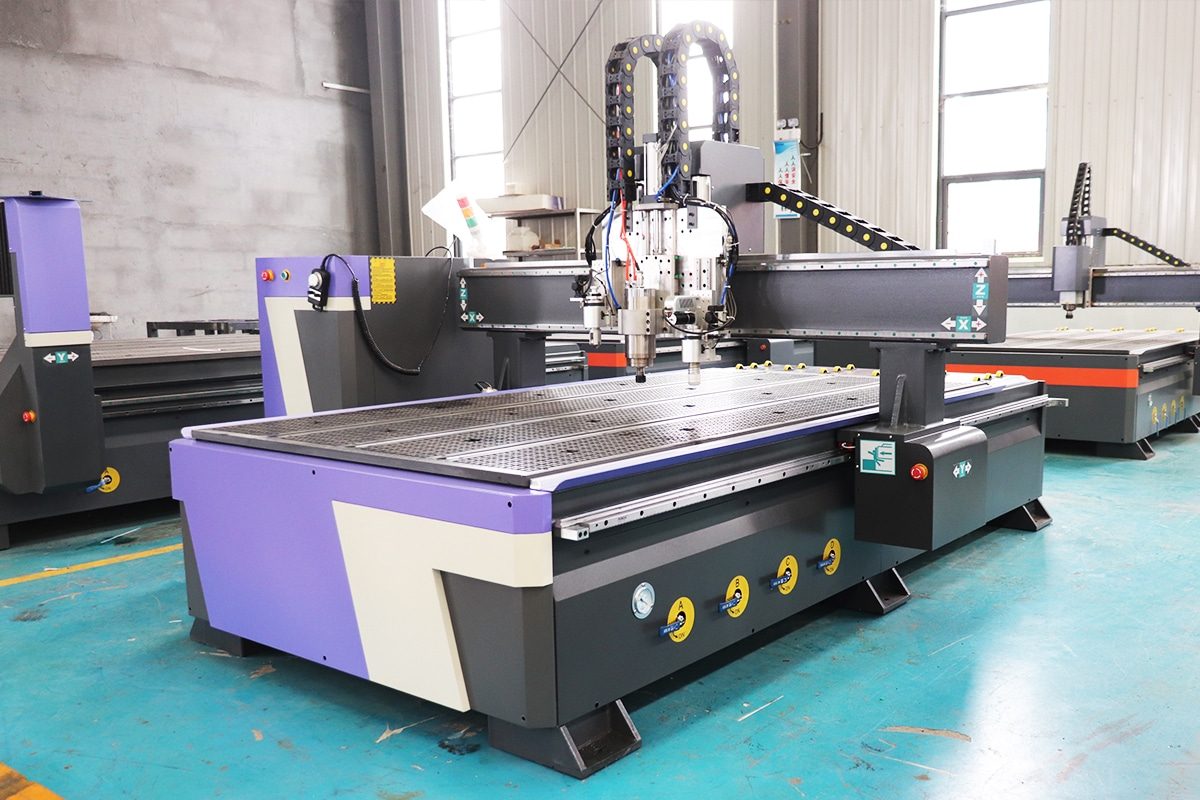
Understanding Automatic Tool Changers (ATCs)
What Are ATCs?
There are two main types of ATCs used in CNC routers:
- Linear ATC: Tools are stored in a straight row or along the side of the machine bed.
- Carousel (or Rotary) ATC: Tools are arranged in a rotating magazine, often attached to the gantry or the spindle.
Why ATCs Matter in CNC Routing
The value of an ATC becomes clear when you’re running complex or high-volume jobs. Manual tool changes not only consume time but also introduce risks of human error, especially in calibration. An ATC eliminates that downtime, enabling continuous, uninterrupted production. This leads to:
- Faster job completion
- Greater consistency and accuracy
- Reduced labor costs
- Expanded machining capability
How ATCs Work
The ATC system works in coordination with the CNC controller. A job file contains tool change commands, which trigger the ATC process during machining. Here’s a simplified breakdown:
- Tool Retraction: The router retracts the spindle to a safe height and pauses operation.
- Tool Release: The spindle releases the current tool via pneumatic or mechanical action.
- Tool Positioning: The ATC moves into position, or the spindle aligns with the next tool in the rack or carousel.
- Tool Engagement: The new tool is locked into the spindle automatically.
- Operation Resumes: The machine resumes the cutting process with the newly selected tool.
Main Types of Automatic Tool Changers
Fixed Linear Tool Changer
A Fixed Linear Tool Changer positions the tools in a straight line, typically mounted on the back or side of the CNC machine’s bed. The spindle moves to the tool rack, drops off the current tool, and picks up the next one.
- Advantages:
- Simple and reliable mechanism
- Cost-effective
- Easy to maintain and troubleshoot
- Suitable for machines with enough travel and downtime tolerance
- Limitations:
- Slower tool changes since the spindle must travel away from the cutting area
- Takes up machine bed space
- Not ideal for high-speed or high-frequency tool changes
Follow-Up Linear Tool Changer
A Follow-Up Linear Tool Changer is a more advanced version of the fixed linear system. Here, the tool rack is mounted on the moving gantry or a sliding mechanism that follows the spindle. This keeps the tools close to the cutting area at all times.
- Advantages:
- Faster tool changes with less spindle travel
- More efficient for production environments
- Reduces non-cutting time significantly
- Limitations:
- Slightly more complex mechanics
- May require additional setup or customization
- Typically supports fewer tools than fixed or carousel systems
Carousel Tool Changer
The Carousel Tool Changer uses a rotating magazine (circular or drum-shaped) to store tools, typically mounted beside or above the spindle. The carousel spins to present the next tool, and the spindle performs a quick swap.
- Advantages:
- Very fast tool changes
- Compact and space-efficient
- Handles a larger number of tools (often 8–12 or more)
- Ideal for large-scale or complex machining tasks
- Limitations:
- Higher cost
- More complex maintenance
- Adds some weight to the gantry if mounted overhead
Hybrid and Custom ATCs
Hybrid and Custom ATCs are specialized solutions designed for unique workflows or to combine the strengths of different systems. For example, a machine might have a linear rack for frequently used tools and a carousel for specialty bits. Others might use robotic arms or magnetic tool pods for ultra-fast tool changes.
- Advantages:
- Tailored to specific production needs
- Can combine speed, capacity, and flexibility
- Supports highly automated or specialized processes
- Limitations:
- Higher initial investment
- More complex to install and program
- Requires expert-level integration and support
Key Factors to Consider When Choosing an ATC
Production Volume and Workflow
Your daily output should be the first benchmark when selecting an ATC. A small shop producing 5–10 parts per day has different needs than a factory running multiple machines 16 hours a day.
- Low-volume or custom jobs (e.g., signage, prototyping, art pieces): These typically involve fewer tool changes and longer spindle idle time. A basic linear ATC is usually sufficient.
- Mid-volume operations (e.g., custom furniture, cabinetry): These need moderate speed and flexibility. Follow-up linear systems can save time by reducing spindle travel.
- High-volume production (e.g., nested-based manufacturing, mass part production): Time is critical. Carousel ATCs provide rapid tool changes and support automation.
Number of Required Tools
Count the number of tools you typically use per job, then the growth factor.
- Basic routing jobs may use 3–5 tools: an end mill, a V-bit, a drill, and maybe a surfacing tool.
- Advanced operations can demand 8–12+ tools: roughing, finishing, slotting, profiling, drilling, chamfering, engraving, etc.
Also consider:
- Do you frequently change between tool sets for different materials?
- Do your jobs require specialty bits (e.g., ball nose, compression, or drag knives)?
- Will adding more tools expand your capabilities or open new services?
Tool Change Speed
Tool change time has a direct impact on cycle time and overall throughput.
- Fixed linear ATCs typically require the spindle to move across the table to retrieve tools. A single change can take 8–20 seconds, depending on machine size and travel distance.
- Follow-up linear systems cut that time nearly in half by keeping tools near the spindle.
- Carousel changers are the fastest—often completing a change in 3–5 seconds—because they’re mounted directly to the gantry or spindle assembly.
Faster tool changes are critical in:
- Jobs with frequent tool swaps (e.g., panel processing with drill and mill steps)
- Batch runs with short-cutting cycles
- Multi-head or multi-tasking CNC routers
Machine Compatibility
An ATC isn’t a plug-and-play upgrade for every CNC router. Compatibility must be carefully checked in several areas:
- Spindle type: Only certain spindles support automatic tool release, typically via pneumatic or hydraulic drawbar mechanisms. If your spindle uses manual collets, it must be upgraded or replaced.
- Tool holder format: The ATC system and spindle must use matching tool holders (e.g., ISO30, HSK63F, BT30). Misalignment here causes tool loading failures and dangerous operation.
- Controller integration: Your CNC controller must support tool change macros, tool path logic, and indexing. Some budget controllers don’t allow automatic M-code tool swaps.
- Electrical and pneumatic infrastructure: Most ATCs require air supply and control wiring. Be sure your machine has the necessary ports, solenoids, and I/O options.
Material Types and Cutting Requirements
The materials you cut—and the operations involved—heavily influence ATC choice.
- Soft materials (MDF, plywood, plastic): Generally require fewer tool types and simpler operations.
- Hard materials (hardwood, composites, aluminum): Often need more specialized bits, longer cutting cycles, and tools with tight runout tolerances.
- Mixed-material workflows: Require greater tool variety and more frequent changes.
Think through each type of cut:
- Roughing: Larger tools, high feed rates
- Finishing: Small, precision tools
- Drilling: Centering, pecking, deep bores
- Specialty: Beveling, countersinking, V-carving
Shop Floor Space
ATCs impact your machine layout and working envelope. You’ll need to assess:
- Bed clearance: Linear racks eat up space at one end of the table. On smaller CNC routers, this may limit material handling or cut length.
- Gantry height: Carousel systems mounted on the Z-axis add height and weight. Make sure your machine’s rigidity and motion system can support it.
- Service access: Some ATCs require maintenance access behind or beside the CNC router, especially with custom or robotic systems.
Budget
ATC systems vary widely in price:
- Fixed linear: $2,000–$5,000
- Follow-up linear: $4,000–$7,000
- Carousel ATCs: $6,000–$12,000+
- Hybrid/custom/robotic: $10,000–$25,000+
But the cost isn’t just the hardware. Factor in:
- Spindle upgrade (if needed)
- Tool holders and collets
- Pneumatic or electrical installation
- Programming/setup time
- Downtime during installation
Tool Holder and Spindle Interface
Common Tool Holder Types
Tool holders are standardized by taper shape, size, and interface details. The most common types used in CNC routers with automatic tool changers include:
- ISO 30
- Widely used in mid-range CNC routers
- Lightweight and fast-changing
- Balanced for high spindle speeds (18,000–24,000+ RPM)
- Easy to source and cost-effective
- Requires pull stud (retention knob) for ATC use
- HSK 63F (Hollow Shank Taper)
- High-end, precision-focused option
- Used in professional and industrial-grade CNC machines
- Dual contact: face and taper interface, providing better rigidity and repeatability
- Excellent for high-speed and high-torque applications
- More expensive but ideal for demanding production environments
- BT 30
- Similar taper to ISO, but thicker and more rigid
- Offers improved tool stability under load
- Less common in CNC routers but more typical in vertical machining centers
- Slightly slower to change due to its mass
- ER Collet Holders (non-ATC in most cases)
- Typically used for manual tool changes
- Common in basic spindle systems
- Not compatible with automatic tool changers without major customization
When choosing a tool holder type, you must match:
- Spindle taper
- Tool changer mechanism compatibility
- Application demands (speed, load, tool weight)
Retention Mechanism
The retention mechanism is what locks the tool holder into the spindle and releases it when a tool change is triggered. In ATC systems, this is usually pneumatically or hydraulically actuated and happens in seconds. Here’s how it works:
- Drawbar or Gripper System:
- Inside the spindle is a drawbar that pulls the tool holder into the spindle taper. The drawbar uses collet fingers or ball bearings to grip the pull stud (also called a retention knob) attached to the end of the tool holder.
- Spring Pressure + Pneumatic Release:
- The tool is held in place by spring force during operation.
- When a tool change is commanded, a burst of air (or hydraulic pressure) compresses the spring, releasing the drawbar and dropping the tool holder.
- The spindle then moves to pick up the next tool and re-engages the drawbar.
- Pull Stud Standards: Pull studs must be matched to the tool holder type and the spindle’s drawbar system. Using the wrong pull stud can cause tool drops, jamming, or mechanical damage.
Proper retention is critical for:
- Preventing tool slippage during heavy cuts
- Maintaining accurate tool length and positioning
- Ensuring reliable tool swaps without misalignment or collision
Integration with CNC Control System
Software Compatibility
Your CNC control software must fully support automatic tool changing. While most mid-to-high-end controllers include this functionality, not all entry-level or older systems do. Software-related requirements include:
- M-code support (typically M6) for calling and executing tool changes
- Tool table configuration to manage tool numbers, offsets, and spindle speeds
- Macro capability to run custom tool change scripts and logic
- Tool length offset management to maintain Z-axis accuracy after each change
- User interface (UI) integration to monitor tool status, errors, and diagnostics
Common compatible software platforms:
- Mach4 (requires additional macros or plugins for ATC logic)
- Fanuc, Siemens, and OMRON (widely used in industrial environments)
- NCStudio, Syntec, and DSP (common in Chinese-built routers, may need custom tuning)
- LinuxCNC and PathPilot (powerful but may require in-depth configuration)
PLC and Sensor Integration
Key integration points include:
- Spindle position and orientation: The spindle must be properly aligned before a tool can be loaded or unloaded. Some systems use an encoder or proximity sensor to verify alignment.
- Tool presence sensors: These confirm whether a tool is seated correctly in the spindle or resting in the magazine. This prevents crashes due to missed tool pickups or drops.
- Magazine position sensors: In carousel and linear systems, sensors detect if the tool rack is in the correct position before tool exchange begins.
- Air pressure and drawbar status: Pneumatic tool changers rely on air to operate. Pressure sensors monitor system readiness, and switches confirm whether the drawbar is engaged or released.
- Tool identification (optional): Some high-end systems use RFID or barcode tagging to confirm the correct tool is being loaded, reducing the risk of human error during setup.
Safety Interlocks
Common safety measures include:
- Spindle rotation lockout: The controller verifies that the spindle is stopped before initiating tool release.
- Z-axis positioning checks: The ATC process only begins when the spindle is at the correct height or park position.
- Operator override lockouts: If the enclosure door is open (on enclosed routers), the system prevents tool changes from executing.
- Timeouts and failsafes: If a tool isn’t picked up or released within a certain time window, the system cancels the operation to prevent jamming or misalignment.
Installation and Setup Considerations
Factory-Installed VS. Retrofit
Factory-Installed ATCs come fully integrated with the CNC router from the manufacturer. These systems are:
- Pre-aligned and fully tested
- Optimized for mechanical fit and controller compatibility
- Wired, plumbed, and programmed at the factory
- Supported by a single warranty and tech support team
Benefits:
- Faster installation (often plug-and-play)
- Lower risk of compatibility issues
- Guaranteed performance and alignment
- Preconfigured macros and tool tables
Retrofit ATCs are installed on existing machines. They require more hands-on work, including:
- Mounting the tool rack or carousel
- Upgrading or replacing the spindle (if not ATC-compatible)
- Connecting air and power lines
- Integrating with the control software and PLC
- Writing or modifying M-code macros
Challenges of retrofitting:
- Time-consuming installation (can take days or weeks)
- Risk of mechanical or software conflicts
- May require third-party support or custom programming
- Possible voiding of the original machine warranty
Pneumatic and Electrical Supply
Pneumatic Requirements:
- Clean, dry air (typically 90–120 PSI) to operate the spindle’s drawbar and any linear actuators or carousel motors
- Inline air regulators, filters, and lubricators to protect internal components
- Stable pressure to avoid tool retention failures or incomplete tool changes
Electrical Requirements:
- Power supply for carousel motors, proximity sensors, and possibly servos
- I/O connections between the ATC system and the controller or PLC
- Emergency stop and interlock circuit integration
- Proper shielding and grounding to prevent electrical noise interference
Improper air or electrical supply can lead to:
- Incomplete tool releases or pickups
- System alarms or tool change timeouts
- Increased wear on solenoids and actuators
- Safety hazards
Tool Length Calibration
There are two main methods for tool length calibration:
- Manual Calibration:
- Use a touch-off pad, gauge block, or dial indicator
- Manually record each tool’s offset and enter it into the CNC tool table
- Time-consuming but precise when done carefully
- Automatic Tool Length Setter:
- A fixed electronic probe or sensor is installed on the machine bed
- The CNC program commands the spindle to lower each tool onto the setter
- Offsets are measured automatically and stored in the controller
- Faster and more consistent, especially for frequent tool changes
Key considerations:
- Calibration must be repeated whenever a tool is replaced or resharpened
- Offsets must be linked correctly to tool numbers in the tool table
- Mistakes in calibration can cause missed depths, broken tools, or damaged workpieces
Maintenance Requirements
Mechanical Maintenance
Key maintenance tasks include:
- Lubrication of moving parts: Tool rack slides, carousel pivots, and linear actuators require periodic lubrication using manufacturer-recommended grease or oil. Dry or dirty guides can lead to jams or excessive wear.
- Inspection of tool holder sockets and clamps: Check for signs of wear, debris buildup, or burrs that can interfere with secure tool seating. Clean regularly with compressed air and non-abrasive cloths.
- Drawbar tension and spring checks (inside the spindle): The drawbar mechanism that holds the tool in place must be checked for proper tension and smooth action. Over time, springs weaken and need replacement.
- Alignment checks: Ensure that tool holders align precisely with the spindle during changeovers. Misalignment can cause crashes or gradual tool damage.
- Fastener tightening: Vibrations from daily operations can loosen mounting bolts or screws on racks, sensors, or guards. Regularly inspect and tighten as needed.
Electrical and Pneumatic Maintenance
Electrical system tasks:
- Sensor testing and cleaning: Proximity and position sensors (used to detect tool presence, magazine position, etc.) should be cleaned and tested regularly. Dirt, dust, or misalignment can lead to false readings.
- Cable inspection: Look for fraying, pinched wires, or loose connectors. Cable failures can lead to intermittent behavior or total system lockups.
Pneumatic system tasks:
- Check and maintain air pressure: Ensure the compressor delivers clean, stable air at the required PSI (typically 90–120 PSI). Use regulators and gauges to monitor consistency.
- Drain water traps and filters: Moisture in the air line is one of the most common causes of pneumatic system issues. Drain traps daily and replace filters as needed.
- Test solenoids and valves: Solenoids control the air flow to cylinders and actuators. Verify that they open and close properly and don’t leak.
Software and Control Maintenance
Key software maintenance tasks:
- Backup tool tables and macros: Save copies of your tool configuration, tool change macros, and offset data. A simple crash or power loss can wipe important settings.
- Review and test M-code routines (e.g., M6): Regularly simulate tool changes to ensure the logic still performs as expected. Edit for new tools, magazine positions, or system upgrades.
- Firmware and controller updates: Some controllers or ATC modules require occasional firmware updates to fix bugs or improve stability. Stay current with the manufacturer’s guidance.
- Error log monitoring: Review the CNC controller’s error logs to detect early signs of tool change failure, sensor faults, or system timeouts.
- User interface checks: Ensure the ATC status displays correctly and that manual override or emergency stop functions are fully responsive.
Cost Considerations
Initial Purchase Price
Operational Costs
Return on Investment (ROI)
Common Mistakes to Avoid When Choosing an ATC
Choosing Based on Price Alone
Low-cost ATCs may come with:
- Inadequate tool capacity for your workflow
- Slower tool change speeds
- Compatibility issues with your existing machine or controller
- Lower build quality leads to frequent failures or rework
Ignoring Machine and Spindle Compatibility
ATCs don’t operate in isolation. They must work seamlessly with your router’s spindle, control system, and physical design. Many users overlook the importance of verifying:
- Whether their current spindle supports automatic tool release
- If the ATC physically fits their router’s gantry or table size
- Whether the control software can handle tool change logic (e.g., M6 commands, tool tables, macros)
Underestimating the Number of Tools Needed
For example:
- Jobs that once needed four tools now require seven due to added complexity
- Switching materials (e.g., from MDF to hardwood) demands separate tool sets
- You want to queue multiple jobs with different tools overnight, but don’t have enough stations
Overlooking Maintenance Demands
Neglecting maintenance leads to:
- Sluggish or failed tool changes
- Tool misalignment and inaccurate cuts
- Costly downtime during production
Failing to Account for Installation and Integration
Mistakes here can include:
- Buying an ATC that your controller can’t support
- Not budgeting time or labor for calibration and testing
- Forgetting to integrate safety checks (e.g., spindle stop, door interlocks)
Choosing the Wrong Type of ATC for the Application
Different ATC systems are built for different workflows:
- Fixed linear racks are ideal for simple, low-volume use
- Carousel systems suit fast-paced, high-volume jobs
- Hybrid or follow-up linear systems optimize tool access and minimize travel time