

Product Introduction
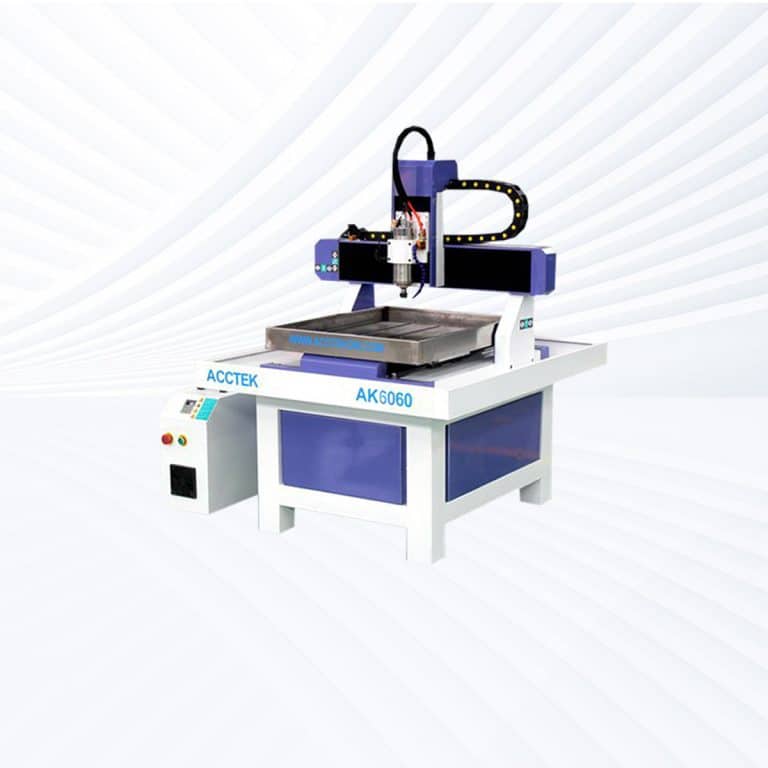
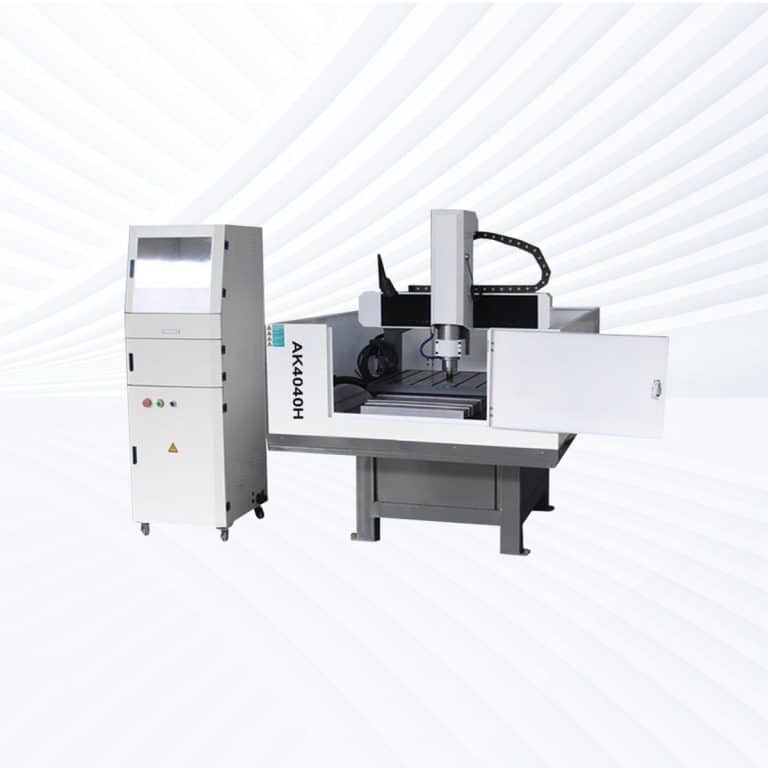
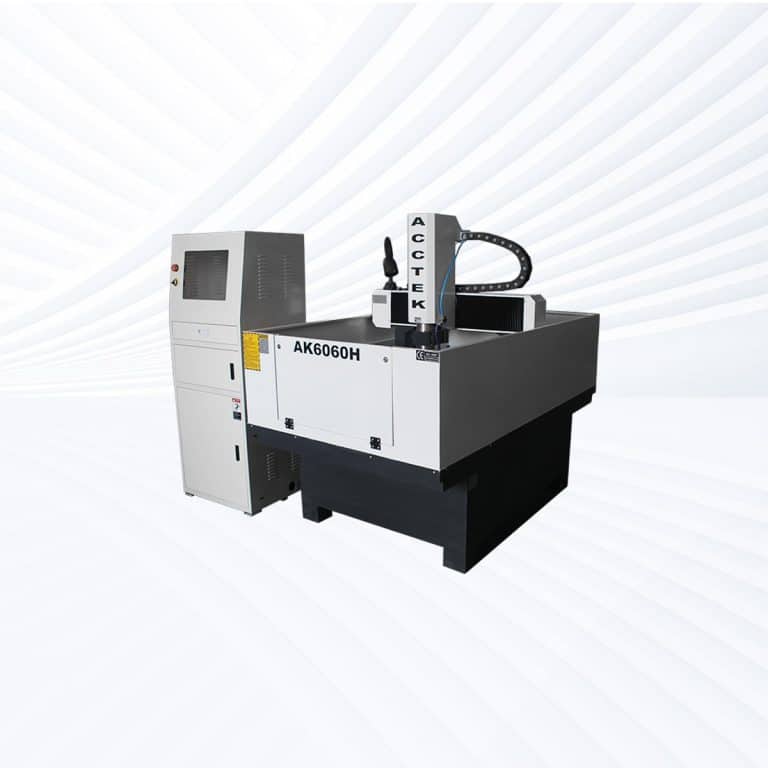

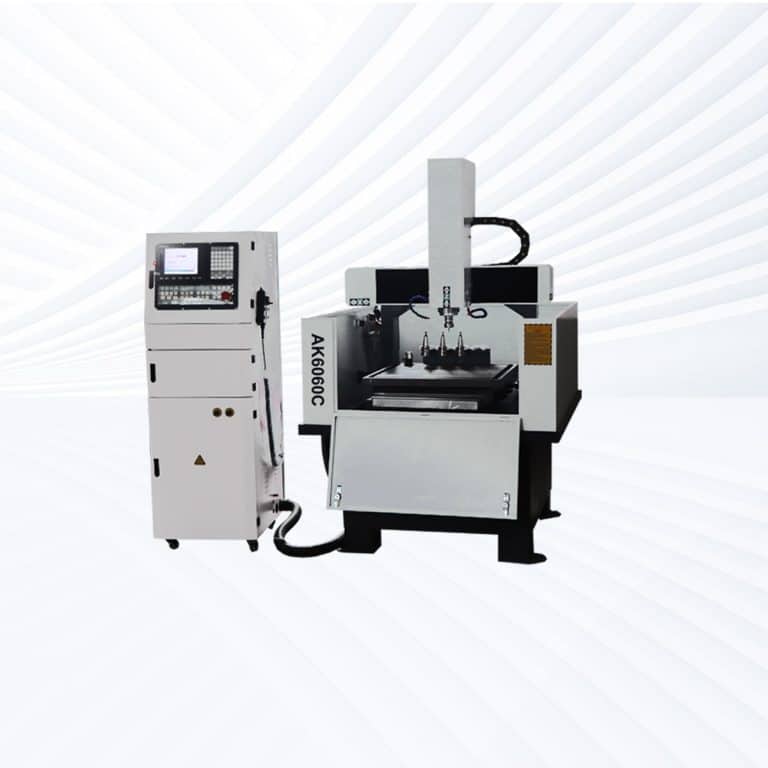
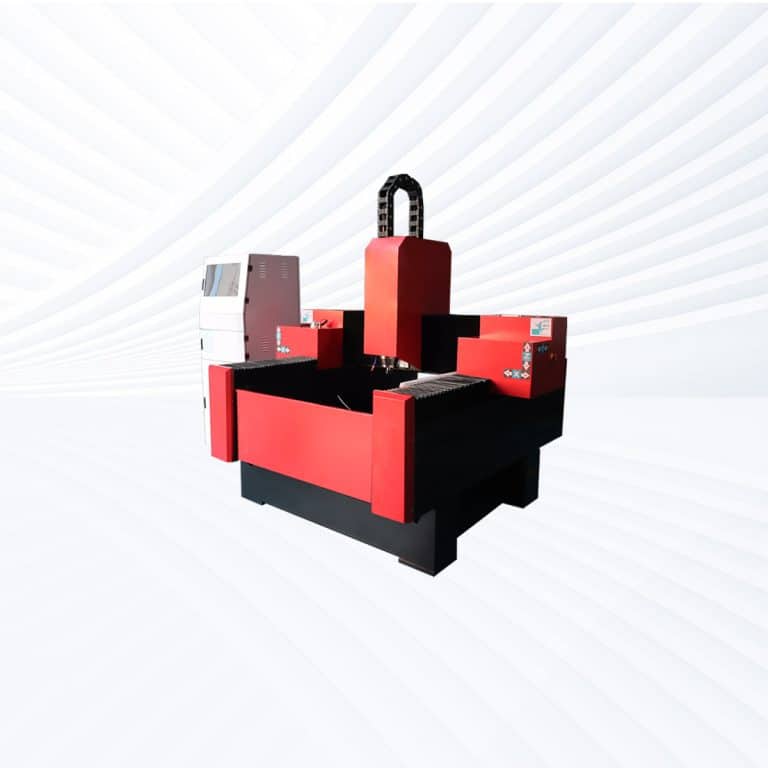
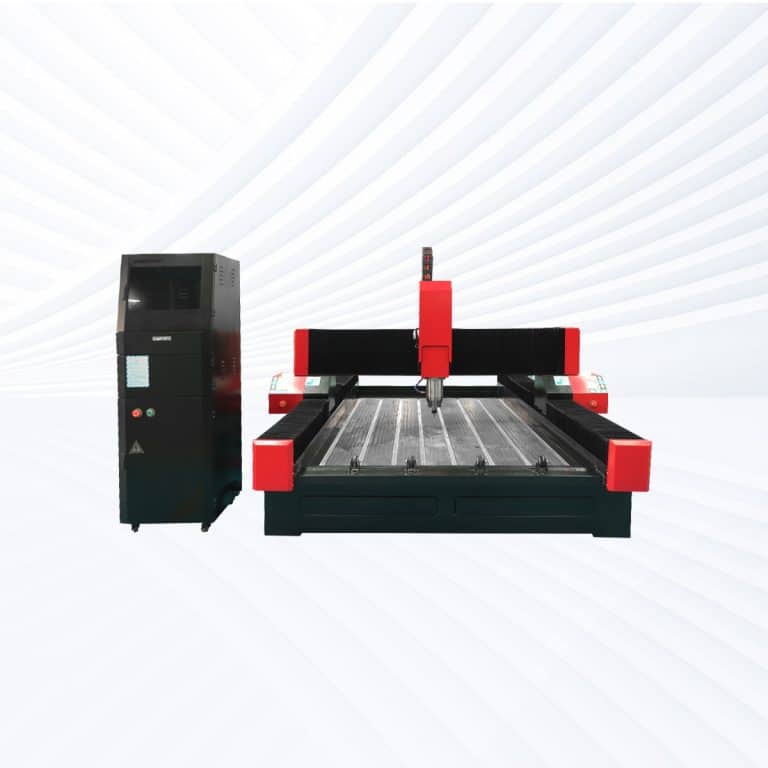
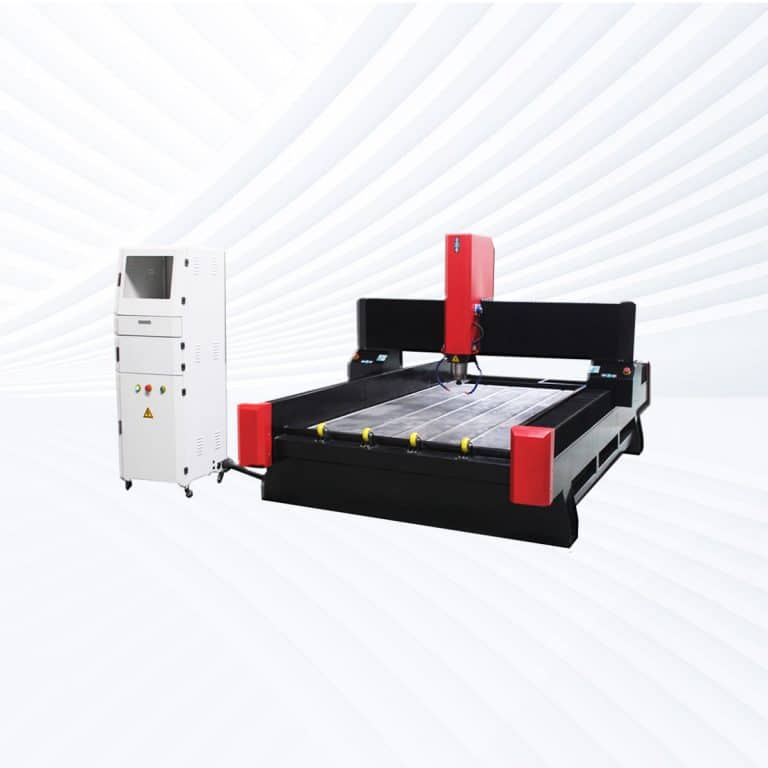
Benefits of CNC Routing Wood
Precision and Accuracy
CNC routers deliver highly accurate cuts every time, eliminating human error. Even the most complex designs can be executed with perfect consistency, ensuring precise joints, smooth edges, and professional-quality results across small projects or large-scale production.
Increased Efficiency
Automated routing drastically reduces production time compared to manual methods. Complex cuts, engravings, and 3D carvings can be completed in minutes, allowing workshops to boost output, meet tight deadlines, and handle higher volumes without sacrificing craftsmanship.
Design Flexibility
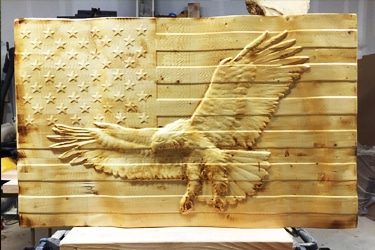
From intricate patterns to custom shapes, CNC technology gives woodworkers unmatched creative freedom. Digital files can be translated into flawless cuts and carvings, enabling mass production of unique designs or easy replication of prototypes with no loss in detail.
Reduced Material Waste
CNC routers optimize cutting paths to maximize material usage. This means less wood wasted on errors or inefficient cuts, which lowers production costs, supports sustainable practices, and ensures every piece of material contributes more to the final product.
Scalability for Business Growth
Whether producing a single custom piece or hundreds of identical components, CNC routers scale seamlessly. Businesses can expand their product lines, handle larger orders, and maintain quality at every stage, supporting long-term growth and customer satisfaction.
User-Friendly Operation
Modern CNC routers come equipped with intuitive software and controls. Even complex tasks can be managed with minimal training, allowing operators to focus on creativity and productivity while the machine handles the technical precision of cutting and carving.
Compatible Wood Materials
- Pine
- Oak
- Maple
- Walnut
- Cherry
- Ash
- Birch
- Beech
- Mahogany
- Teak
- Cedar
- Poplar
- Alder
- Hickory
- Spruce
- Bamboo
- Plywood
- MDF
- HDF
- Particle Board
- Veneered Panels
- Laminated Boards
- Laminated Veneer Lumber
- Oriented Strand Board
- Cork Board
- Basswood
- Paulownia
- Elm
- Sycamore
- Chestnut
- Rosewood
- Ebony
- Acacia
- Wenge
- Ipe
- Padauk
- Zebrawood
- Sapele
- Douglas Fir
- Redwood
Application of Wood CNC Routers



Customer Testimonials
Comparison VS Other Engraving Technologies
| Feature | Wood CNC Router | Laser Engraving | Hand Engraving | Wood Burning (Pyrography) |
|---|---|---|---|---|
| Cutting Depth | Deep, variable (2D & 3D cutting) | Shallow, surface-level | Variable, depends on skill | Very shallow surface burning |
| Precision | High, computer-controlled accuracy | Very high on fine details | Varies with craftsmanship | Moderate, limited control |
| Speed | Fast for large projects | Fast for surface engraving | Slow, time-consuming | Slow to moderate |
| Material Compatibility | Works on hardwoods, softwoods, composites | Works best on lighter woods | Any workable wood | Most natural woods |
| Complex Designs | Handles intricate & 3D patterns | Excellent for fine detail but 2D | Limited by hand skill | Mostly decorative line work |
| Repeatability | Perfectly repeatable, digital files | Repeatable but limited to surface | Hard to replicate identical designs | Inconsistent, unique pieces |
| Setup Requirements | CAD/CAM software, machine setup | Design software, laser calibration | None, only tools & skill | Minimal, just burner tool |
| Learning Curve | Moderate, requires training | Moderate, software-based | Steep, requires years of practice | Low to moderate |
| Production Volume | Ideal for mass production | Good for medium runs | Poor, manual process | Poor, manual process |
| Engraving Finish | Clean cuts, smooth edges | Burned edges, slight discoloration | Natural hand-carved texture | Burn marks, rustic finish |
| Durability of Work | Strong structural carvings | Surface-only, less structural | Very durable | Surface-only, not structural |
| Design Flexibility | Full 2D & 3D flexibility | 2D only | Limited by artisan skill | Limited to drawn/burned patterns |
| Cost Efficiency | Higher upfront, low per-piece | Moderate cost, low waste | Low cost but labor-intensive | Very low cost, high labor |
| Customization | Quick digital adjustments | Easy digital adjustments | Fully manual, slower | Manual, slower customization |
| Best Use Case | Furniture, cabinetry, large projects | Signs, logos, fine detailing | Artistic, unique handmade pieces | Decorative, rustic artwork |
Why Choose Us
High Precision & Efficiency
AccTek CNC routers deliver fast, accurate results with minimal errors, supporting intricate designs and mass production across the woodworking, plastic, and metal industries.
Robust and Durable Design
Our machines are built with high-quality frames and components, ensuring long service life, high load-bearing capacity, and stability during high-speed operations.
Intelligent Control Systems
Equipped with user-friendly interfaces and smart controllers, our routers offer smooth motion control, automatic toolpath optimization, and easy integration with various CAD/CAM software.
Flexible Customization
From machine size to spindle power and motor type, we offer flexible configurations to suit different production needs, budgets, and material requirements.
Related Resources
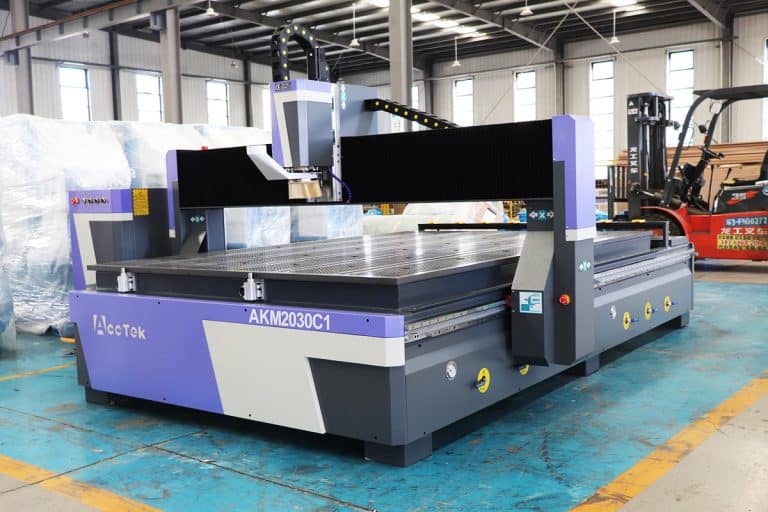
How to Choose CNC Routers
This article explores how to choose CNC routers, covering machine types, application requirements, working area, spindle selection, motion systems, software compatibility, costs, and maintenance considerations.
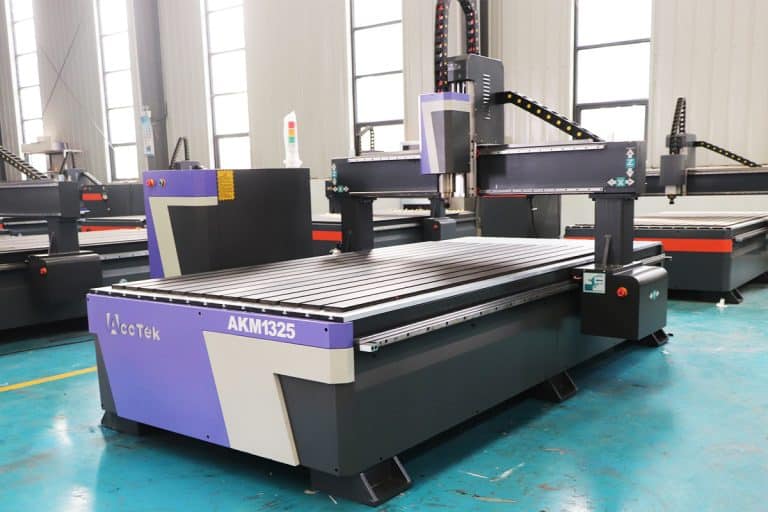
What Is The Lifespan Of CNC Routers
This article explores what determines the lifespan of CNC routers, including machine design, usage intensity, maintenance practices, accuracy drift, and when to repair, rebuild, or replace equipment.
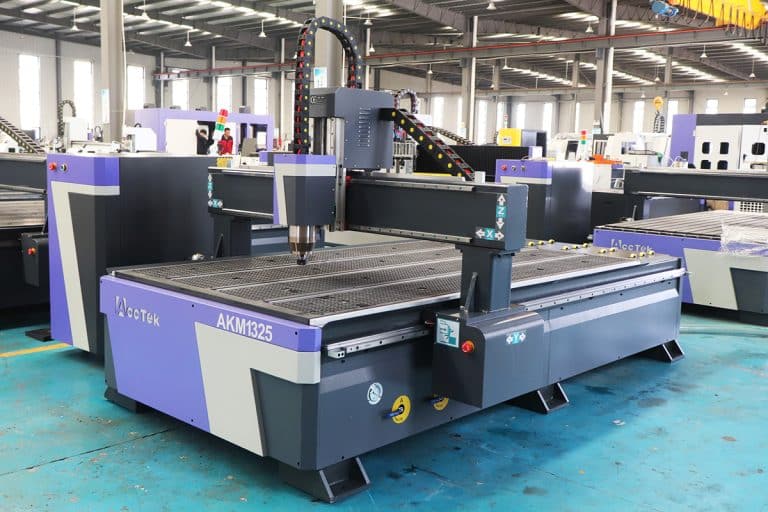
How Do CNC Routers Work
This article explains the working principle of CNC routers, from the motion system and cutting tools to the software workflow, materials, precision, and actual machining principles.
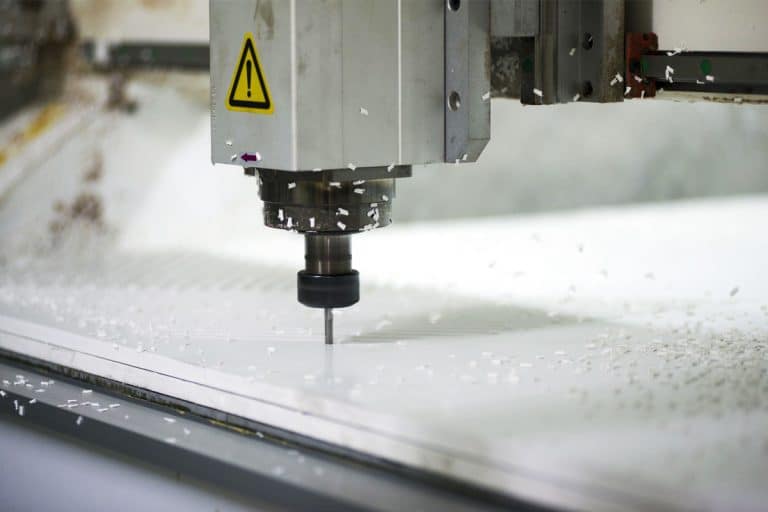
How To Maintain CNC Routers
This article provides a comprehensive guide on how to maintain CNC routers, covering essential tasks, troubleshooting tips, upgrades, and best practices to ensure optimal performance and longevity.
Frequently Asked Questions
How Much Do Wood CNC Routers Cost?
- 3-Axis CNC Routers: $3,000 – $10,000. A 3-axis CNC router is the most common and affordable type. It moves along the X, Y, and Z axes, making it suitable for cutting, drilling, carving, and engraving flat wood materials. These machines are a good entry point for small workshops, furniture makers, and hobbyists. While affordable, they have limitations in producing complex 3D shapes compared to higher-axis models.
- 4-Axis CNC Routers: $12,000 – $22,000. A 4-axis CNC router adds rotational movement, allowing the spindle or workpiece to rotate. This capability enables machining of cylindrical objects, detailed carvings, and more advanced woodworking projects. The price increase reflects the added complexity, higher precision, and ability to produce more intricate parts than a 3-axis machine.
- 5-Axis CNC Routers: $57,000 – $70,000. At the high end, 5-axis CNC routers offer full freedom of movement, with the spindle able to approach the workpiece from virtually any angle. These machines are used in industries requiring precision and complex geometries, such as aerospace components, fine art sculptures, or high-end furniture. Their cost reflects advanced engineering, higher performance, and specialized capabilities that go beyond most standard woodworking needs.
- ATC (Automatic Tool Changer) CNC Routers: $8,000 – $25,000. An ATC CNC router is defined less by the number of axes and more by its tool-changing capability. Instead of manually swapping tools for different operations (drilling, cutting, engraving, etc.), the machine automatically changes bits, saving significant time in production. ATC systems are valued by professional shops and factories looking for efficiency, reduced downtime, and scalability. Prices vary depending on size, spindle power, and automation level.
How Can I Purchase Wood CNC Routers?
- Direct from Manufacturers: Many CNC router brands sell machines directly through their own websites or sales teams. This option often includes customization, professional advice, and official warranties. Buying directly ensures you’re getting authentic machines and access to the latest models, but prices may be less negotiable compared to distributors.
- Authorized Dealers and Distributors: Distributors partner with multiple CNC brands and often provide local service, installation, and training. They act as a bridge between the manufacturer and buyer, offering a wider selection of models, financing plans, and bundled accessories. This is a strong option for small businesses or workshops that want local support and after-sales assistance.
- Online Marketplaces: Websites like Alibaba, Amazon, and eBay list a wide range of CNC routers, from entry-level hobby machines to industrial models. This route can save money and make it easy to compare options, but it requires caution. Buyers should carefully check the seller’s reputation, reviews, and return policies, as some listings may lack after-sales support or proper warranties.
- Specialized CNC Retailers: Some companies focus solely on selling CNC machinery and accessories. They often provide detailed technical guidance, machine demonstrations, and software support. This option is ideal for buyers who want an informed purchase and reliable customer service, even if prices are slightly higher than online marketplaces.
- Second-Hand Market: Used CNC routers are available through auctions, machinery resellers, or private sellers. Buying used can significantly lower upfront costs, but it comes with risks such as worn parts, outdated controls, or missing support. This path works best for experienced operators who know how to inspect and maintain machines.
- Trade Shows and Expos: Industry events showcase CNC router brands in one place, allowing you to compare machines side by side, watch live demonstrations, and negotiate with sales reps directly. Trade shows are valuable for professional buyers looking to make informed decisions and possibly secure discounts.
How Accurate Are Wood CNC Routers?
- General Cutting Accuracy (±0.1-0.5 mm): Most standard CNC routers used for woodworking achieve an accuracy within ±0.1 to 0.5 mm. This is more than sufficient for furniture making, cabinetry, and sign production. However, variations can occur depending on feed rate, tool sharpness, and wood density.
- High-End Industrial CNC Routers (±0.01-0.05 mm): Advanced 4-axis and 5-axis CNC routers with rigid frames, premium spindles, and servo motors can reach extremely tight tolerances, often in the ±0.01 to 0.05 mm range. These machines are used when highly detailed carvings, molds, or complex joinery require perfect repeatability.
- Repeatability and Consistency: Accuracy isn’t just about the first cut—it’s about making the same cut repeatedly. Well-calibrated CNC routers offer repeatability that ensures multiple parts come out identical, which is critical in mass production or assembly-line work. Budget models may drift slightly over time, requiring recalibration.
- Influence of Wood as a Material: Even with a highly accurate CNC router, wood itself introduces variability. Factors like moisture content, grain direction, and internal stress can cause small shifts, warping, or expansion after cutting. This means that a CNC router’s precision may exceed the natural stability of the material.
- Software and Calibration Accuracy: CNC software and proper calibration play major roles in final accuracy. Machine backlash compensation, toolpath optimization, and correct feeds and speeds help ensure that the CNC router achieves the tolerances it’s capable of. Poorly tuned settings can reduce precision, even on an expensive machine.
- Small-Scale vs. Large-Scale Work: Accuracy is generally tighter on small-scale engraving, carving, or inlay projects compared to large-scale furniture panels. On larger sheets of plywood or MDF, even slight frame misalignments or vibration can introduce deviations. Proper machine setup and a solid workholding system are key.
What Are The Disadvantages Of CNC Routing Wood?
- High Initial Investment: CNC routers require a significant upfront cost compared to traditional woodworking tools. Even entry-level machines can stretch a small shop’s budget, while industrial-grade CNC routers demand tens of thousands of dollars. Maintenance, software, and accessories also add to long-term costs.
- Complex Setup and Learning Curve: While they automate cutting, CNC routers are not plug-and-play. Operators must learn CAD/CAM software, machine calibration, and proper toolpath programming. Beginners may struggle with setup, and mistakes in programming can waste material or damage the machine.
- Dust and Noise: CNC routing produces large amounts of fine wood dust and high noise levels. Without proper dust collection and ventilation, shops can quickly become hazardous. Noise can also be disruptive in small or shared workspaces.
- Tool Wear and Breakage: Router bits wear out faster when cutting hardwoods, composite materials, or large volumes of wood. Frequent tool replacement adds to costs, and improper feeds and speeds can cause premature breakage.
- Material Waste: While CNC routers improve precision, errors in programming, incorrect fixturing, or poor material alignment can still cause wasted wood. For expensive hardwoods, even small mistakes can be costly.
- Size and Space Requirements: Large CNC routers require substantial floor space, sturdy electrical connections, and sometimes even reinforced flooring. For small workshops or home users, this can be a limiting factor.
- Dependence on Technology: CNC routing relies heavily on software and electronics. A system crash, corrupted file, or controller failure can halt production entirely. Unlike hand tools, they cannot operate without a functioning computer-driven system.
- Not Ideal for Every Wood Type: While CNC routers handle most woods well, certain species with irregular grain, knots, or high resin content can cause tear-out, tool wear, or reduced accuracy. Dense hardwoods also demand slower cutting speeds, reducing efficiency.
Is CNC Routing Wood Safe?
- Dust and Air Quality: CNC routers generate large volumes of fine wood dust, which can irritate the lungs, trigger allergies, or contribute to long-term respiratory issues. Proper dust collection systems, air filtration, and wearing masks are essential for safe operation.
- Noise Levels: The cutting process, combined with high-speed spindles and dust extractors, produces significant noise. Prolonged exposure without hearing protection can lead to hearing damage. Ear defenders or noise-reducing enclosures help keep work environments safer.
- Moving Parts and Pinch Hazards: CNC routers involve fast-moving spindles, rotating bits, and automated gantries. Direct contact during operation is dangerous, so operators should never reach into the machine while it’s running. Emergency stop buttons and protective guards reduce the risk of injury.
- Fire Risks: Although less common than with laser cutting, wood routing still generates friction and heat. Dull bits, poor feed rates, or accumulated dust around the spindle can create fire hazards. Routine maintenance, sharp tooling, and clean work areas are necessary for prevention.
- Electrical Safety: CNC routers rely on high-powered motors, controllers, and wiring. Faulty connections, power surges, or improper grounding can create shock hazards. Following manufacturer guidelines and using stable power supplies minimizes electrical risks.
- Kickback and Material Shifting: If the workpiece is not clamped securely, it can shift or even eject from the table. This is especially risky with larger panels or uneven materials. Using proper fixturing and vacuum tables ensures the material stays stable during routing.
- Software and Operator Errors: Incorrect programming, toolpath mistakes, or improper calibration can cause crashes that damage both the machine and workpiece. Safe CNC routing requires training, careful simulation, and double-checking programs before running full jobs.
- Chemical Exposure from Certain Woods: Some wood species (like tropical hardwoods) and composites (like MDF) release harmful chemicals or formaldehyde when cut. Good ventilation, dust extraction, and protective gear help reduce exposure.
What Auxiliary Equipment Is Needed For CNC Routing Wood?
- Dust Collection Systems: CNC routing generates large amounts of fine wood dust and chips. A reliable dust extractor or vacuum system is essential for maintaining air quality, reducing fire risk, and keeping the cutting area clear for accuracy. High-capacity collectors with proper filtration are recommended, especially when cutting MDF or hardwoods.
- Air Compressors: Many CNC routers use pneumatic systems for functions such as clamping, tool changing, and cooling. An air compressor ensures steady pressure for vacuum tables, air-assisted cutting, or automatic tool changers (ATC). A clean, dry air supply is key to maintaining reliable operation.
- Vacuum Tables and Workholding Fixtures: Keeping the material securely fixed is critical for precision and safety. Vacuum tables, clamps, or jigs prevent shifting during cutting, reducing the risk of tool breakage and wasted material. For thin sheets or large panels, vacuum systems provide even, reliable hold-down power.
- Cooling and Lubrication Systems: While most wood routing is dry, certain dense hardwoods and composite materials benefit from misting or air-blast cooling to reduce tool wear. These systems also help clear chips from the cutting path, improving edge quality and extending bit life.
- Router Bits and Tooling Storage: CNC routers require a wide range of bits for different operations, from end mills to V-bits and ballnose cutters. Proper storage racks, labeling, and maintenance tools (such as bit sharpeners and collet cleaners) ensure efficiency and prolong tool life.
- Computer and Software Setup: CNC routers rely on CAD/CAM software for design and toolpath generation. A dedicated, well-maintained computer system ensures smooth operation, while reliable software integration is crucial for accuracy and workflow. UPS (uninterruptible power supplies) can also prevent file loss or crashes during jobs.
- Measuring and Calibration Tools: Precision requires regular calibration. Tools like dial indicators, calipers, touch probes, and leveling equipment help maintain machine accuracy, ensuring consistent results over time.
- Safety Equipment: Personal protective gear—such as safety glasses, hearing protection, and respirators—is indispensable. Fire extinguishers and first-aid kits should also be accessible in any CNC workshop.
- Material Handling Equipment: For larger CNC routers, auxiliary lifting tools like carts, rollers, or panel lifters make moving heavy sheets of plywood or MDF safer and more efficient. This also reduces strain on operators and speeds up production.
What Is The Lifespan Of Wood CNC Routers?
- Entry-Level Hobby CNC Routers (5–10 Years): Smaller, budget-friendly CNC routers often use lighter frames, stepper motors, and less durable spindles. With moderate hobby use and good care, they can last 5–10 years. However, continuous heavy workloads may shorten their usable lifespan, especially if maintenance is neglected.
- Mid-Range Professional CNC Routers (10–15 Years): CNC routers built for small businesses or professional shops typically last 10–15 years. These machines use stronger frames, higher-quality components, and more powerful spindles. With regular servicing, they can reliably handle daily production tasks for over a decade.
- Industrial CNC Routers (15–20+ Years): Heavy-duty 4-axis, 5-axis, and ATC CNC routers designed for large-scale production often last 15–20 years or more. Their rigid construction, advanced control systems, and industrial spindles are engineered for continuous operation. With proper upkeep, many remain in use well beyond two decades.
- Spindles and Wear Components (2–5 Years): While the main machine frame can last decades, spindles, bearings, belts, and router bits wear out faster. Spindles typically need replacement every 2–5 years, depending on workload and cooling systems. Routine part replacements extend the overall lifespan of the CNC router.
- Impact of Usage and Maintenance: Daily workload, type of materials cut, and operator care significantly affect machine life. Cutting softwoods under proper settings creates less wear than pushing hardwoods or composites at high speeds. Preventive maintenance—such as lubrication, calibration, and dust removal—can add years of reliable performance.
- Upgrades and Control Systems: Even when the mechanical frame remains solid, outdated electronics or software may limit usefulness over time. Upgrading controllers, drives, or CAD/CAM software can extend functional lifespan without replacing the entire machine.
How Should I Maintain Wood CNC Routers?
- Cleaning and Dust Management: Woodworking creates large amounts of dust and chips that can clog motors, rails, and electronics. Daily cleaning with a vacuum or compressed air keeps moving parts clear. A good dust extraction system is essential to protect both the machine and the operator’s health.
- Lubrication of Moving Parts: Linear rails, ball screws, and bearings require regular lubrication to minimize friction and wear. Following the manufacturer’s schedule for grease or oiling ensures smooth motion and prevents premature failure.
- Spindle and Tool Maintenance: Spindles work under high stress and need periodic inspection. Checking for unusual vibration, noise, or overheating helps detect issues early. Router bits should be cleaned, sharpened, or replaced regularly to maintain cutting accuracy and avoid tool breakage.
- Calibration and Alignment: Over time, vibrations and heavy workloads can cause minor misalignments. Routine calibration of the gantry, spindle, and tool height ensures the CNC router continues to cut with precision. Using test cuts and measurement tools helps verify accuracy.
- Software and Firmware Updates: CNC routers rely on control software and firmware that benefit from updates. Keeping systems current improves performance, fixes bugs, and enhances compatibility with new design software. Regularly backing up configuration files prevents data loss.
- Electrical and Pneumatic Systems: For machines with automatic tool changers or vacuum tables, checking air compressors, hoses, and electrical connections is critical. Worn wiring or leaks can reduce efficiency and lead to sudden failures if not addressed.
- Cooling and Ventilation: Spindles and electronics generate heat during operation. Ensuring cooling fans, filters, and ventilation systems remain clear and functional prevents overheating and extends component life.
- Inspection for Wear and Damage: Belts, couplings, and other consumable parts wear down over time. A scheduled inspection routine helps spot cracks, looseness, or excessive play before they turn into breakdowns.