

Product Introduction
Types of 3W UV Laser Marking Machines
-
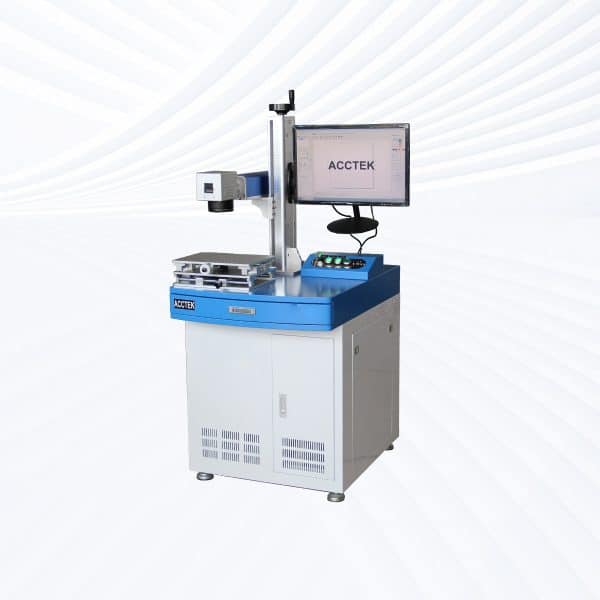
Desktop UV Laser Marking Machine
Rated 5.00 out of 5$3,900.00 – $9,300.00Price range: $3,900.00 through $9,300.00 This product has multiple variants. The options may be chosen on the product page -

Handheld UV Laser Marking Machine
Rated 4.75 out of 5$4,050.00 – $9,450.00Price range: $4,050.00 through $9,450.00 This product has multiple variants. The options may be chosen on the product page -
Split UV Laser Marking Machine
Rated 5.00 out of 5$3,900.00 – $9,300.00Price range: $3,900.00 through $9,300.00 This product has multiple variants. The options may be chosen on the product page -
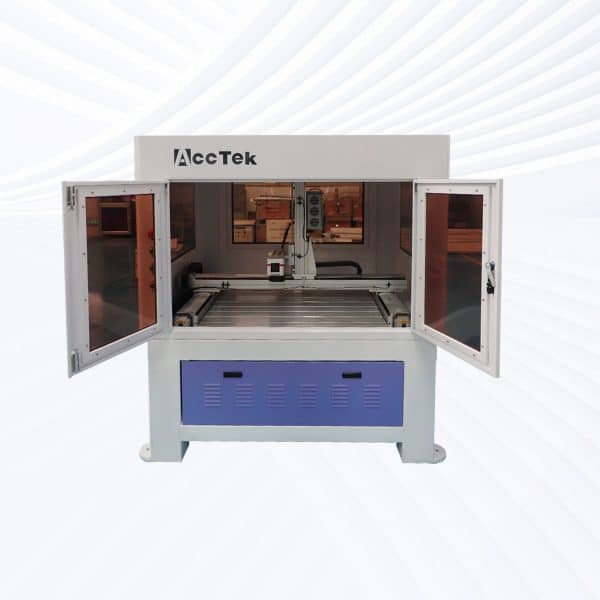
Enclosed UV Laser Marking Machine
Rated 4.75 out of 5$4,600.00 – $10,000.00Price range: $4,600.00 through $10,000.00 This product has multiple variants. The options may be chosen on the product page -
Flying UV Laser Marking Machine
Rated 4.75 out of 5$5,200.00 – $10,600.00Price range: $5,200.00 through $10,600.00 This product has multiple variants. The options may be chosen on the product page -
Screw Drive UV Laser Marking Machine
Rated 4.50 out of 5$9,600.00 – $16,100.00Price range: $9,600.00 through $16,100.00 This product has multiple variants. The options may be chosen on the product page -
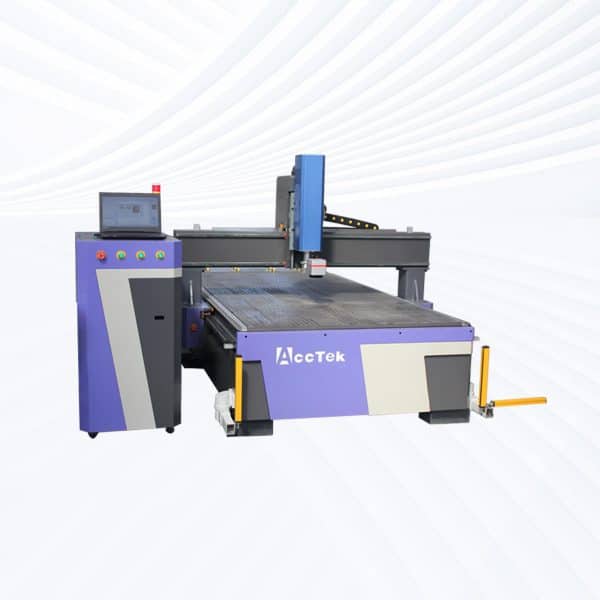
Rack Drive UV Laser Marking Machine
Rated 4.50 out of 5$9,700.00 – $15,900.00Price range: $9,700.00 through $15,900.00 This product has multiple variants. The options may be chosen on the product page
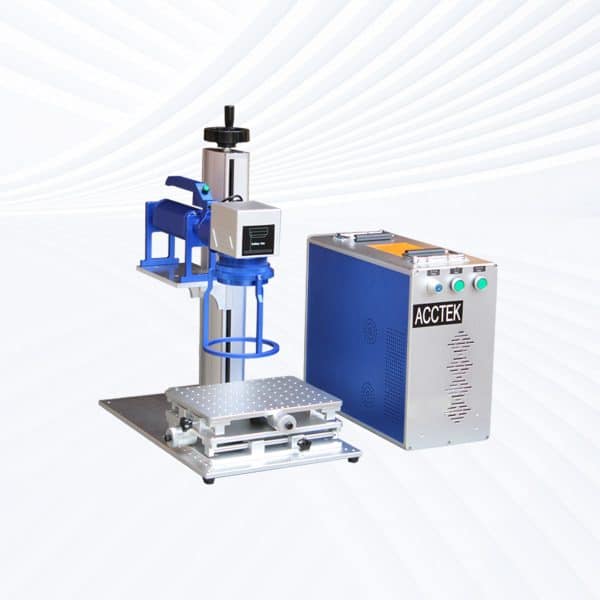
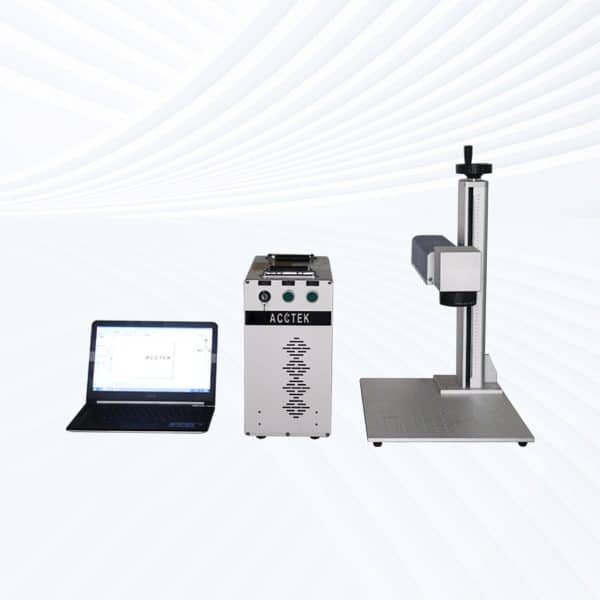

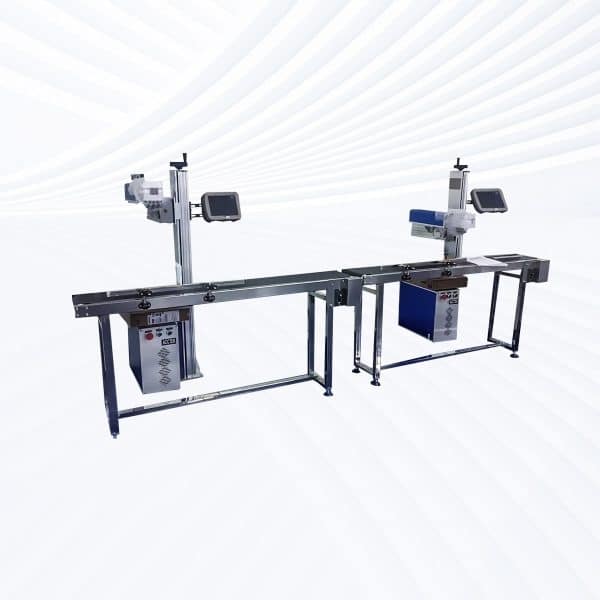
Laser Marking Capabilities
| Material | 3W | 5W | 10W | 12W | 15W |
|---|---|---|---|---|---|
| ABS / Plastics (Non-Metallic) | Surface Mark; Color Change | Surface Mark; Deep Color Change | Deep Mark; Micro Engrave | Deep Mark; Micro Engrave | Deep Mark; Micro Engrave |
| PC / PA / PET / PBT / PP | Surface Mark; High Contrast | Surface Mark; Fine Engrave | Deep Mark; No Burn | Deep Mark; No Burn | Deep Mark; No Burn |
| Silicone / Rubber | Surface Mark; Shallow Engrave | Deep Engrave | Deep Engrave | Deep Engrave | Deep Engrave |
| Acrylic (PMMA) | Surface Mark; Smooth Edge | Surface Mark; Fine Engrave | Deep Engrave; Polished Mark | Deep Engrave; Polished Mark | Deep Engrave; Polished Mark |
| Glass (With or Without Paste) | Frosted Mark; Micro Text | Frosted Mark; Fine Line Engrave | Deep Frosted Engrave | Deep Frosted Engrave | Deep Frosted Engrave |
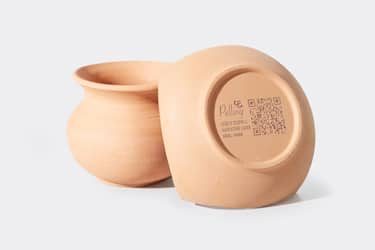
| Ceramics (Polished / Glazed) | Surface Mark; Micro Engrave | Surface Mark; Fine Engrave | Deep Engrave (High Precision) | Deep Engrave (High Precision) | Deep Engrave (High Precision) |
| Silicon Wafer / Semiconductor Substrate | Surface Mark (High Precision) | Surface Mark (High Precision) | Fine Engrave; Chip Marking | Fine Engrave; Chip Marking | Fine Engrave; Chip Marking |
| Anodized Aluminum | Coating Removal; High Contrast | Coating Removal; Fine Mark | Coating Removal | Coating Removal | Coating Removal |
| Painted / Coated Metals | Coating Ablation Only (No Metal Removal) | Coating Ablation | Coating Ablation | Coating Ablation | Coating Ablation |
| Stainless Steel (Thin Film Coated) | Film Ablation (No Metal Engrave) | Film Ablation | Surface Mark; Micro Text | Surface Mark; Micro Text | Surface Mark; Micro Text |
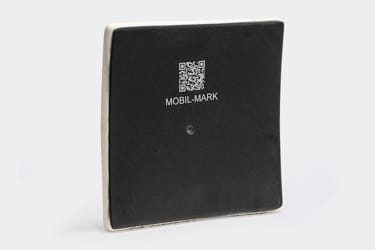
| PCB / FPC / Electronic Components | Surface Mark; QR Code | Surface Mark; QR Code; Fine Line | Fine Engrave; Trace Mark | Fine Engrave; Trace Mark | Fine Engrave; Trace Mark |
| Paper / Cardboard | Fine Marking; Non-Burn | Fine Marking; Non-Burn | Deep Mark; Micro Cut | Deep Mark; Micro Cut | Deep Mark; Micro Cut |
| Leather (Genuine / PU) | Surface Mark; Color Change | Surface Mark; Deep Mark | Deep Mark; Burn Mark | Deep Mark; Burn Mark | Deep Mark; Burn Mark |
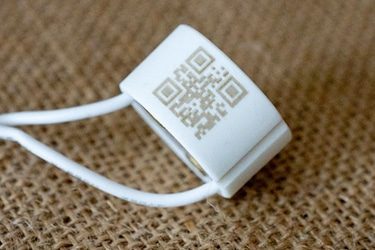
| Film / PET Label / Transparent Foil | Surface Mark; High Contrast | Surface Mark; High Contrast | Surface Mark; Precise Mark | Surface Mark; Precise Mark | Surface Mark; Precise Mark |
| Epoxy / Resin / Plastic-Coated Boards | Surface Mark; High Precision | Surface Mark; Fine Engrave | Deep Engrave; Clean Edge | Deep Engrave; Clean Edge | Deep Engrave; Clean Edge |
| Glass Fiber / Epoxy Boards (FR-4) | Surface Mark; Fine Line | Deep Engrave | Deep Engrave | Deep Engrave | Deep Engrave |
| Wood / Paper / Bamboo | Surface Mark (Limited) | Surface Mark; Light Engrave | Surface Mark; Light Engrave | Surface Mark; Light Engrave | Surface Mark; Light Engrave |
| Foam / EVA | Surface Mark; Light Engrave | Surface Mark; Light Engrave | Deep Engrave; Cut (≤2 mm) | Deep Engrave; Cut (≤3 mm) | Deep Engrave; Cut (≤4 mm) |
| PVC | Not Recommended (toxic fumes) | Not Recommended | Not Recommended | Not Recommended | Not Recommended |
| Metals (Stainless, Carbon, Brass, Copper) | Not Recommended (use Fiber Laser) | Not Recommended | Not Recommended | Not Recommended | Not Recommended |
Compatible Materials
- ABS Plastic
- Polycarbonate
- Polyethylene
- Polypropylene
- Polyvinyl Chloride
- Acrylic
- Nylon
- PEEK
- PET
- Teflon
- Copper
- Titanium
- Gold
- Silver
- Acrylic Film
- Film Labels
- Transparent Plastics
- Cosmetics Packaging Materials
- Food Packaging
- Medical Plastic Components
Application of 3W UV Laser Marking Machines



Customer Testimonials
Comparison VS Other Marking Technologies
| Comparison Item | UV Laser Marking | Dot Peen Marking | Inkjet Printing | Chemical Etching |
|---|---|---|---|---|
| Marking Principle | Cold laser process using ultraviolet light | Mechanical impact by stylus | Ink deposition through nozzles | Acid-based chemical reaction |
| Marking Speed | Fast; suitable for mass production | Moderate; depends on material hardness | Fast; high throughput | Slow; multi-step process |
| Marking Precision | Extremely high; suitable for micro-marking | Medium; limited by stylus size | Medium; depends on ink droplet control | High; but process can be inconsistent |
| Heat Effect on Material | Minimal (cold marking, no burning) | Generates frictional heat | None, but ink may smear | Can cause surface corrosion |
| Material Compatibility | Works on plastics, glass, ceramics, silicon, and coated metals | Mostly metals | Metals, plastics, paper | Metals and coated surfaces |
| Marking Quality | Smooth, clean, burr-free | Rough, dotted marks | Prone to fading or blurring | May leave uneven surface finish |
| Permanence | Permanent and wear-resistant | Permanent, but may deform material | Temporary; ink wears off | Permanent but prone to corrosion |
| Surface Damage | Non-contact, no surface damage | Indents surface | None | May etch or weaken material |
| Marking on Heat-Sensitive Materials | Excellent; no melting or deformation | Not suitable | Good | May damage material |
| Maintenance Requirements | Very low; no consumables | Frequent stylus replacement | High; regular ink and nozzle cleaning | Regular chemical disposal and replacement |
| Operating Cost | Low long-term cost; no consumables | Low to medium | High; continuous ink use | Medium; recurring chemical costs |
| Environmental Impact | Eco-friendly; no chemicals or waste | Minimal | Uses solvents and ink | Produces chemical waste and fumes |
| Automation Integration | Easy to integrate with automation and robotics | Moderate; mechanical limitations | Easy; digital control | Difficult; mostly manual process |
| Noise Level | Silent operation | Noisy due to impact | Quiet | Silent |
| Suitable Applications | Micro-marking, plastic, glass, electronics, medical devices | Metal parts, nameplates, industrial tools | Packaging, date codes, labels | Metal tags, industrial plates, decoration |
Why Choose Us
High Precision
Our machines deliver sharp, detailed markings with excellent contrast, suitable for complex patterns and small components across metal, plastic, and other materials.
Fast Processing
Designed for speed and efficiency, our systems complete marking tasks quickly without compromising quality, making them ideal for high-volume production environments.
Low Maintenance
With durable components and minimal consumables, our machines offer stable long-term performance, reducing downtime and keeping operating costs low.
Flexible Solutions
We provide a variety of models and customization options to suit different materials, marking needs, and production setups, ensuring the right fit for your business.
Related Resources
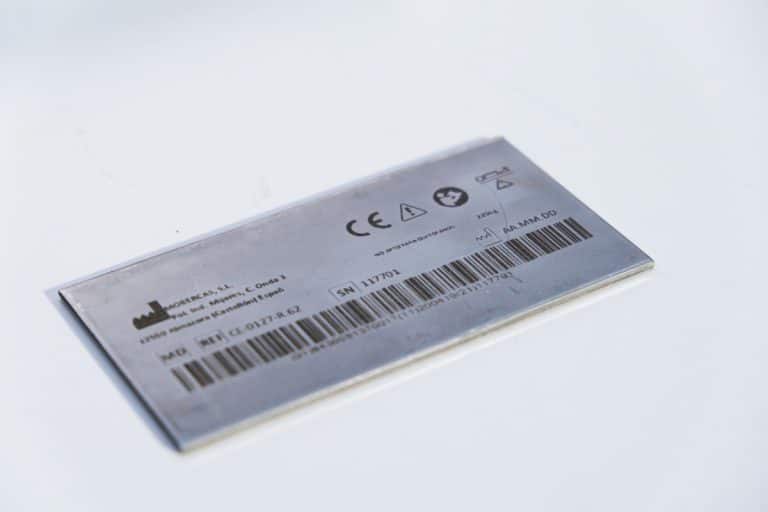
How Accurate Is Laser Marking
This article explores how laser marking achieves superior precision, the factors that influence this precision, and how various industries ensure consistent, high-quality, and permanent markings.
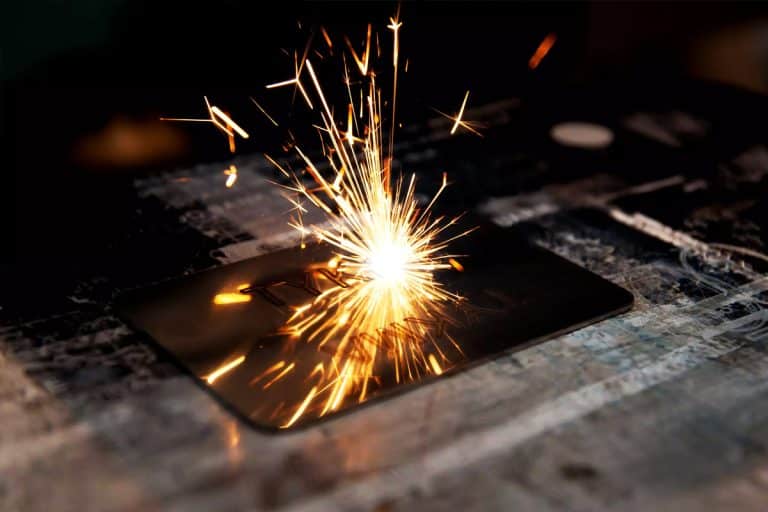
How To Maintain Laser Marking Machines
This article provides a comprehensive guide to maintaining your laser marking machine, including cleaning, inspection, cooling system care, and troubleshooting to ensure consistent operation and durability.
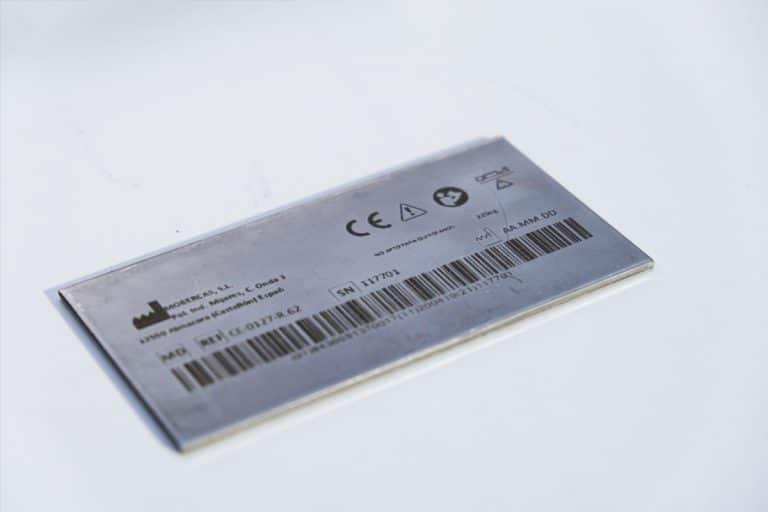
How To Choose Laser Marking Machines
A comprehensive guide to selecting the right laser marking machine—covering materials, mark quality, laser types, software, integration, compliance, and total cost of ownership.
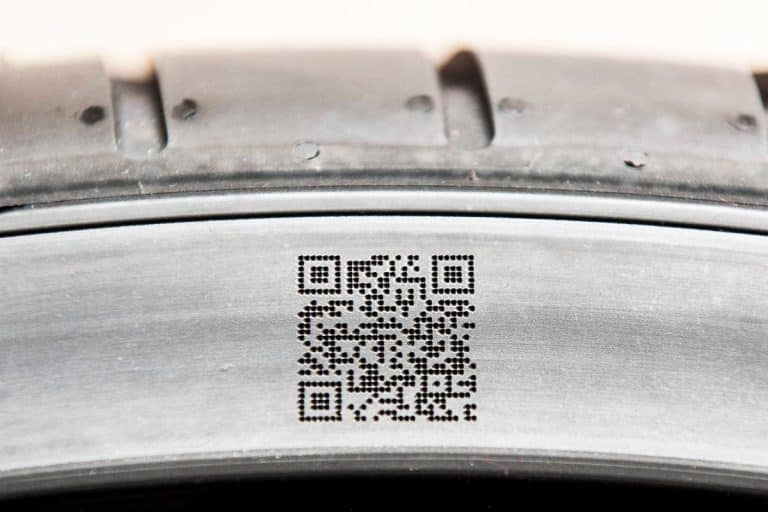
What Are The Common Defects In Laser Marking
This article explores common defects in laser marking, including causes, prevention strategies, and solutions to ensure high-quality, consistent results in various manufacturing applications.
Frequently Asked Questions
What Models Are Available For 3W UV Laser Marking Machines?
- Desktop Models: Compact and stable, desktop 3W UV lasers provide high-precision marking for plastics, glass, and semiconductor materials. Their small spot size and low thermal effect make them ideal for electronic components, IC chips, and medical devices.
- Portable Models: Designed for flexibility and convenience, portable UV laser marking systems combine fine marking accuracy with easy mobility. They are suitable for production environments that require marking across multiple workstations or on large, delicate products.
- Handheld Models: Built for marking large, immovable, or irregular objects, handheld 3W UV lasers allow operators to work directly on components without repositioning them. Their precision control ensures clear, non-destructive results even on heat-sensitive materials.
- Fully Enclosed Systems: Featuring sealed housings, observation windows, and exhaust systems, fully enclosed UV laser marking machines ensure safety, cleanliness, and protection against harmful UV radiation. They’re commonly used in laboratory and medical manufacturing settings.
- Flying UV Lasers: Designed for integration with conveyor systems or robotic arms, flying 3W UV lasers perform continuous, high-speed marking on moving products such as cables, packaging, and electronic parts. Their cold-marking process guarantees no deformation or surface damage.
- Large-Area Screw-Drive Systems: Equipped with precision screw-driven motion control, these systems offer smooth, stable, and accurate marking across large surfaces. They are ideal for high-precision engraving on glass panels, polymer sheets, and industrial nameplates.
- Large-Area Open Rack-Drive Systems: Featuring an open-frame structure and fast rack-and-pinion motion, these machines handle large or batch marking operations efficiently. They’re used for oversized or multi-component jobs requiring fine detail and consistent accuracy.
How Much Do 3W UV Laser Marking Machines Cost?
- Desktop Models ($3000–4800): Compact and stable, desktop 3W UV laser marking systems are designed for small-scale, high-precision marking on plastics, glass, and electronic components. They’re a cost-effective choice for laboratories and small production lines.
- Portable Models ($3000–4800): Offering identical optical performance with enhanced mobility, portable models allow easy transfer between work areas. They’re suitable for workshops or facilities needing flexibility across multiple production stations.
- Handheld Units ($3200–5000): Built for large or stationary parts, handheld UV laser marking machines provide direct marking capability without moving the workpiece. They deliver sharp, clean engravings on materials like ceramics, polymers, and coated metals.
- Fully Enclosed Systems ($3700–5500): Equipped with laser-safe enclosures, transparent observation windows, and smoke extraction systems, these machines provide superior operator protection and clean working conditions—ideal for electronics or medical device manufacturing.
- Flying UV Lasers ($4300–6100): Integrated into automated lines, flying 3W UV lasers perform continuous marking on moving products such as cables, packaging, or microelectronic parts. Their cold-marking process ensures no deformation or burn marks, even at high speed.
- Large-Area Screw-Drive Systems ($8300–11300): Using precision ball-screw motion control, these laser marking systems offer high accuracy and stability for large-format or detailed engravings on glass, plastics, and coated surfaces. Perfect for industrial nameplates and panel markings.
- Large-Area Open Rack-Drive Systems ($8400–8900): Designed for large or batch engraving, rack-driven UV laser marking systems provide fast traversal speed and easy access to the work area, making them efficient for multi-part marking operations in mass production.
Is It Safe To Use 3W UV Laser Marking Machines?
- Laser Safety Class and Protection
- Laser Class: 3W UV laser marking machines are typically classified as Class 4, which means they can cause severe damage to the eyes and skin from direct or reflected laser beams. Operators and anyone in the vicinity must wear appropriate laser safety goggles that are specifically designed to filter out the wavelength of the UV light.
- Protective Gear: In addition to goggles, other personal protective equipment (PPE) such as flame-resistant clothing and face shields may be necessary, especially if there is a risk of debris or reflections during the marking process.
- Fume Extraction and Ventilation
- Fume and Smoke Production: When using UV lasers, especially on materials like plastics, metals, or coatings, they can produce fumes and smoke. These can be harmful, and in some cases, toxic gases can be released, especially when certain materials are marked (such as PVC). Proper fume extraction and ventilation are essential to prevent exposure to harmful vapors.
- Fume Extraction System: It is critical to use a reliable fume extraction system to remove the smoke and vapors generated during the marking process. This system should be regularly maintained to ensure its efficiency.
- Eye Protection
- UV Light Hazard: UV light is highly damaging to the eyes, and exposure even for a short duration can lead to permanent blindness. In addition to wearing laser safety goggles, it’s important to make sure the work area is properly shielded to prevent any accidental exposure to UV light.
- Enclosed Work Area: The marking area should be enclosed or have physical barriers that prevent the laser beam from accidentally escaping the designated work zone. This is particularly important in environments where multiple people are present.
- Fire Hazards
- Material Ignition: While 3W UV lasers are lower-powered compared to higher-wattage lasers, they still generate heat that can potentially ignite flammable materials, especially during extended use. Always ensure that flammable materials are not placed near the laser marking machine and that the workspace is free from unnecessary combustibles.
- Fire Extinguishers: It’s good practice to keep a fire extinguisher in proximity to the machine in case of an emergency.
- Electrical and Equipment Safety
- Proper Grounding and Electrical Setup: As with all laser machines, ensuring the equipment is correctly grounded and connected to a reliable electrical supply is crucial to prevent electrical hazards or machine malfunctions.
- Routine Inspections: Regular maintenance checks should be conducted to ensure the machine’s internal components, such as the power supply and cooling systems, are functioning properly.
- Workspace Setup
- Temperature and Humidity Control: UV laser marking machines perform best in environments with controlled temperature and humidity. Extreme fluctuations in either can affect the laser’s performance and lead to inefficiencies.
- Clean and Organized Environment: Keep the workspace clean and organized, as dust, dirt, or debris can affect the precision of the laser marking process and potentially damage sensitive components.
What Is The Marking Speed Of 3W UV Laser Marking Machines?
- Material Type
- Plastics: UV lasers are highly effective for marking various plastics. For materials like acrylic (PMMA), the marking speed typically ranges from 500mm/s to 1,500mm/s. Softer plastics are marked faster, while harder plastics or those requiring deeper markings may have slower speeds.
- Glass and Ceramics: UV lasers are typically used for engraving glass and ceramics rather than cutting them. Marking speed for these materials is slower, generally between 100mm/s to 300mm/s, due to the precision required for engraving.
- Design Complexity
- Simple vs. Complex Designs: Simple text or logos can be marked faster than complex patterns. For basic text or simple designs, the marking speed can reach around 1,500mm/s, while intricate designs, logos, or fine details may require slower speeds to ensure clarity and precision.
- Marking Depth: The deeper the engraving or marking required, the slower the marking speed. Shallow marks or surface etching can be done faster, while deeper, more detailed engravings will require the machine to move more slowly to maintain quality.
- Laser Settings
- Power and Frequency: The power and frequency settings of the 3W UV laser significantly affect marking speed. While higher frequencies and power settings allow for faster marking, they may result in reduced marking quality or excessive heat buildup. Operators often balance speed with precision by adjusting the power and frequency to suit the material being marked.
- Pulse Control: UV lasers have precise pulse control, which allows for marking with high accuracy at a controlled pace. This contributes to slower speeds compared to higher-power lasers, which can mark faster but may compromise detail.
- Typical Marking Speed Range
- For plastics, marking speeds typically range between 500mm/s and 1,500mm/s.
- For glass and ceramics, speeds are usually 100mm/s to 300mm/s, as the laser focuses on engraving rather than cutting.
What Are The Disadvantages Of 3W UV Laser Marking Machines?
- Limited Power Output
- Lower Marking Speed: The 3W UV laser has a relatively low power output compared to higher-powered lasers, which limits its marking speed. While it excels in precision, it is generally slower than higher-power lasers, especially when marking large areas or thicker materials. This can result in longer processing times, particularly for bulk production or high-volume applications.
- Inability to Mark Larger Areas Quickly: Due to the lower power, the machine is better suited for small, precise markings rather than large or deep engravings. If the marking area is large or requires deep engraving, the process can be inefficient compared to more powerful lasers.
- Material Limitations
- Material Compatibility: While UV lasers are highly effective for marking certain materials like plastics, ceramics, and glass, they are not suitable for cutting through thicker materials or metals, especially without a coating. For thicker metals or materials like stainless steel and aluminum, other types of lasers, such as fiber or CO2 lasers, are more appropriate.
- Depth of Marking: The 3W UV laser is mainly used for surface-level markings or shallow engraving. Deep engravings or cutting are generally not possible with this low-power system, limiting its versatility in applications that require deep material removal or cutting.
- Cost of Operation
- High Maintenance Costs: UV lasers can be sensitive and require regular maintenance to keep the system operating at peak performance. The optics, such as lenses and mirrors, can be easily damaged due to the intensity of UV light, leading to higher replacement and servicing costs over time.
- Specialized Components: Components like the cooling system and fume extraction units may need more frequent upkeep, adding to the operational costs, especially when the machine is in use for extended periods.
- Limited Power for High-Volume Production
- Not Ideal for High-Volume Manufacturing: While suitable for precise applications, the 3W UV laser may not be efficient for high-throughput or mass production environments. Its slower marking speed and limited power make it less suitable for industries that require rapid production times for large quantities.
- Complexity of Setup
- Specialized Operator Skills: Operating a 3W UV laser often requires specialized knowledge and skills to adjust settings like pulse frequency, speed, and power according to the material being used. This requires operator training to ensure the machine is used effectively and that high-quality markings are produced consistently.
- Higher Initial Investment
- Cost of the Equipment: UV laser marking machines, including the 3W models, tend to be more expensive than other laser systems like CO2 or fiber lasers. The upfront investment can be a barrier for smaller businesses or those with budget constraints, especially when the system may not be required for high-volume tasks.
What Is The Service Life Of 3W UV Laser Marking Machines?
- Laser Source Lifetime
- The laser source in 3W UV laser marking machines typically has a lifespan of 20,000 to 30,000 hours under normal operating conditions. This is assuming the laser operates within its recommended power range and is used for typical marking tasks.
- If the machine is used continuously or heavily, the lifespan of the laser source may decrease, requiring earlier replacement or servicing.
- Cooling System
- The cooling system plays a crucial role in extending the service life of a 3W UV laser. UV lasers generate heat during operation, which can reduce performance or damage the components if not managed effectively. Regular maintenance of the cooling system, such as checking coolant levels, cleaning filters, and replacing the coolant as needed, can help avoid overheating and prolong the life of the machine.
- Water-cooled systems are commonly used in UV lasers, and the maintenance of the water chiller or air cooling system is essential for proper heat dissipation.
- Optical Components
- The optical components of a UV laser, such as lenses and mirrors, are crucial to the accuracy and effectiveness of the marking process. These parts can degrade over time due to exposure to the laser beam and material residues. Regular cleaning and inspection of optical components are vital for maintaining performance.
- Lens replacement may be required every 2 to 3 years, depending on usage and maintenance. If lenses are not cleaned or replaced when needed, they can accumulate residue that degrades the quality of marks and may require higher power settings, putting additional strain on the system.
- Maintenance and Usage
- The frequency of use also affects the lifespan of the machine. If the laser is used in a high-production environment, regular maintenance and part replacement may be necessary to ensure consistent performance. Machines used intermittently for smaller projects tend to have longer lifespans because they undergo less wear and tear.
- Maintenance: Performing routine maintenance, such as cleaning the cooling system, inspecting the laser source, and checking all components for wear, can significantly extend the lifespan. Keeping the working environment clean and dust-free also reduces the likelihood of component damage.
- Environment and Usage Conditions
- Operating environment is another factor that impacts the longevity of a 3W UV laser. Machines used in clean, well-ventilated spaces are less likely to experience problems with overheating or contamination, whereas lasers in dusty or humid environments may have shorter lifespans.
What Training Is Required To Operate 3W UV Laser Marking Machines?
- Laser Safety Training
- Understanding Laser Classifications: A 3W UV laser is classified as a Class 4 laser, meaning it can cause severe eye and skin damage if exposed to the laser beam. Operators must be trained in the risks associated with laser use and the safety measures required to mitigate those risks.
- Personal Protective Equipment (PPE): Operators must be trained on the proper use of laser safety glasses (specific to the UV wavelength), protective clothing, and face shields to ensure protection from both direct and reflected laser light.
- Work Area Safety: Training should include setting up a safe working environment by ensuring the laser is operated within an enclosed area or behind shields to prevent accidental exposure to the laser.
- Machine Setup and Operation
- Machine Components and Functions: Operators should become familiar with the key components of the 3W UV laser, including the laser source, cooling system, optics (lenses and mirrors), and control panel. This includes understanding how to properly set up the machine and prepare it for use.
- Loading and Aligning Materials: Training should cover the correct procedure for loading materials into the machine, ensuring that the material is aligned properly for accurate marking. Misalignment can result in poor marking quality or damage to both the material and the machine.
- Basic Machine Controls: Operators need to understand how to control the power, speed, frequency, and other settings on the machine. This will help adjust the laser parameters according to the material being marked, ensuring optimal results without damaging the material.
- Material Knowledge
- Material Compatibility: Different materials respond differently to UV lasers. Operators should be trained to recognize which materials are suitable for UV laser marking, including plastics, glass, ceramics, and metals (particularly coated metals). Knowing the material properties helps ensure the laser’s power and speed are set correctly to achieve the desired result.
- Handling Specific Materials: For example, UV lasers are great for marking delicate materials like glass, ceramics, or certain plastics, but operators need to be aware of material-specific considerations such as fumes or the risk of cracking when marking brittle materials.
- Maintenance and Troubleshooting
- Routine Maintenance: Operators should be trained in basic maintenance procedures such as cleaning the optics, checking the cooling system, and ensuring the air assist system is working effectively. Regular maintenance helps prolong the life of the machine and ensures consistent performance.
- Troubleshooting: Operators should know how to identify and resolve common issues, such as poor marking quality, misalignment, or cooling system failures. Understanding how to diagnose and fix problems can minimize downtime and prevent damage to the machine.
- Fume Extraction and Ventilation
- Fume Extraction Systems: UV laser marking can produce fumes, especially when marking plastics or metals. Operators should be trained to use the fume extraction system to ensure that harmful fumes are properly filtered out and that the working environment remains safe for operators.
- Ventilation Requirements: In addition to fume extraction, proper ventilation in the workspace should be established to keep the air clean and ensure the machine operates efficiently.
- Software and Design Setup
- Using the Marking Software: Training should include how to set up and use the software that controls the UV laser marking machine. Operators should learn how to upload and configure design files (e.g., logos, text, or images) and adjust the machine settings to match the design requirements.
- Design Adjustments: Operators should be able to adjust the design to fit the material being used, ensuring optimal marking quality. This includes learning how to adjust parameters like marking depth and line spacing to suit different materials and marking tasks.
What Are The Environmental Requirements For 3W UV Laser Marking Machines?
- Temperature Control
- Optimal Operating Temperature: 3W UV laser marking machines operate best in an environment with a controlled temperature range of 18℃ to 25℃ (64℉ to 77℉). If the temperature is too high, the machine’s components, including the laser source and cooling system, may overheat, potentially leading to decreased performance or even damage. Conversely, operating at too low a temperature can cause condensation, affecting the electronics and optics.
- Cooling System: UV lasers generate heat during operation, requiring efficient cooling systems to maintain temperature stability. A water-cooled system or air cooling is often used, and the environment should support these cooling mechanisms by not introducing excessive ambient heat.
- Humidity Control
- Ideal Humidity Levels: The relative humidity in the workspace should be kept between 40% and 60%. High humidity can cause condensation on the laser optics or internal components, leading to potential damage or reduced efficiency. Low humidity, on the other hand, can increase the risk of static electricity, which could interfere with machine operations or damage sensitive components.
- Environmental Considerations: A consistent humidity level will also protect the materials being marked, especially when working with delicate items like plastics or metals that might warp or degrade in unsuitable conditions.
- Ventilation and Fume Extraction
- Fume and Smoke Removal: UV lasers produce fumes and smoke, particularly when marking materials like plastics or metals. Some materials may emit harmful or toxic gases, especially if they contain additives or coatings. Proper fume extraction is essential to prevent the accumulation of dangerous fumes and particles in the workspace.
- Airflow Requirements: Adequate ventilation helps disperse any remaining fumes. The workspace should have an air extraction system or fume hood connected to the machine to ensure clean air is maintained, reducing the risk of health hazards for the operator.
- Safety Precautions: UV lasers, especially when marking plastic materials, can release volatile compounds. It’s important to use a high-efficiency fume filtration system to protect operators and maintain a safe working environment.
- Dust-Free Environment
- Cleanliness: A clean workspace is crucial for UV laser machines. Dust or particulate matter can interfere with the laser’s optics and cause poor marking quality. Dust buildup can also affect the efficiency of the cooling system. Therefore, a dust-free environment is required to ensure optimal laser performance.
- Regular Cleaning: Operators should regularly clean the machine and the surrounding area to remove debris that may affect the quality of the marks or damage the system.
- Electrical Stability
- Stable Power Supply: UV laser machines require a stable and consistent power supply to function properly. Power fluctuations, such as voltage spikes or drops, can negatively impact the performance and longevity of the machine. A dedicated circuit with proper grounding should be used to prevent electrical issues.
- Surge Protection: Installing surge protectors or uninterruptible power supplies (UPS) can help protect the machine from power surges or outages.
- Space and Physical Setup
- Adequate Space: The machine should be placed in an area with sufficient space for ventilation, maintenance access, and operation. It should not be located near flammable materials or other machinery that may create excessive heat or environmental hazards.
- Stable Surface: The machine should be positioned on a stable, level surface to ensure accurate marking. Any vibration or instability could affect the precision of the laser.