

Product Introduction
Types of 20W Fiber Laser Marking Machines
-
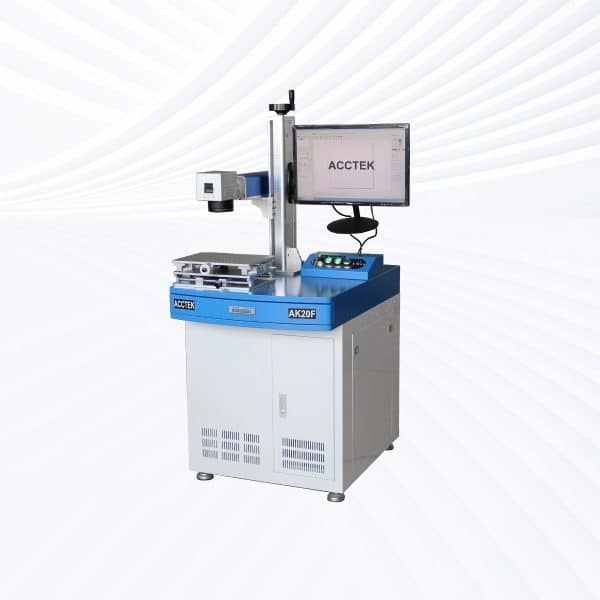
Desktop Fiber Laser Marking Machine
Rated 4.50 out of 5$2,000.00 – $20,200.00Price range: $2,000.00 through $20,200.00 This product has multiple variants. The options may be chosen on the product page -

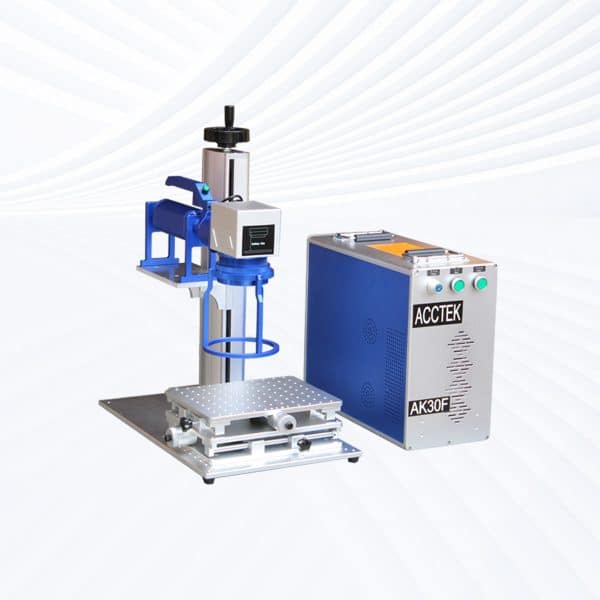
Handheld Fiber Laser Marking Machine
Rated 5.00 out of 5$2,150.00 – $20,350.00Price range: $2,150.00 through $20,350.00 This product has multiple variants. The options may be chosen on the product page -
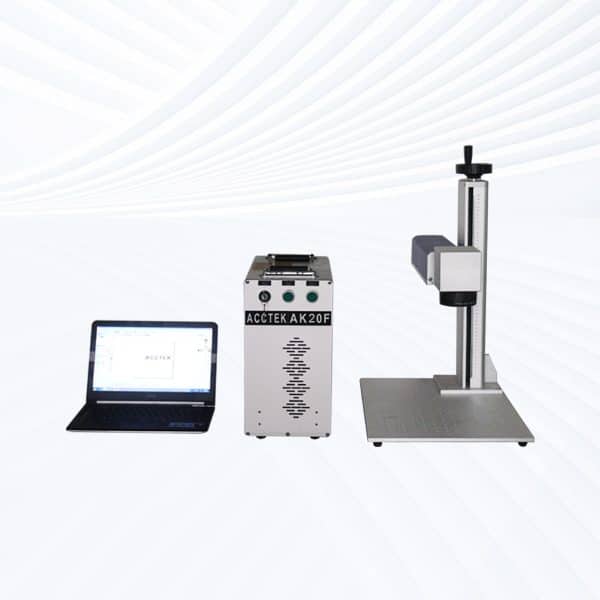
Split Fiber Laser Marking Machine
Rated 4.75 out of 5$2,000.00 – $20,200.00Price range: $2,000.00 through $20,200.00 This product has multiple variants. The options may be chosen on the product page -
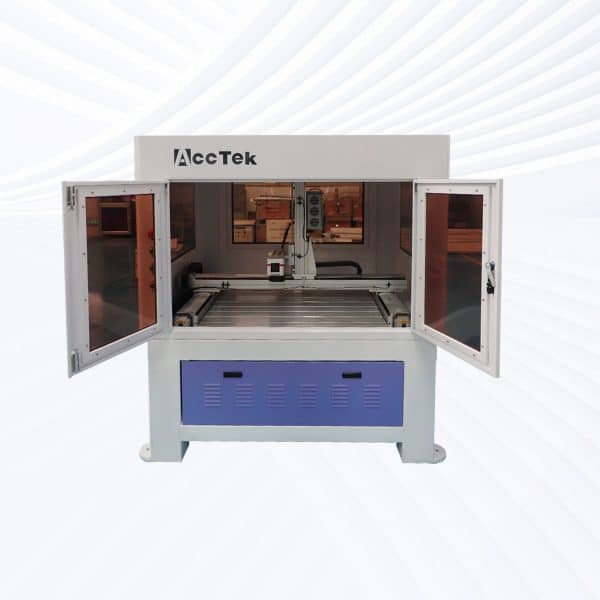
Enclosed Fiber Laser Marking Machine
Rated 5.00 out of 5$12,200.00 – $20,900.00Price range: $12,200.00 through $20,900.00 This product has multiple variants. The options may be chosen on the product page -
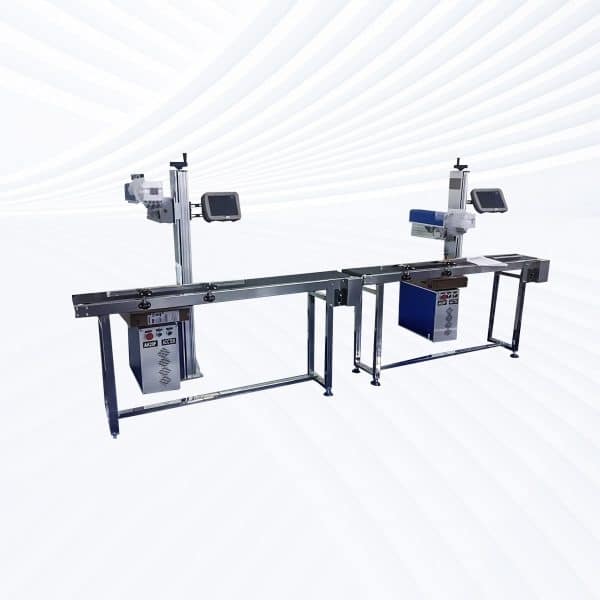
Flying Fiber Laser Marking Machine
Rated 4.75 out of 5$3,300.00 – $21,500.00Price range: $3,300.00 through $21,500.00 This product has multiple variants. The options may be chosen on the product page -
Screw Drive Fiber Laser Marking Machine
Rated 4.75 out of 5$7,700.00 – $27,000.00Price range: $7,700.00 through $27,000.00 This product has multiple variants. The options may be chosen on the product page -
Rack Drive Fiber Laser Marking Machine
Rated 4.50 out of 5$7,800.00 – $26,800.00Price range: $7,800.00 through $26,800.00 This product has multiple variants. The options may be chosen on the product page

Laser Marking Capabilities
| Material | 20W | 30W | 50W | 60W | 70W | 100W |
|---|---|---|---|---|---|---|
| Stainless Steel (304/316) | Surface Mark; Black/Anneal | Surface Mark; Black/Anneal | Surface Mark; Black/Anneal; Shallow Engrave | Surface Mark; Black/Anneal; Shallow Engrave | Surface Mark; Black/Anneal; Shallow Engrave | Surface Mark; Black/Anneal; Shallow Engrave; deep relief |
| Carbon Steel (Mild) | Surface Mark | Surface Mark; Shallow Engrave | Surface Mark; Shallow Engrave | Surface Mark; Shallow Engrave | Surface Mark; Shallow Engrave | Surface Mark; Shallow Engrave; deep relief |
| Tool Steel (HRC ≤55) | Surface Mark | Surface Mark; Shallow Engrave | Surface Mark; Shallow Engrave | Surface Mark; Shallow Engrave | Surface Mark; Shallow Engrave | Surface Mark; Shallow Engrave; deep relief |
| Tool Steel (HRC 55–60) | Surface Mark | Surface Mark | Surface Mark; Shallow Engrave | Surface Mark; Shallow Engrave | Surface Mark; Shallow Engrave | Surface Mark; Shallow Engrave (slow) |
| Titanium & Ti Alloys | Surface Mark; Black/Anneal (color) | Surface Mark; Black/Anneal | Surface Mark; Black/Anneal | Surface Mark; Black/Anneal | Surface Mark; Black/Anneal | Surface Mark; Black/Anneal |
| Nickel Alloys / Inconel | Surface Mark | Surface Mark; Shallow Engrave | Surface Mark; Shallow Engrave | Surface Mark; Shallow Engrave | Surface Mark; Shallow Engrave | Surface Mark; Shallow Engrave; deep relief |
| Aluminum (Anodized) | fast Coating Removal (Surface Mark) | Coating Removal | Coating Removal | Coating Removal | Coating Removal | Coating Removal |
| Aluminum (Bare) | Surface Mark (MOPA Recommended) | Surface Mark; Shallow Engrave (MOPA Recommended) | Surface Mark; Shallow Engrave | Surface Mark; Shallow Engrave | Surface Mark; Shallow Engrave | Surface Mark; Shallow Engrave; deep relief |
| Brass | Surface Mark | Surface Mark; Shallow Engrave | Surface Mark; Shallow Engrave | Surface Mark; Shallow Engrave | Surface Mark; Shallow Engrave | Surface Mark; Shallow Engrave; deep relief |
| Copper | Surface Mark (MOPA Recommended) | Surface Mark; Shallow Engrave (MOPA Recommended) | Surface Mark; Shallow Engrave | Surface Mark; Shallow Engrave | Surface Mark; Shallow Engrave | Surface Mark; Shallow Engrave; deep relief |
| Galvanized Steel | Surface Mark (Manage Zinc Fumes) | Surface Mark | Surface Mark | Surface Mark | Surface Mark | Surface Mark |
| Zinc-/Chrome-Plated Steel | Coating Ablation (Surface Mark) | Coating Ablation | Coating Ablation | Coating Ablation | Coating Ablation | Coating Ablation |
| Black Oxide/Phosphate Coat | Surface Mark; Black/Anneal | Surface Mark; Black/Anneal | Surface Mark; Black/Anneal | Surface Mark; Black/Anneal | Surface Mark; Black/Anneal | Surface Mark; Black/Anneal |
| Painted/Powder-Coated Metals | Coating Ablation (Surface Mark) | Coating Ablation | Coating Ablation | Coating Ablation | Coating Ablation | Coating Ablation |
| Hard Plastics (ABS/PC/PA)* | Surface Mark (MOPA; Laser-Markable Grades) | Surface Mark (MOPA; Laser-Markable Grades) | Surface Mark (MOPA; Laser-Markable Grades) | Surface Mark (MOPA; Laser-Markable Grades) | Surface Mark (MOPA; Laser-Markable Grades) | Surface Mark (MOPA; Laser-Markable Grades) |
| POM/PE/PP (Additive-Filled)* | Surface Mark (Additive-Filled; MOPA Recommended) | Surface Mark (Additive-Filled; MOPA Recommended) | Surface Mark (Additive-Filled) | Surface Mark (Additive-Filled) | Surface Mark (Additive-Filled) | Surface Mark (Additive-Filled) |
| CFRP/GFRP Composites | resin Surface Mark | resin Surface Mark | resin Surface Mark | resin Surface Mark | resin Surface Mark | resin Surface Mark |
| Ceramics (With Marking Paste) | Shallow Engrave (With Paste) | Shallow Engrave (With Paste) | Shallow Engrave; Surface Mark (With Paste) | Shallow Engrave; Surface Mark (With Paste) | Shallow Engrave; Surface Mark (With Paste) | Shallow Engrave; Surface Mark (With Paste) |
| Glass (With Marking Paste) | Shallow Engrave (With Paste) | Shallow Engrave (With Paste) | Shallow Engrave; Surface Mark (With Paste) | Shallow Engrave; Surface Mark (With Paste) | Shallow Engrave; Surface Mark (With Paste) | Shallow Engrave; Surface Mark (With Paste) |
| Wood/Leather (Organics) | Mot Recommended (use CO₂ laser) | Mot Recommended | Mot Recommended | Mot Recommended | Mot Recommended | Mot Recommended |
| PVC | Mot Recommended (toxic fumes) | Mot Recommended | Mot Recommended | Mot Recommended | Mot Recommended | Mot Recommended |
Compatible Materials
- Stainless Steel
- Carbon Steel
- Mild Steel
- Alloy Steel
- Aluminum
- Anodized Aluminum
- Brass
- Copper
- Bronze
- Titanium
- Tungsten
- Nickel
- Nickel Alloys
- Zinc
- Chrome
- Gold
- Silver
- Platinum
- Palladium
- Iron
- Magnesium
- Carbide
- Cobalt
- Inconel
- Lead
- Tin
- Galvanized Metals
- Powder-Coated Metals
- Painted Metals
- Stainless Steel with Mirror Finish
- Hard Plastics
- PEEK
- Nylon
- Polycarbonate
- Acrylic
- Epoxy Resin
- Ceramic
- Silicone
- Leather
- Some Stone Surfaces
Application of 20W Fiber Laser Marking Machines
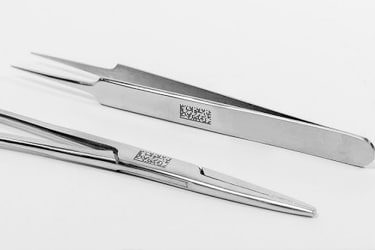
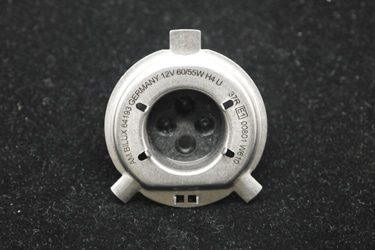
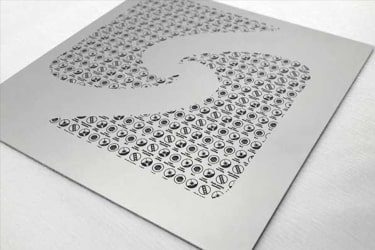
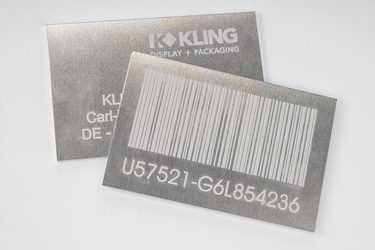
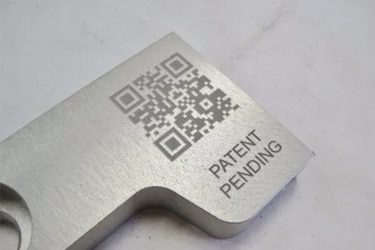
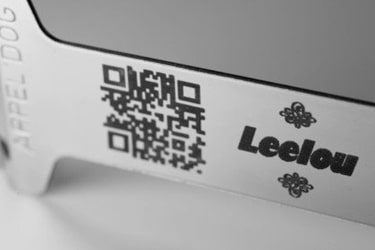
Customer Testimonials
Comparison VS Other Marking Technologies
| Comparison Item | Fiber Laser Marking | Dot Peen Marking | Inkjet Printing | Chemical Etching |
|---|---|---|---|---|
| Marking Speed | Very fast; high throughput suitable for automation | Moderate; mechanical movement limits speed | Fast, but limited by drying time | Slow; multi-step chemical process |
| Marking Quality | Extremely precise, clean, and high contrast | Medium; mechanical impact causes rough marks | Good, but can smear or fade | Good, but depends on chemical consistency |
| Material Compatibility | Works on most metals, plastics, ceramics | Mainly metals | Works on metals, plastics, paper | Mostly metals and coated surfaces |
| Permanence | Permanent and wear-resistant | Permanent but can be affected by corrosion | Temporary; can fade over time | Permanent if surface is properly treated |
| Surface Damage | Non-contact; no physical damage | Causes indentation and vibration | None | Can affect surface coating or finish |
| Precision on Small Parts | Excellent for micro-marking | Limited precision | Moderate; depends on nozzle resolution | Good, but less controllable |
| Maintenance Requirements | Very low; no consumables | Regular pin and stylus replacement | Frequent ink and nozzle maintenance | Chemical disposal and tank cleaning needed |
| Operating Cost | Low after purchase; no consumables | Low to moderate; mechanical wear parts | High; ink and solvent costs | Moderate; chemicals and waste handling |
| Environmental Impact | Clean and eco-friendly | Minimal | Uses solvents and produces emissions | Generates chemical waste |
| Noise Level | Silent operation | Noisy (mechanical impact) | Quiet | Silent |
| Integration in Production Lines | Easily automated with software and robotics | Possible, but slower cycle time | Easy to integrate | Difficult; manual process |
| Marking Depth Control | Fully adjustable via software | Fixed by stylus pressure | Not applicable | Limited by etching duration |
| Suitable for 2D/QR Codes | Excellent; sharp, high-resolution marks | Poor readability | Limited durability | Not suitable for fine codes |
| Lifespan of Equipment | 100,000+ hours of laser life | Moderate; mechanical wear parts | Moderate; ink system replacements | Limited by corrosion of tanks and tools |
| Overall Marking Consistency | Excellent; repeatable, distortion-free | Inconsistent on uneven surfaces | Affected by ink flow and surface texture | Variable; depends on chemical balance |
Why Choose Us
High Precision
Our machines deliver sharp, detailed markings with excellent contrast, suitable for complex patterns and small components across metal, plastic, and other materials.
Fast Processing
Designed for speed and efficiency, our systems complete marking tasks quickly without compromising quality, making them ideal for high-volume production environments.
Low Maintenance
With durable components and minimal consumables, our machines offer stable long-term performance, reducing downtime and keeping operating costs low.
Flexible Solutions
We provide a variety of models and customization options to suit different materials, marking needs, and production setups, ensuring the right fit for your business.
Related Resources
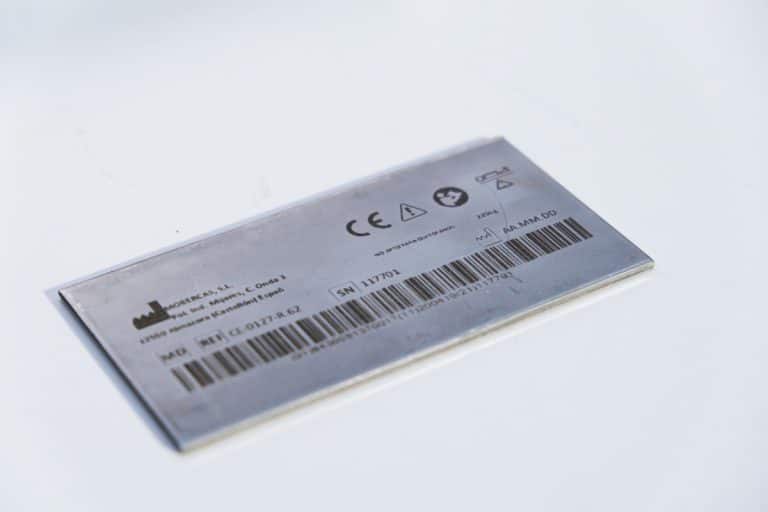
How Accurate Is Laser Marking
This article explores how laser marking achieves superior precision, the factors that influence this precision, and how various industries ensure consistent, high-quality, and permanent markings.
How To Maintain Laser Marking Machines
This article provides a comprehensive guide to maintaining your laser marking machine, including cleaning, inspection, cooling system care, and troubleshooting to ensure consistent operation and durability.
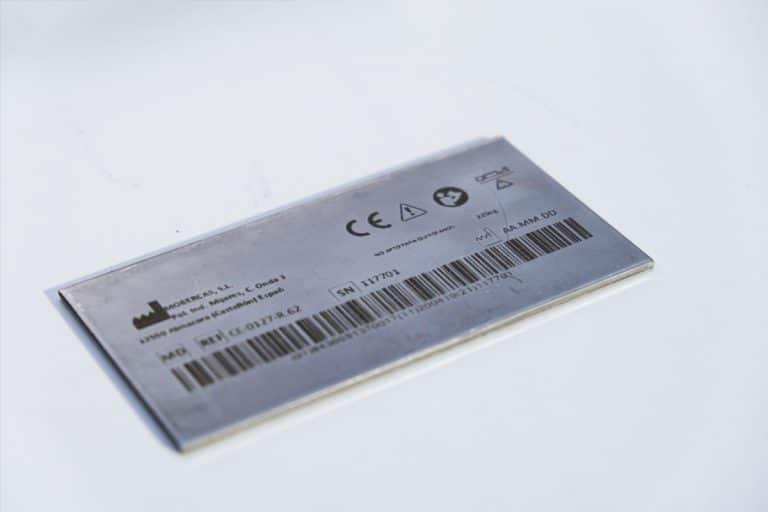
How To Choose Laser Marking Machines
A comprehensive guide to selecting the right laser marking machine—covering materials, mark quality, laser types, software, integration, compliance, and total cost of ownership.
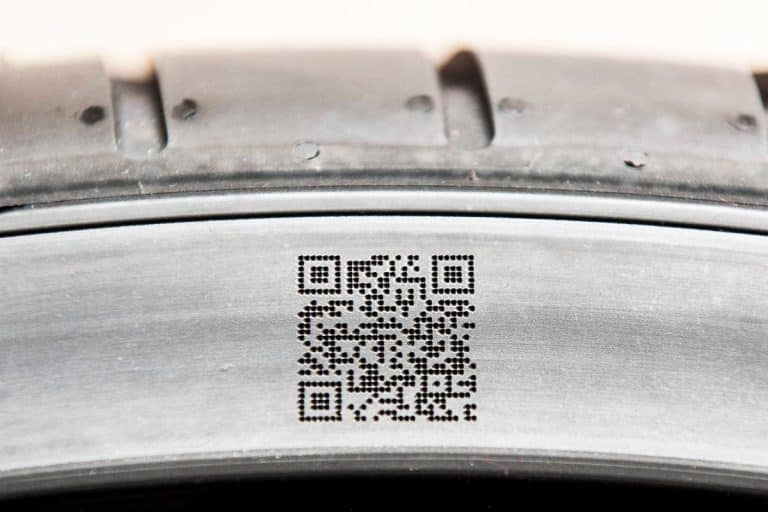
What Are The Common Defects In Laser Marking
This article explores common defects in laser marking, including causes, prevention strategies, and solutions to ensure high-quality, consistent results in various manufacturing applications.
Frequently Asked Questions
What 20W Fiber Laser Marking Machine Models Are Available?
- Desktop Models: Compact and stable, these are ideal for small workshops, laboratories, or jewelry studios. Their rigid frame and fixed optical path ensure consistent, precise marking on metals and plastics.
- Portable Models: Lightweight and easy to move, these machines allow flexible operation in multiple work areas. They’re well-suited for marking components or tools that are difficult to transport.
- Handheld Models: Designed for marking large, heavy, or irregularly shaped objects, handheld fiber lasers provide ergonomic flexibility while maintaining marking accuracy, commonly used for pipes, machinery, or chassis parts.
- Fully Enclosed Systems: Built with protective housings and exhaust filtration, these models enhance operator safety and environmental cleanliness. They’re perfect for cleanroom or office settings where fume control and shielding are required.
- Flying Fiber Lasers: Integrated into automated or conveyor production lines, they mark moving products continuously at high speed. This makes them ideal for serial numbers, barcodes, or logos on electronics, wires, and packaging materials.
- Large-Area Screw-Drive Systems: Featuring high-precision screw motion control, these models deliver stable and accurate marking over large surfaces. They’re widely used for automotive parts, molds, and complex metal components.
- Large-Area Open Rack-Drive Systems: Designed for maximum speed and accessibility, open-frame rack-driven machines handle oversized or batch-marking tasks efficiently, supporting customizable fixtures and multi-station setups.
How Much Do 20W Fiber Laser Marking Machines Cost?
- Desktop Models ($1600–2000): Compact and stable, these are ideal for small workshops, jewelry engraving, or nameplate marking. Their fixed frame ensures accuracy and repeatability, making them the most popular entry-level choice.
- Portable Models ($1600–2000): Similar in performance to desktops but easier to move between workstations or production lines. They suit businesses needing flexibility in marking different parts or materials across locations.
- Handheld Units ($1800–2200): Designed for large or irregular surfaces, such as pipes or assembled machinery. Their ergonomic design allows direct marking without moving the workpiece.
- Fully Enclosed Systems ($2300–2700): Equipped with safety shielding, fume extraction, and automatic doors, these machines meet higher safety and cleanliness standards, ideal for office or laboratory environments.
- Flying Marking Machines ($2900–3300): Integrated into conveyor or production lines, they perform high-speed, continuous marking on moving parts—perfect for packaging, cables, or electronic components.
- Large-Area Screw-Drive Systems ($6900–8500): Built for extreme precision across big marking fields, using ball-screw motion control for stable, micron-level accuracy—common in mold or automotive component marking.
- Large-Area Open Rack-Drive Models ($7000–7500): Offer faster traversal speeds for large parts or sheet metal marking, with open-frame access for easy loading and customization.
What Is The Marking Area Of 20W Fiber Laser Marking Machines?
- 110×110 mm Marking Area: This is the standard configuration for 20W fiber laser marking machines. It offers a perfect balance between marking precision and beam density, ensuring sharp, detailed results on small to medium-sized items such as tools, nameplates, jewelry, electronic components, and hardware parts. The smaller field lens provides higher energy concentration, resulting in deeper or more defined markings.
- 200×200 mm Marking Area: The extended field option increases the working space for larger products or batch marking. While the beam spot slightly enlarges due to lens characteristics, it remains highly precise for applications such as engraving large logos, QR codes, or multi-part fixtures. This configuration is ideal for industries handling larger components like automotive parts, panels, or metal enclosures.
Is It Safe To Use 20W Fiber Laser Marking Machines?
- Laser Radiation: 20W fiber lasers operate at a wavelength of 1064 nm, which is invisible infrared light. Direct or reflected exposure can cause serious eye injury. Therefore, operators should always wear laser safety glasses rated for the correct wavelength and optical density. Enclosed models or protective housings are highly recommended to block any scattered laser radiation.
- Material Safety: Fiber lasers are ideal for marking metals and some plastics. However, users should avoid materials that release toxic gases when heated or vaporized—such as PVC or coated plastics. Proper air extraction and ventilation are critical for maintaining a safe workspace.
- Electrical and Mechanical Safety: Ensure the machine is correctly grounded and installed on a stable surface. Operators should never open the laser source or optical components, as these are factory-sealed and can expose users to electrical and optical hazards.
- Operational Safety: Follow the manufacturer’s guidelines for focus distance, power settings, and marking procedures. Never leave the laser unattended during operation, and ensure emergency stop buttons are accessible at all times.
What Is The Marking Speed Of 20W Fiber Laser Marking Machines?
- Maximum Scanning Speed: 20W fiber laser marking machines typically achieve a maximum scanning speed of up to 7000 mm/s. This is made possible by advanced galvanometer scanning systems, which rapidly direct the laser beam while maintaining accuracy and stability.
- Practical Marking Speed: For standard industrial applications, the effective marking speed usually ranges between 2000 mm/s and 4000 mm/s, depending on the marking density and required depth. Lighter surface marking and shallow engravings allow faster operation, while deeper markings or filled patterns may require slower speeds for higher energy concentration.
- Influencing Factors
- Material Type: Metals like aluminum and stainless steel mark faster than harder alloys or coated materials.
- Laser Focus and Lens Size: Smaller field lenses (e.g., 110×110 mm) support higher marking speeds with better precision.
- Software Settings: Line spacing, fill pattern, and pulse frequency directly affect overall marking speed and quality.
How Quiet Are 20W Fiber Laser Marking Machines?
- Operational Noise Level: Fiber laser marking machines produce very minimal sound during operation, typically ranging from 45 to 60 decibels (dB) — about the same as a quiet conversation or office background noise. The primary noise sources are the cooling fan and galvo scanner movement, both of which generate soft, non-disruptive sounds.
- Absence of Moving Parts: Unlike CNC routers, milling machines, or pneumatic engravers, fiber lasers have no direct-contact cutting tools, so there’s no vibration, grinding, or mechanical resonance. The beam performs the marking entirely through optical energy, ensuring clean and silent operation.
- Enclosed Model Advantage: Fully enclosed or cabinet-style models further reduce acoustic emissions, containing fan noise and isolating any high-frequency tones from the galvo system. This makes them particularly suitable for use in research facilities, offices, and precision workshops.
What Problems May Occur When Using 20W Fiber Laser Marking Machines?
- Power Instability and Weak Marking: Inconsistent laser output may result in faint or uneven markings. This can occur due to fiber source aging, incorrect power settings, or dirty lenses. Ensuring a stable voltage supply and regularly cleaning the optical path can prevent these issues.
- Focus Misalignment: If the marking appears blurry or out of shape, it often indicates incorrect focal distance. Over time, vibration or worktable adjustments can shift the lens position. Users should routinely check focus height using a focus gauge or auto-focus system.
- Software and Communication Errors: Marking software (like EZCAD) may occasionally freeze or fail to communicate with the control card. These issues are commonly caused by USB instability, outdated drivers, or incorrect configuration files. Reinstalling drivers or using a shielded USB cable can help restore proper communication.
- Overheating During Continuous Work: Extended high-power operation without sufficient cooling may cause galvo motor drift or laser source temperature rise, leading to unstable beam quality. Proper ventilation and periodic cooling system checks are essential for long-term reliability.
- Material-Specific Issues: Improper parameter settings (speed, power, frequency) can cause burn marks, discoloration, or poor contrast, especially on coated or anodized materials. Testing and adjusting marking parameters for each material type ensures optimal results.
How Should 20W Fiber Laser Marking Machines Be Maintained?
- Optical Path Maintenance: The lens system—especially the focusing lens and field lens—should be kept clean and free from dust or oil. Contaminants can scatter the laser beam, reducing marking quality and potentially damaging optics. Use non-contact lens paper and alcohol for gentle cleaning, and avoid touching the glass surface directly.
- Cooling and Ventilation Checks: Although fiber lasers generate minimal heat, continuous operation can still warm the system. Ensure ventilation fans and air filters are unobstructed and cleaned regularly. In enclosed systems, verify that internal cooling air circulates freely to prevent the galvo motor from overheating.
- Electrical and Software Maintenance: Inspect power cables and signal connectors for looseness or oxidation. Stable grounding is essential for consistent laser output. Keep marking software updated and back up configuration files to avoid data loss during upgrades or unexpected system errors.
- Environmental Care: Place the machine in a dry, dust-free, and vibration-free environment. Excessive dust or humidity can degrade optical alignment and cause corrosion in connectors or circuit boards. Maintain ambient temperature between 15–30℃ for optimal operation.
- Regular Calibration and Inspection: Check the focal height, beam alignment, and galvo calibration monthly, especially after moving the machine. Small misalignments can affect marking precision and speed. Periodic testing ensures the laser remains focused and well-centered.